
In Domain Defense, numerous powerful monsters rush toward the village to attack the Guardian Statue inside the village.
All guild members must work together to fight the continuous waves of monsters, defend the Guardian Statue, and protect the peace of the continent.
If your guild clears a stage by defeating the final boss, every member will have a chance to obtain rewards through the Guild Auction.
■ Contents
1. How to Enter the Domain Defense Lobby
2. Domain Defense Lobby
3. Starting and Conducting Domain Defense
4. Guardian Statue Blessings and Mount Summoning
5. End and Exit
6. Reward Acquisition
1. How to Enter the Domain Defense Lobby
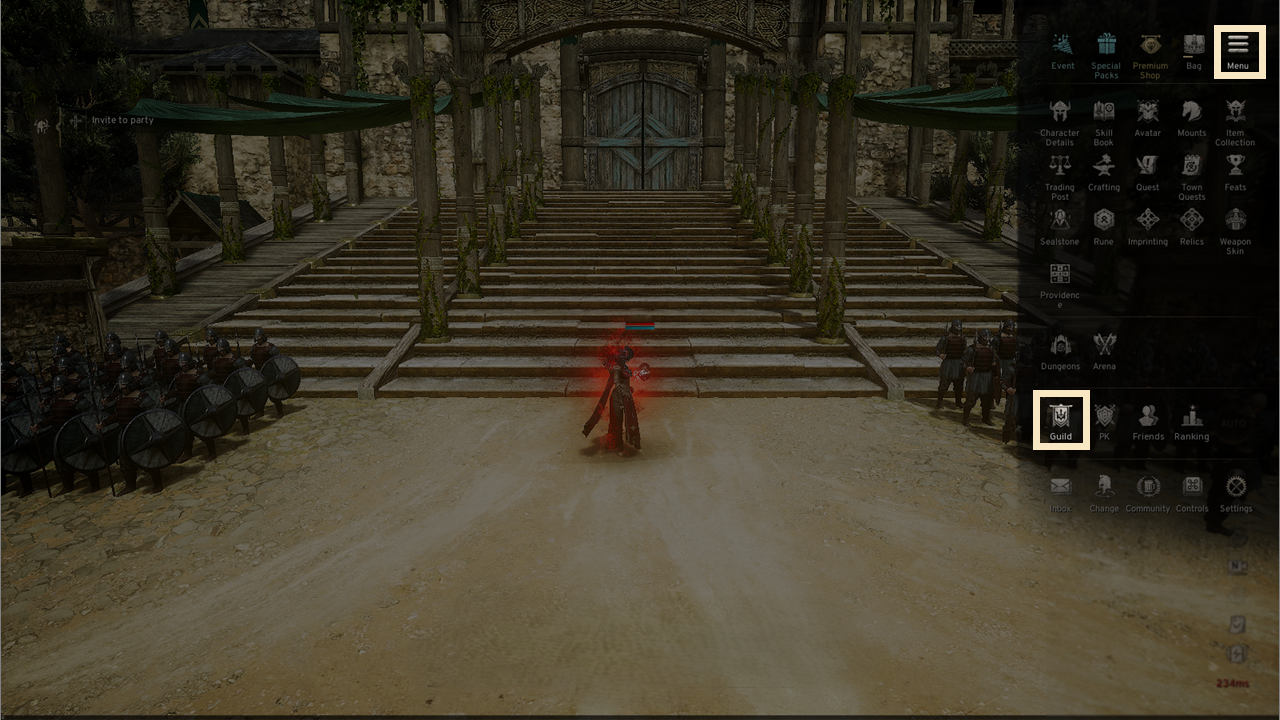
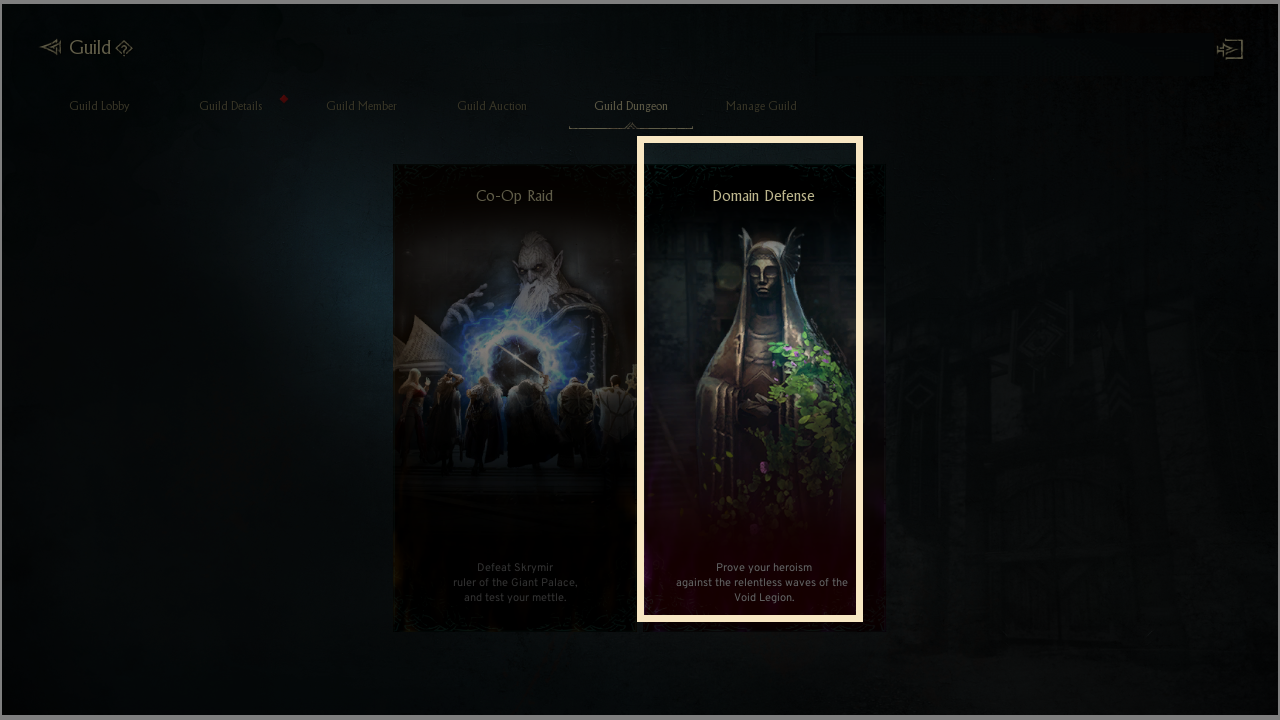
- Select the upper-right [Menu(≡)] - [Guild] - [Guild Dungeon] to enter the Domain Defense.
2. Domain Defense Lobby
◈ Lobby Screen
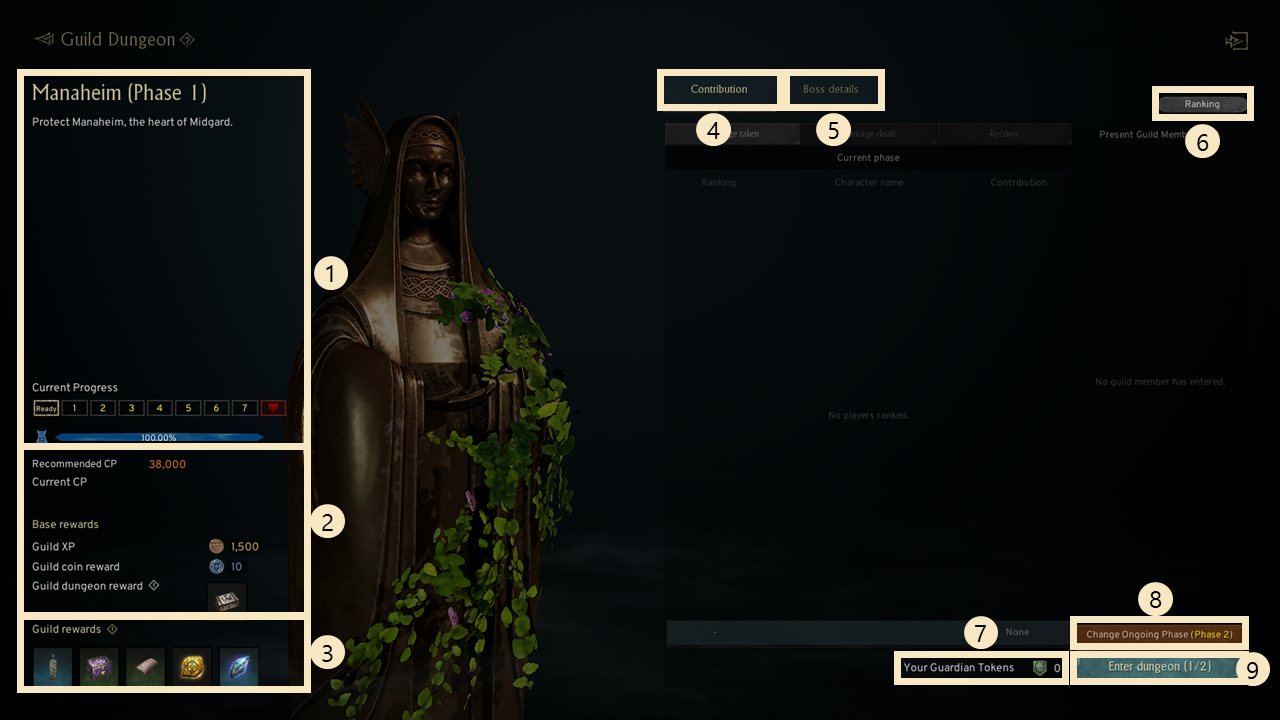
① You can check the current stage, wave progress, and remaining health of the Guardian Statue.
② You can check the recommended combat power and basic rewards for the stage.
③ You can check the guild reward information.
④ Contribution: You can check the contribution rankings recorded by each guild member for the current and previous stages.
⑤ Boss Information: You can check information about the boss appearing in the current stage.
⑥ Guild Dungeon Ranking: You can check the Domain Defense rankings for each guild.
⑦ You can check the number of Guardian Tokens you currently hold.
⑧ You can skip ahead to the stage shown on the button.
⑨ You can enter the dungeon by pressing the [Enter Dungeon] button.
- If the Guardian Statue has not been destroyed, you can enter twice per week.
- Dungeon entry attempts reset every Monday at 04:00 (UTC+0).
! [Guild Dungeon – Domain Defense] requires Guild Level 6 or higher to enter.
! [Guild Dungeon – Domain Defense] can be participated in only after 7 days have passed since joining the guild.
3. Starting and Processing Domain Defense
◈ Activating the Guardian Statue
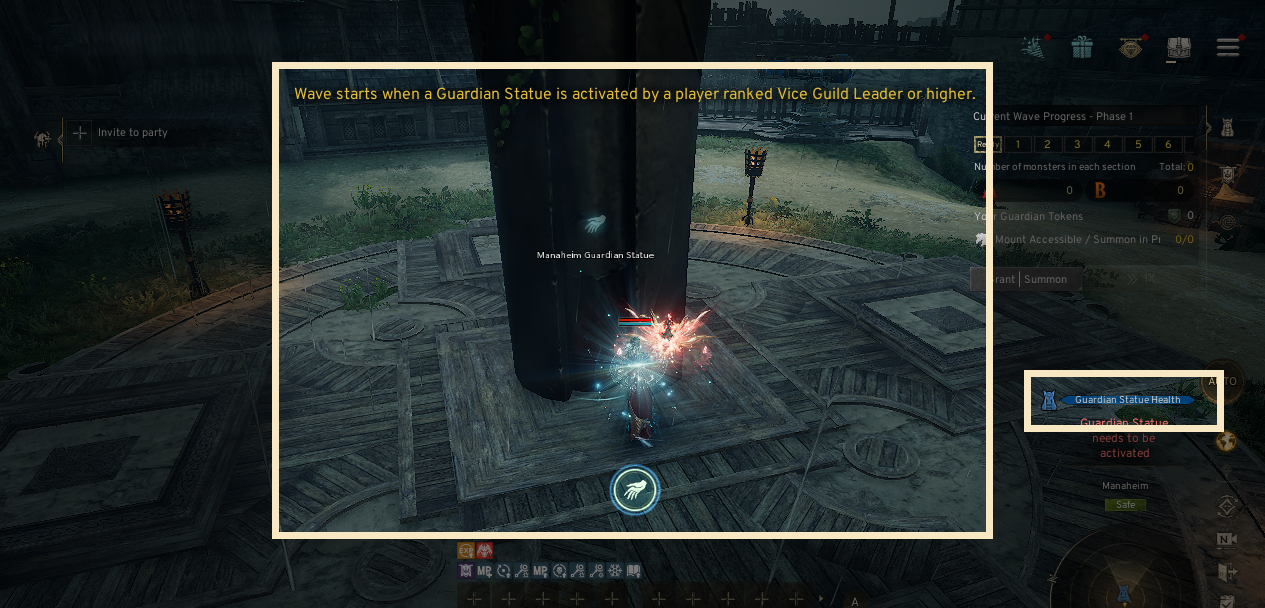
- Guardian Statue Activation: Domain Defense begins when the Guild Leader or Vice Guild Leader interacts with the Guardian Statue to activate it.
◈ Battle Screen
- Once the Guild Leader has interacted with the Guardian Statue, monsters will rush forward to attack it, and the battle to defend the Guardian Statue begins.
- In the battle screen, you can check wave information and use various progress-related functions.
! In Domain Defense, auto-combat targeting range is limited to 15m.
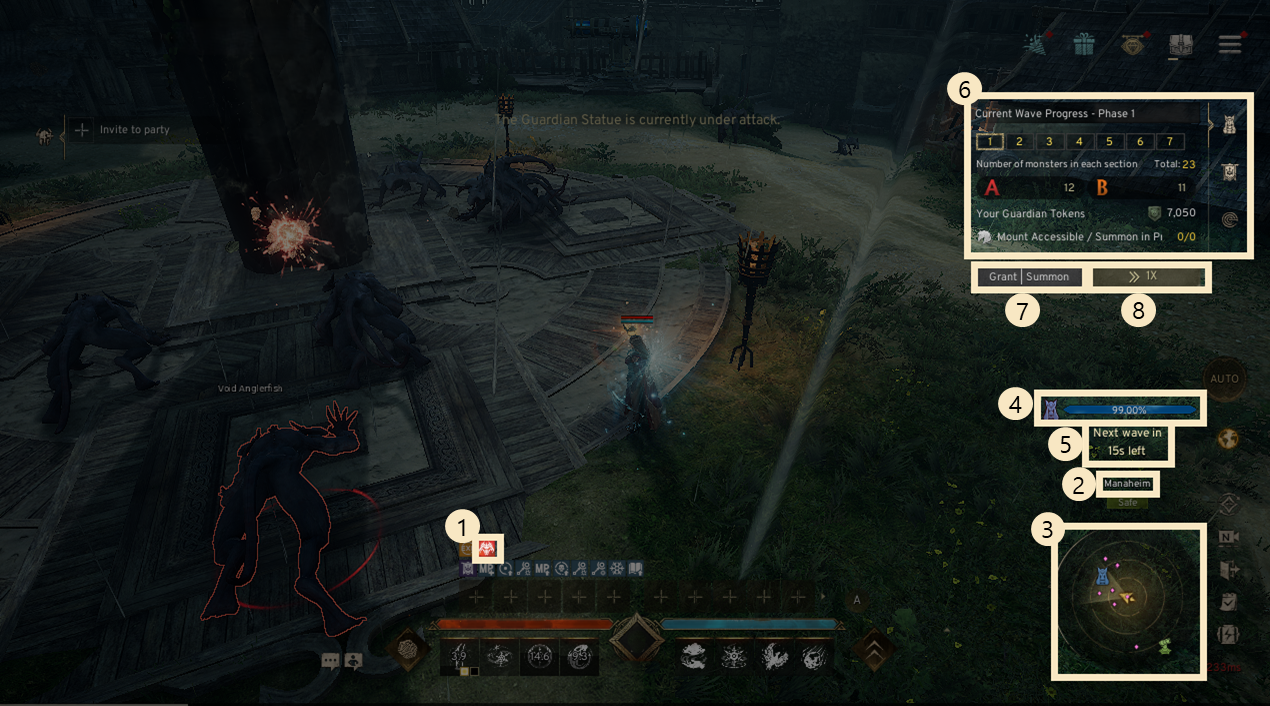
① Guardian Statue Blessing Buff Display: Displays the currently applied Guardian Statue blessing buffs under the active buffs tab.
② Dungeon Information: Shows details about the currently running dungeon.
③ Mini-map: You can enter the dungeon map view by clicking the mini-map to check mount summon points, the Guardian Statue, defensive weapons, and monster spawn locations.
④ Guardian Statue Health Info: You can check the remaining health of the Guardian Statue.
⑤ Remaining Time Info: Displays the remaining time for the current wave.
⑥ Progress Status: Shows wave progress, number of monsters, number of Guardian Tokens held, and how many mounts are available or being summoned.
⑦ Assign / Summon: You can apply Guardian Statue blessings or summon mounts.
⑧ Wave Speed Control: You can choose from 1×, 2×, or 4× speed to adjust the pace of the wave progress.
! In the final wave, the final boss appears, and you must defeat all final boss enemies within the time limit to fully clear the stage.
◈ Defense Weaponry
- In Domain Defense, there are defense weaponry pieces that can deal damage to the endless waves of incoming monsters.
- You can check the location of defense weaponry by clicking the left mini-map.
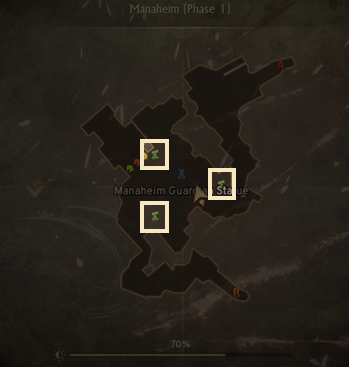
- Any player can interact with and use defense weaponry, regardless of their guild role.
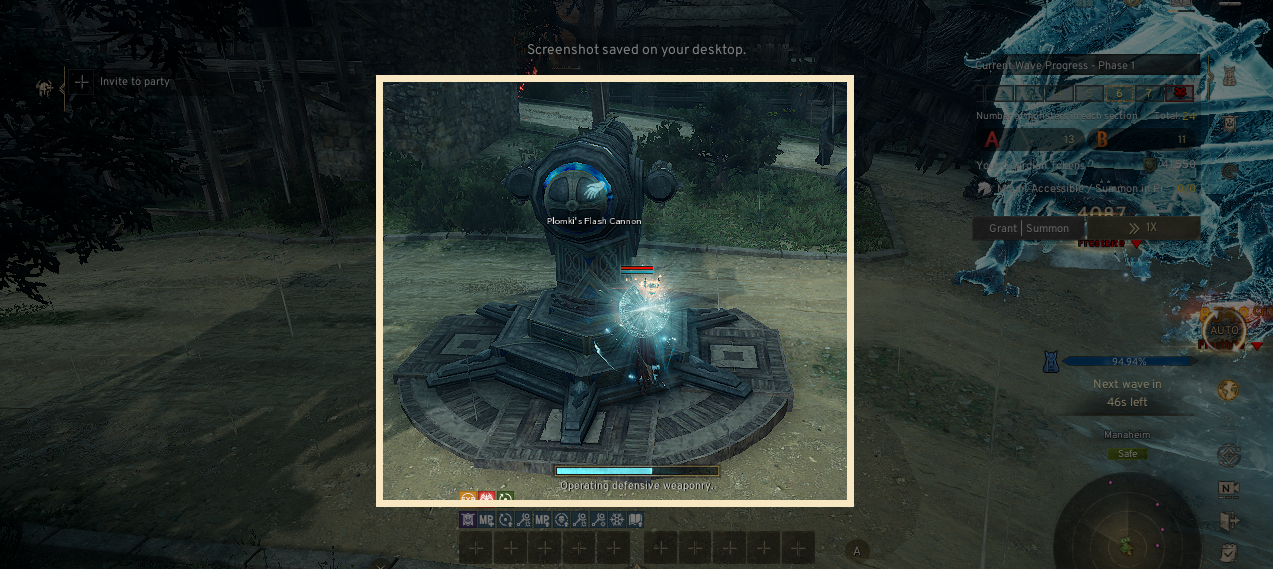
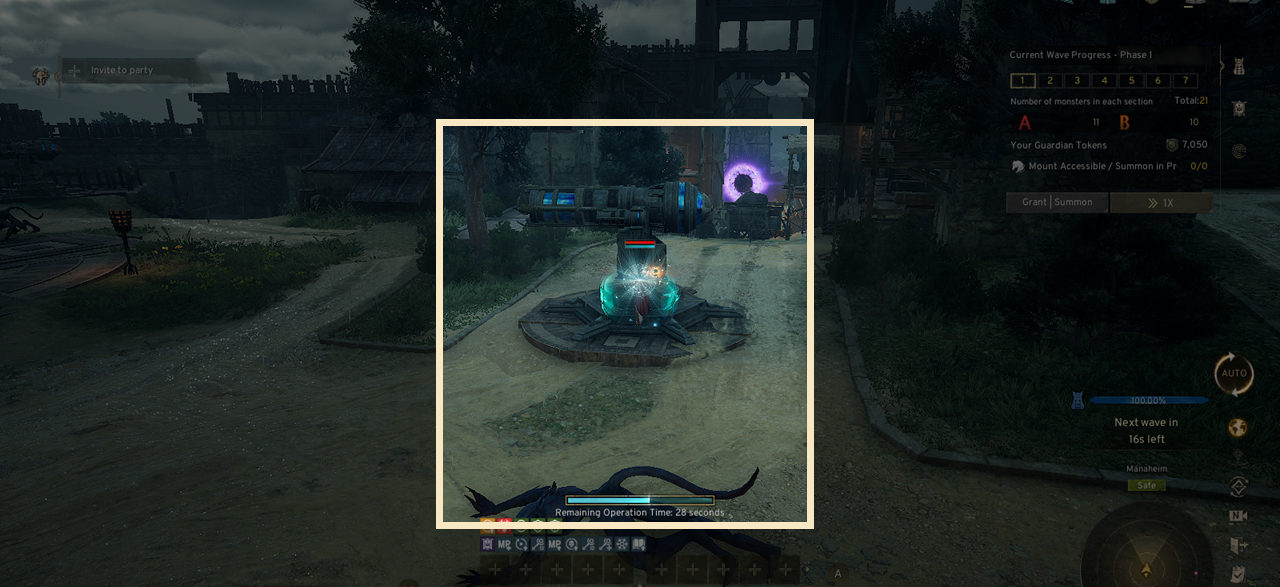
- Defense weaponry attacks automatically by default, and manual attacks are also possible.
- There is a time limit for using defense weaponry, but it becomes usable again after a certain period has passed.
! While using defense weaponry, you cannot attack or move.
4. Guardian Statue Blessing and Summon Mount
◈ Guardian Statue Blessing and Summon Mount
- In Domain Defense, you can additionally use the Guardian Statue Blessing and Summon Mount functions.
- With the Guardian Statue Blessing, you can increase various stats until the current stage ends.
- Using Summon Mount, you can summon a mount that helps defeat monsters for a limited time.
◈ Guardian Statue Blessing
- Select a blessing slot and press the [Confirm Blessing] button to reveal blessings that can be applied based on the probability.
- Pressing the [Confirm Blessing] button consumes Guardian Tokens.
- Each time you perform a blessing confirmation, the cost required for the next confirmation increases.
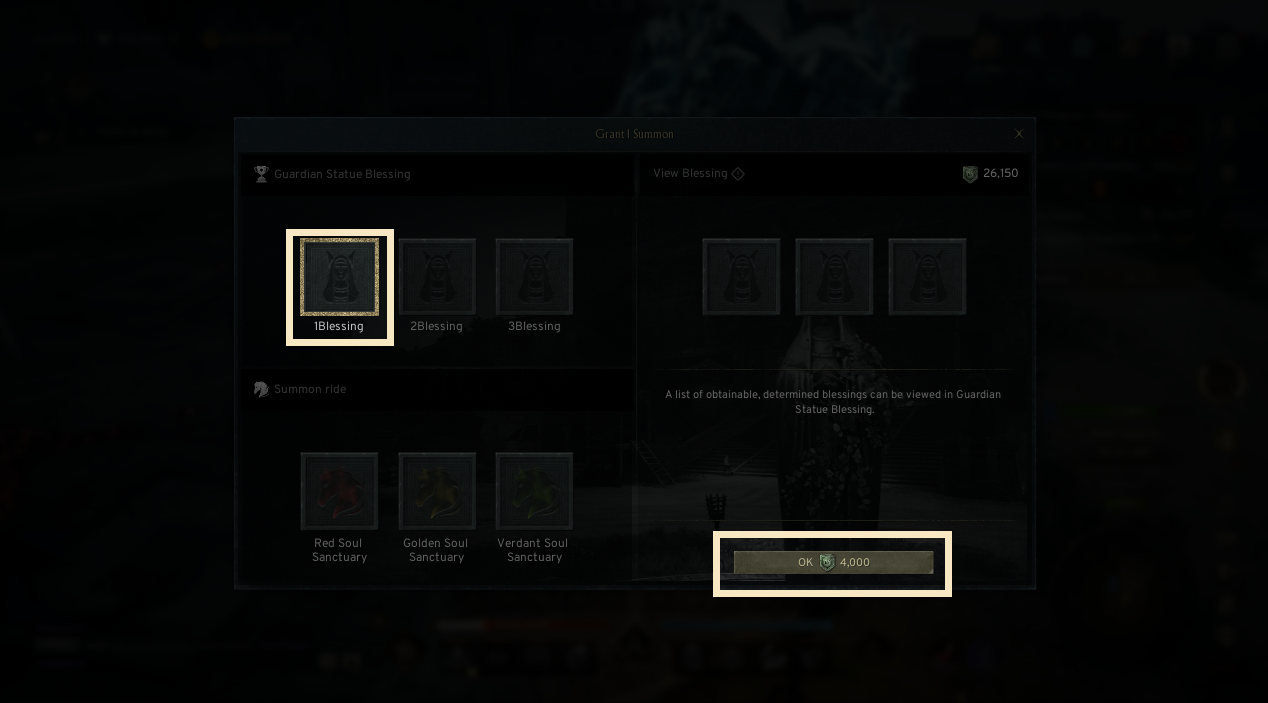
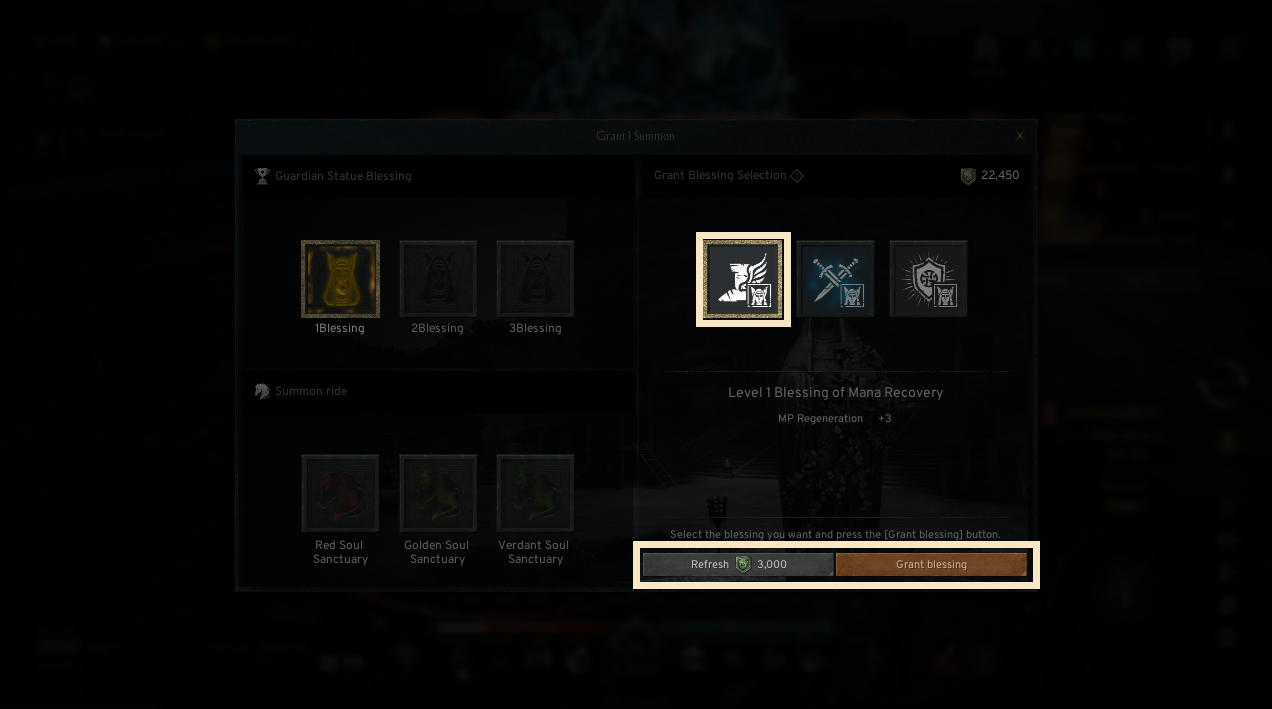
- Among the three available blessings, select the desired blessing and press [Apply Blessing] to assign the chosen blessing to the selected slot.
- Press [Refresh] to update the list of available blessings.
- Pressing the [Refresh] button consumes Guardian Tokens.
- You can remove an applied blessing by consuming Guardian Tokens.
- When a blessing is removed, the blessing list is refreshed and displayed again.
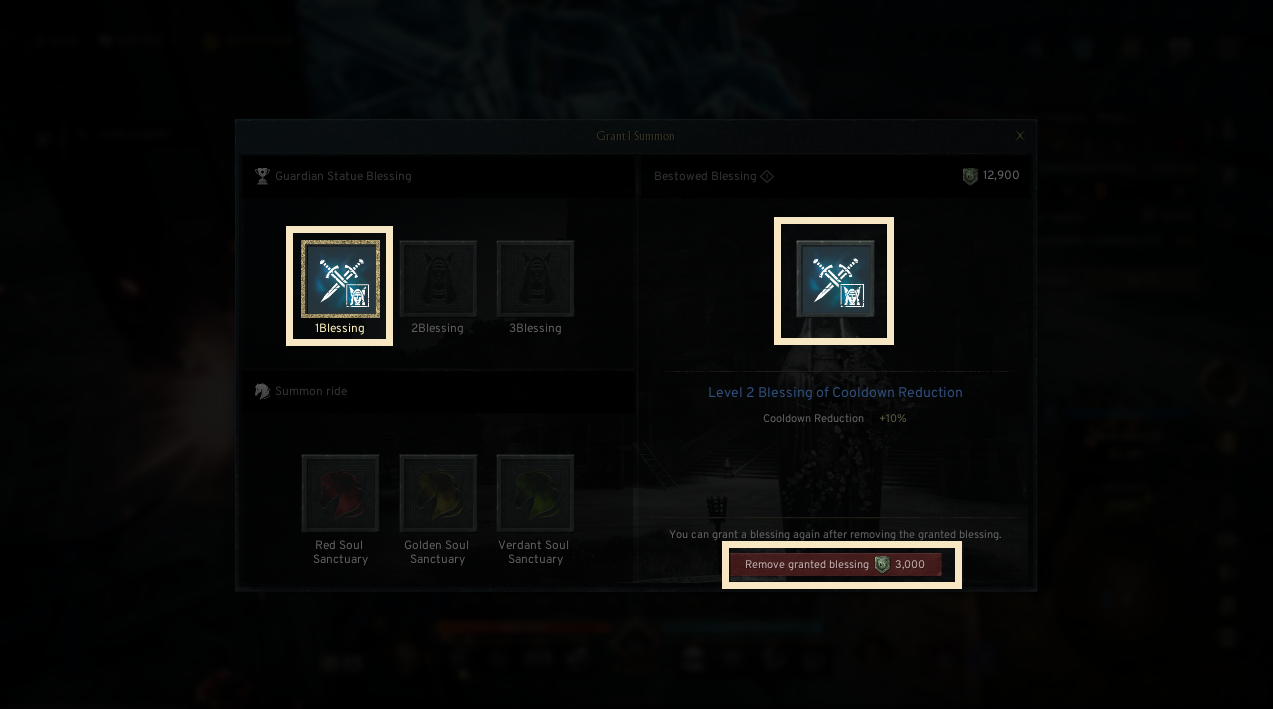
! Only the Guild Leader and Vice Guild Leader can assign or remove blessings.
◈ Summon Mount
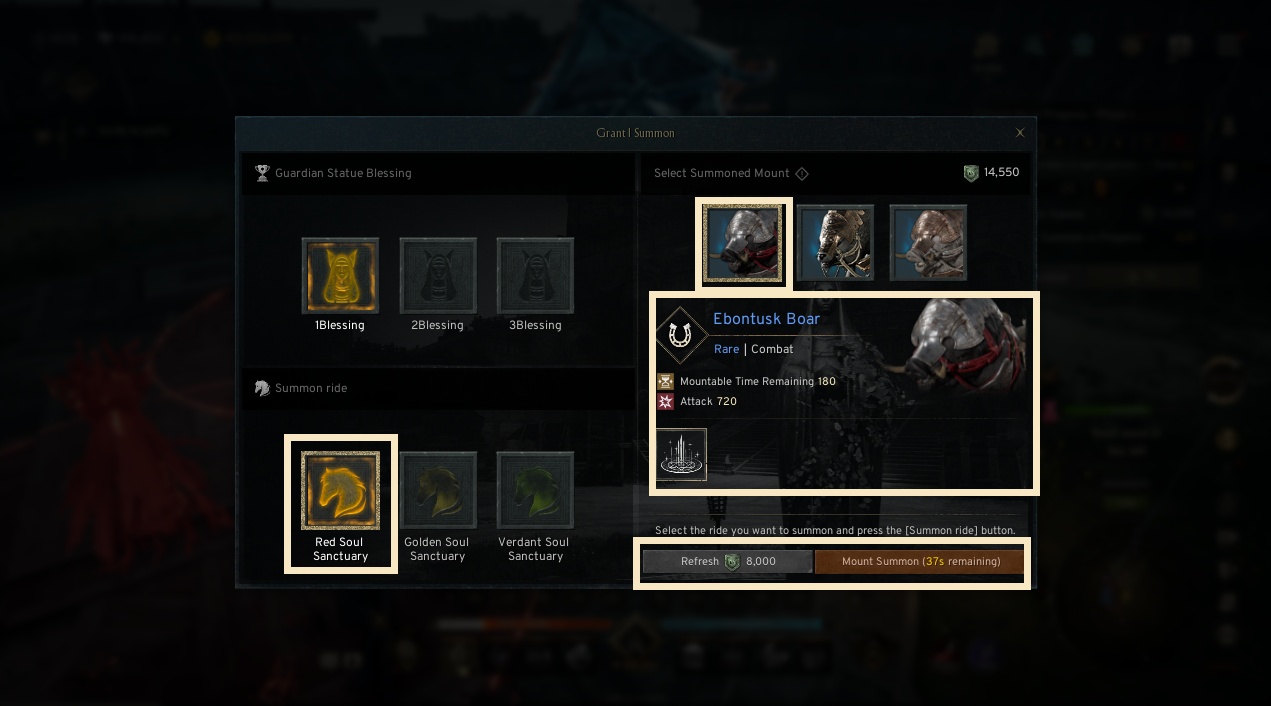
- Select a summon point slot and press the [Confirm] button to reveal summonable mounts based on predetermined probabilities.
- Guardian Tokens will be consumed when you press the [Confirm Mount] button.
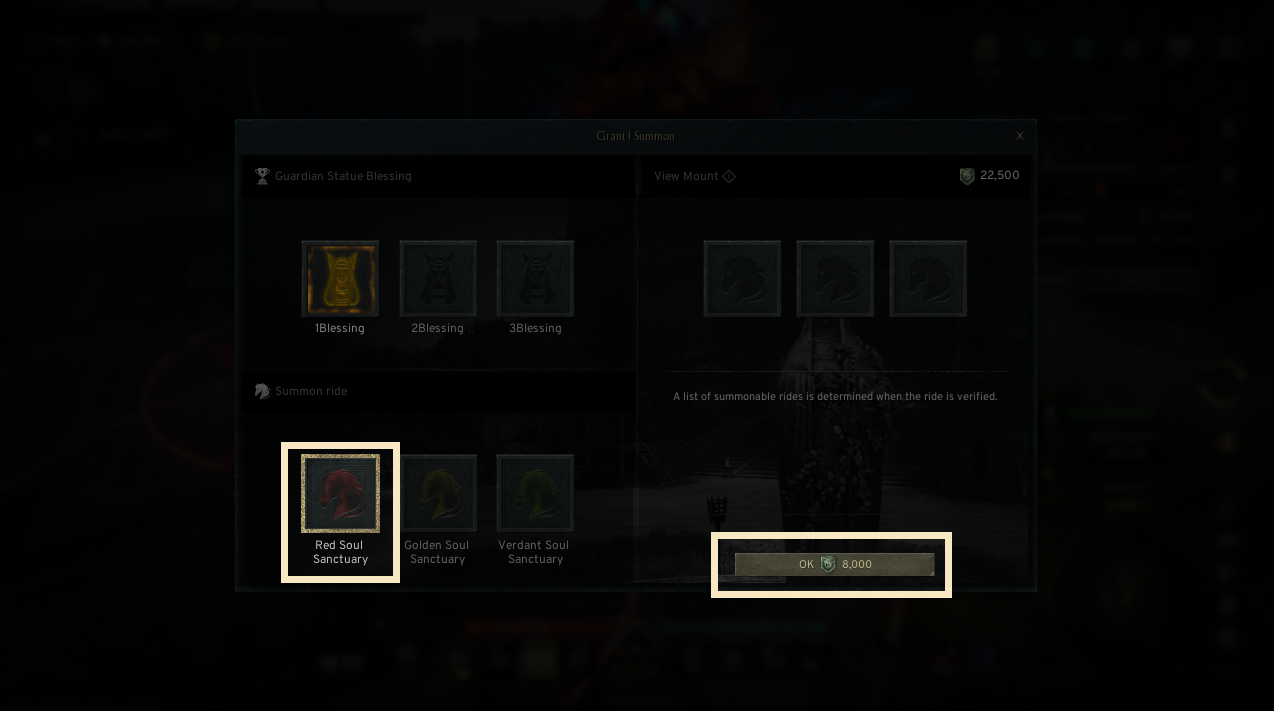
- After selecting a mount, press [Summon Mount] to summon the mount at the chosen summon point.
- Press Refresh to update the list of available mounts.
When the list is refreshed, the summon availability timer is also reset.
- Pressing the [Refresh] button consumes Guardian Tokens.
! If you do not press the [Summon Mount] button within the time limit, it returns you to the mount confirmation stage.
- If the mount’s available time expires or you dismount, the mount disappears.
- A new mount can be summoned in the summon area where the previous mount disappeared.
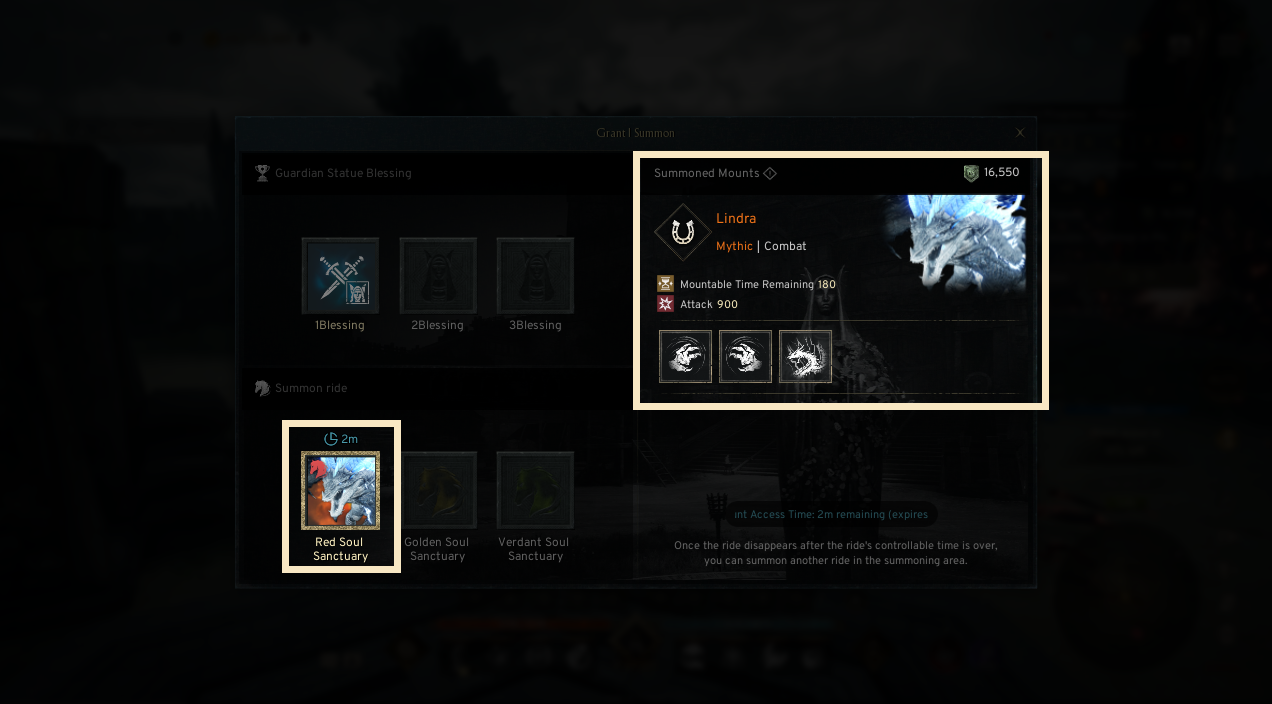
! Only the Guild Leader and Vice Guild Leader can summon mounts.
◈ Summon mount — Mounting and Usage
- You can move to the location where a mount is summoned and ride on the mount.
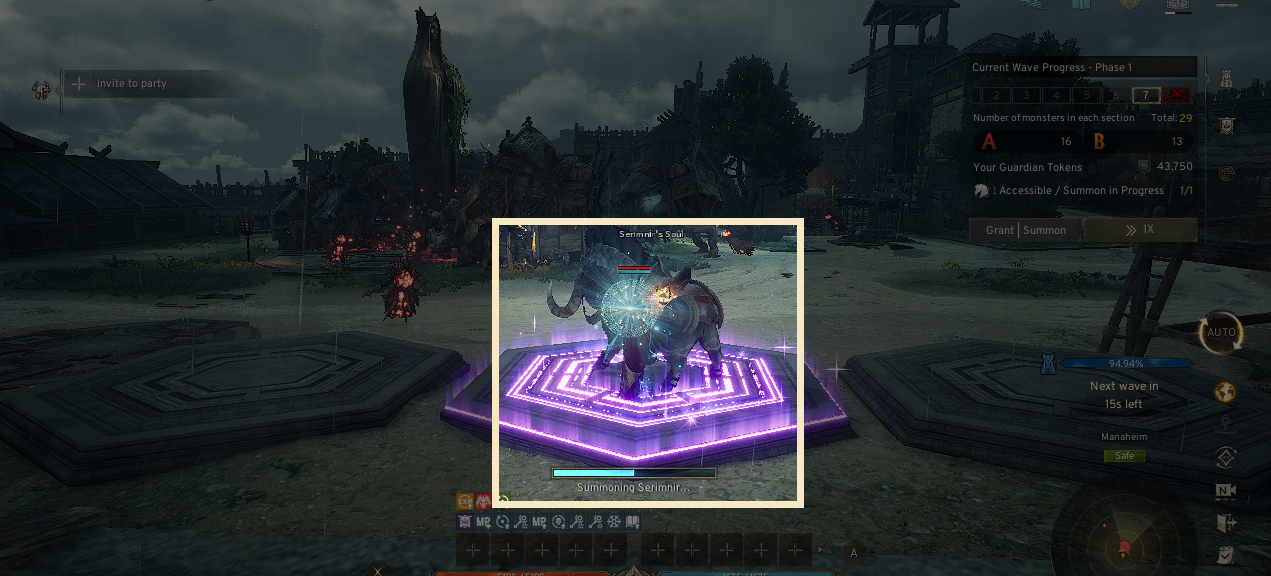
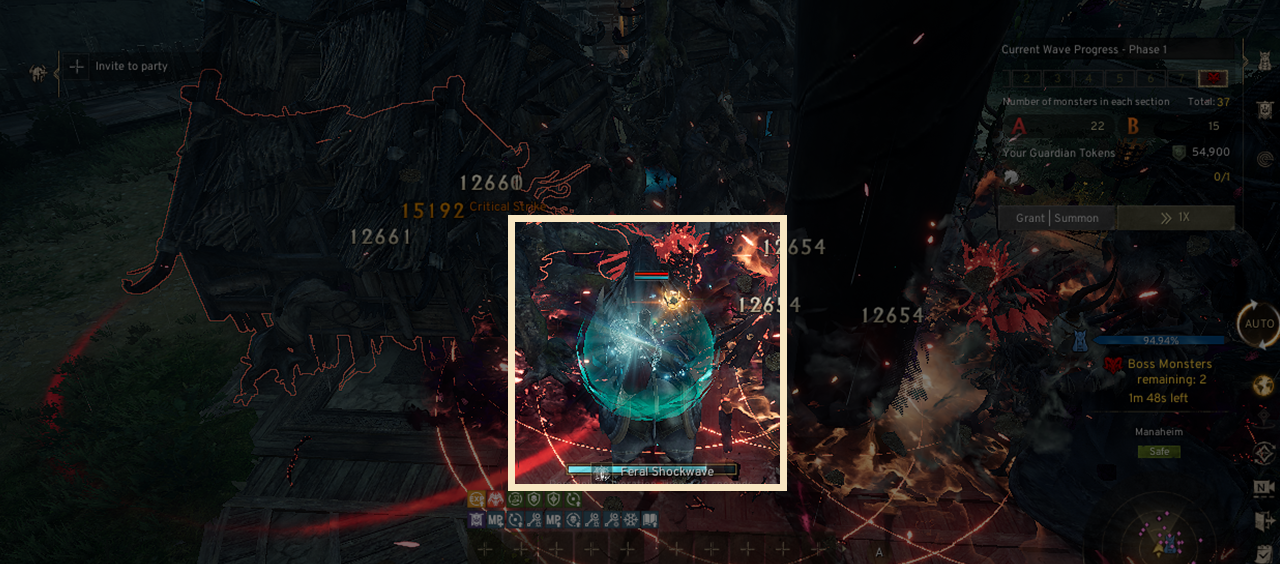
- Once mounted, you can use the mount’s skills to attack monsters for a limited time.
! The mount’s available time decreases from the moment it is summoned into the field.
! You can dismount at any time, but the mount will disappear when you do.
! Any player can ride on the mount, regardless of their guild rank
5. End and Exit
◈ Stage Clear — Success
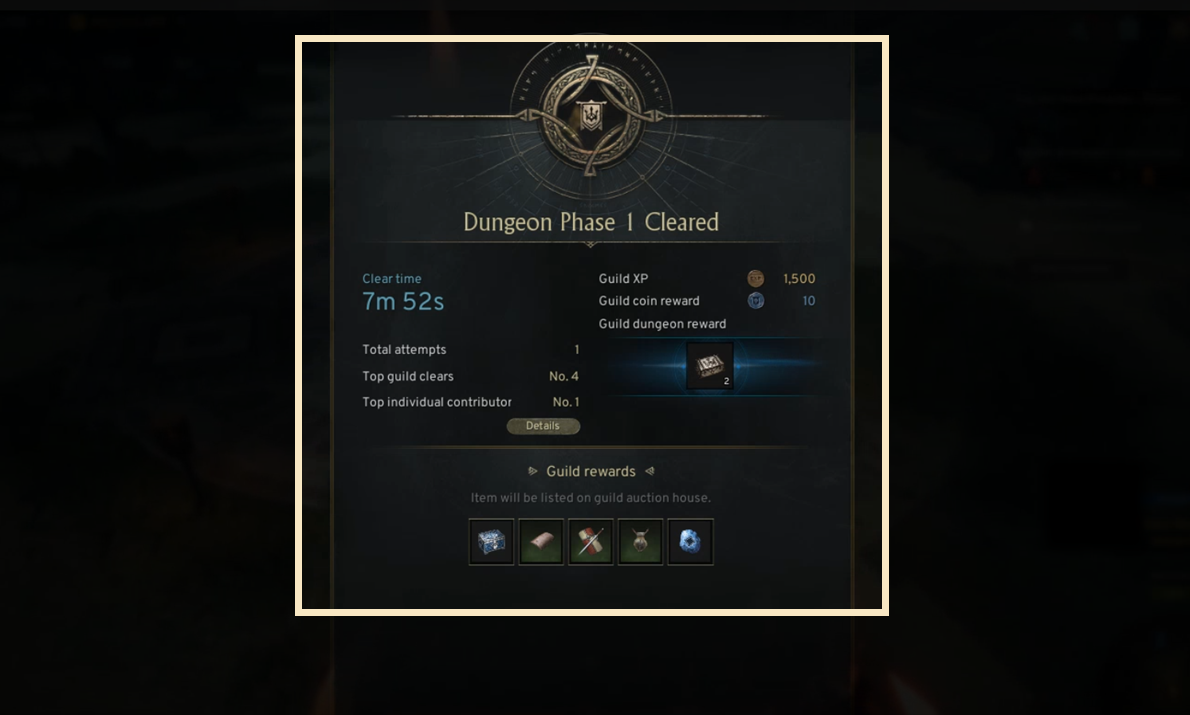
- If you defeat all bosses in the final wave within the time limit, the current stage is cleared successfully.
- Tap the screen or wait for the designated time to automatically exit the dungeon and return to the field.
- Press the [Progress Info] button to open a pop-up showing Guild Dungeon progress details.
◈ Stage Clear — Failure
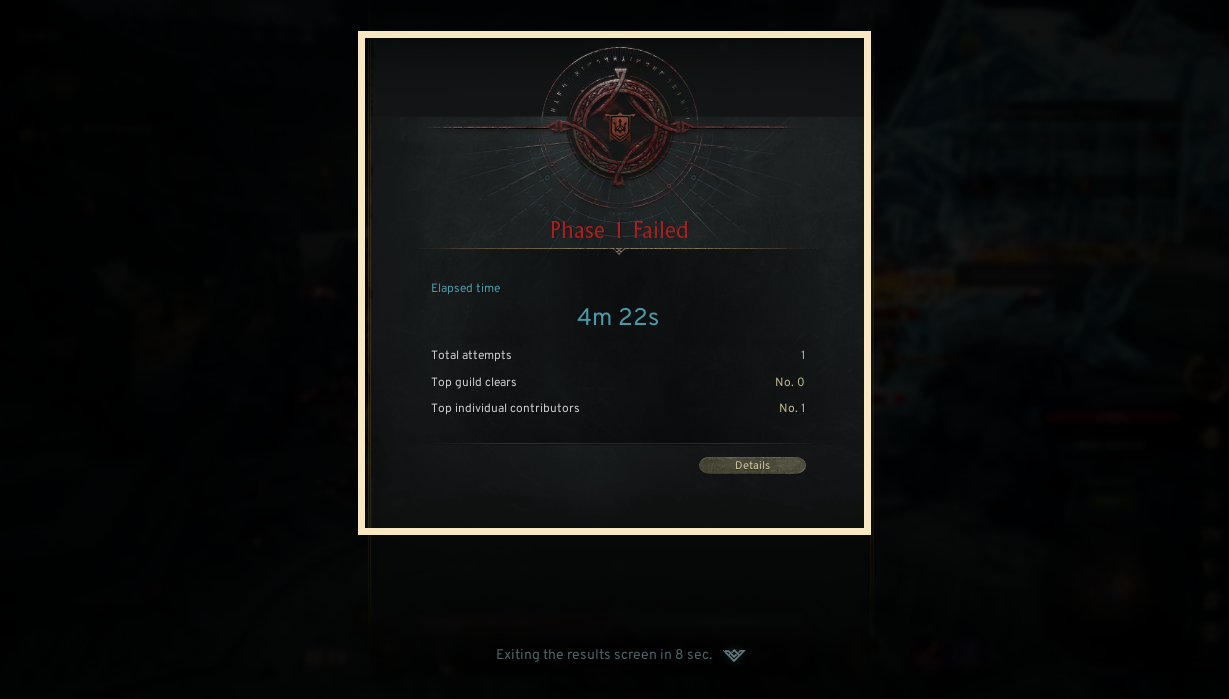
- You fail to clear the stage in the following situations:
• You did not defeat the boss within the time limit.
• The Guardian Statue’s health reaches zero.
! If you fail to clear the stage, you cannot re-enter Domain Defense even if you have remaining entry attempts
◈ Exit
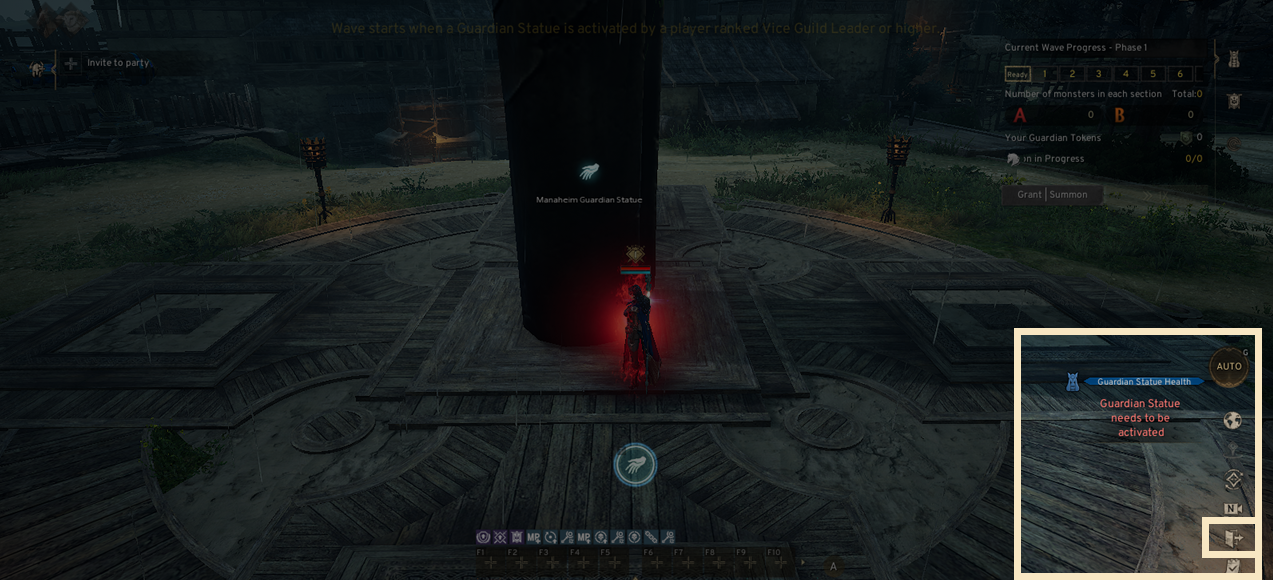
- Press the [Exit] button on the left side of the screen to leave Domain Defense.
! If you exit before the Guardian Statue is activated, your entry attempt will not be deducted.
6. Reward Acquisition
◈ Reward Distribution
- When you clear Domain Defense, Guild Exp, Guild Coins, and Reward Chest are awarded to all participants.
- All guild-obtained rewards from clearing Domain Defense are registered in the Guild Auction.