
Changing your class means switching to another class you want, including one in the same class category. You can change your class along with equipment, skills, avatars, and other related items based on the class you select.
To change your class, you must meet certain conditions, and class changes are only available during a specified period.
Below, we’ll explain the conditions required for changing classes, how to change your class, and the list of items that will be affected.
■ Contents
1. What is a Class Change?
2. Class Change Conditions
3. Class Change Exchange Items
4. How to Change Class
5. Class Change Affected Items
1. What is a Class Change?
- A class change is the act of switching to another class you want, including a class within the same category. This will change the character’s customization, avatar, weapon skin, equipment, skills, and overall appearance.
2. Class Change Conditions
◈ Basic Conditions
- Possession of a Class Change Ticket and a character that is level 40 or above.
- During the class change period, a Class Change Ticket can only be purchased once per server.
・Class Change Tickets are available for purchase on each individual server.
・However, once a Class Change Ticket has been used on a server, you cannot purchase additional tickets on that server.
・The Class Change Ticket can be purchased and used by characters of level 40 or higher.
◈ Conditions Where Class Change Is Not Possible
- If you do not have a character that is level 40 or above.
3. Class Change Exchange Items
◈ Class Change Exchange List
- When changing your class, you can exchange your avatar, weapon skin, currently equipped weapon/secondary weapon in the A preset, unique-grade accessories, skills, and any limited-edition cosmetics you own.
- Exchanging items on the class change list consumes the [ Class Change Token ].
・Class Change Tokens can be purchased from the Premium Shop.
- After selecting or adjusting the items you want to exchange, you must press the [Confirm Selection] button to finalize your choices.
◈ Exchange Costs
- The cost to exchange items (such as avatar, weapon skin, equipped weapons/secondary weapons, unique accessories, and skills) depends on the grade and number of those items.
- You can check the exchange cost after purchasing the Class Change Ticket under the Item Exchange Selection screen.
◈ Avatar Exchange
- You can select an avatar from your current class and exchange it for the new class.
① When Changing to a Class in a DIFFERENT Class Category
- You can select any avatar you own that is uncommon grade or higher to exchange.
• You cannot exchange avatars you do not own.
• If you own multiple copies of the same avatar, each copy can be exchanged.
② When Changing Within the SAME Class Category
- You can choose and exchange one Uncommon-grade or higher avatar owned by the class you are changing from.
• If the new class already owns the same avatar after the change, you cannot exchange it.
◈ Weapon Skin Exchange
- You can choose a weapon skin from your current class and exchange it for the new class.
① When Changing to a Class in a DIFFERENT Class Category
- You can select any weapon skin you own that is uncommon grade or higher to exchange.
・You cannot exchange weapon skins you do not own.
・If you own multiple copies of the same weapon skin, each copy can be exchanged.
② When Changing Within the SAME Class Category
- You can choose and exchange one Uncommon grade or higher weapon skin owned by the class you are changing from.
・If the new class already owns the same weapon skin after the change, you cannot exchange it.
◈ Equipment Exchange
- You can exchange the weapon, secondary weapon, and unique-grade accessories currently equipped in the A equipment preset.
・Exchanged equipment retains its enhancement level, engraved options, bound status, and enhancement stone usage history.
! Weapons and secondary weapons of uncommon grade or below cannot be exchanged.
! Equipment equipped in the B or C equipment presets cannot be exchanged.
! Equipment stored in your bag or warehouse cannot be exchanged.
! Time-limited equipment can still be exchanged when equipped.
◈ Skill Exchange
- You can change the skills your current class has learned to the skills of the class you are switching to.
① When Changing to a Class in a DIFFERENT Class Category
- All learned active skills are automatically exchanged, and you can choose which passive skills to exchange.
・Passive skills that are not selected for exchange will be removed, and the materials used for their enhancement will be refunded.
② When Changing Within the SAME Class Category
- The active and passive skills of the class you are changing from will be swapped 1:1 with the active and passive skills of the class you are changing to.
・Active Skills: Automatically swapped in bulk.
・Passive Skills: Swapped in bulk as a set (you cannot select them individually).
・If you do not select to exchange passive skills, all passive skills will remain in their current state.
・Skills that are shared between classes (common skills) cannot be exchanged.
! When exchanging skills, the enhancement and transcendence levels of active and passive skills will be preserved.
!If an active skill is exchanged into a linked skill of the new class, the exchange and its enhancement/transcendence levels will still be preserved even if the prerequisite skill is not learned, but that skill cannot be used until the prerequisite skill is learned.
(You can purchase and learn the prerequisite skill from the Skill Book Merchant before using it.)
!Skills that you have not learned cannot be exchanged.
◈ Skin Exchange
- You can replace limited-edition 'avatar and weapon skin' skins that your current class owns with the limited 'avatar and weapon skin' skins for the class you are changing to.
! If the class you are changing to already owns the same limited skin after the change, the exchange cannot be performed.
! Limited skins that are not exchanged will remain with the original class after the class change.
◈ Class Change Exchange Summary Table
| Type | Item | Exchange Possible | Notes |
Avatar | Common | X | · Cannot exchange avatars you do not own |
| Uncommon | O | ||
| Rare | O | ||
| Epic | O | ||
| Legendary | O | ||
| Mythic | O | ||
Weapon Skin | Common | X | · Cannot exchange weapon skins you do not own. |
| Uncommon | O | ||
| Rare | O | ||
| Epic | O | ||
| Legendary | O | ||
| Mythic | O | ||
Weapon / Secondary Weapon | Common | X | · Inherit(enhancement level, engraving options, bind type, enhancement material history). |
| Uncommon | X | ||
| Rare | O | ||
| Epic | O | ||
| Legendary | O | ||
| Mythic | O | ||
| Horn, Emblem, Armband, Pauldrons | Unique | O | · Inherit(enhancement level, engraving options, bind type, enhancement material history). · Exchange(only equipped gear). |
Skills | Passive Skills | O | · Inherit(enhancement level). |
| Active Skills | O | ||
| Skin | Limited Avatar | O | · No Exchange(if the new class already owns the same limited skin). |
4. How to Change Class
◈ Class Change Ticket Purchase and Application
- Purchase the [ Class Change Ticket ] item from the Premium Shop under the [Event] tab.
・The Class Change Ticket can be purchased with diamonds during the specified period and is limited to one purchase per server. - After selecting the Class Change Ticket in your bag and pressing the [Use] button, you will move to the class change screen.
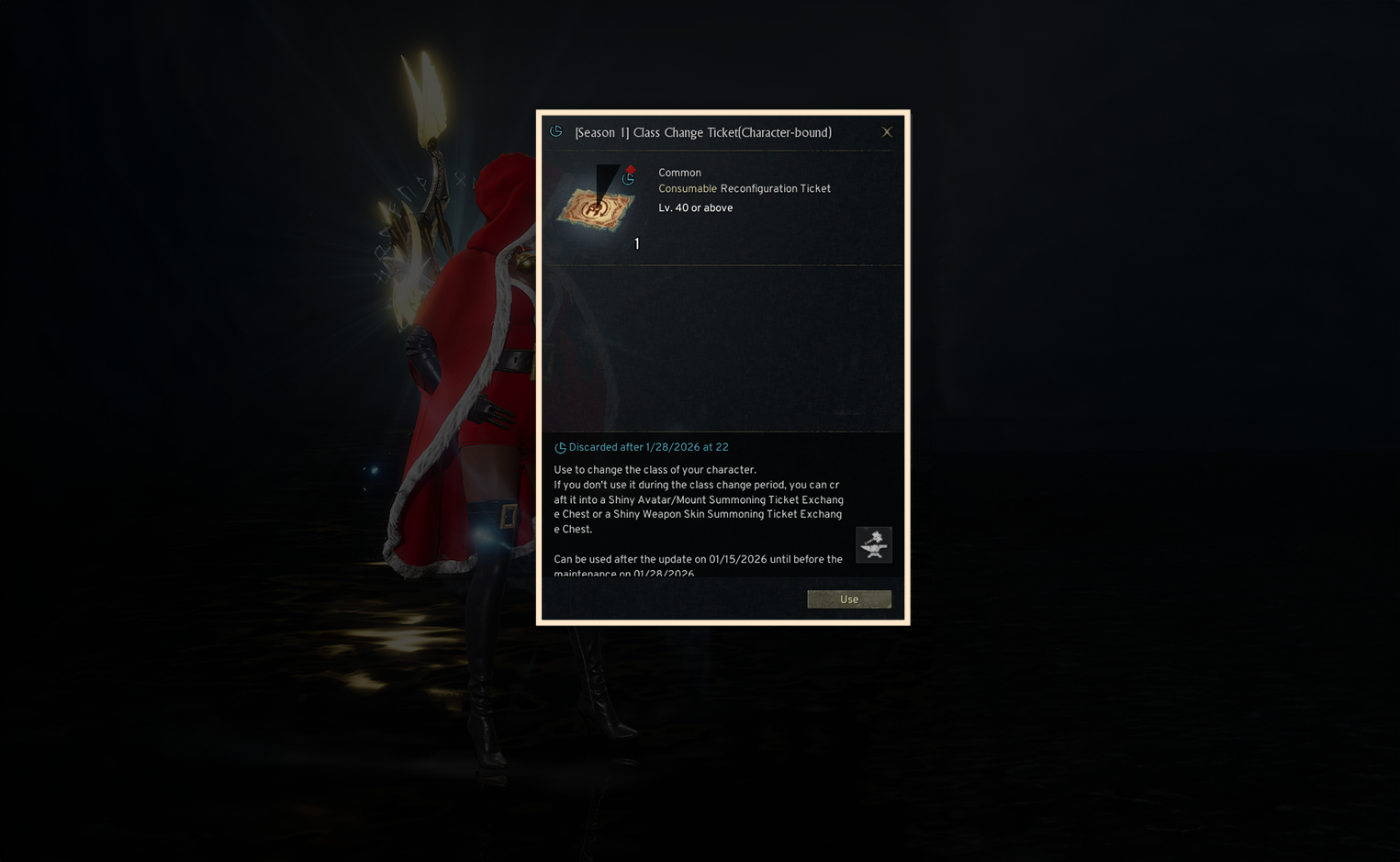
◈ Select Change Class
- Select the class you want to change to. - When changing class, you can proceed according to the class you choose:
・Current Class Selected: Change to another class within the same category
・Different Class Selected: Change to the desired class - After selecting a class, the class selection screen appears. Click the [View Class Info] button to see detailed information about that class. Click the [Select Class] button to move to the customization screen.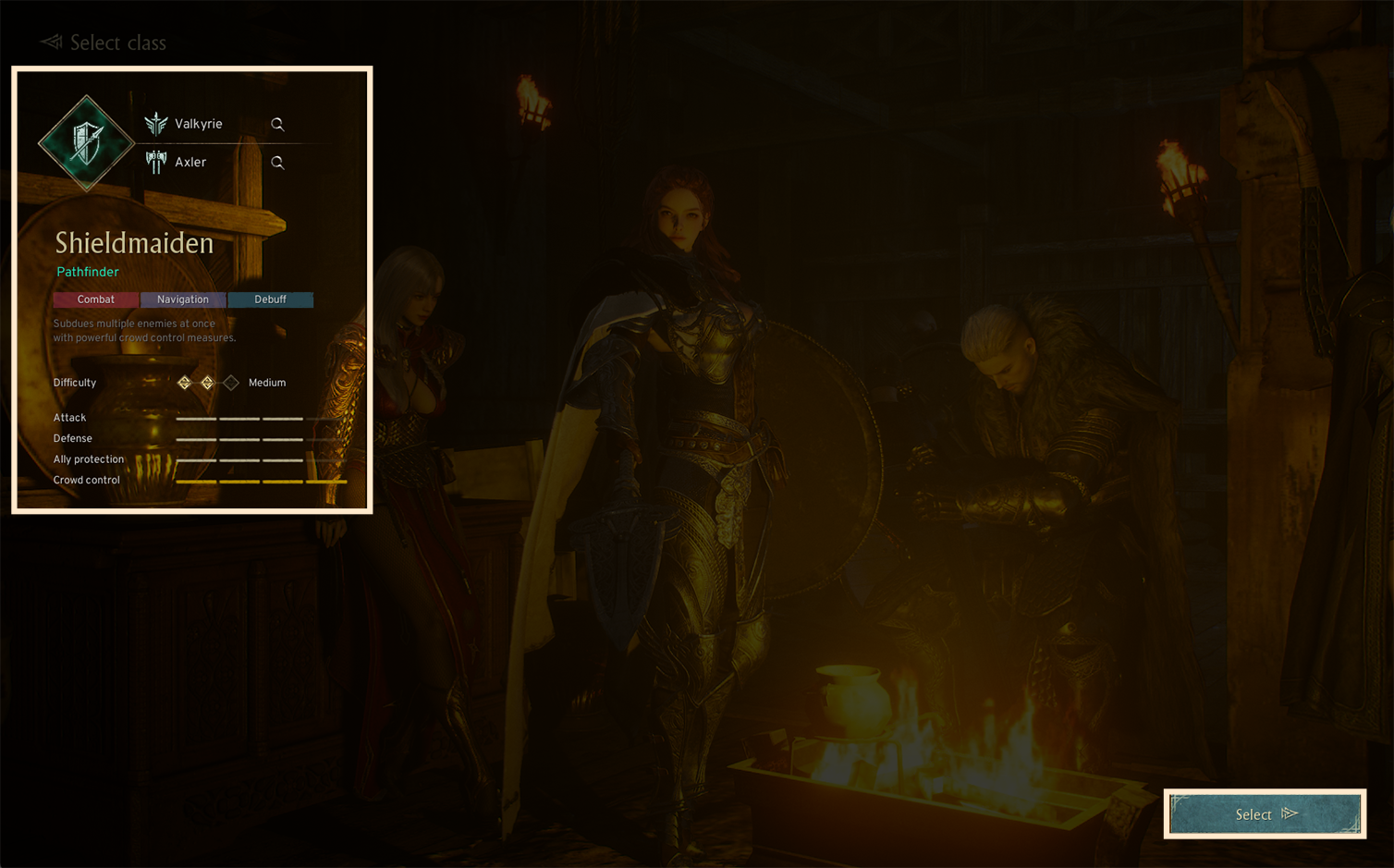
◈ Customize the New Class
- You can freely customize the character’s face, hair, accessories, and body.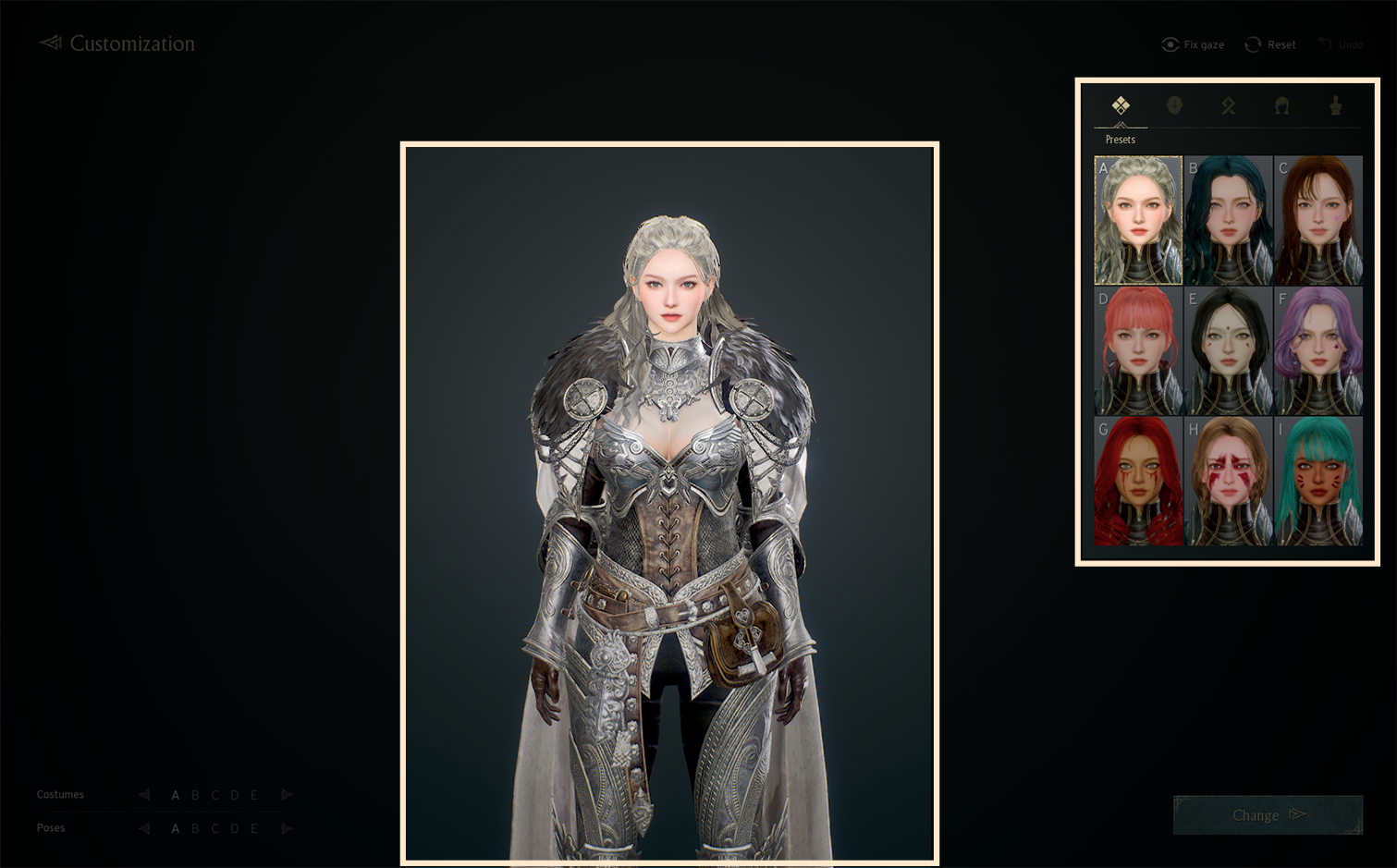
- If you click the [Back] button during customization, you will return to the class selection screen. If you re-select the class you were customizing, a popup will appear notifying you that your customization will be restored.
◈ Start the Class Change Process
 ① Class Selection: After using the class change item, the information for the selected class will be displayed.- You can change the class by re-selecting a different class.
② Avatar Exchange: You can review owned avatars and exchange those that meet the requirements.
③ Weapon Skin Exchange: You can review owned weapon skins and exchange those that meet the requirements.
④ Equipment Exchange: You can exchange the equipped weapon, secondary weapon, and unique-grade accessories in the A preset.
⑤ Skill Exchange: You can replace the learned skills of the current class with the skills of the class you are changing to.
⑥ Skin: You can replace limited edition skins owned by the current class with limited edition skins for the new class.
⑦ Required Items and Costs: You can review the items required for class change and the final cost.
- Clicking the [Confirm Selection] button will show the exchange targets, the results of the exchange, and the exchange costs.
- Clicking the [Back] button in the upper left returns you to the customization screen. Clicking the [Exit] icon in the upper right shows a popup about temporarily saving the exchanges you have made so far.
◈ Other Class Selection
- Displays information for remaining classes within the same category other than the currently equipped class and the class you selected for change after using the class change item.
! This is only available when changing to a class in a different class category.
- You can select any of these same-category classes to exchange avatars, weapon skins, equipment, and skills.
! Items (avatars, weapon skins, equipment, skills) between classes not selected will be automatically exchanged.
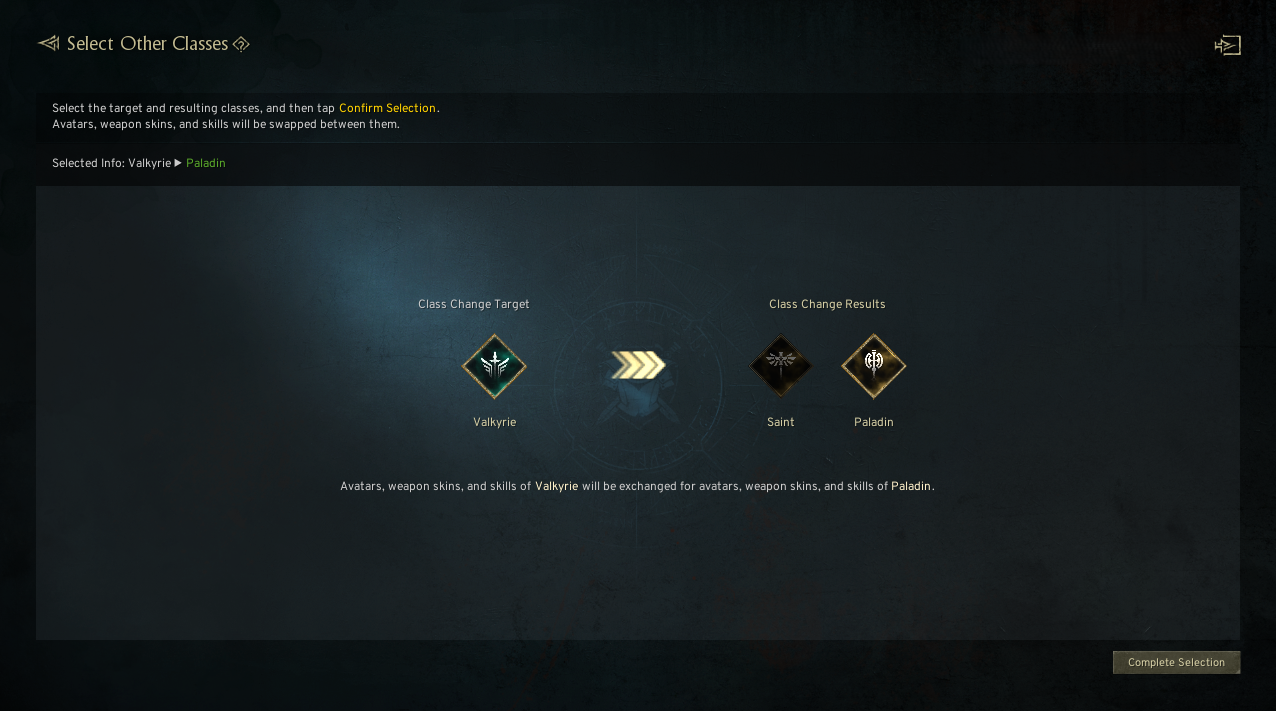
- If the number of classes in the same category differs between the current class and the class you are changing to, then after the initial class selection, an additional step for selecting classes in the same category will be added once (first round).
Example 1 – When Changing from a Class with 2 Same-Category Classes to a Class with 3 Same-Category Classes
- After the first selection is completed, classes that were not selected are not exchanged and remain in an unselected state.
! You can press the [Reset] button to reset the class change targets and results.
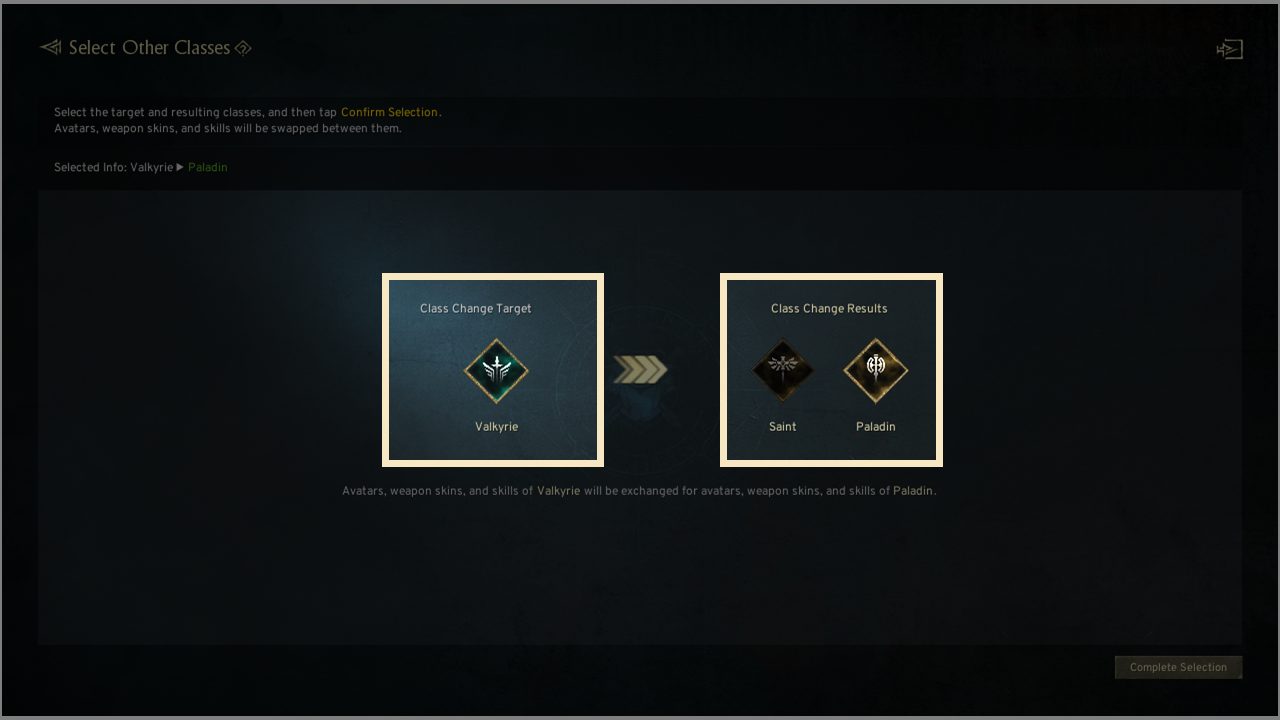
Example 2 – When Changing from a Class with 3 Same-Category Classes to a Class with 2 Same-Category Classes
- After the first selection, the last unselected class will be automatically assigned as the first selected class.
! Press the [Reset] button to reset the class change targets and results.
! The avatars and weapon skins of the unselected class change targets will be exchanged to the avatars and weapon skins of the first selected result class.
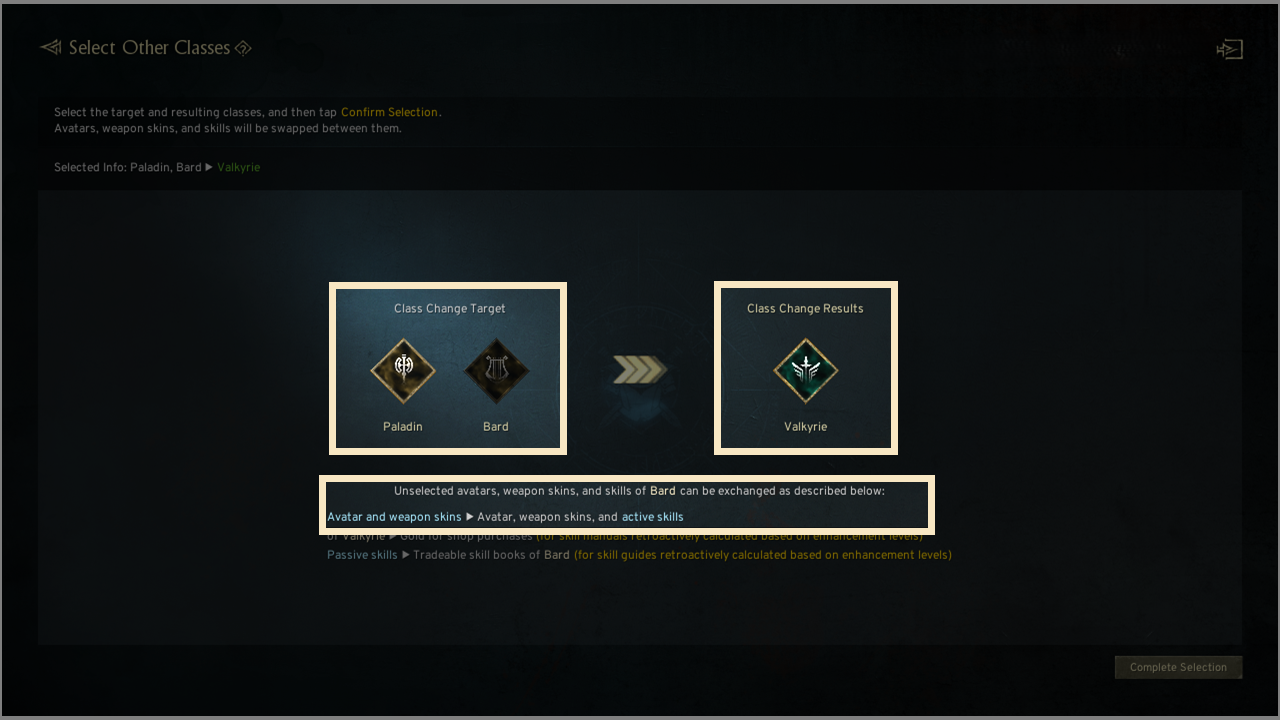
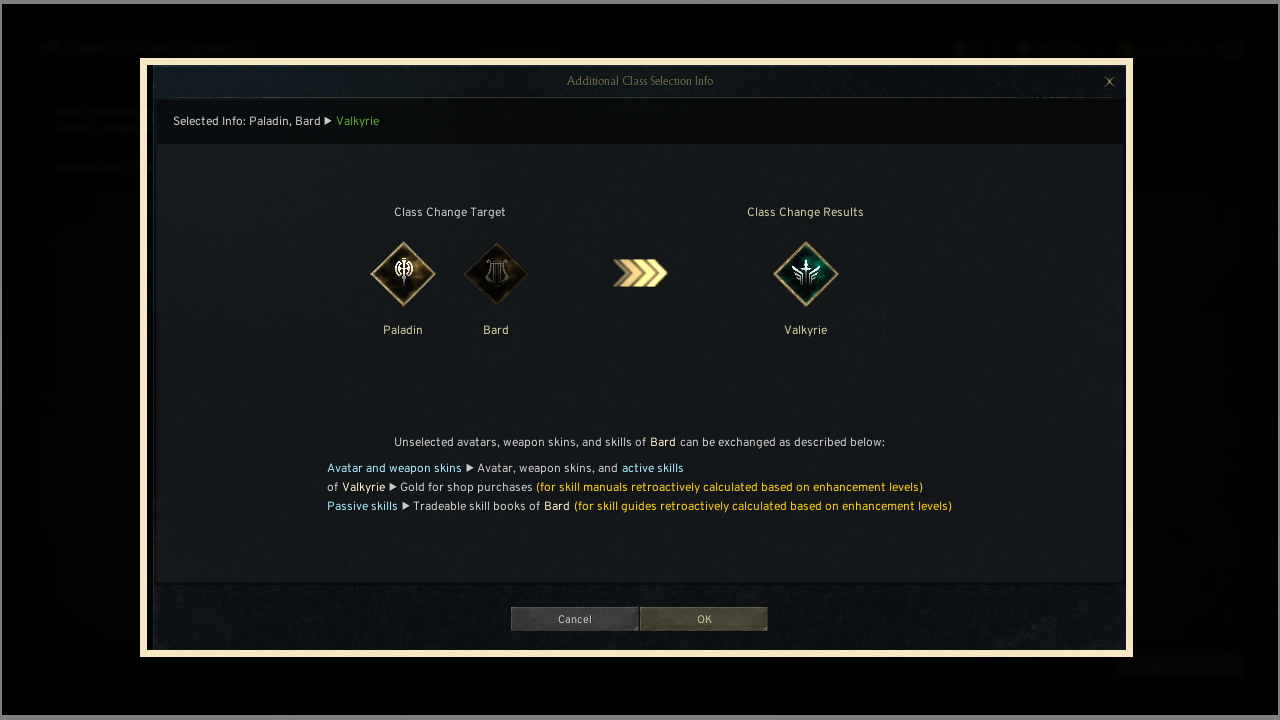
◈ Avatar Exchange
① When Changing to a Class in a DIFFERENT Class Category
- You can select avatars that are exchange-eligible, and the more avatars you exchange, the higher the exchange cost.
- Avatars of unselected class change targets are duplicated and exchanged into the avatars of the first selected result class.
! Due to duplication, your avatar ownership effect value may decrease.
! Avatars excluded from the exchange targets will remain with the current class.
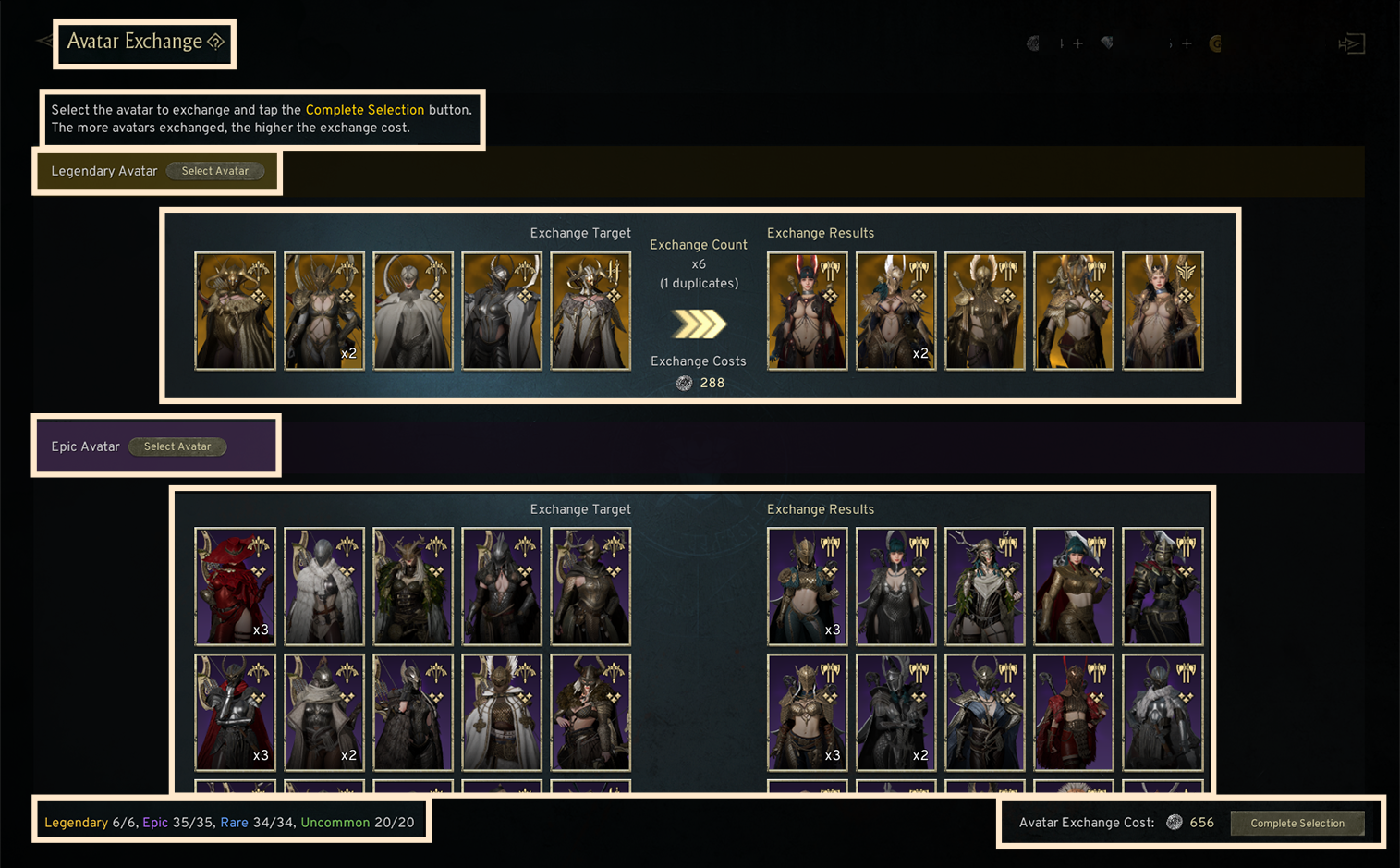
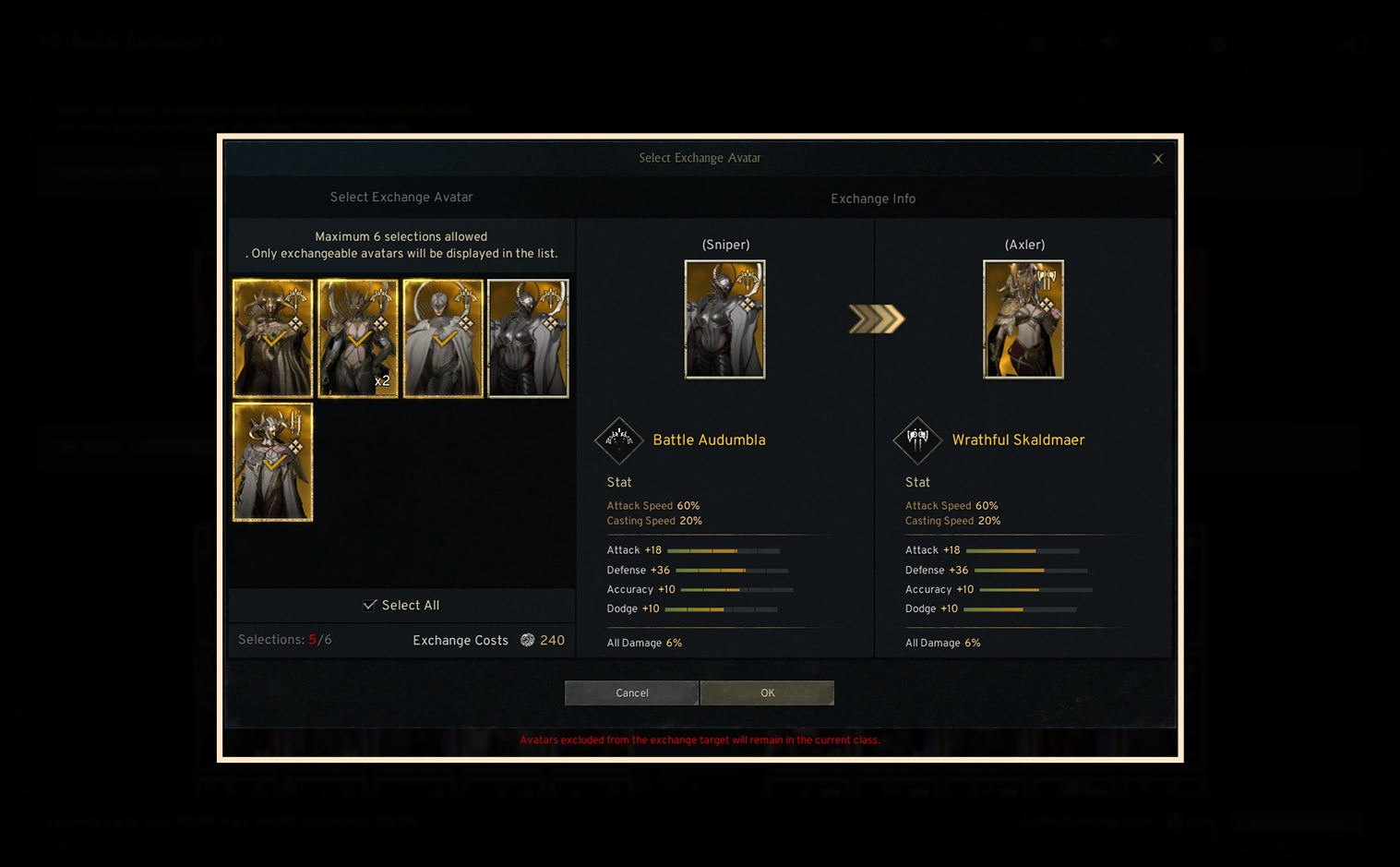
- If you own multiple copies of the same avatar, you can adjust the number to exchange. ! When changing between same-category classes, if the post-change class already owns the same avatar, avatar exchange is not possible.
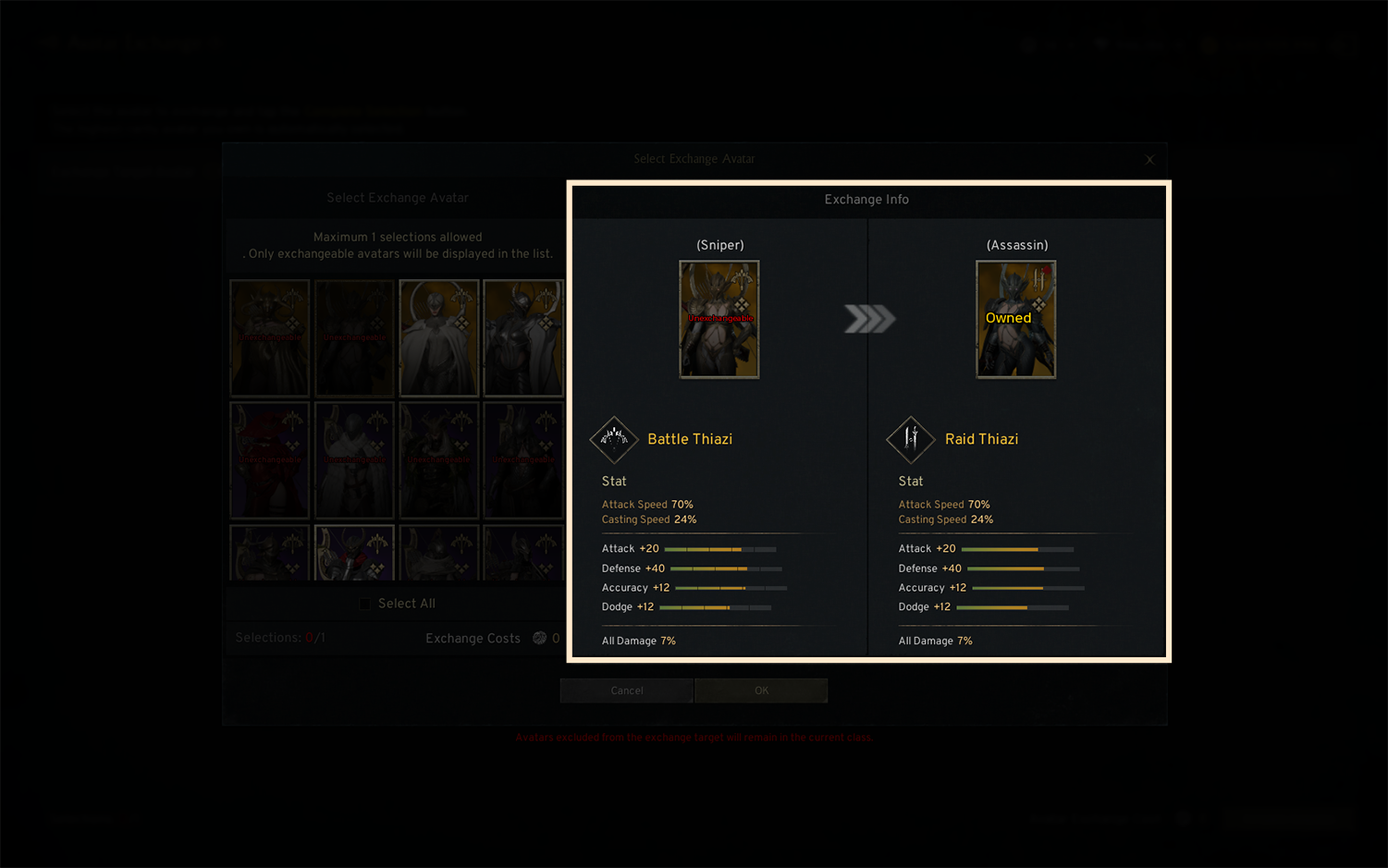
② When Changing Within the SAME Class Category
- You can choose and exchange one uncommon-grade or higher avatar owned by the same-category class before the change. - If the class after change already owns the same avatar, the exchange cannot be performed.
◈ Weapon Skin Exchange
① When Changing to a Class in a DIFFERENT Class Category
- You can select weapon skins eligible for exchange, and the more weapon skins you exchange, the higher the exchange cost.
- Weapon skins of unselected class change targets are duplicated and exchanged into the weapon skins of the first selected result class.
! Due to duplication, your weapon skin ownership effect value may decrease.
! Weapon skins excluded from the exchange targets will remain with the current class.
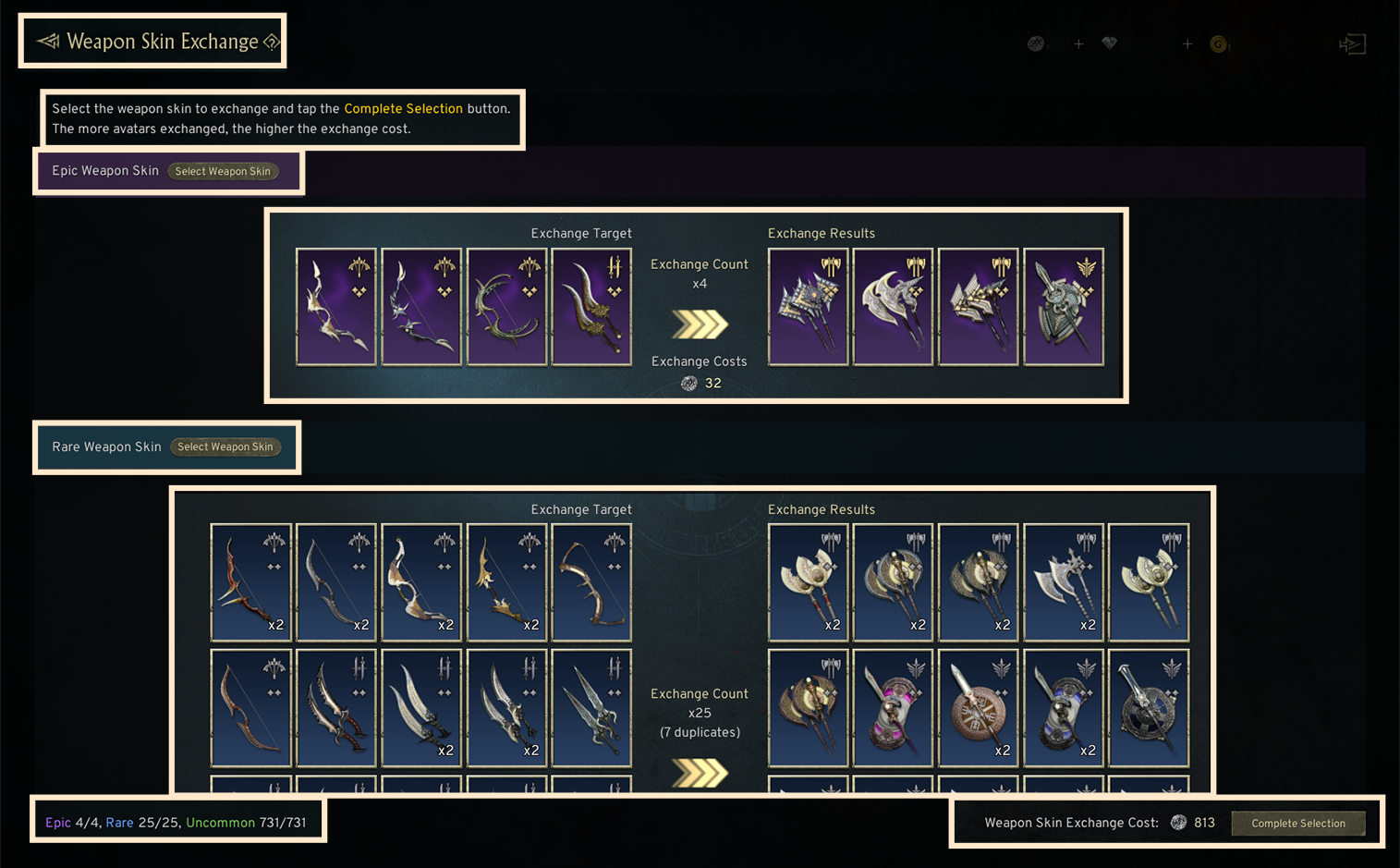
 - If you own multiple copies of the same weapon skin, you can adjust the number to exchange.
 ! When changing between same-category classes, if the post-change class already owns the same weapon skin, weapon skin exchange is not possible.
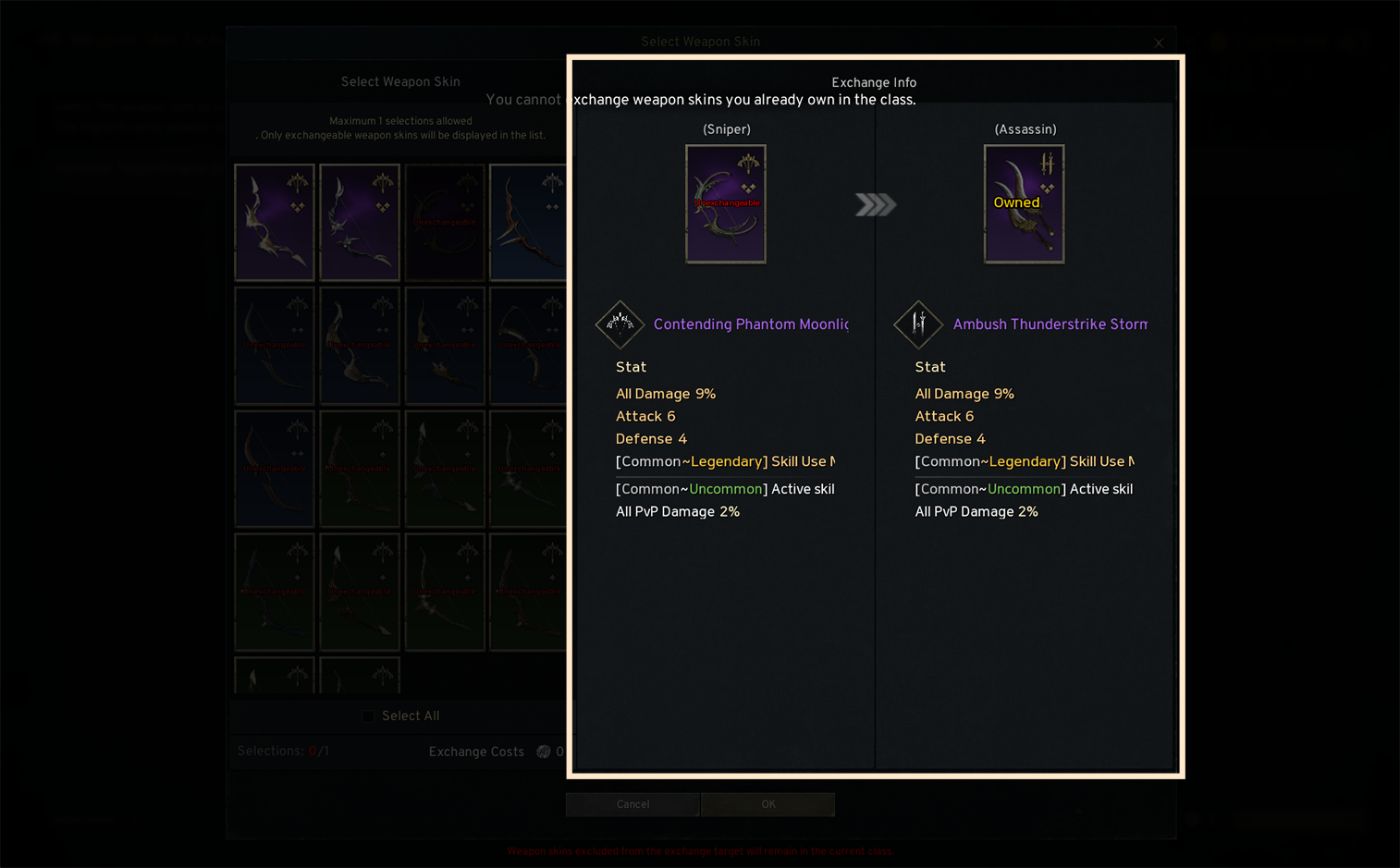
② When Changing Within the SAME Class Category
- You can choose and exchange one uncommon-grade or higher weapon skin owned by the same-category class before the change. - If the class after change already owns the same weapon skin, the exchange cannot be performed.
◈ Equipment Exchange
- You can exchange only the equipped weapon, secondary weapon, and unique-grade accessories. The exchange cost varies based on the equipment slot and grade of the items being exchanged.
• Only rare-grade or higher weapons and secondary weapons can be exchanged.
- Clicking the [Select] button opens the exchange equipment selection popup where you can confirm the exchange targets and the effects of the exchanged items.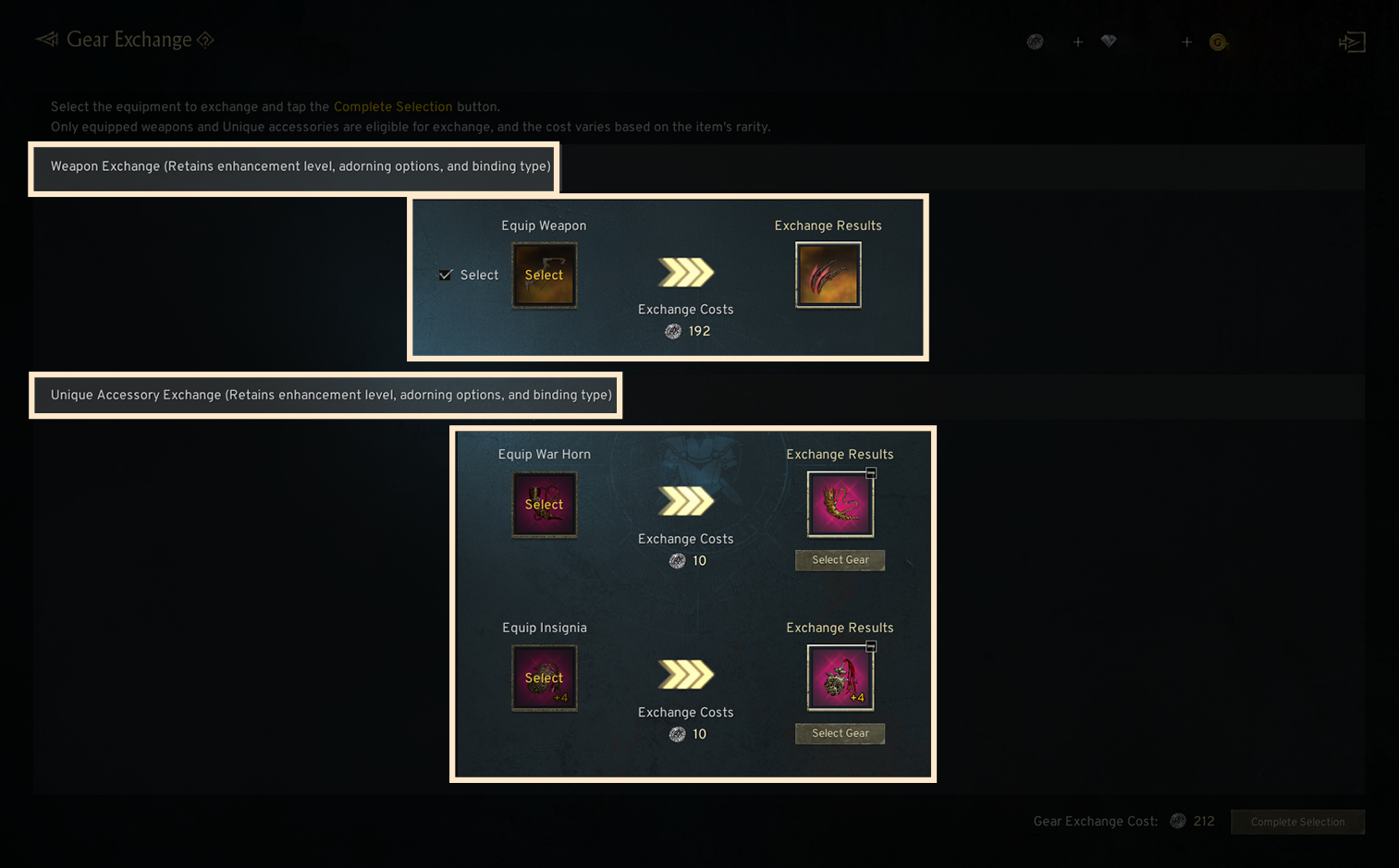
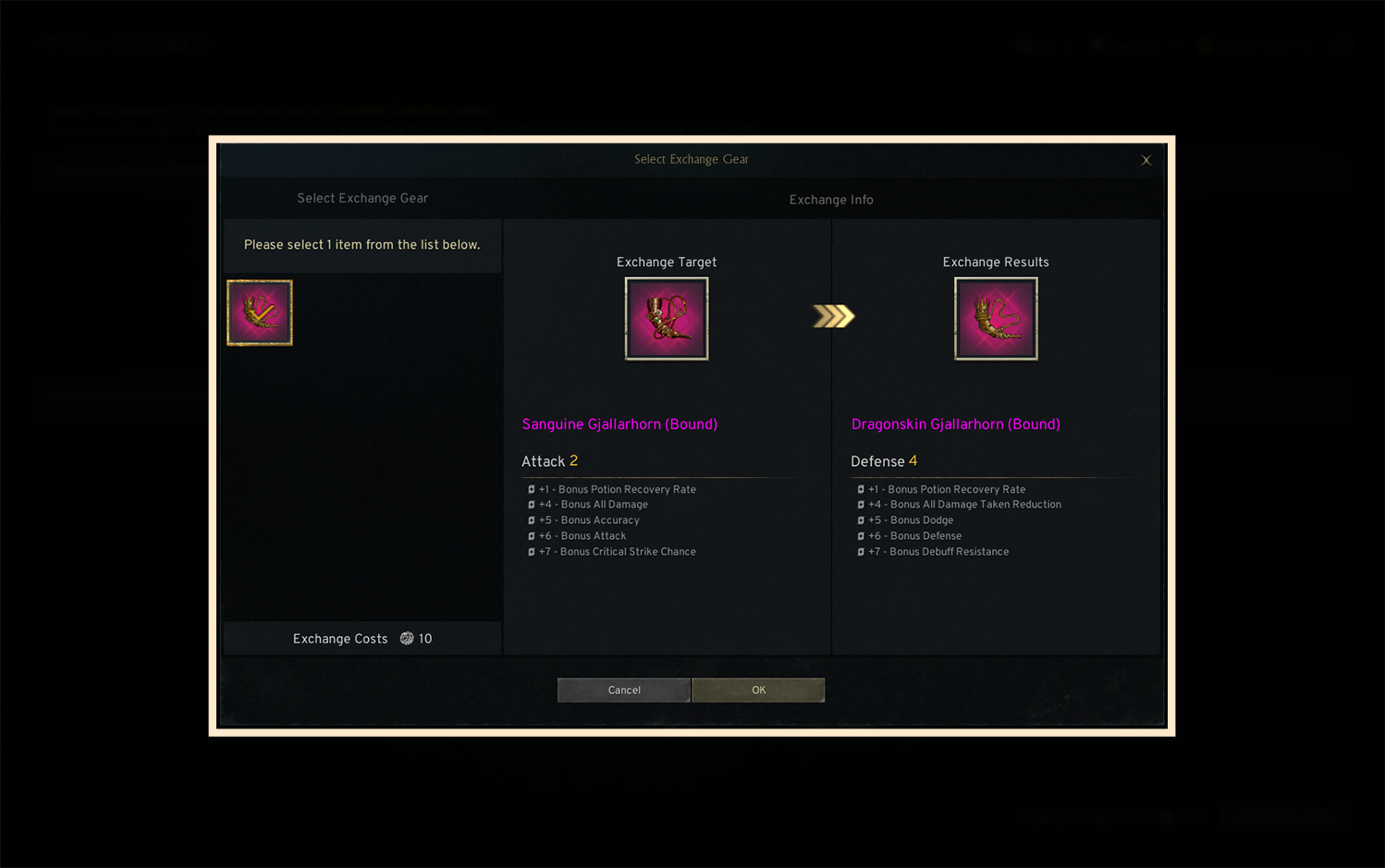
◈ Skill Exchange
- You can exchange learned skills for the skills of the class you are changing to.
• During exchange, the enhancement and transcendence levels of your active and passive skills are fixed for free.
① When Changing to a Class in a DIFFERENT Class Category
- You can individually choose whether to exchange passive skills; all learned active skills are automatically exchanged during the class change.
- Passive skills that are not exchanged will be deleted.
- Unselected passive skills from the class change targets are converted into tradeable skill books for the respective same-category class.
- Unselected active skills from the class change targets are converted into gold proportional to their shop purchase price.
- If skill exchange is difficult, the skill books or manuals used for growth will be refunded retroactively.
- Unselected passive/active skills from the class change targets will be reimbursed with manuals/skill books based on their enhancement levels.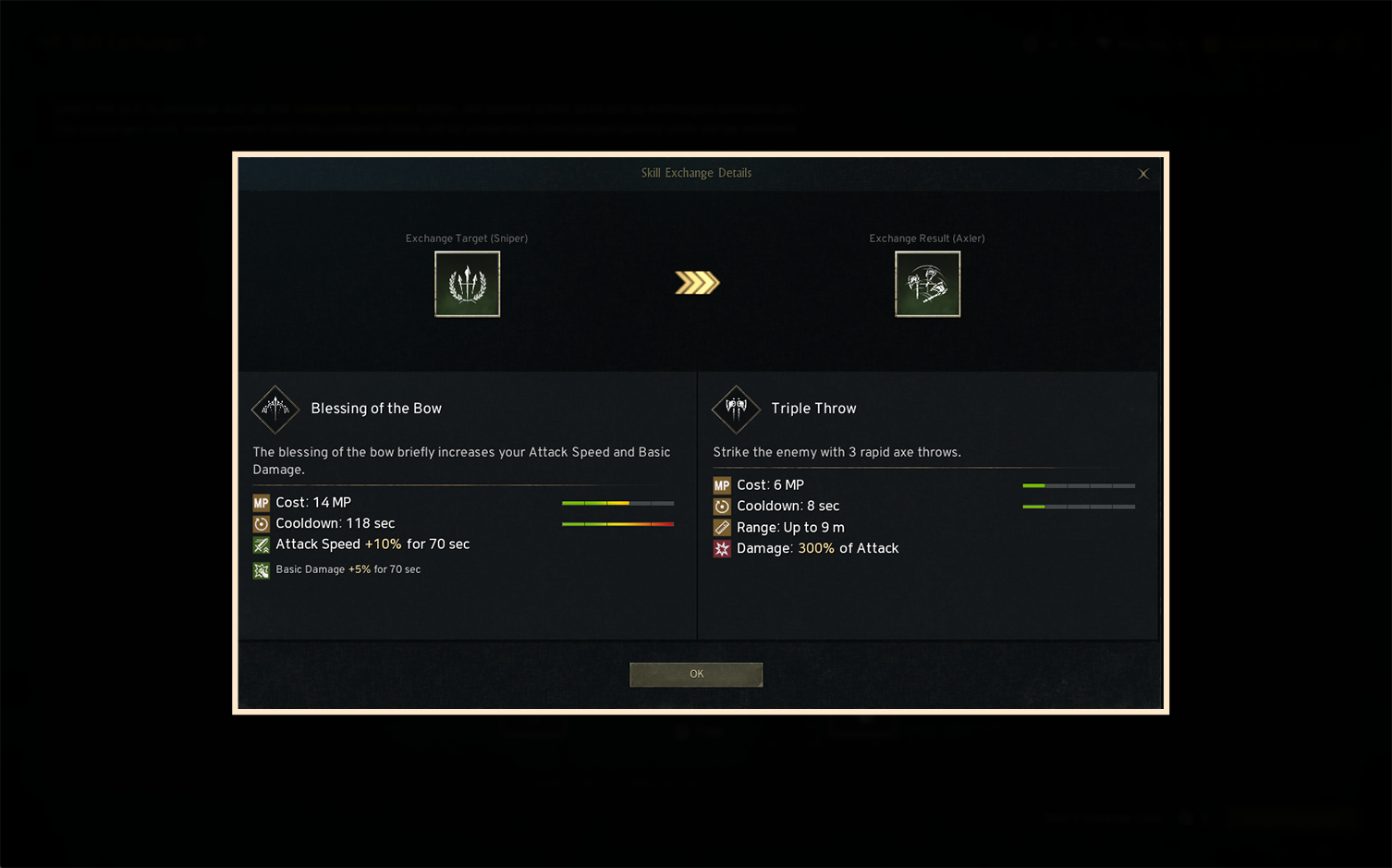
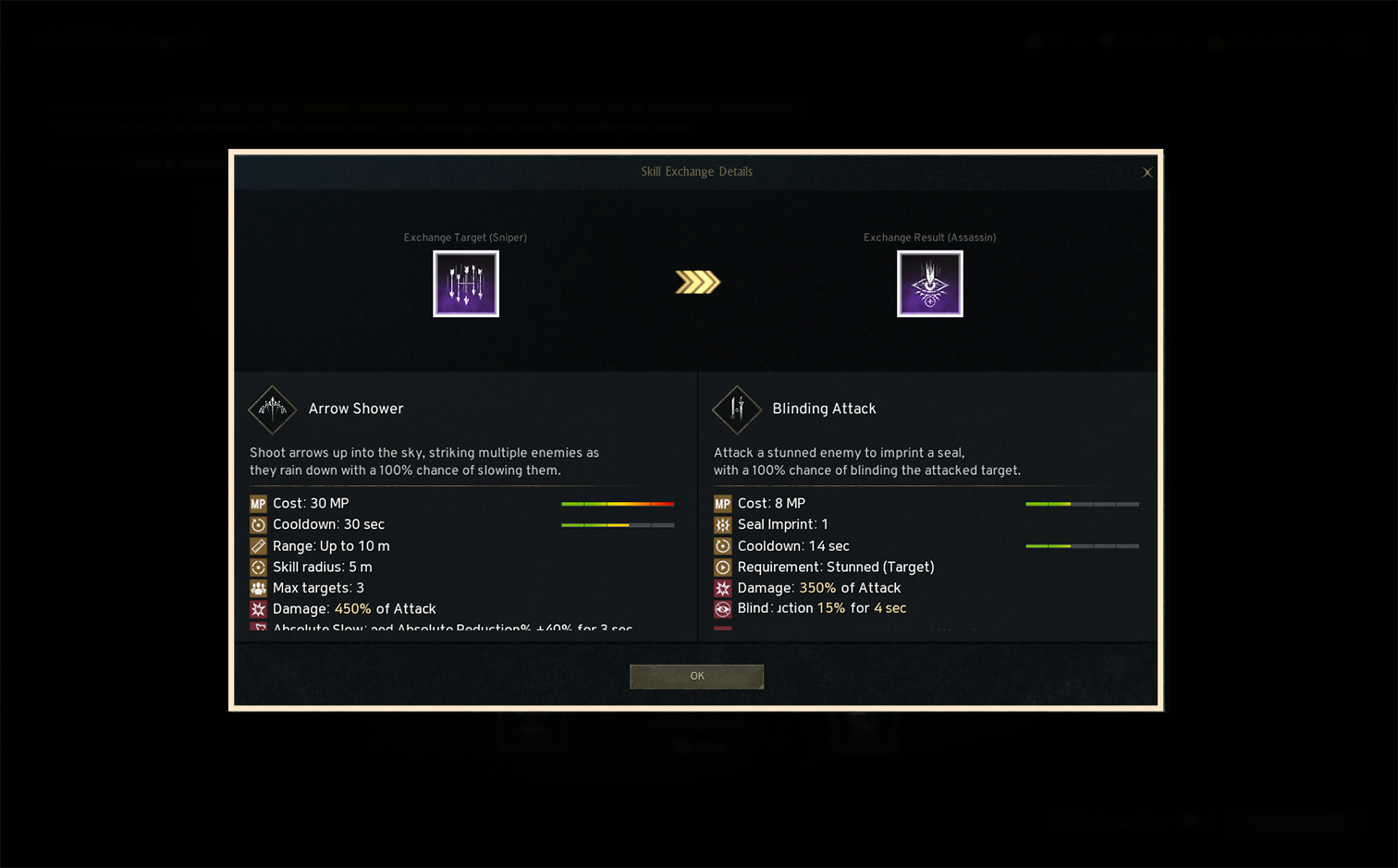
! When changing between same-category classes, you can choose whether to swap passive skills in bulk.
If not exchanged, the current pre-change skill state is fixed.
② When Changing Within the SAME Class Category
- Active skills are swapped in bulk.
- Passive skills can be swapped in bulk if chosen (individual selection is not allowed).
Example: Changing from Assassin → Sniper
Before change: Assassin [+5 Engraved Seal], Sniper [Blessing of the Marksman (Not Learned)]
After change: Assassin [Engraved Seal (Not Learned)], Sniper [+5 Blessing of the Marksman]
- Passive skills not exchanged remain in their pre-change state.
- Shared skills are not exchanged.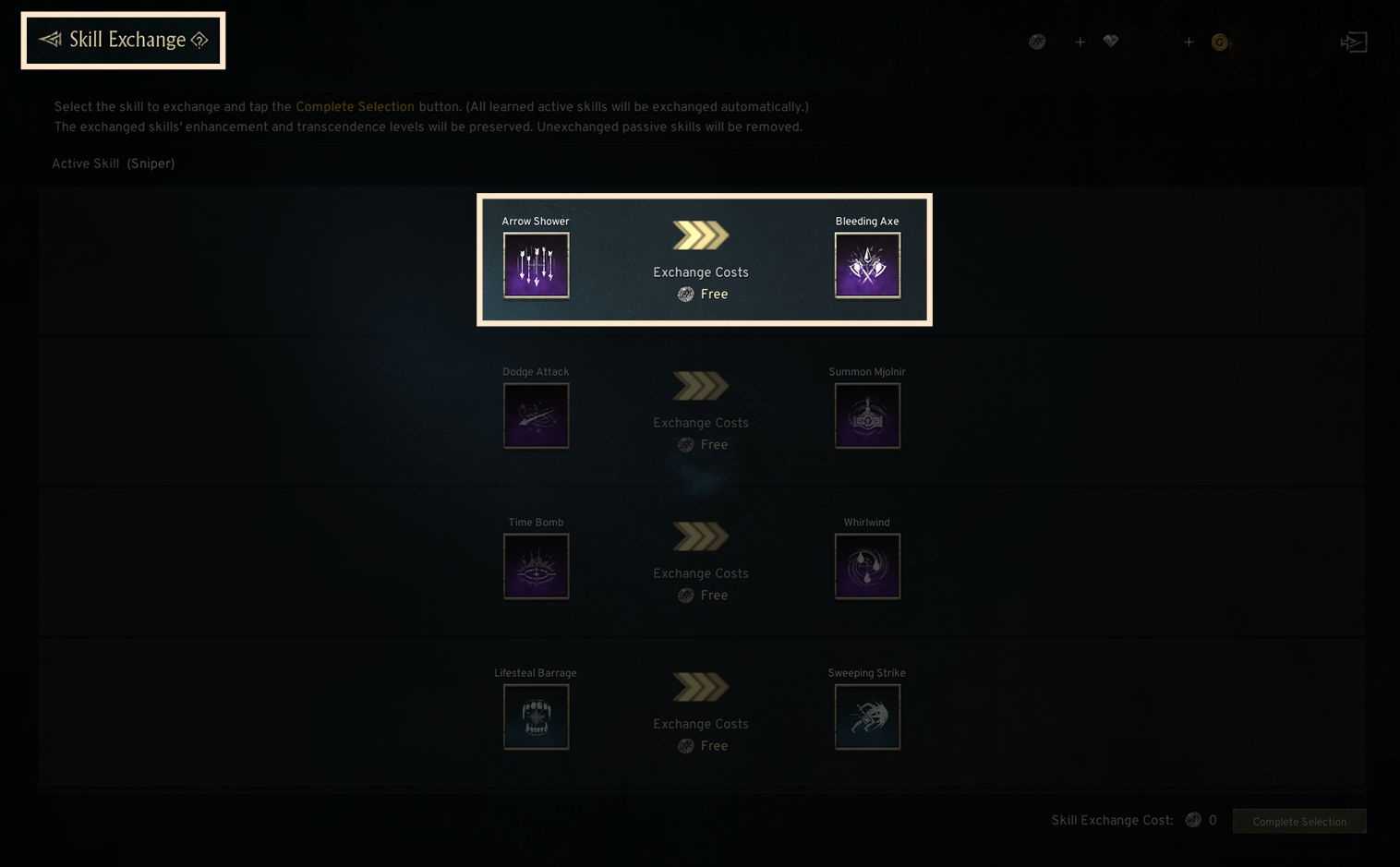
◈ Skin Exchange
- You can replace limited 'avatars and weapon skin' skins owned by the current class with limited 'avatars and weapon skin' skins for the class you are changing to.
- Clicking on skin selection displays a list of possible skins eligible for exchange, where you can view information and options for avatars and weapon skins.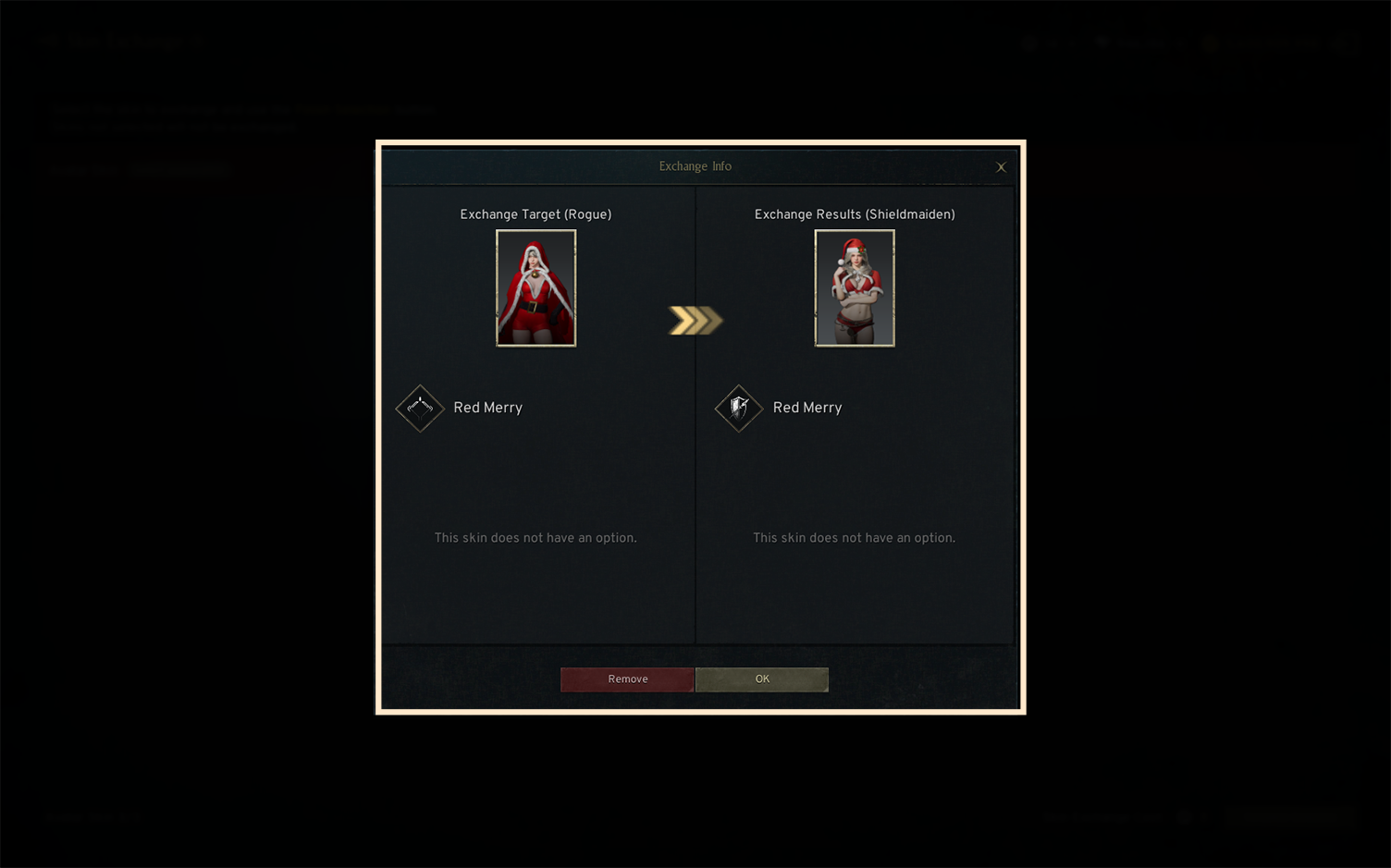
◈ Class Change Completion
- After completing all item exchanges, click the [Class Change] button to finalize the class change. 5. Class Change Affected Items
- The character’s name, server, level, and stats are not changed. For details on items that change during class change, please refer to the table provided above.
◈ Summary of Changes During Class Change