
Odin Credit is like a cash-back mileage system that you earn every time when you purchase.
It's like cashback; you receive a part of what you paid to spend again in the ODIN:VALHALLA RISING online store.
Please refer to the steps below on how to use Odin Credit.
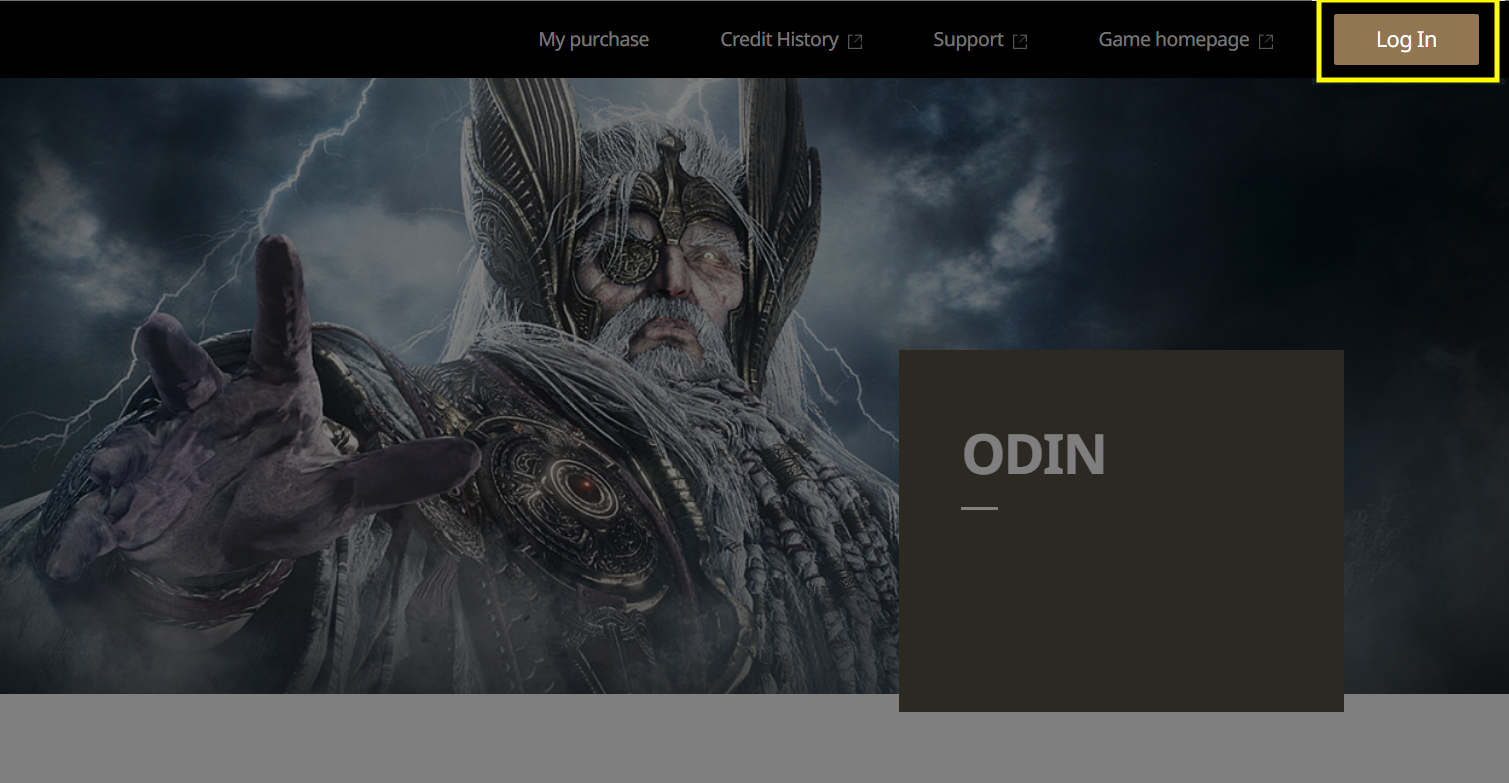
1. Click the [Login] button in the top-right corner of the online store.
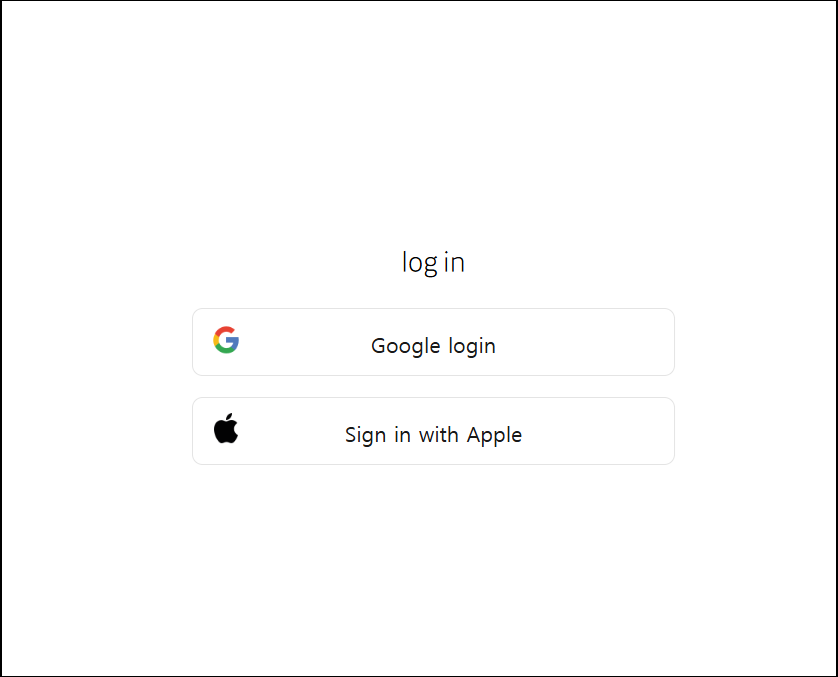
2. You cannot access the online store if you don’t have a character in the ODIN:VALHALLA RISING.
* Install and launch the game through the [ODIN:VALHALLA RISING Homepage] download, create a character, and then use the online store.
[Go to ODIN:VALHALLA RISING Homepage]
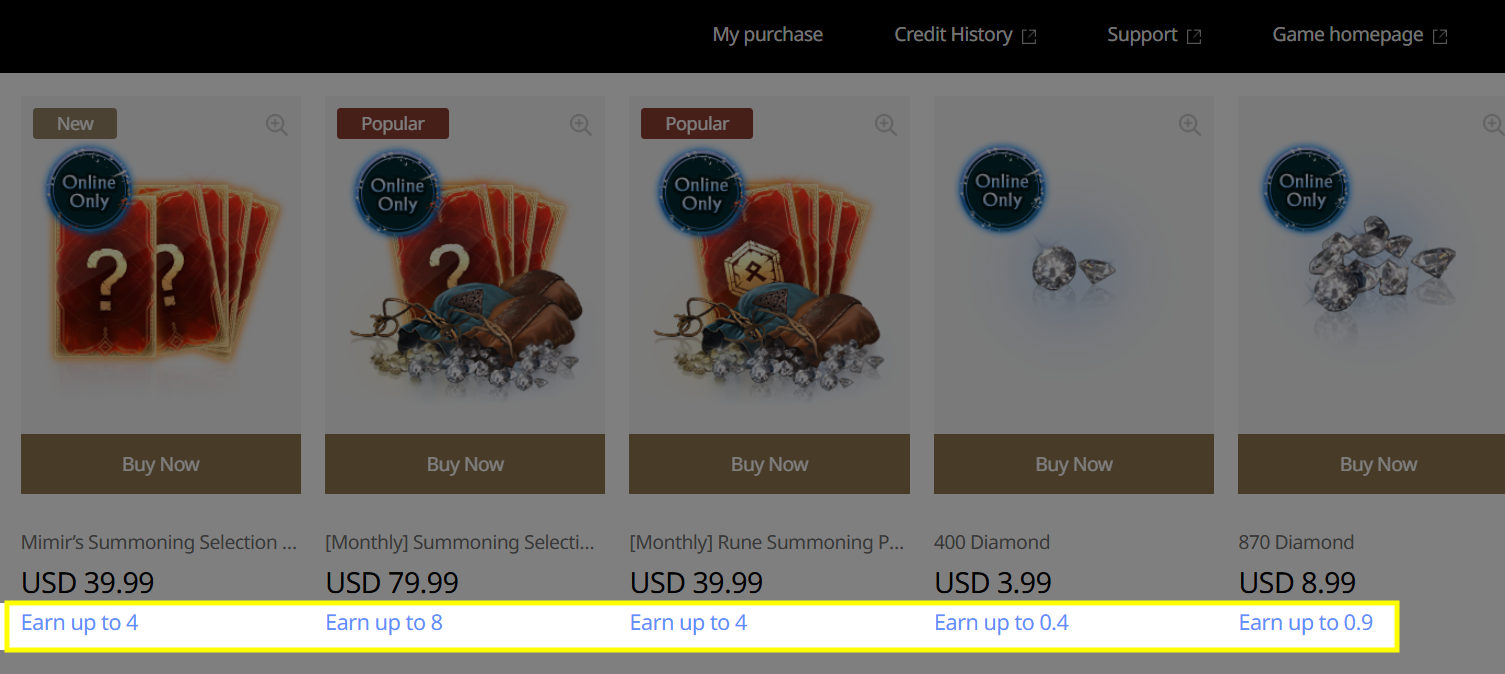
3. You'll now see credit earning eligibility indicated when you make payments in the online store, which is a new feature.
4. On the payment page, you'll see both your available Odin Credit and the credit you'll earn after purchase.
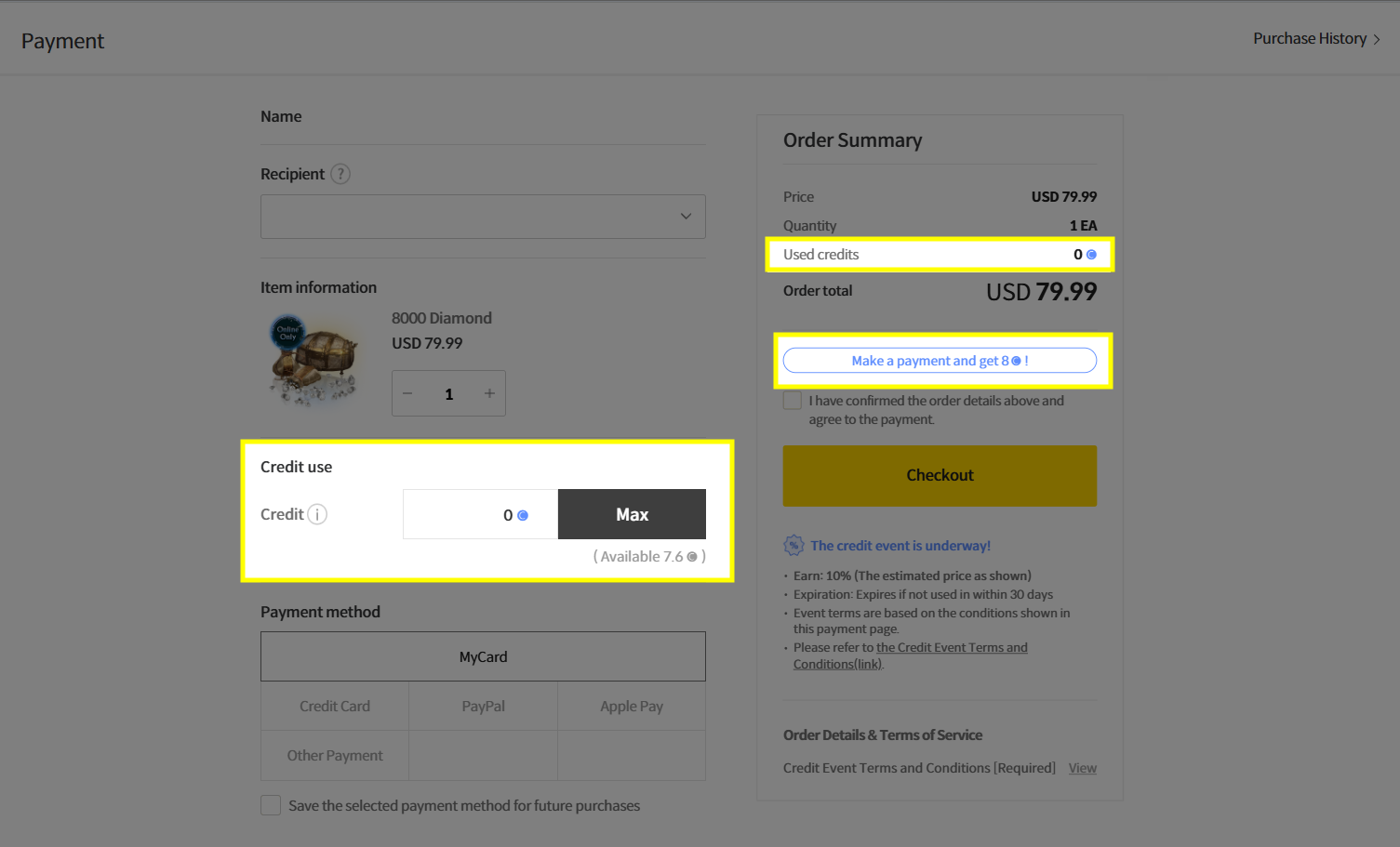
5. You can find details on the Odin credit accumulation rates and important notes in the 'The credit event is underway!'.
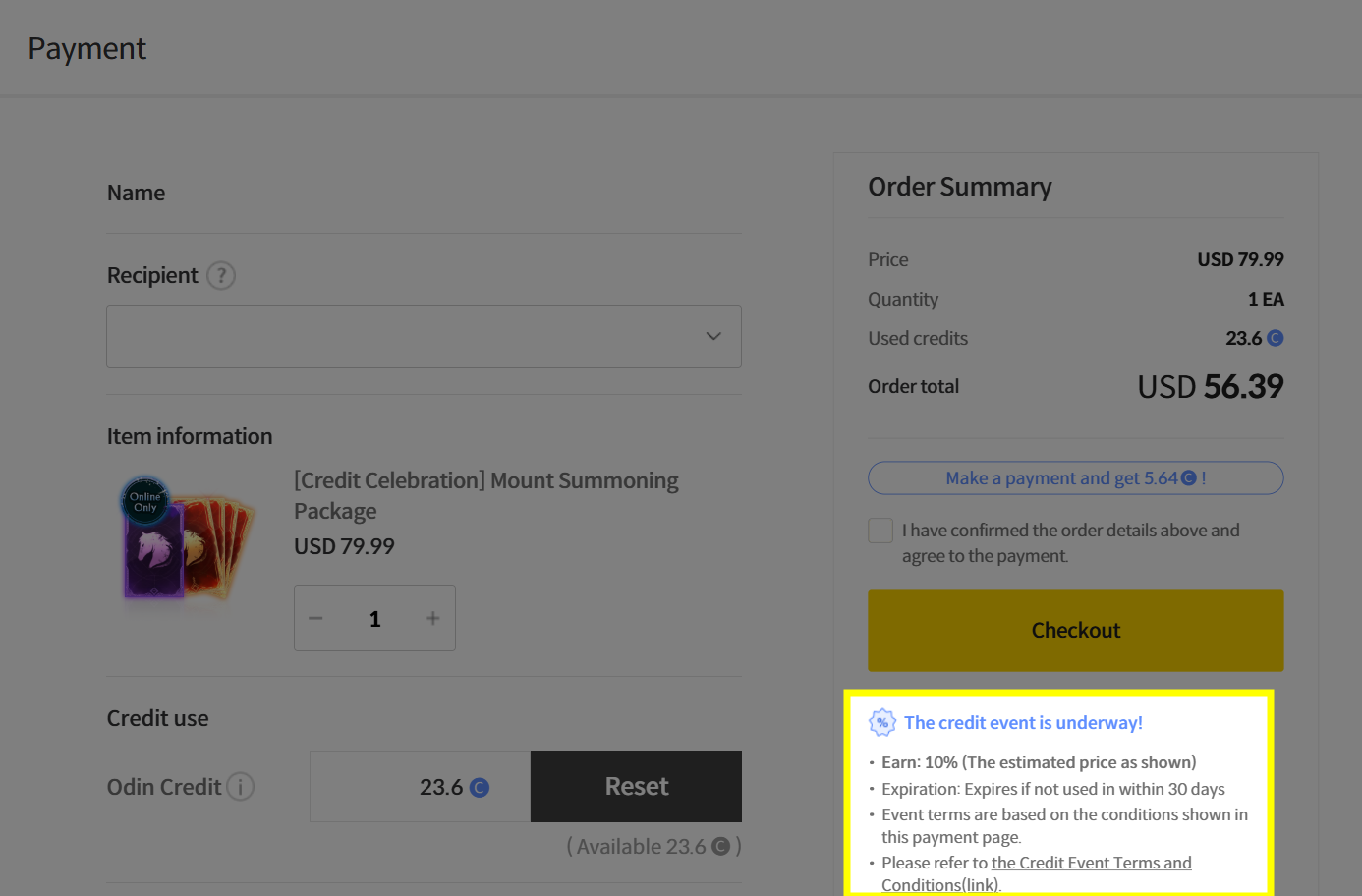
6. During payment, your Odin Credit can be spent like cash and will be deducted automatically. It's also possible to use your entire Odin Credit balance.
- By default, your available Odin Credit is set to be fully used. However, you can freely adjust the amount of Odin Credit to be applied when making a purchase.
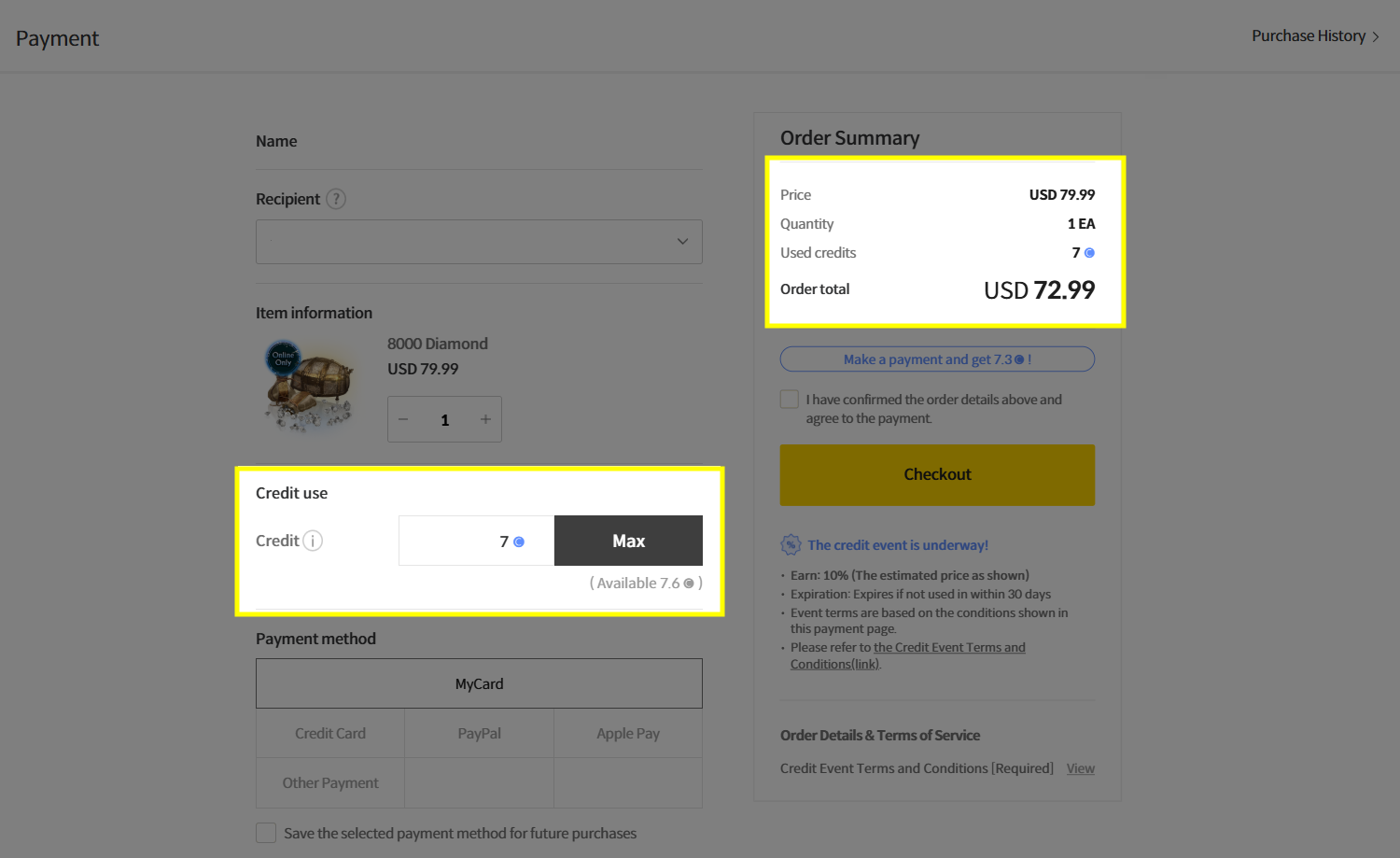
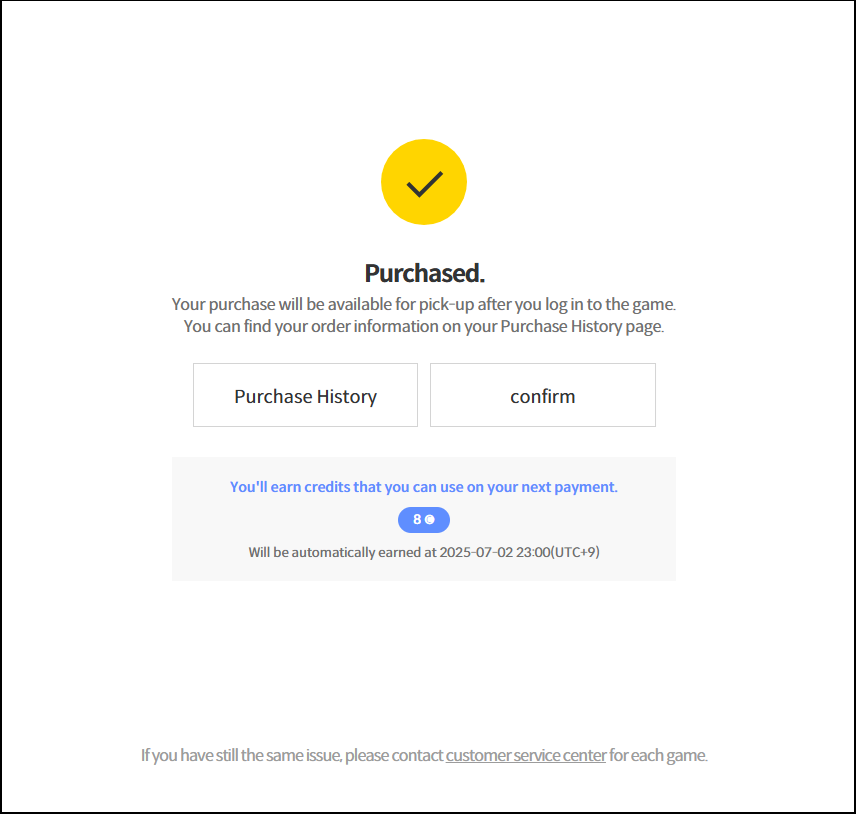
7. After completing your payment, you'll see the amount of Odin Credit you're expected to earn.
- If a package is purchased using a combination of Odin Credit and cash, credit will only be rewarded for the cash portion.
- No Odin Credit will be rewarded when the full amount is paid using credit.
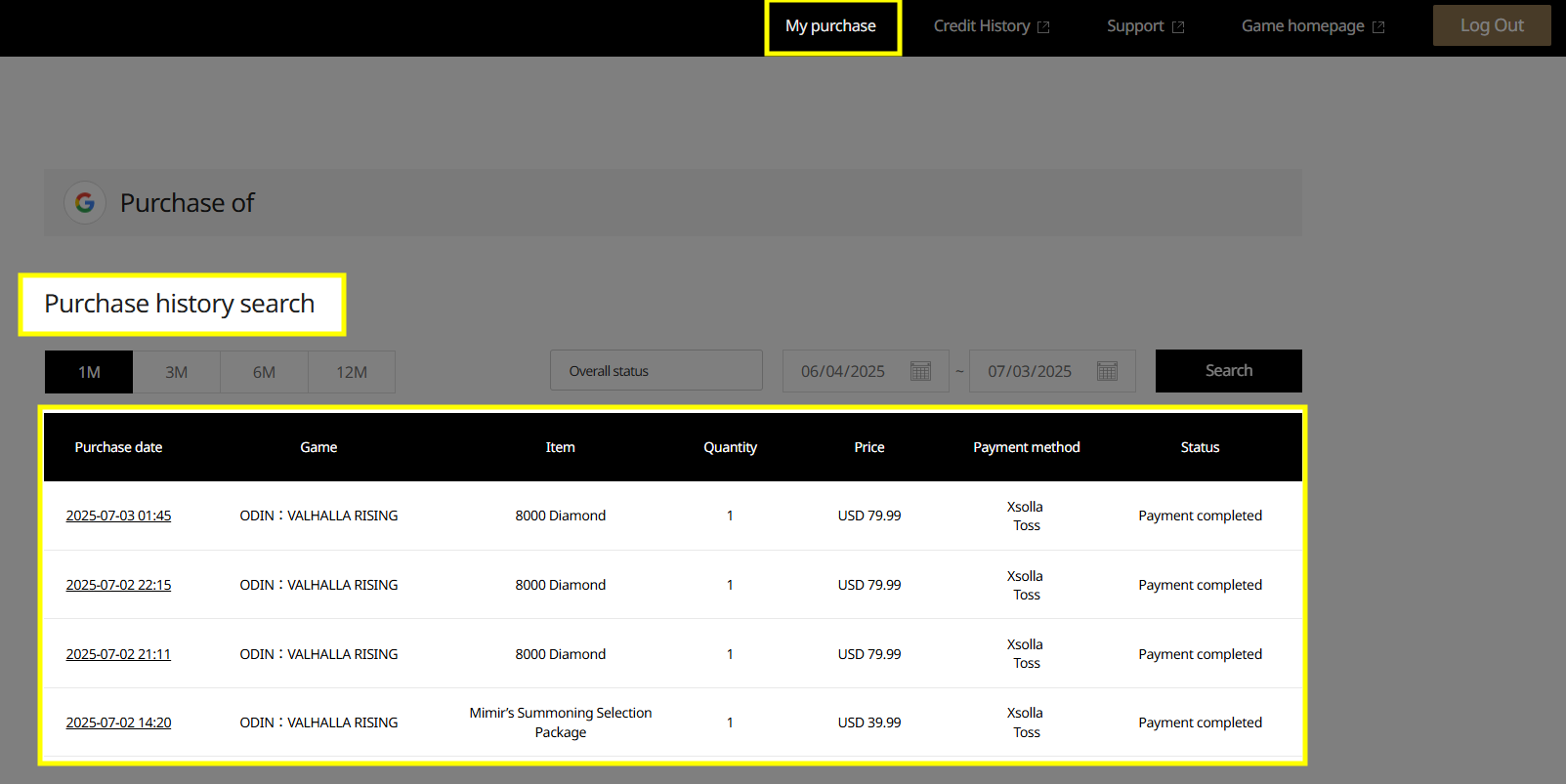
8. You can check your purchase history in the [My Purchase History] at the top of the main screen.
9. You can easily check your credit history in the [Credit History] at the top.

10. In your Odin Credit History, you can check your current balance, earn pending, and expires in 7d,and your usage details.
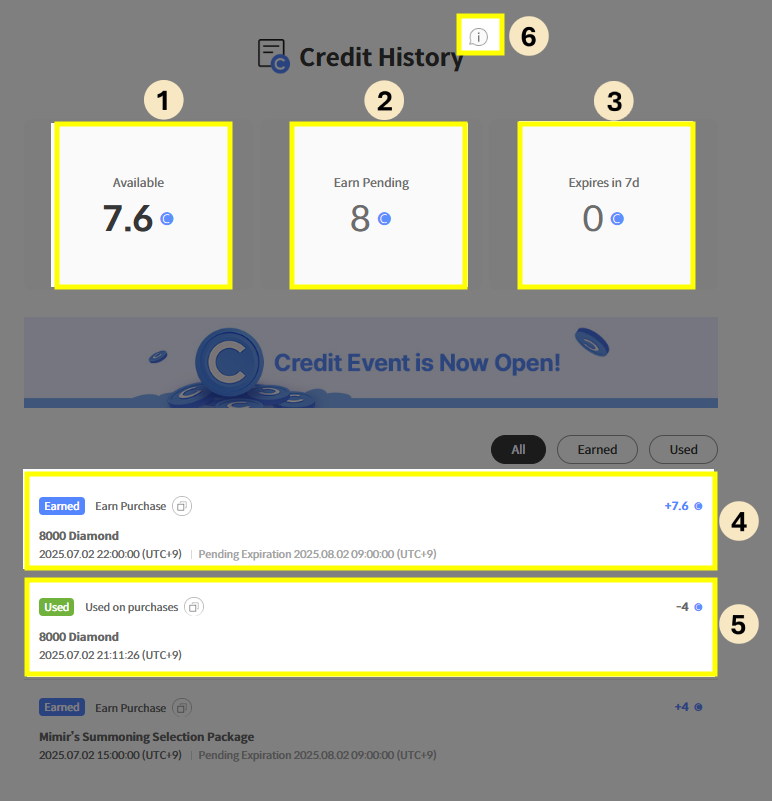
* The time displayed on the image reflects the local time of each country.
① Available: You can check the total amount of Odin Credit you currently have available for immediate use.
② Earn Pending: You can check the Odin Credit that is not yet accumulated but will be granted soon after your payment is complete.
③ Expires in 7d: You can check the Odin Credit that is set to expire with less than 7 days remaining in its validity period. Please be sure to use them within the deadline, as any unused Odin Credit will automatically disappear.
④ Earned: You can check your Odin Credit history, including those earned from payments or events, and also see each Credit's expiration date.
⑤ Used: You can check the details of the Odin Credit you actually spent when making payments.
⑥ Terms and Conditions: You can check the terms and policies on how to use Odin Credit.