
Imprinting is content where you can empower your character further by consuming the Imprinting materials.
You can obtain Imprint Options when imprinting, and you can obtain additional options based on the tier of the Imprint when fully imprinted in all of the slots.
■ Contents
1. Imprinting Slot and Option
2. How to Imprint
3. Obtaining Imprinting Option and Re-Imprinting
4. Imprinting Materials
1. Imprinting Slot and Option
◈ Details
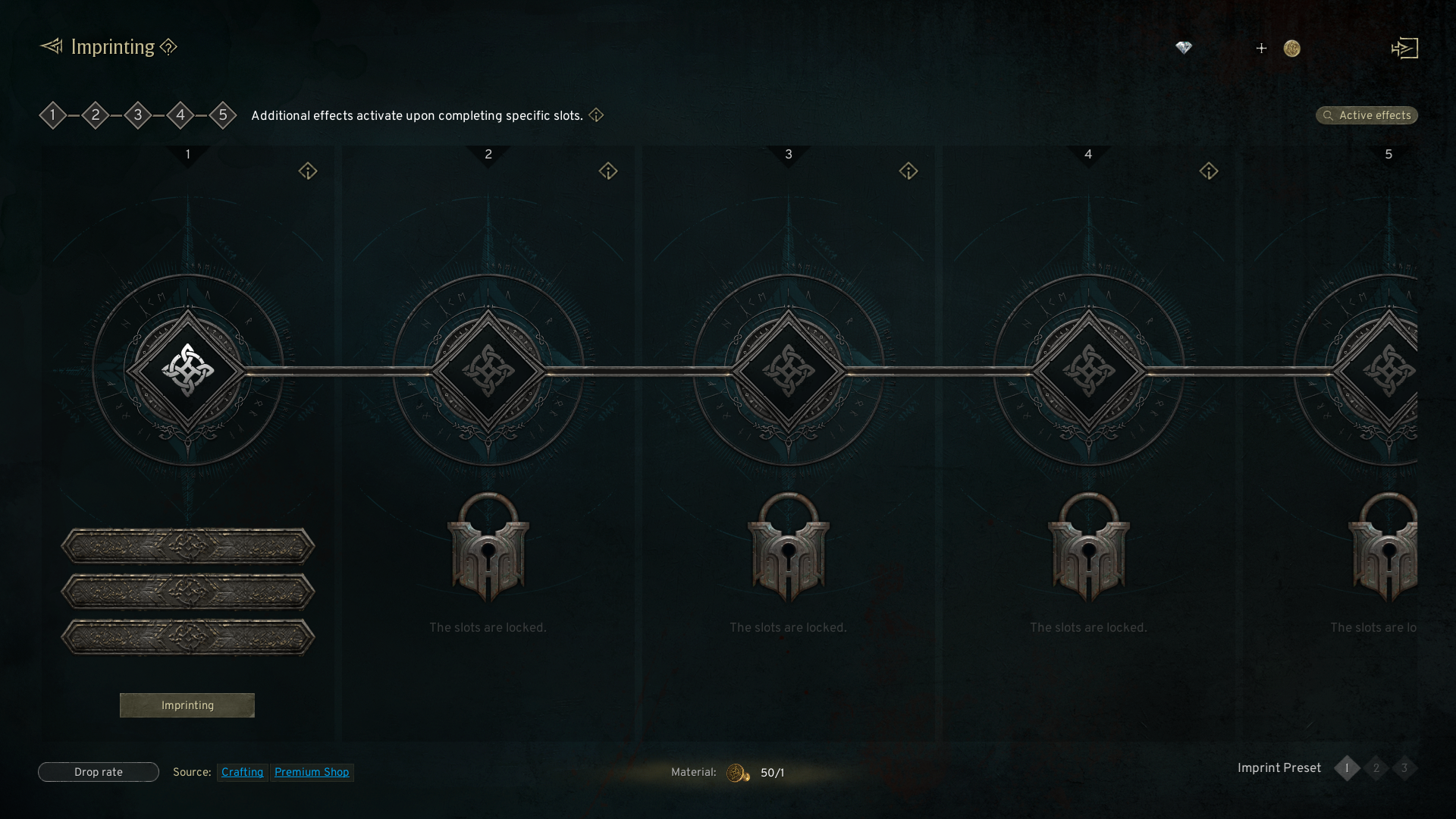
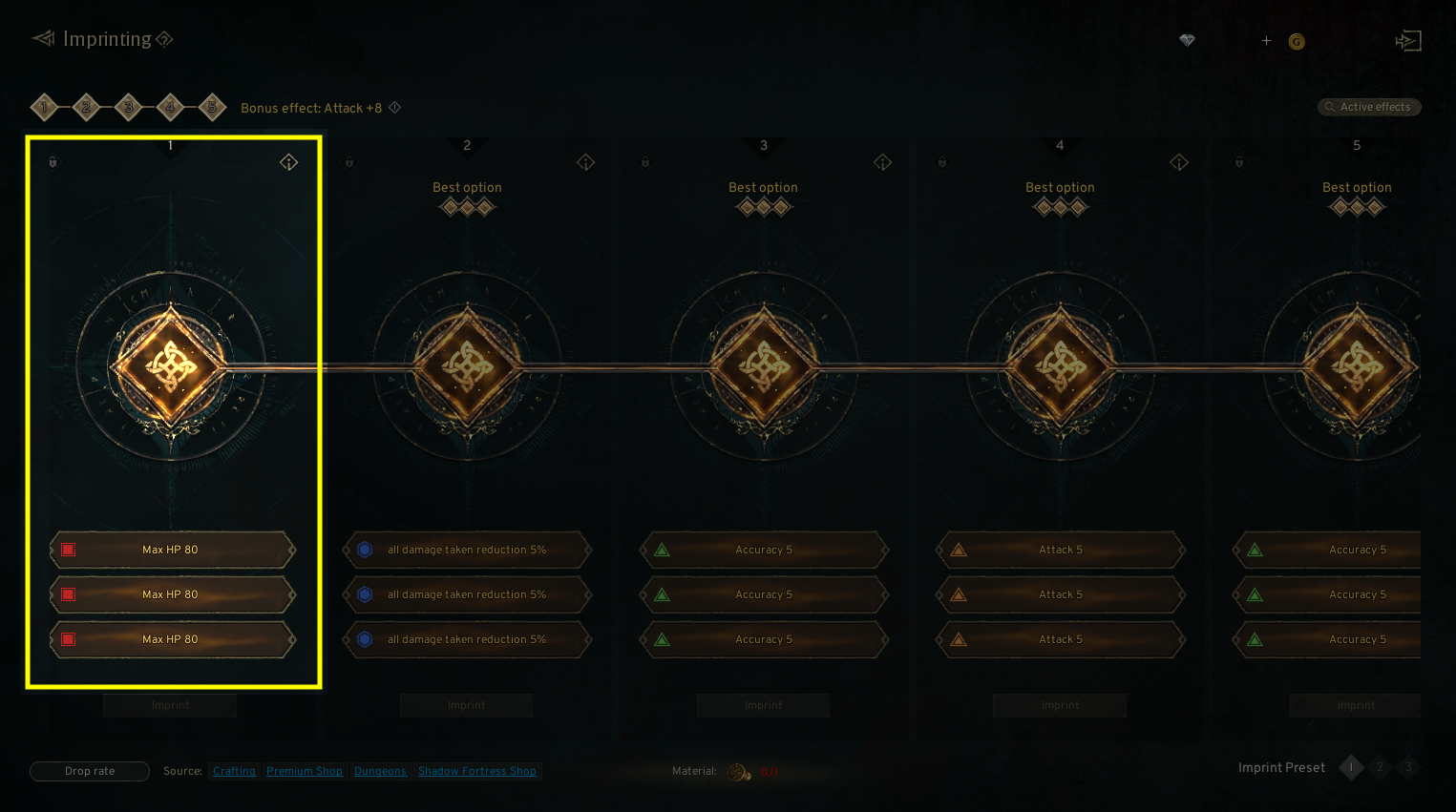
- There are total of 5 sets of slots for Imprinting, and each set of Imprinting Slot contains 3 slots.
- The tier of Imprinting Option and stat is divided into Common, Epic, and Legendary.
2. How to Imprint
◈ Details
- Tap the menu (☰) in the top-right and select 'Imprinting' to access the tab.
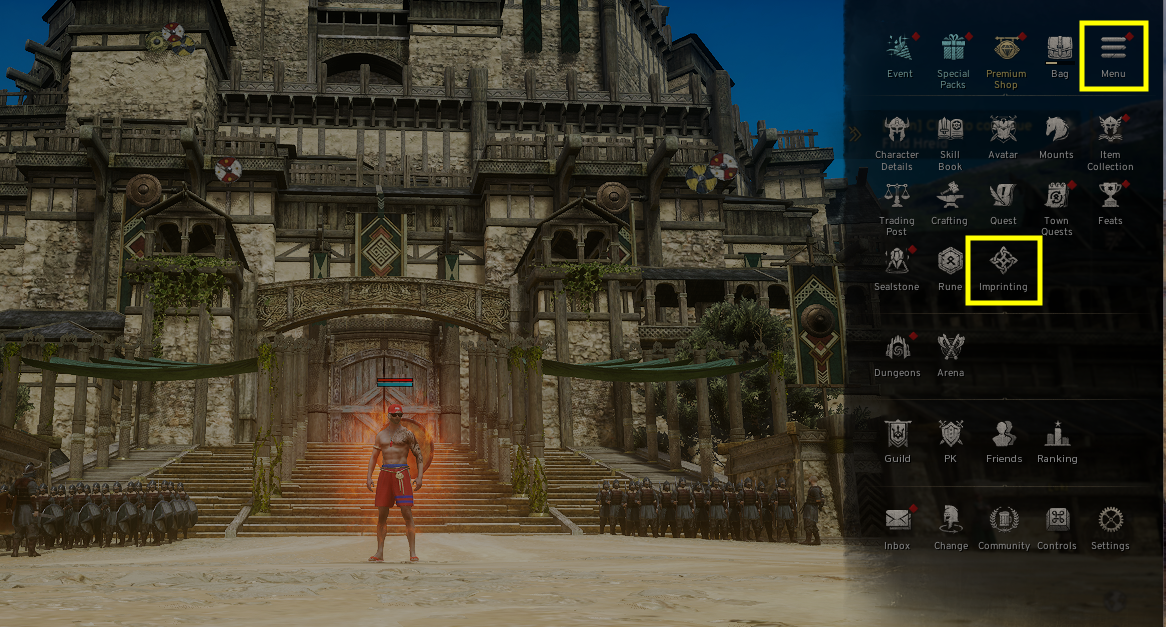
- You can imprint options for each slot by clicking the 'Imprint' button under the imprint slot.
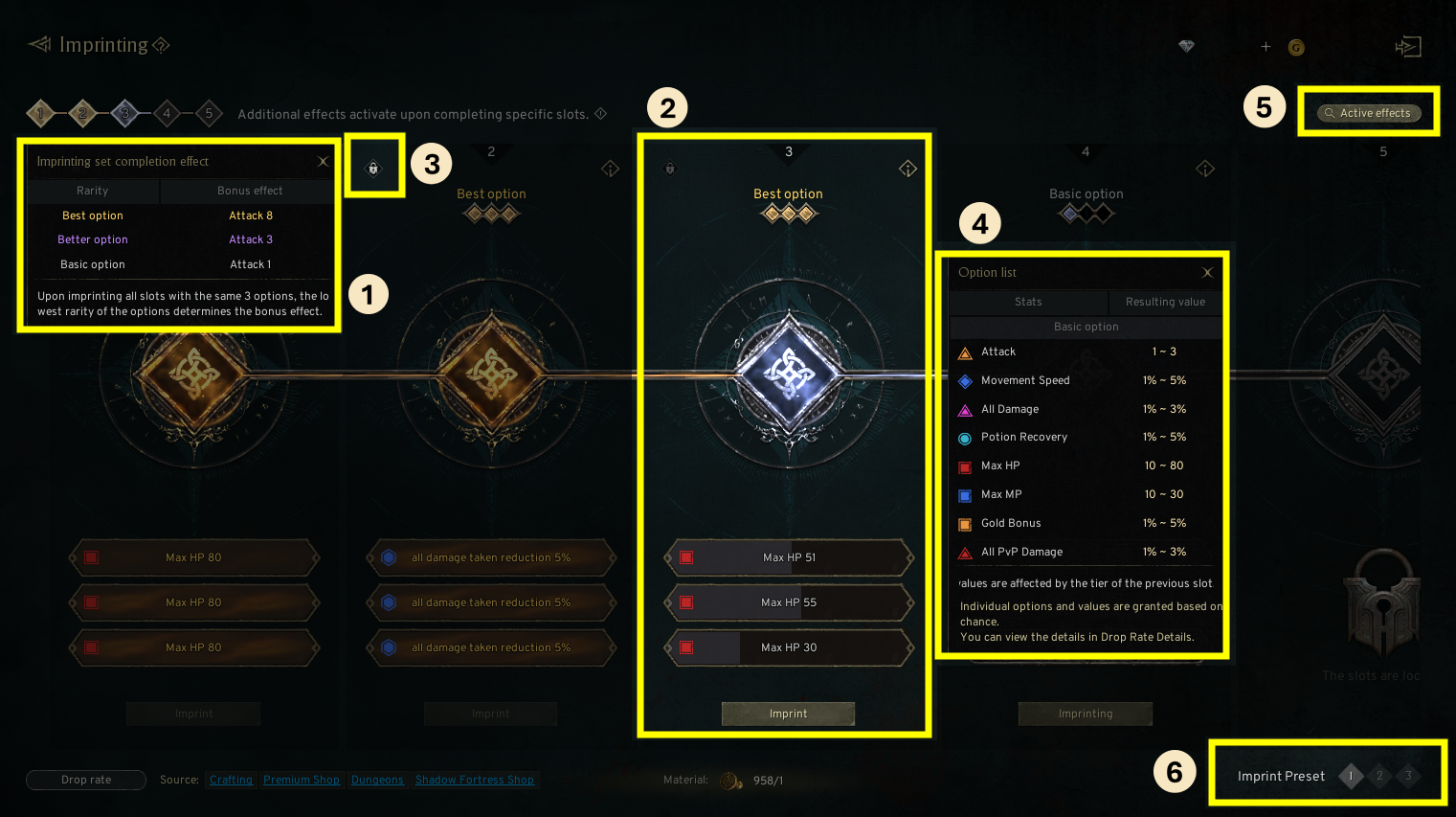
① Additional effect: You can check the activated imprinting slots, and you can obtain additional effect after completing the imprinting slot up to a certain slot.
② Imprinting Slot: You can check the applied Imprinting Options in the imprinting slot and the current slot.
③ Lock Slot: You can lock the imprint set, and you can unlock the imprint set by clicking the lock-shaped icon again.
④ Option List: You can check the list of options and the result value.
⑤ Active Effects: You can check every effect of active imprinting options.
⑥ Imprint Preset: You can use up to 3 presets, and you can apply separate Imprinting effects to use them based on the situation. (The Imprinting Option and stat will be applied immediately after switching the Imprint Preset.)
- If the same options are appeared in 3 slots, the next slot will be unlocked.
- Individual options and values of Imprinting are granted based on chance, and the tier of the next imprint slot will be decided based on the result.
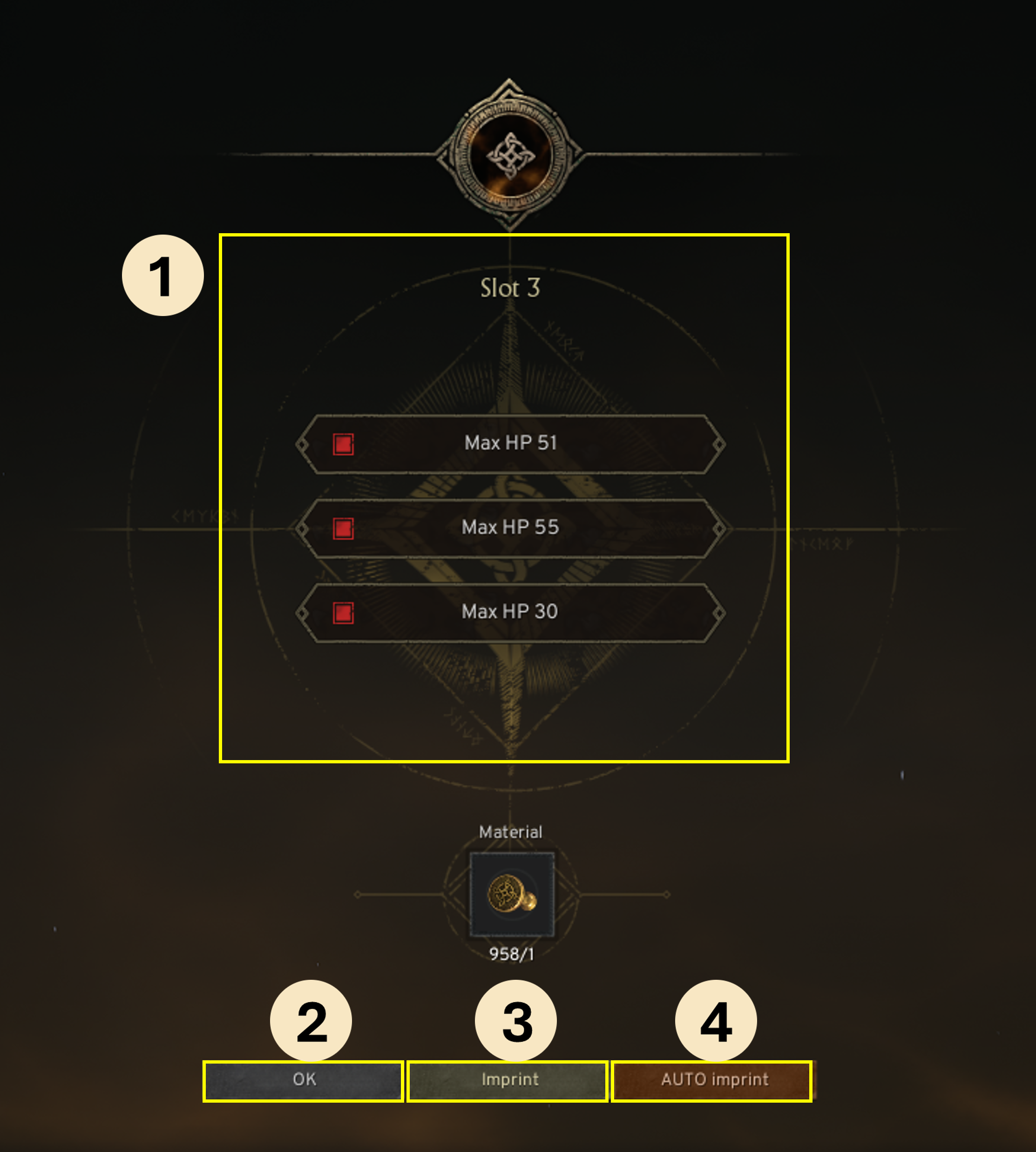
① Imprinting Option and Stat: You can check the acquired Imprinting Options and stats.
② OK Button: Confirm the acquired Imprinting Options.
③ Imprint: You can reroll the Imprinting Options.
④ AUTO Imprint: Automatically reroll the Imprinting until the same option appears among the selected grades and options.
- The color of the slot will differ based on the granted Imprinting Option and the progression of Imprinting.
- If the option of 3 slots are the same, the color of the slot will differ based on the minimum tier among the options.
- You can apply up to 3 options per imprinting, and different colors will be displayed based on the value of the option.
3. Obtaining Imprinting Option and Re-Imprinting
◈ Details
- Excluding the 1st Imprint Slot, the remaining 2~5 slots are affected by the tier of the option of the previous imprint slot, and the value is decided based on it.
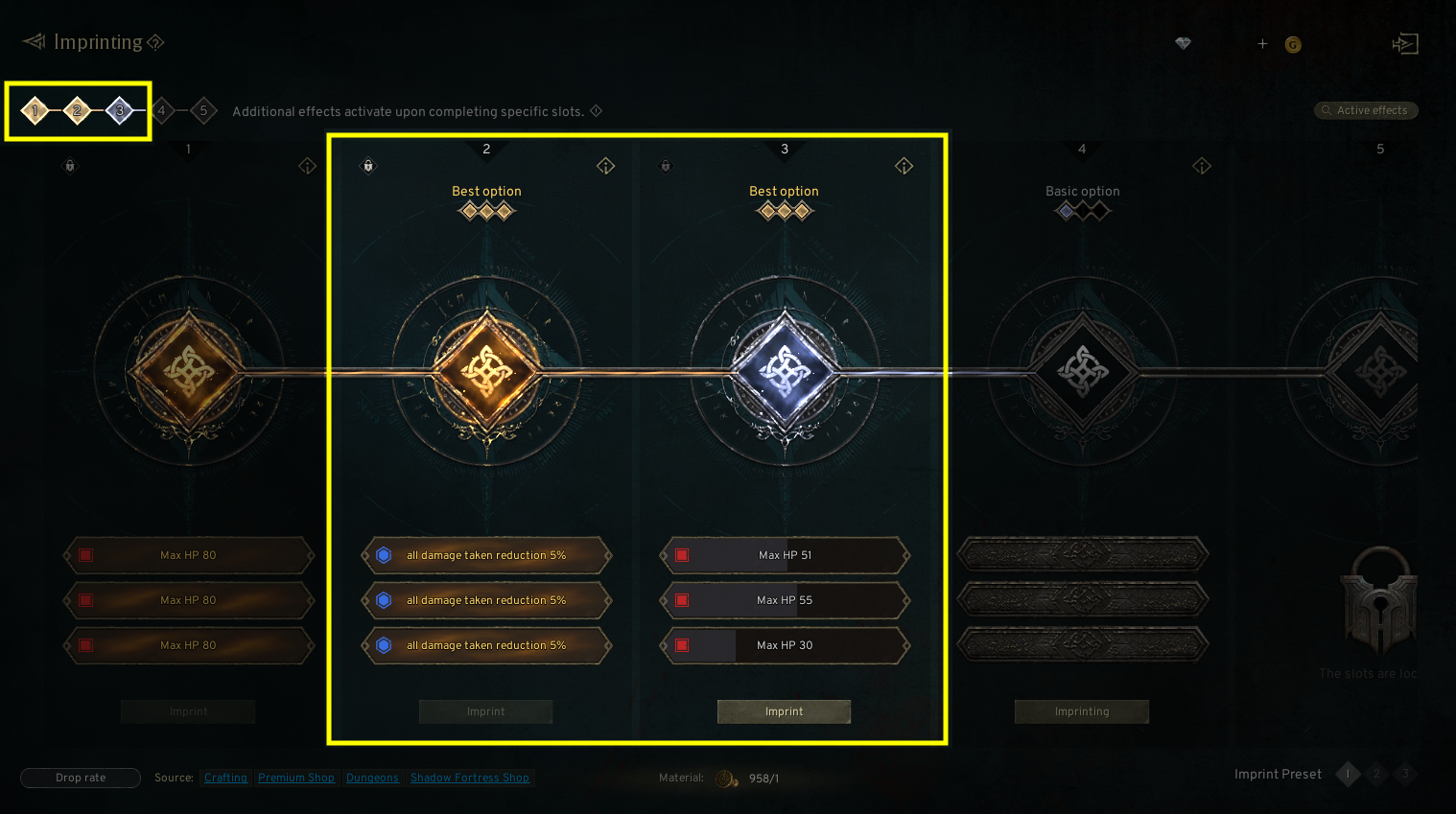
<If the same Epic stats are applied in the 3 slots of the 3rd imprint slot>
- The 4th imprint slot becomes Epic tier, and the stat result will be decided in the range of Epic imprint results.
<If the 3rd imprint slot is Epic and the 4th imprint slot is Common>
- The 5th imprint slot is affected by the 4th imprint slot, and the stat result will be decided in the range of Common imprint results.
<If the highest stat value is applied in the Common 3rd imprint slot and the Epic 3rd imprint slot>
- The stat result of the Epic imprint slot can be higher than the Common imprint slot.
- By using the Golden Imprinting Stamp (Imprinting Material), you can change the stat and value of the previously applied imprint slot.
- When re-imprinting, the stat and value will be decided based on chance, and the option will be changed to the new result.
- If you change the imprinting options on a previous slot, all following imprinting slots will be also reset.
! If you re-imprint the 3rd imprint slot while the 5th imprint slot is activated, the 4th, and 5th imprint slot can be reset.

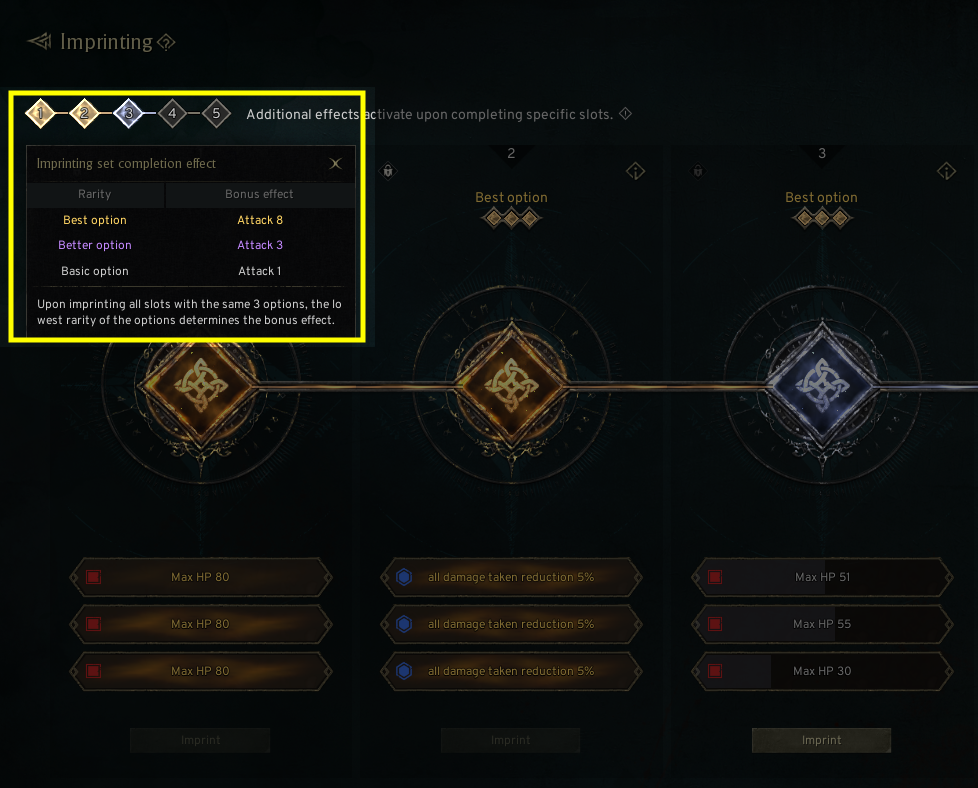
- If you obtained the same imprint stats up to the 5th imprint slot, the Bonus effect will be applied.
- The value of the additional effect is the same as the lowest tier among the 5 slots.
4. Imprinting Materials
◈ Details
- Golden Imprinting Stamp is required to imprint, and it is used to imprint and re-imprint.
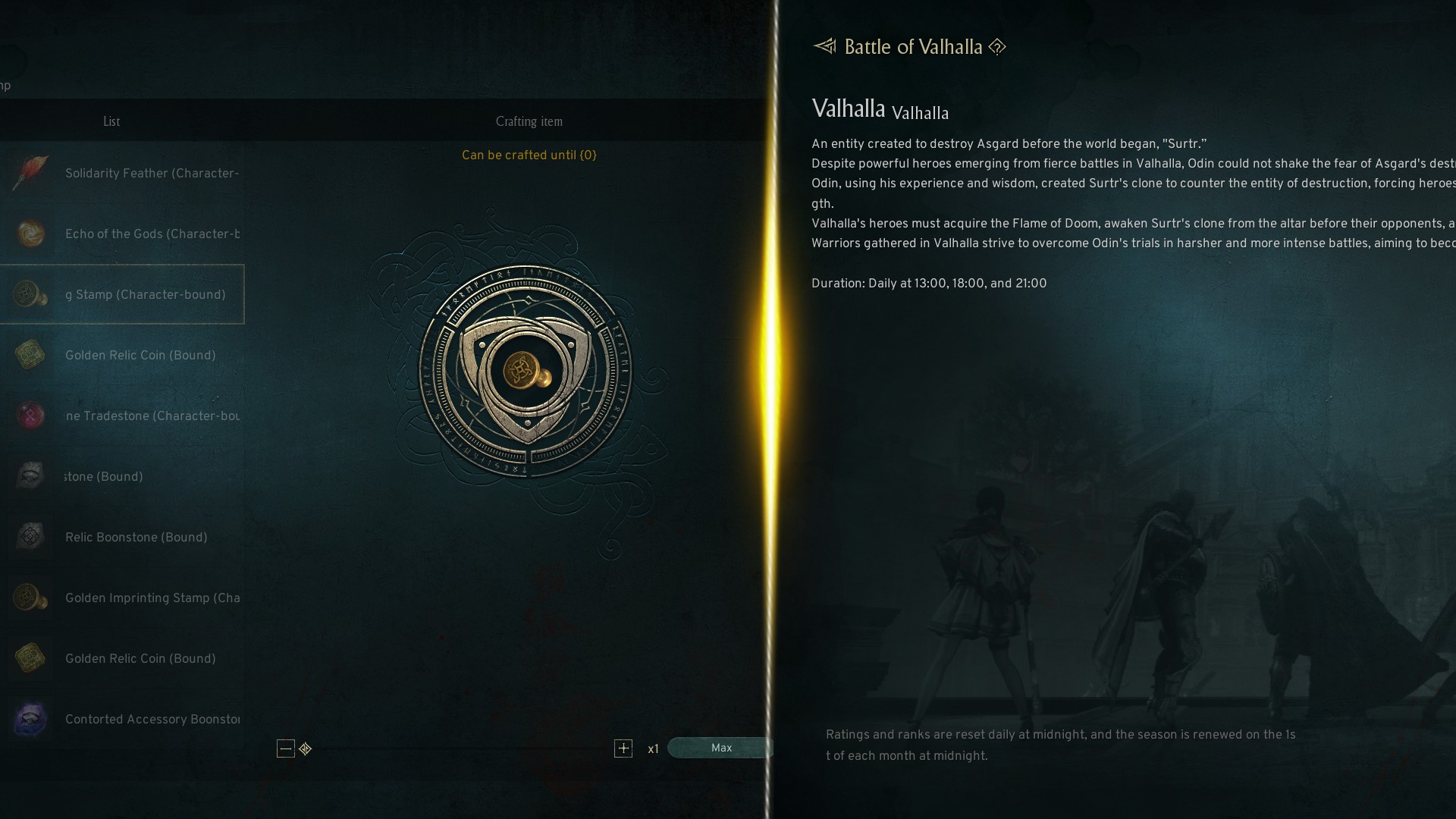
- You can obtain the Golden Imprinting Stamp and Imprinting Stamp Shard in certain contents.
- You can craft Golden Imprinting Stamp by Imprinting Stamp Shard in Menu[☰] - [Crafting] - [Material] - [Growth Material].