
Guild Auction is a feature where you can distribute the rewards to Guild members
that can be obtained from defeating Guild Dungeon boss, Domain Ruler, or bosses of Elite Dungeon.
A Guild member who bidded the highest price can win the item,
and the Guild members who have contribution by participating
in the Guild Dungeon or raid members will be shareholders.
■ Contents
1. How to Start and Bid in Guild Auction
2. End of Auction and Retrieval
3. Winning and Distribution
1. How to Start and Bid in Guild Auction1. How to Start and Bid in Guild Auction
◈ Guild rewards from defeating the boss in the Guild Dungeon, or acquired from defeating raid boss are registered to the Guild Auction.
- To enter the Guild Auction, click [Guild Auction] tab in the upper corner of the Guild screen.
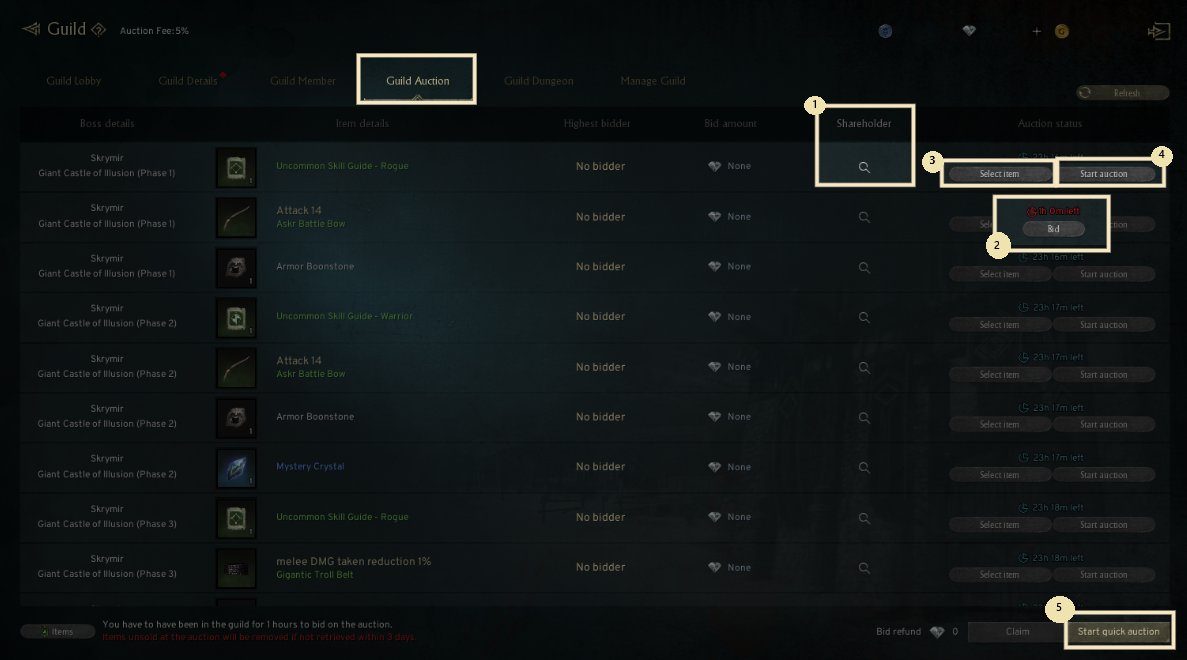
1) Shareholder
- You can check the shareholders and expected distribution by clicking the magnifying glass button.
2) Bid
- To bid, you have to spend more Diamonds than currently bidded.
- You can freely re-bid, however, you can't bid again when you are the highest bidder.
- If you didn't win the item, the Diamond can be retrieved.
3) Select item
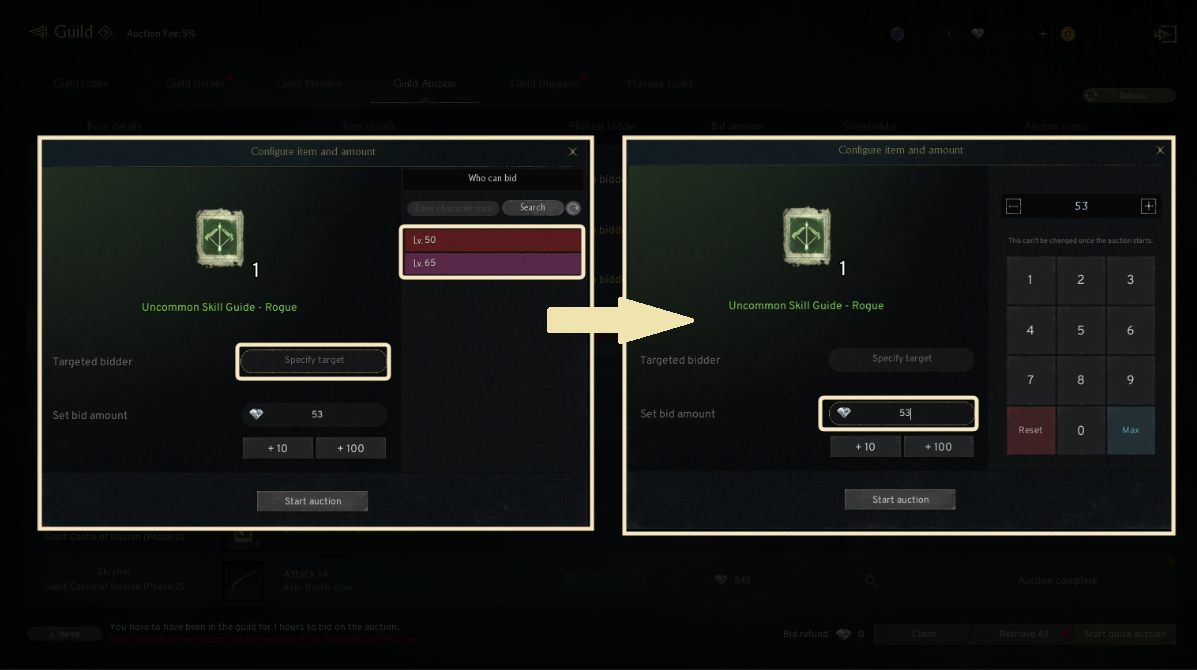
- Guild Leader or Vice Guild Leader can set targeted bidder or bid amount.
4) Start auction
- To start the bidding, Guild Leader or Vice Guild Leader have to start the auction.
5) Start quick auction
- You can start the auction of whole or certain items that are registered in the Guild Auction.
6) Contribution
- You can check the contributor list by clicking ⓘ button before the auction ends.
! To participate the bidding, you have to spend at least 1 hour after joining the Guild.
- You can set the target of the bidder and the amount by clicking the 'Select item' button.
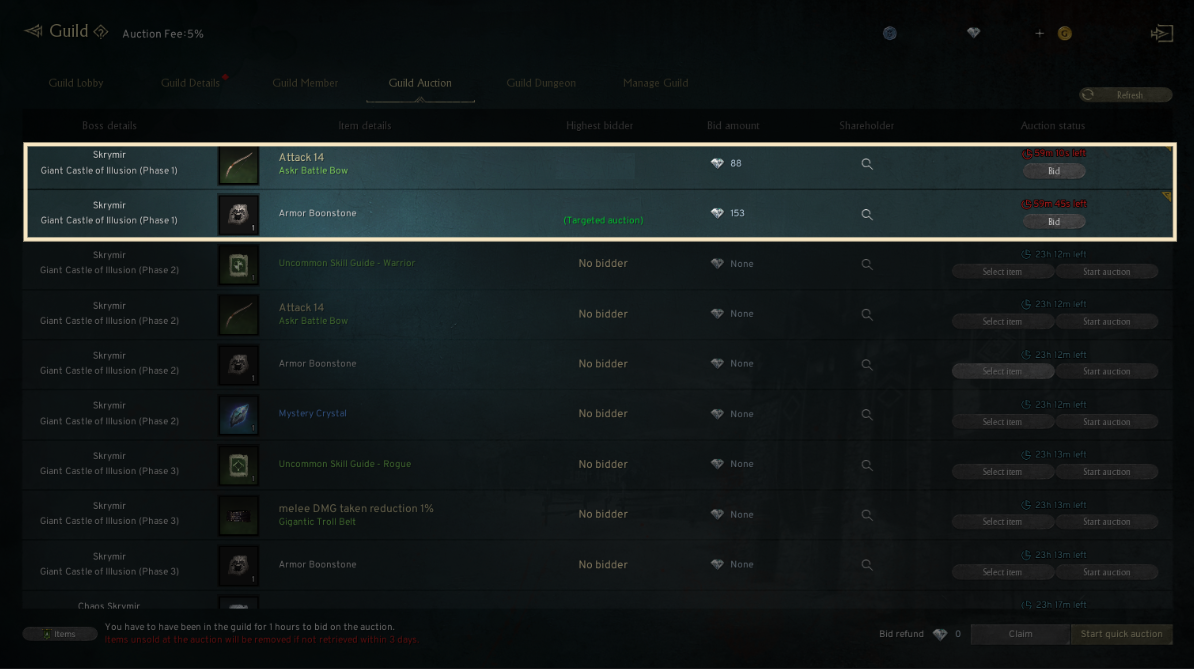
- When the auction starts, the background color of the item section changes.
2. End of Auction and Retrieval
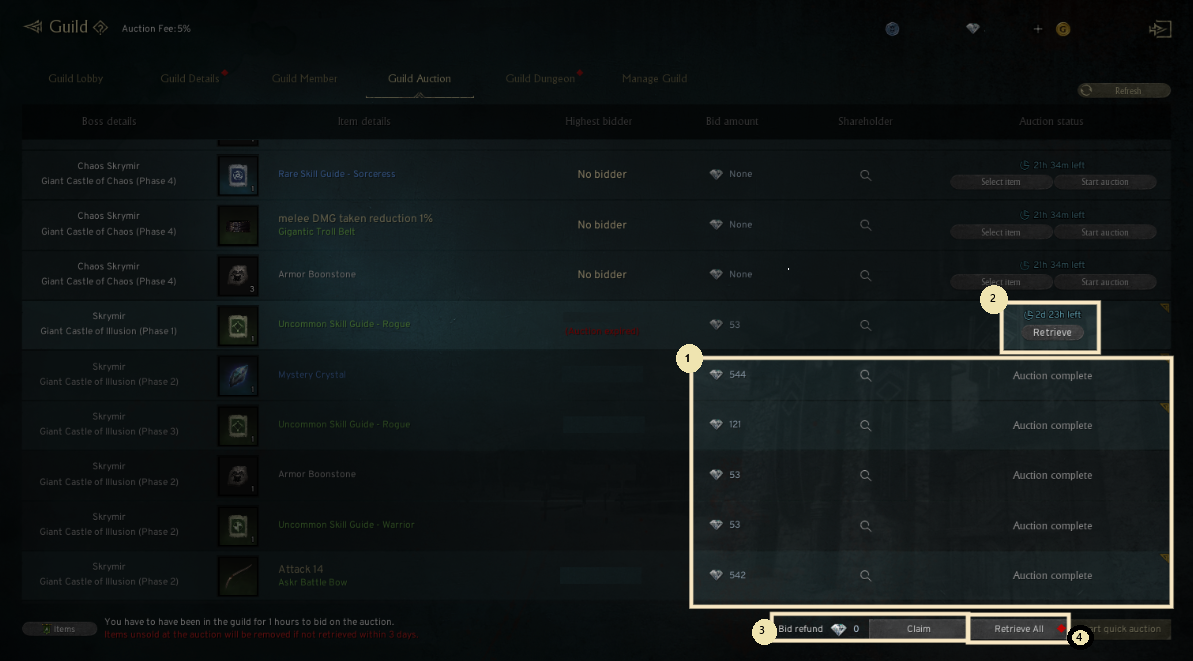
1) Auction Complete
- After the auction period, the bid item is displayed as 'Auction complete', and the final bid amount and the highest bidder will be displayed.
2) Retrieve
- Guild Leader can retrieve the expired item.
3) Bid refund claim
- If there's any Guild member who bidded a higher amount than yours, you can retrieve the bidded Diamond.
4) Retrieve All
- Guild Leader can retrieve all of the expired items.
3. Winning and Distribution
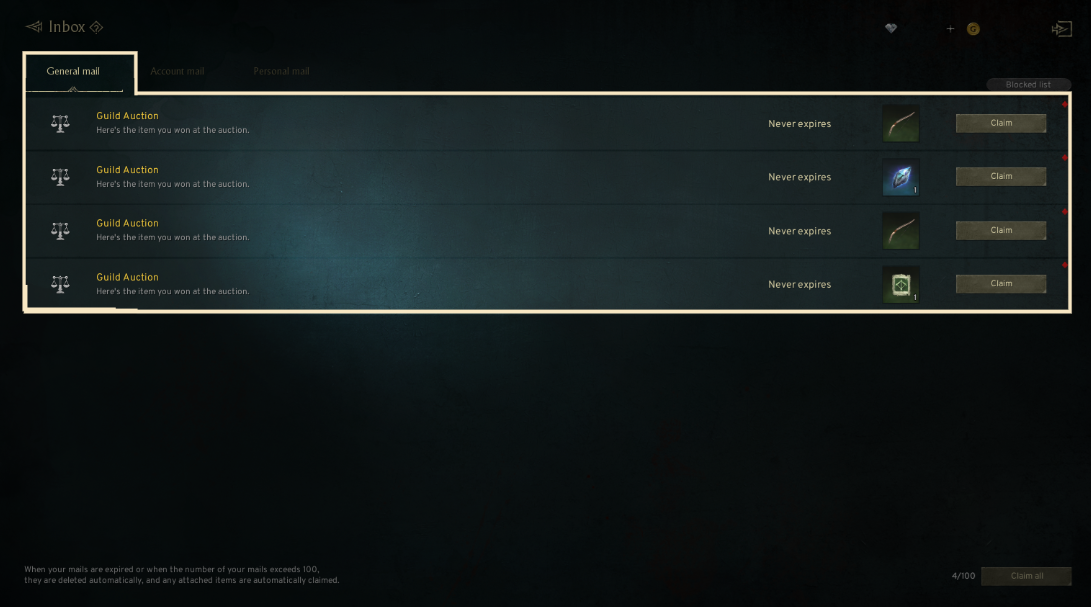
◈ All of the winning items and bid will be sent via Inbox.
- The winning bid will be divided by the number of shareholders after subtracting the auction fee and sent to the Inbox of the shareholders.
If you need additional assistance, don't hesitate to contact our customer center through the button below.