
In this guide, you can learn how to install ODIN:VALHALLA RISING.
■ Contents
1. How to Install - PC (Through Official Homepage)
2. How to Install - PC (Through Google Play Games)
3. How to Install - Mobile (Through Store)
1. How to Install - PC (Through Official Homepage)
1-1) Enter the official homepage of ODIN:VAHLALLA RISING through the link below.
https://odinvalhallarising.kakaogames.com/en
1-2) Click [PLAY] button in the right upper corner.

1-3) Set the path to be installed and proceed.
! Please check that the space of hard disk is sufficient before the installation.
1-4) After the installation, launch the client and choose the account to login the game.
! If you activate the Auto-Login button below, the login process will be skipped after the next client launch.

1-5) A client update progresses. After the update, you can play the game through the [Play Game] button in the right bottom.

2. How to Install - PC (Through Google Play Games)
2-1) Enter the Google Play Store.
https://play.google.com/store/apps
2-2) Search ODIN:VALHALLA RISING and click [Install on Windows] button.
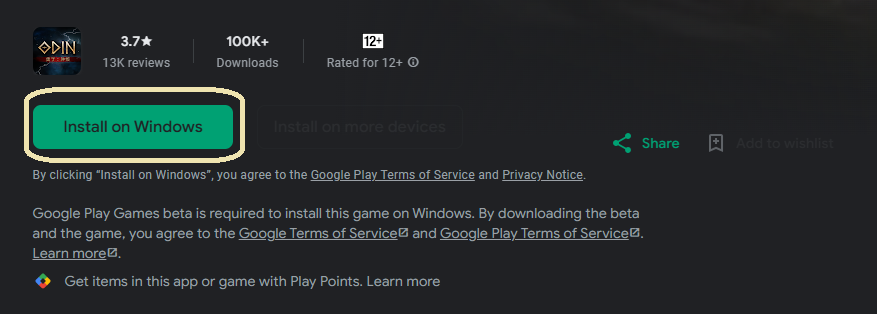
2-3) The game will be installed through the Google Play Games client. If you haven't installed the Google Play Games client on your PC, the process of installing the app will be involved.
2-4) After the installation, you can enter the game by click [Play] button.
! The account information is assigned to the account that logged in Google Play Games client.
3. How to Install - Mobile (Through Store)
- Enter the store that you use (e.g., AOS: Play Store / iOS: App Store).
- Search 'ODIN:VALHALLA RISING'.
- After installing ODIN:VALHALLA RISING in the search result, you can play the game.