
Arena is a combat space where Heroes can challenge each other without PK penalties.
Engage in different battle types, including 1v1 and faction fights,
in the Vigrid Field, a place where peace has been interrupted.
■ Contents
1. Arena
2. Arena Lobby
3. Arena Entry
4. Start and End of Arena
5. Leaving the Arena
1. Arena
◈ Details
- Tap the menu (☰) in the top-right and select 'Arena' to access the tab.
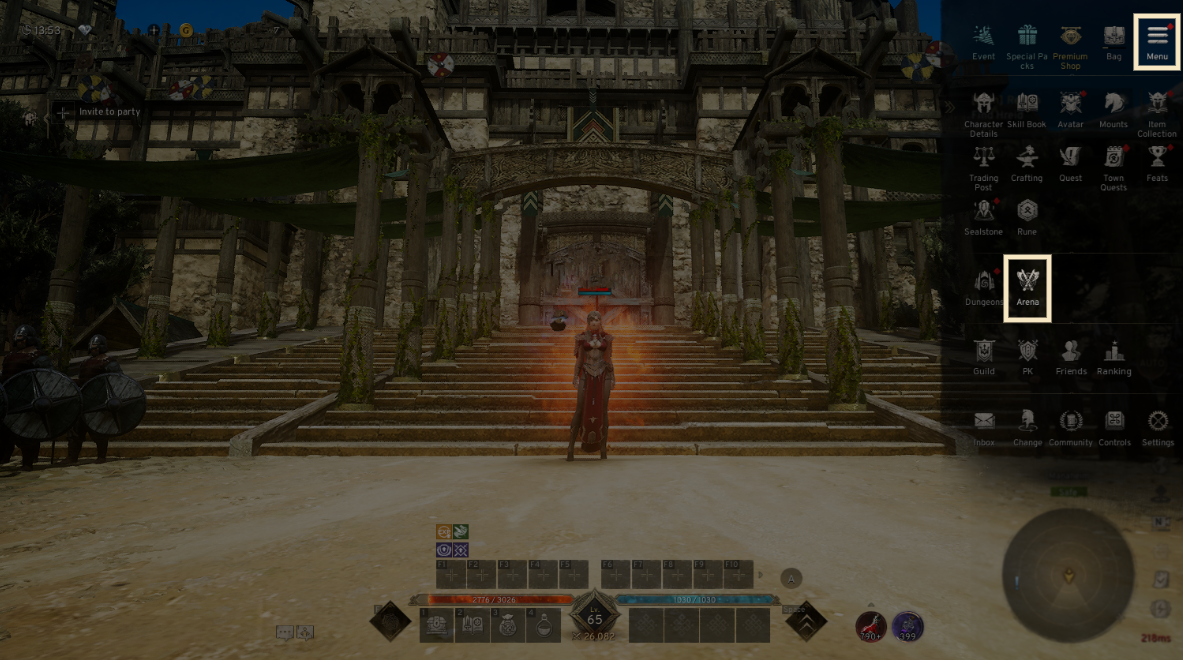
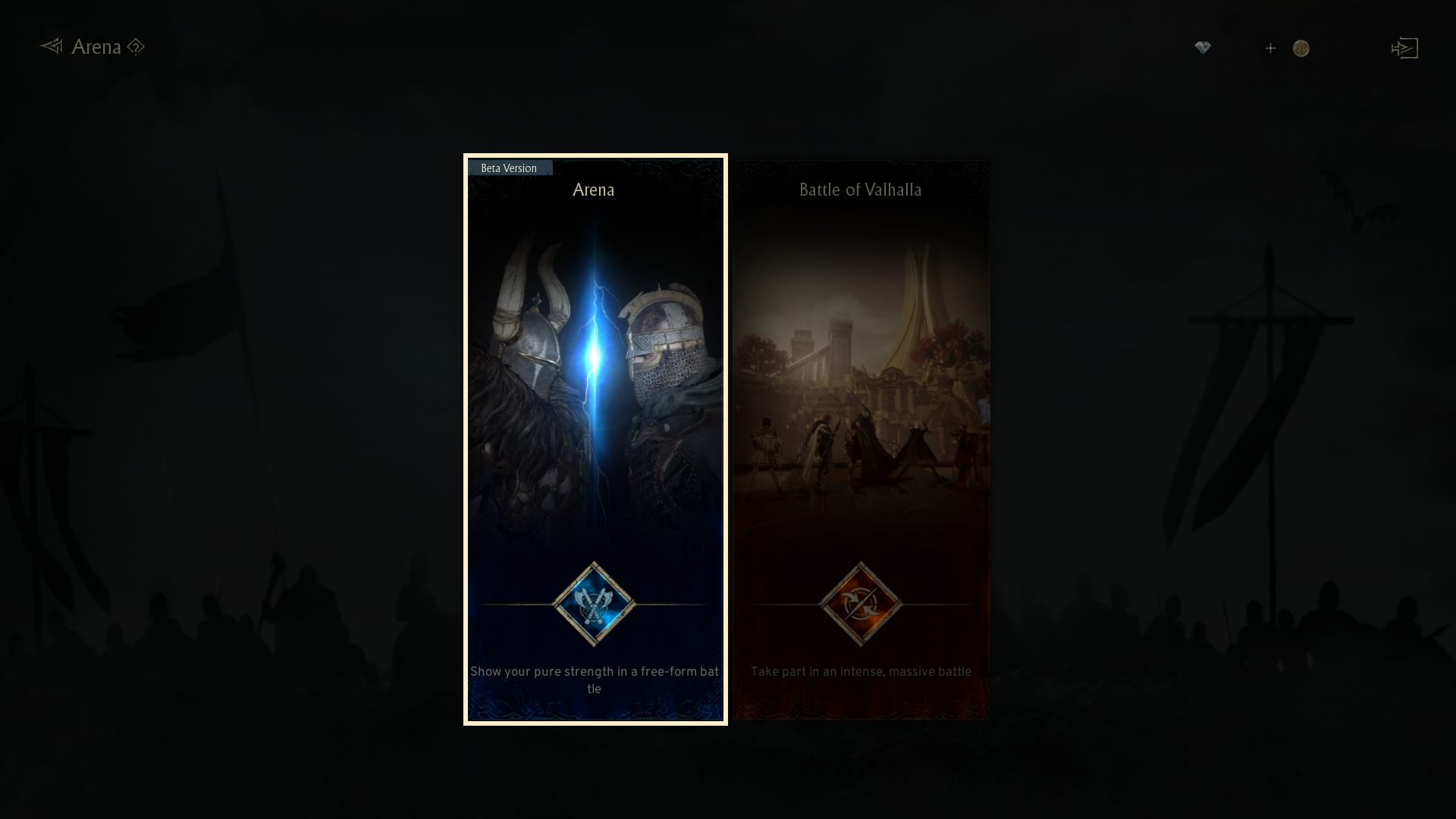
- The 'Arena' and 'Battle of Valhalla' are available in Arena.
2. Arena Lobby
◈ Details
- In the Arena Lobby, you can set different rules to create Arena room.
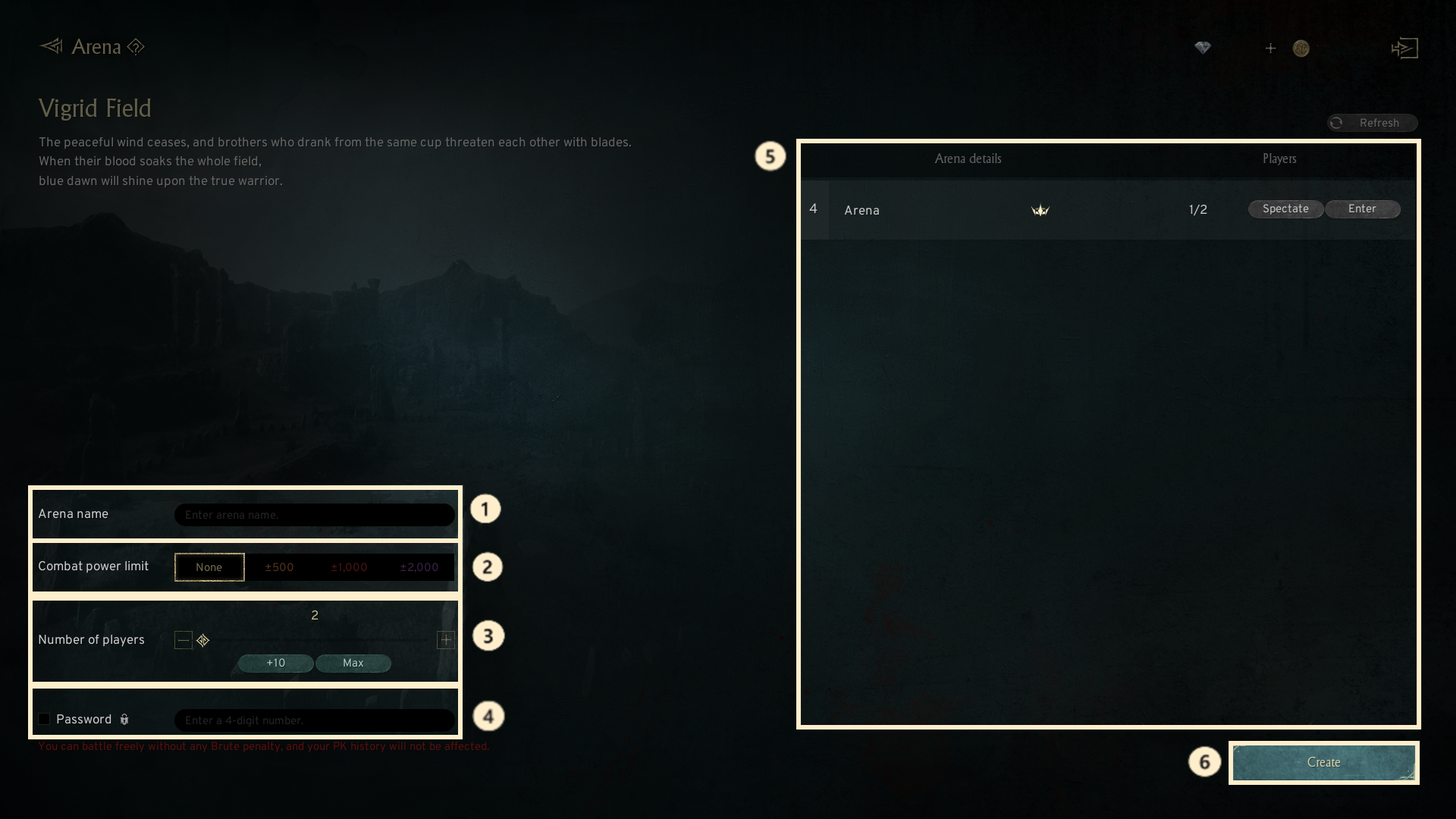
① Arena name: You can set the room name visible to other players.
② Combat power limit: You can set a combat power limit based on your own combat power.
③ Number of players: You can set the maximum number of players allowed in the Arena.
④ Password: You can set a password, allowing only players who know it to join the room.
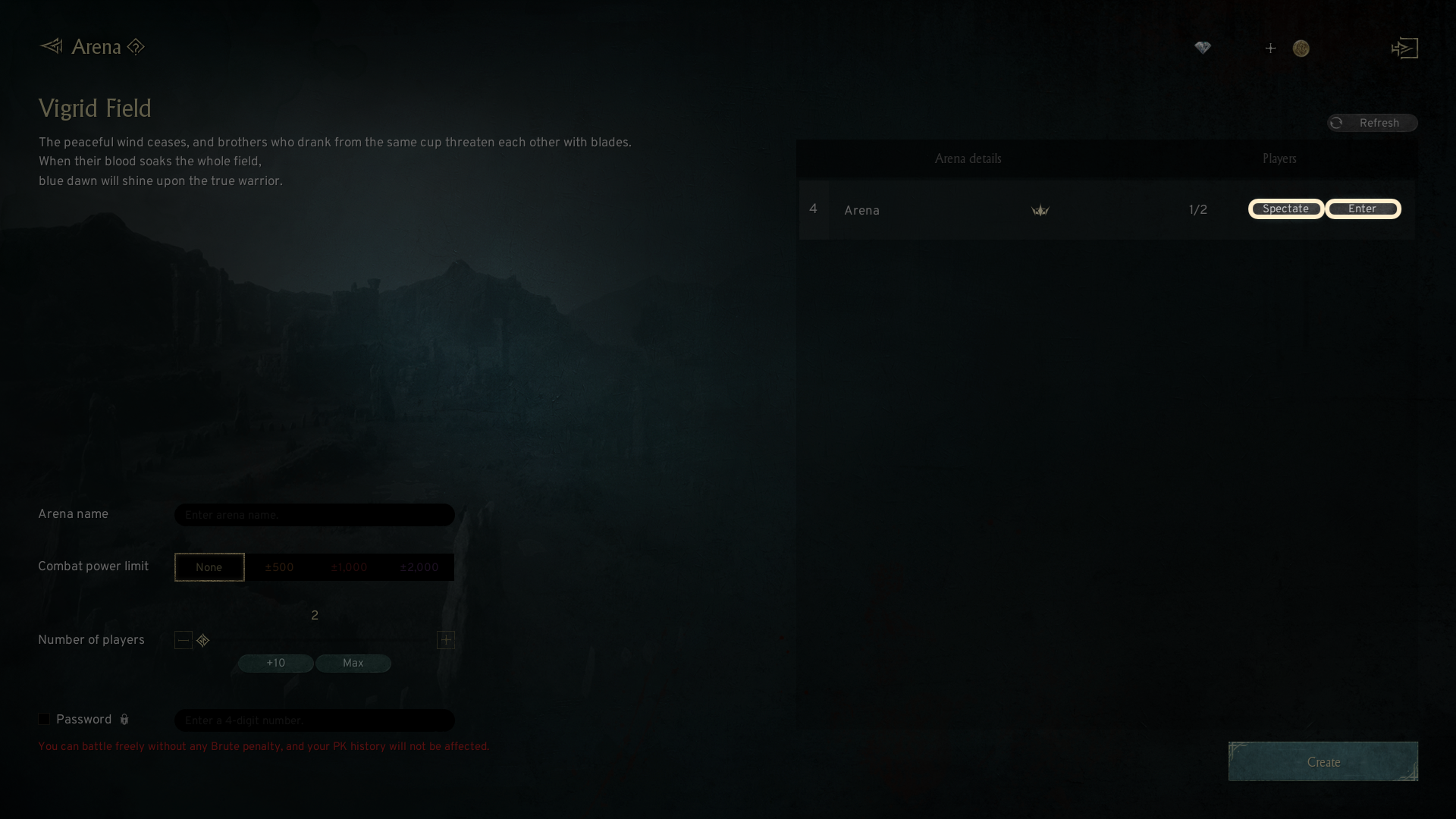
⑤ Arena details: You can check the details of the created room and choose to spectate or join.
! You cannot participate in rooms where the 'Join' button is removed.
⑥ Create : After configuring the Arena options, you can create the room by tapping 'Create.'
! When creating the room, you need to select one of the four teams to enter the Arena map.
- In the Arena lobby, you can either participate in an existing Arena or press the 'Spectate' button to watch the battles of other players.
! During spectating, you can only watch the battle and are not able to engage in the battle.
3. Arena Entry
◈ Details
[For Host]
- The Arena host is able to configure extra options for the Arena and initiate or cancel the battle.
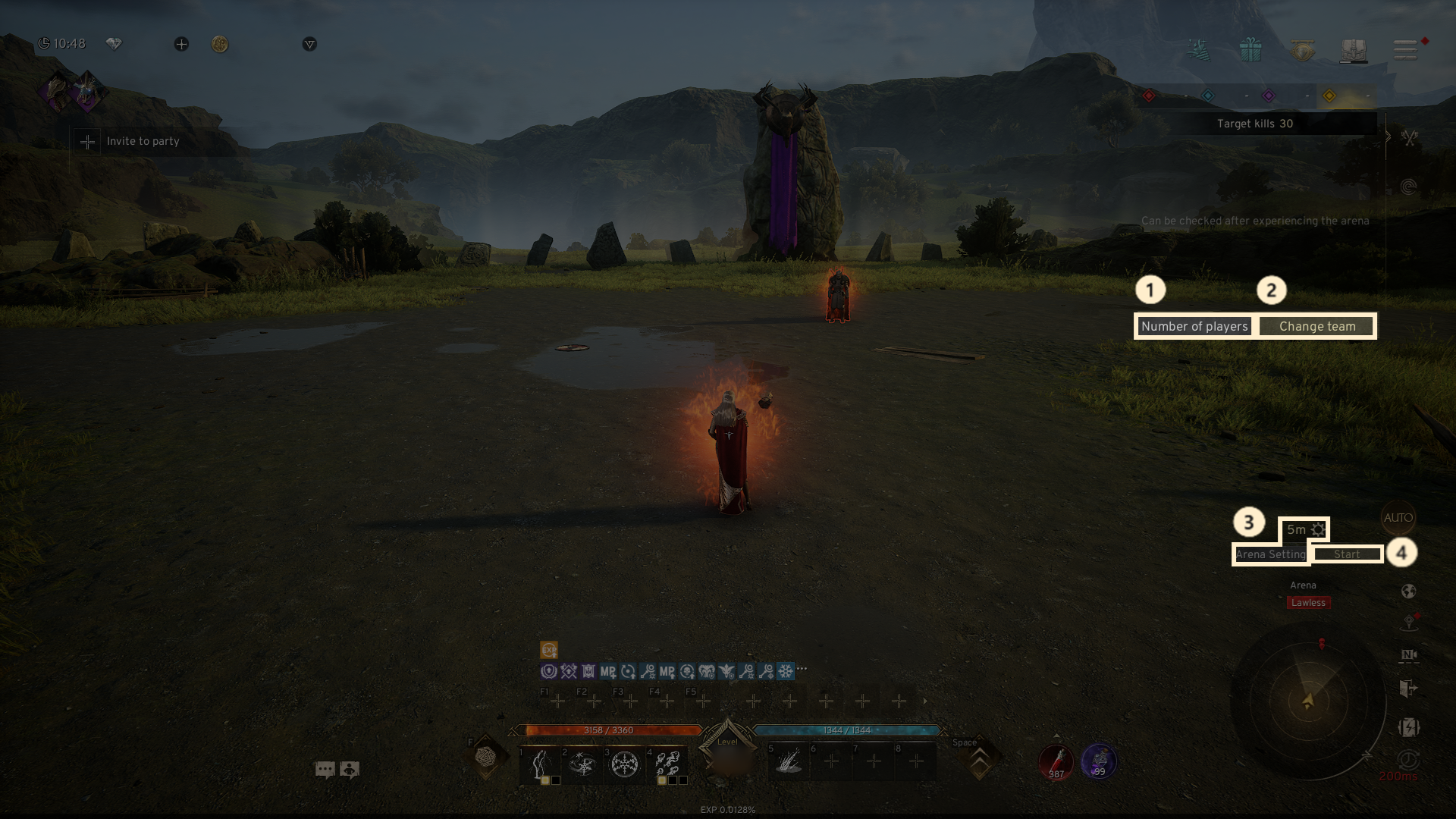
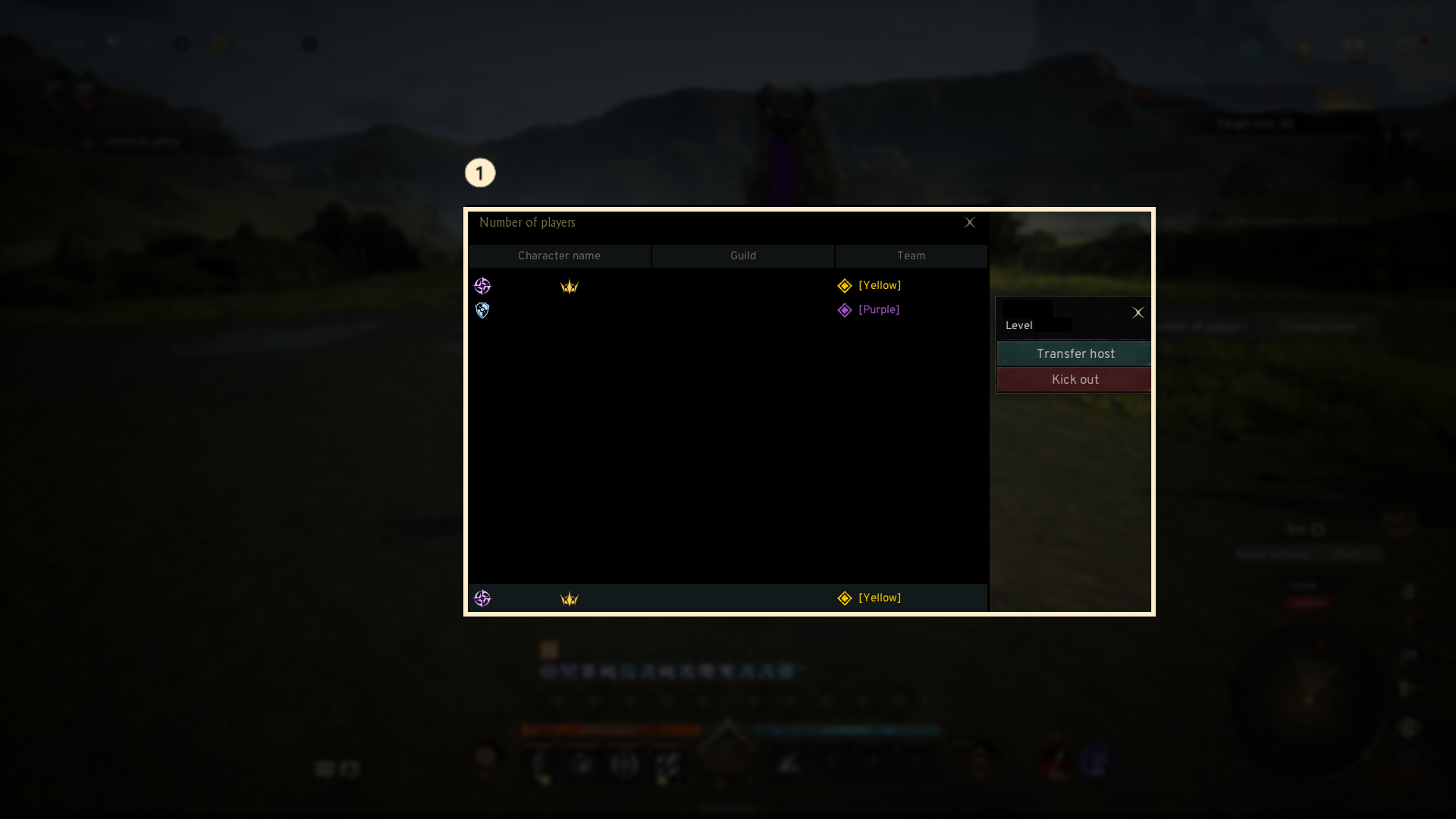
① Number of players: By selecting the number of players, you can view the players currently in the Arena, and the host can transfer the hosting role or force players to leave.
② Change team: Before the battle begins, you can touch the team change button on the right of the main screen to change teams.
③ Arena setting: When you click the gear icon at the top of the minimap, you can adjust the target kill count and game time. Clicking the 'Arena setting' button will allow you to change the Arena name, combat power limit, player count, and password.
④ Start: Touching the start button at the top of the minimap will initiate the battle.
! Once the battle starts, teams cannot be changed during the game.
! If two or more players have entered the Arena, but there are no players from the opposing team, the battle cannot be initiated.
! If the host leaves the arena, the host role will be automatically transferred on to another player.
[For Participants]
- Upon entering the Arena, you need to choose one of the four teams to join.
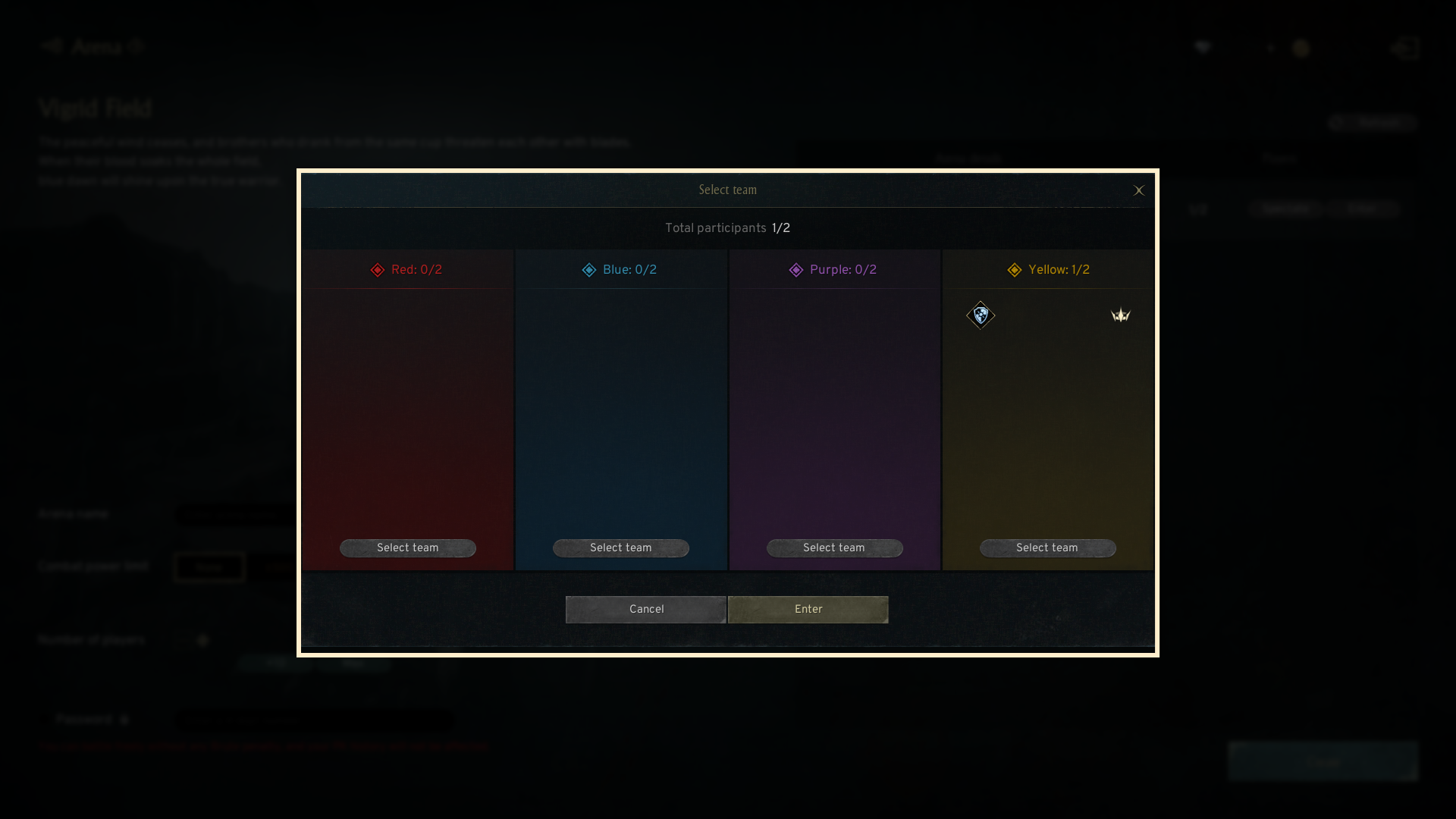
- Click the 'Join' button on the right of the room info will bring up a team selection popup.
- Once you select your desired team from the popup and tap 'Enter', you’ll enter the Arena.
- Before the Battle starts, you can switch teams by clicking the 'Change Team' button on the right side of the Arena's main screen.
4. Start and End of Arena
◈ Details
[Start of Arena]
- The battle will begin with a countdown once the host initiates it.
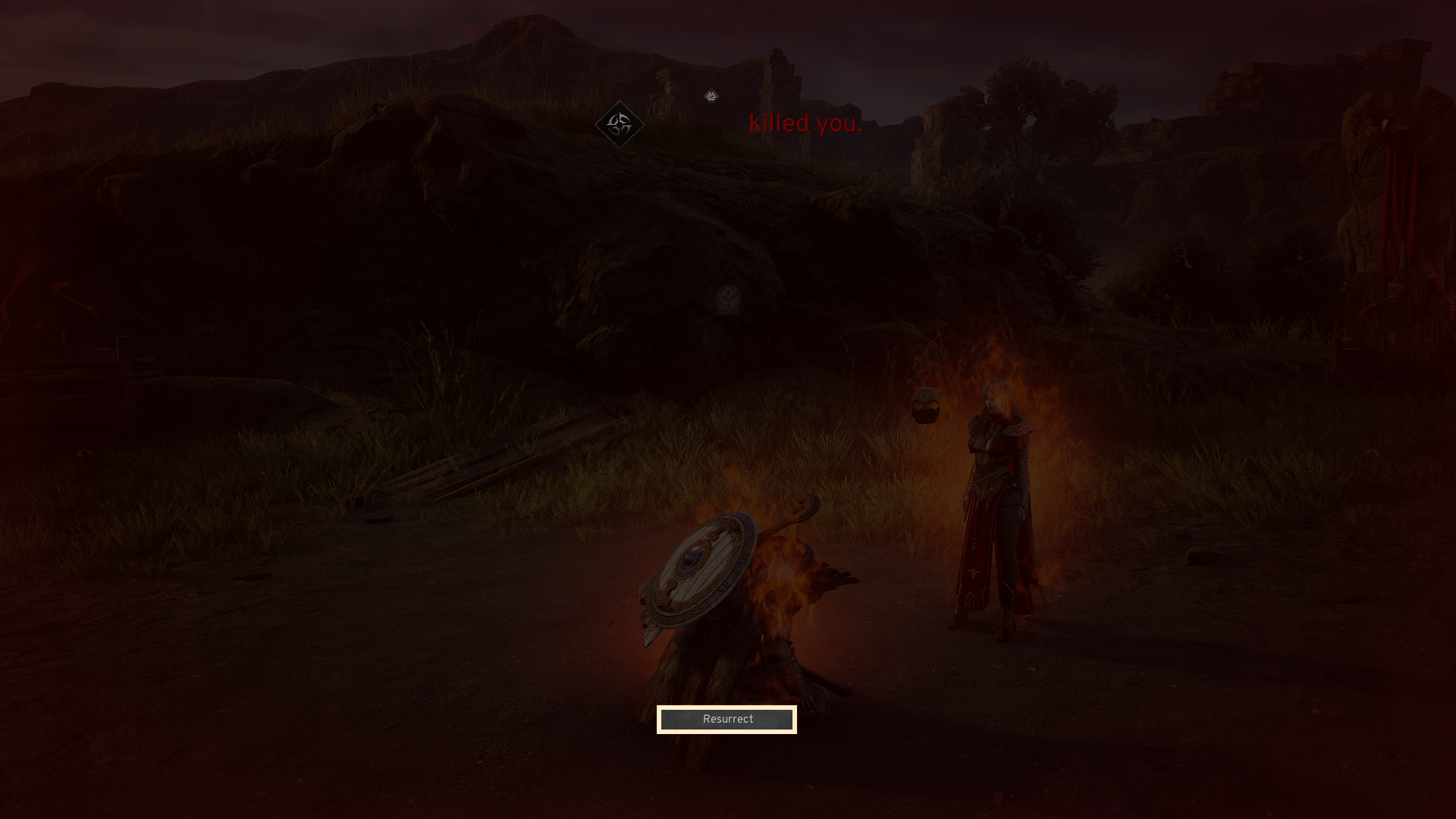
- Players who die during the battle will be resurrected after a brief period and can rejoin.
[End of Arena]
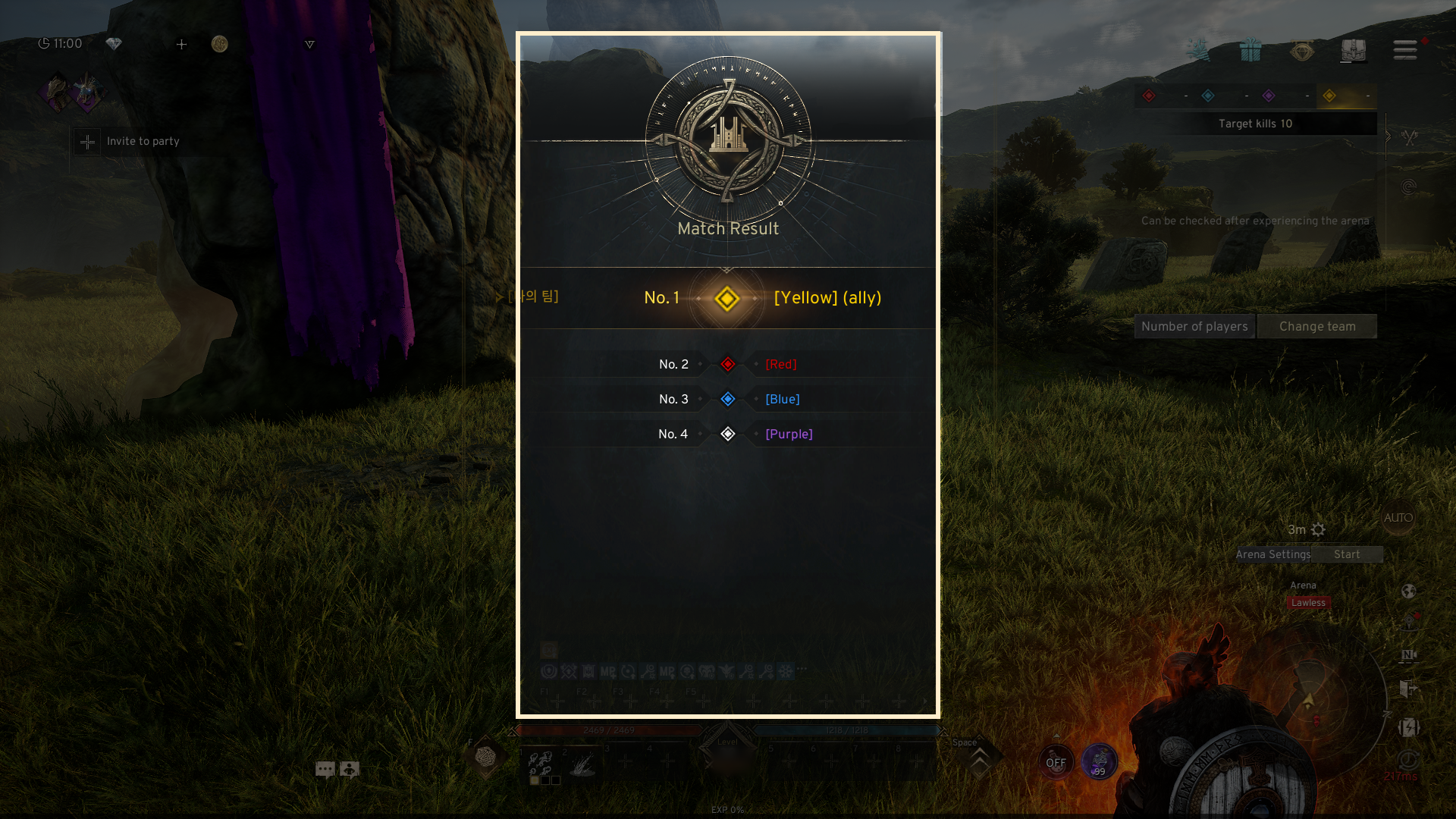
- The battle will be won by the team that either finishes the target kill goal first or when the battle time expires.
- Upon battle completion, the results and team rankings will be revealed.
- The host has the option to cancel the battle during the match.
5. Leaving the Arena
◈ Details
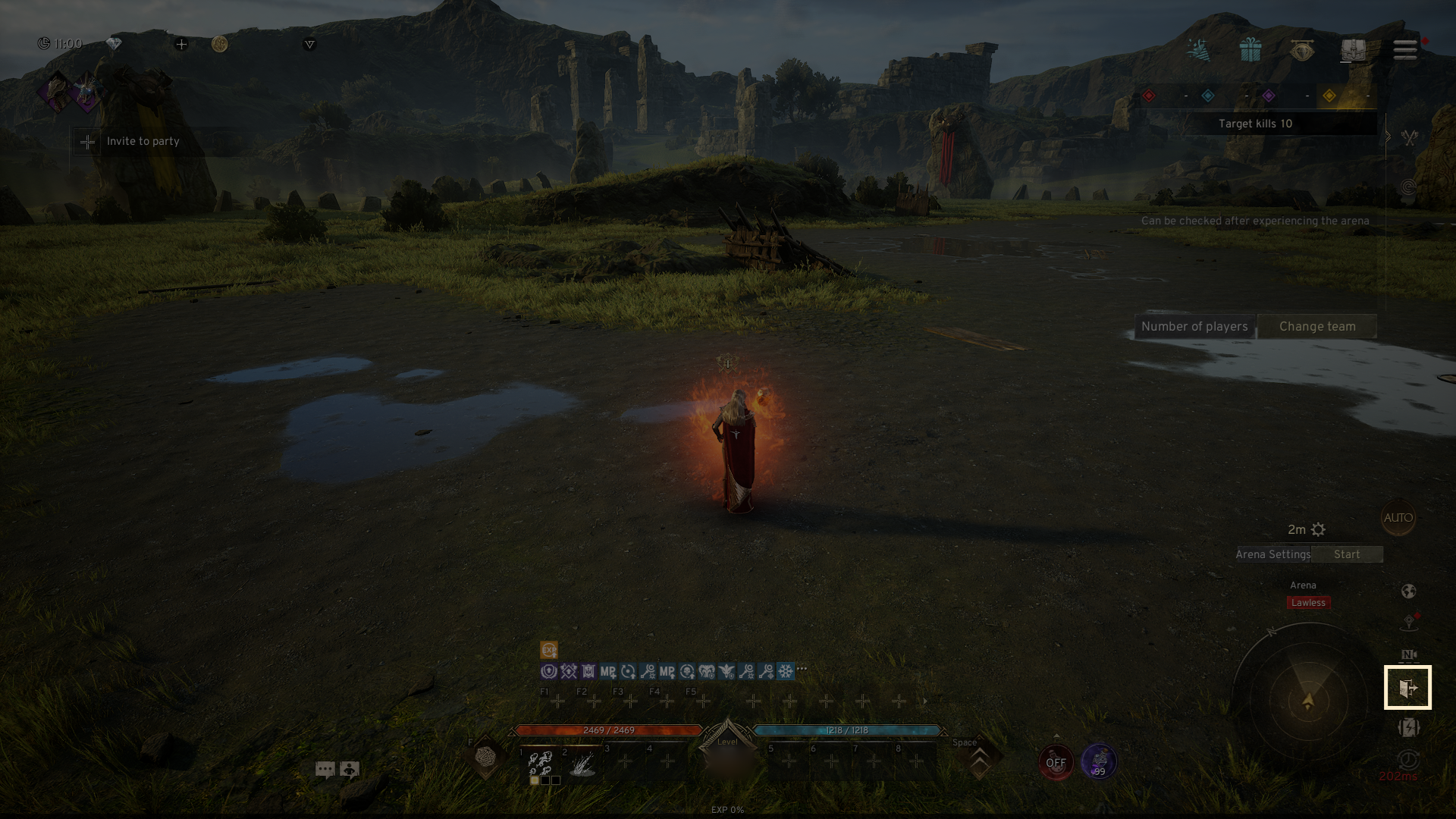
- You can exit the duel by tapping the exit icon on the right side of the main screen in the Arena.
If you need additional assistance, don't hesitate to contact our customer center through the button below.