
The Party Dungeon allows you to team up with other players
and work together to defeat bosses in a PvE environment.
Each dungeon requires you to complete the main quest before you can enter.
Every Monday 04:00, you receive 3 free dungeon entries per character.
Once your free entries are used up,
you'll need tickets to participate in the Party Dungeons.
Free entries and tickets are deducted or consumed
when you claim rewards from the dungeons.
■ Contents
1. Party Dungeon Overview & Entry
2. Joining a Party Dungeon & Matching
3. Starting Party Dungeon
4. Party Dungeon Progression
5. Completion & Rewards
6. Notes
1. Party Dungeon Overview & Entry
◈ Details
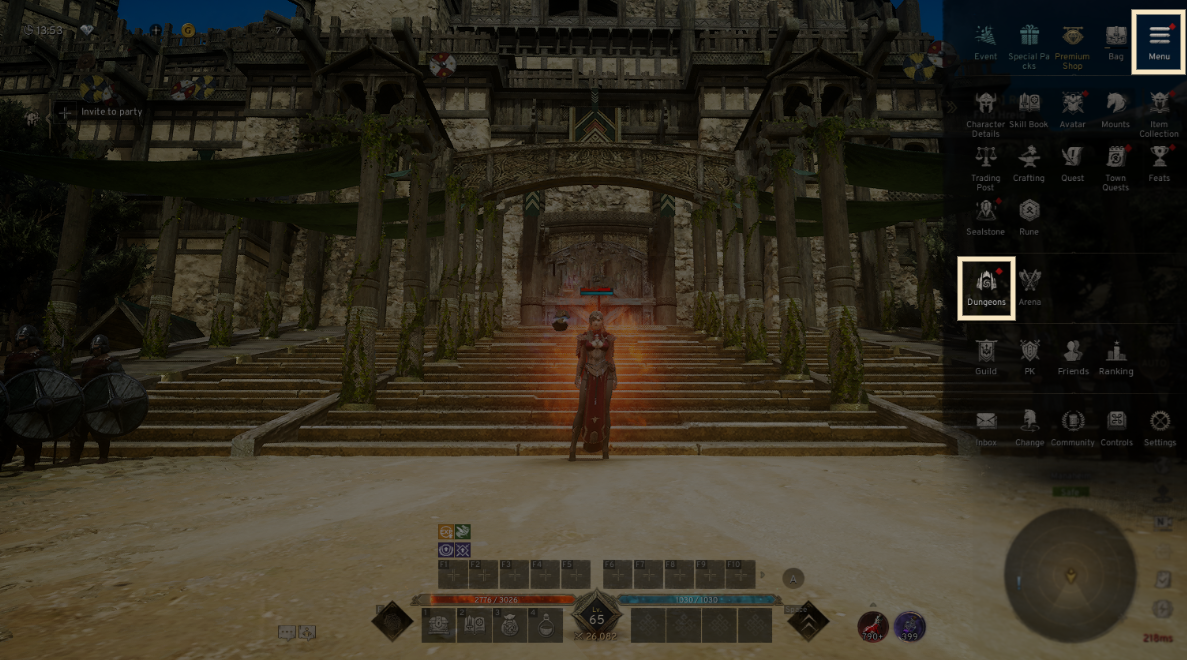
- Tap the menu (☰) in the top-right and select 'Dungeon' to access the tab.
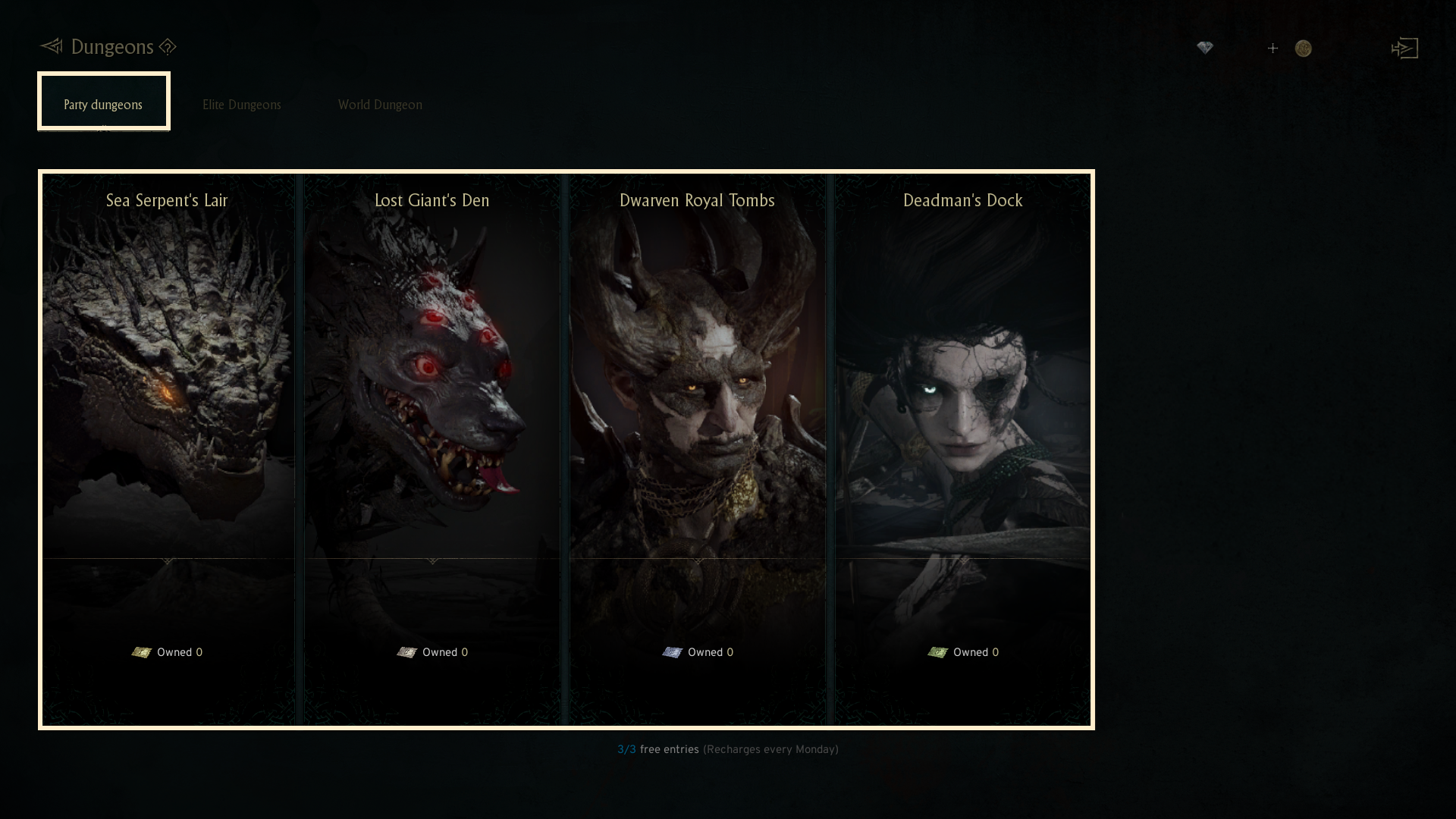
- There are four Party Dungeons available: 'Sea Serpent's Lair', 'Lost Giant's Den', 'Dwarven Royal Tombs', and 'Deadman's Dock'.
- Each dungeon is made up of a final boss, minibosses, and regular monsters.
-To enter each dungeon, you must complete the required main quest.
2. Joining a Party Dungeon & Matching
◈ Details
- A Party Dungeon consists of 4 members: 1 party leader and 3 party members.
- The party leader has the option to transfer leadership to another member at any time.
- To join a Party Dungeon, there are 4 options: 'Enter', 'Backfill', 'Matchmaking', and 'Create Party'.
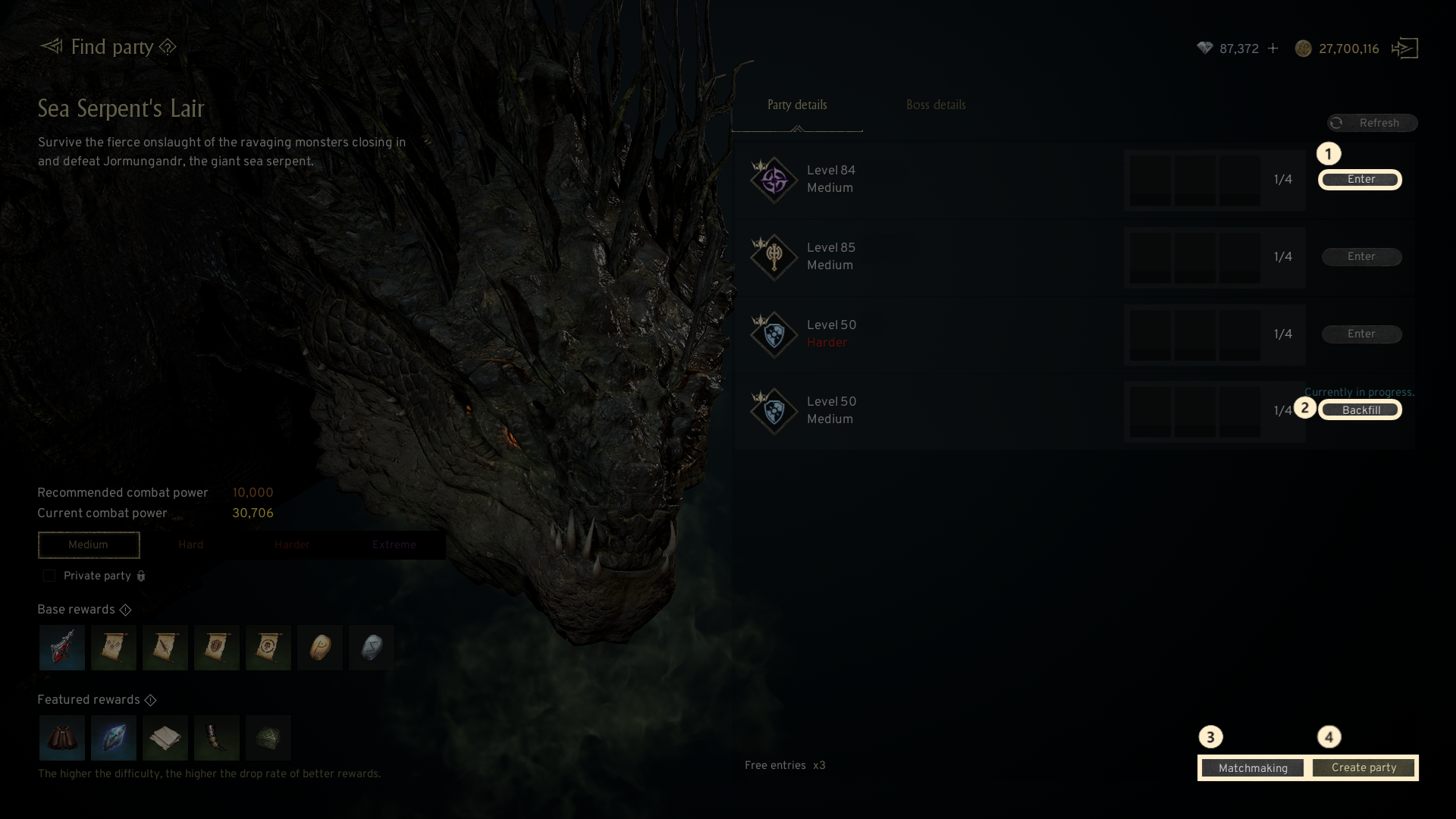
① Enter : Join a listed party in the dungeon as a member of the party you prefer.
② Backfill : Join a party that has already entered the dungeon, where the leader has requested additional members. You will be placed into the dungeon with the progress of the party.
③ Matchmaking : Join a randomly selected party already listed for the dungeon.
④ Create party : You can create a new party as the leader for the Party Dungeon.
! If you die in a party you joined through matchmaking, you cannot enter the same party.
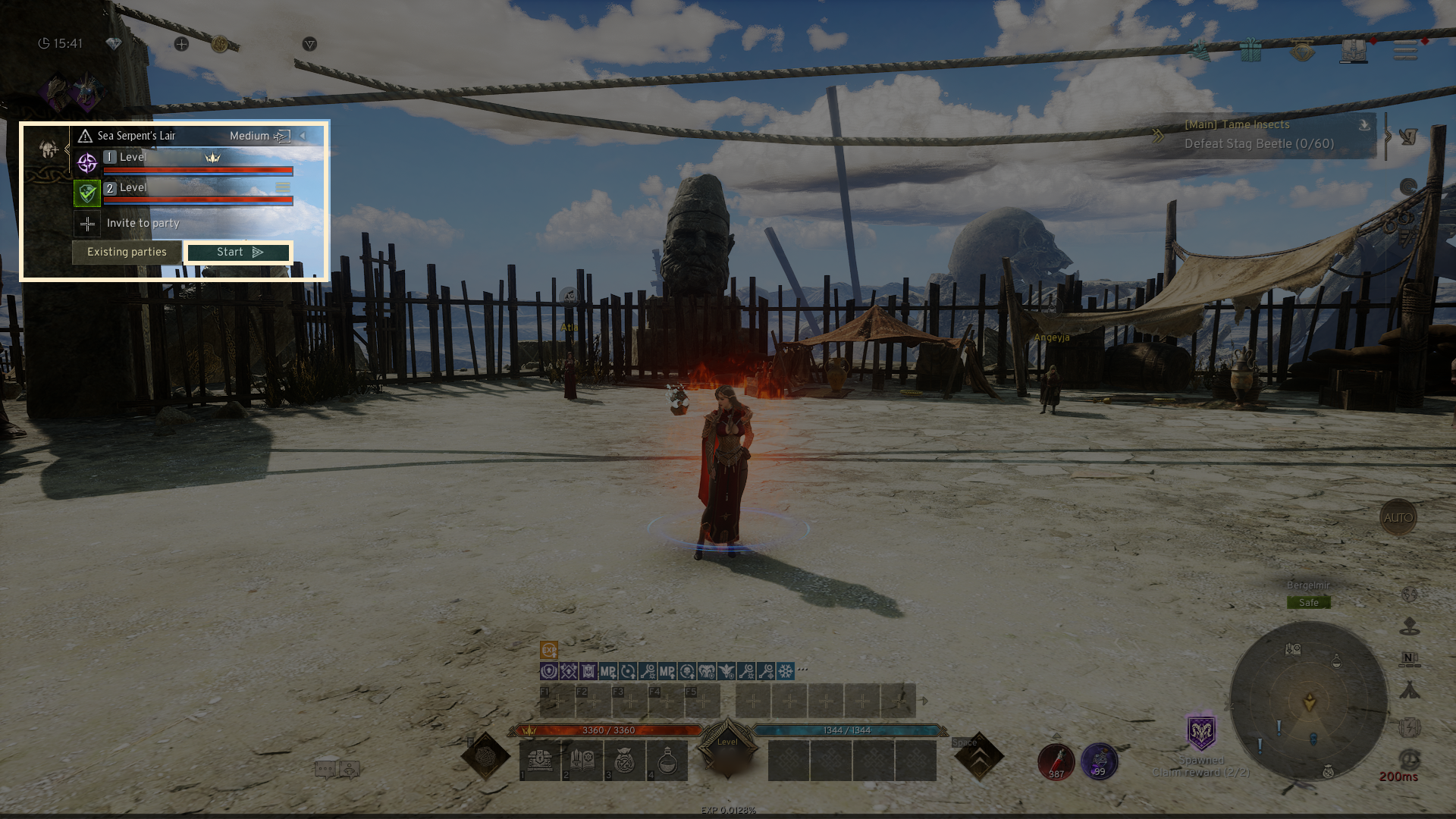
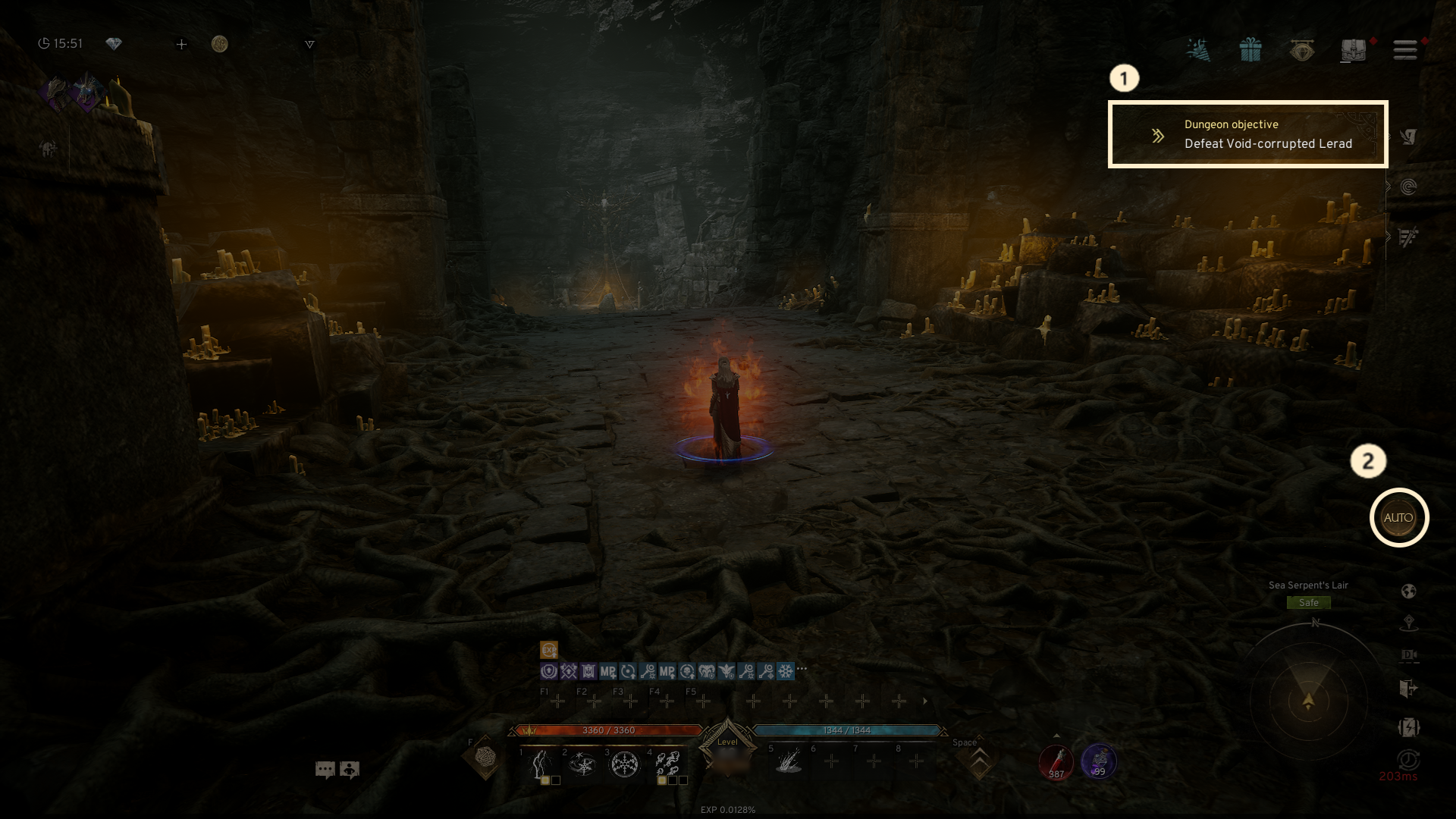
- Once the party is created, use the 'Invite to party' button on the left side of the screen to send invites to recommended players, friends, or guild members.
3. Starting Party Dungeon
◈ Details
- Once all party members click 'Get ready,' the party leader can start the dungeon.
- Party members who are ready will display a 'Ready' icon. Once everyone is ready, the party leader can press 'Start' to enter the dungeon.
- The dungeon can still be started even if the party is not fully filled.
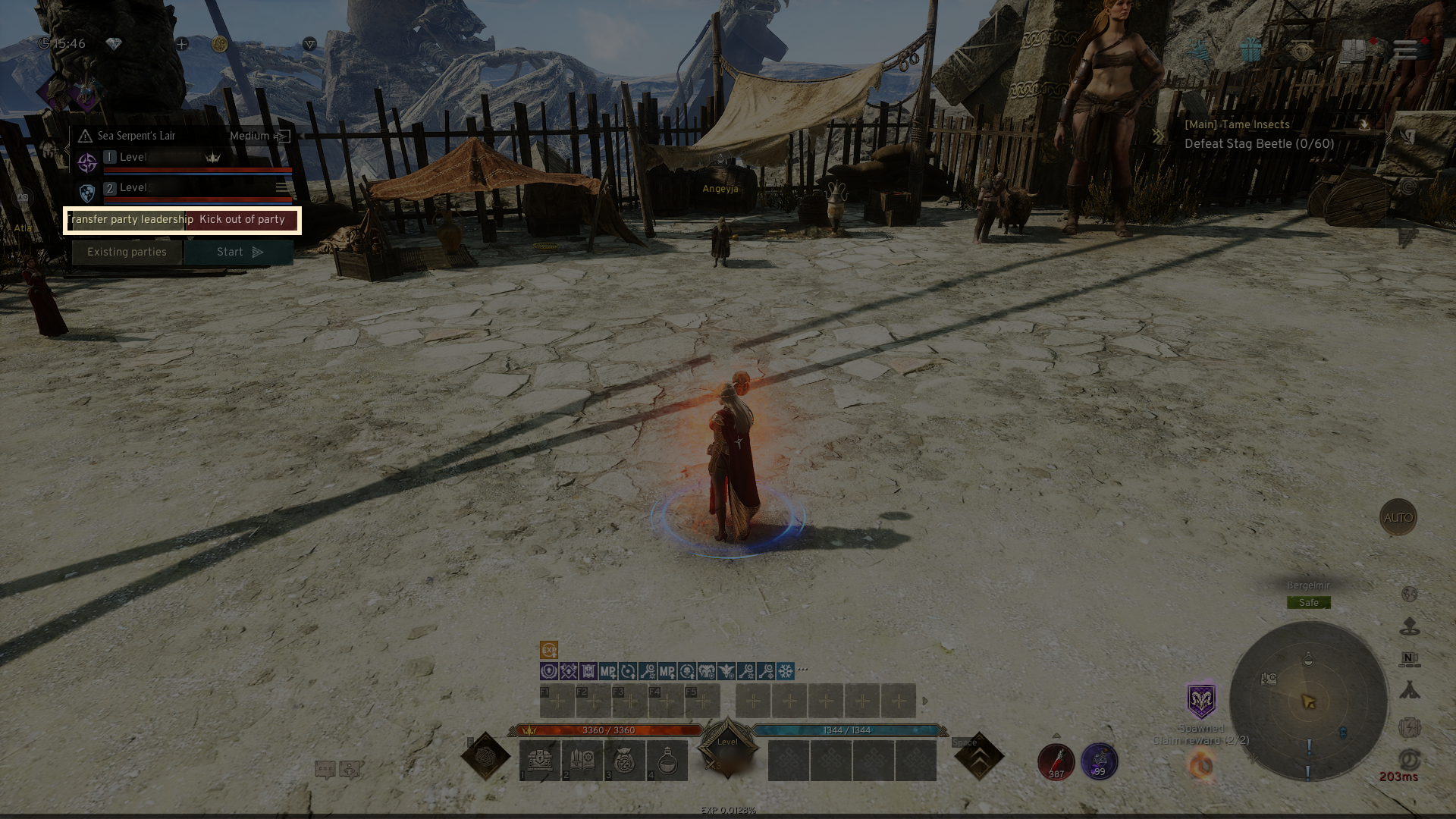
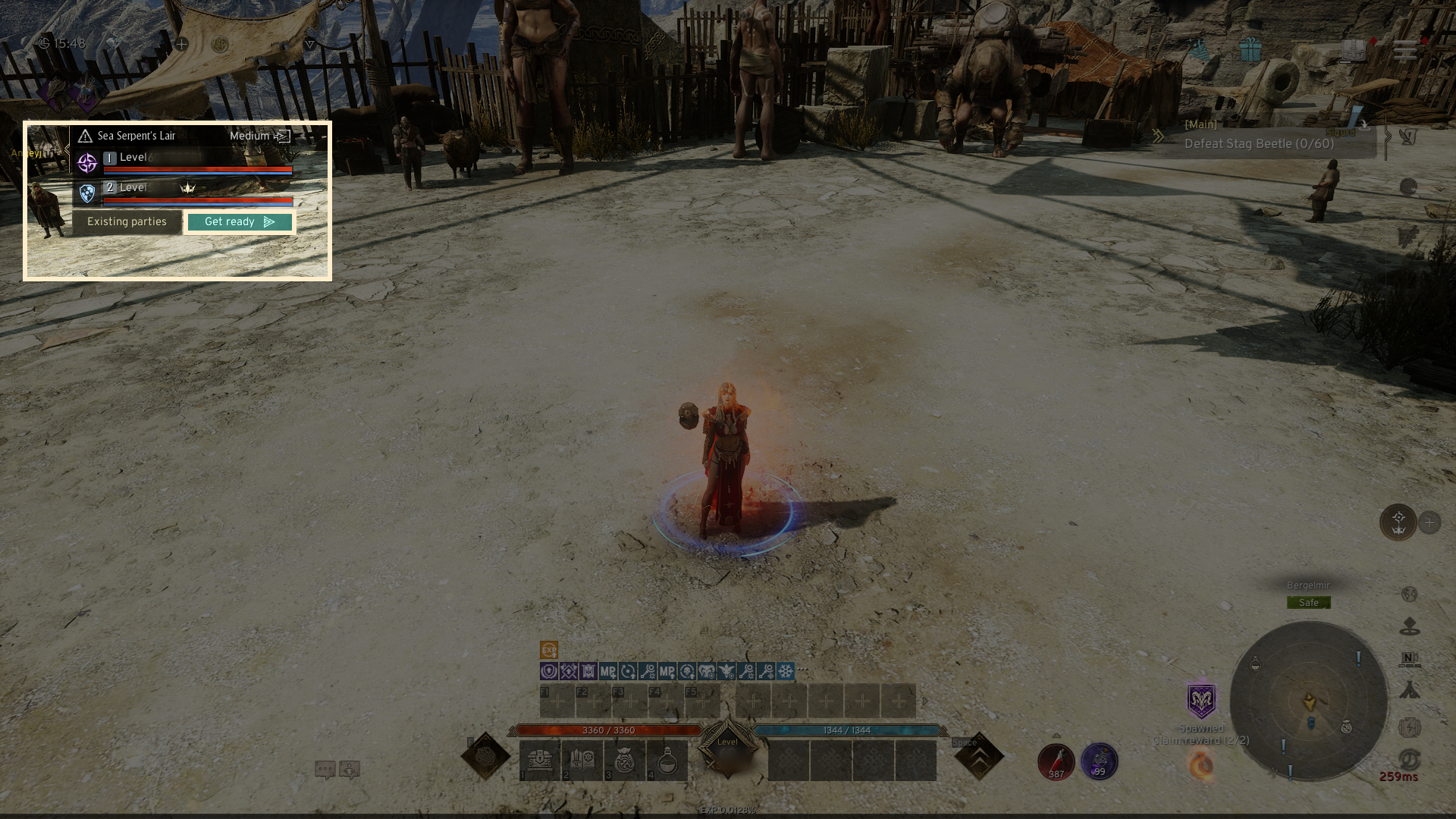
- By clicking the (三) icon, you can see the 'Transfer party leadership' and 'Kick out of party' buttons.
4. Party Dungeon Progression
◈ Details
- You can use useful features to aid in your progress through the party dungeon.
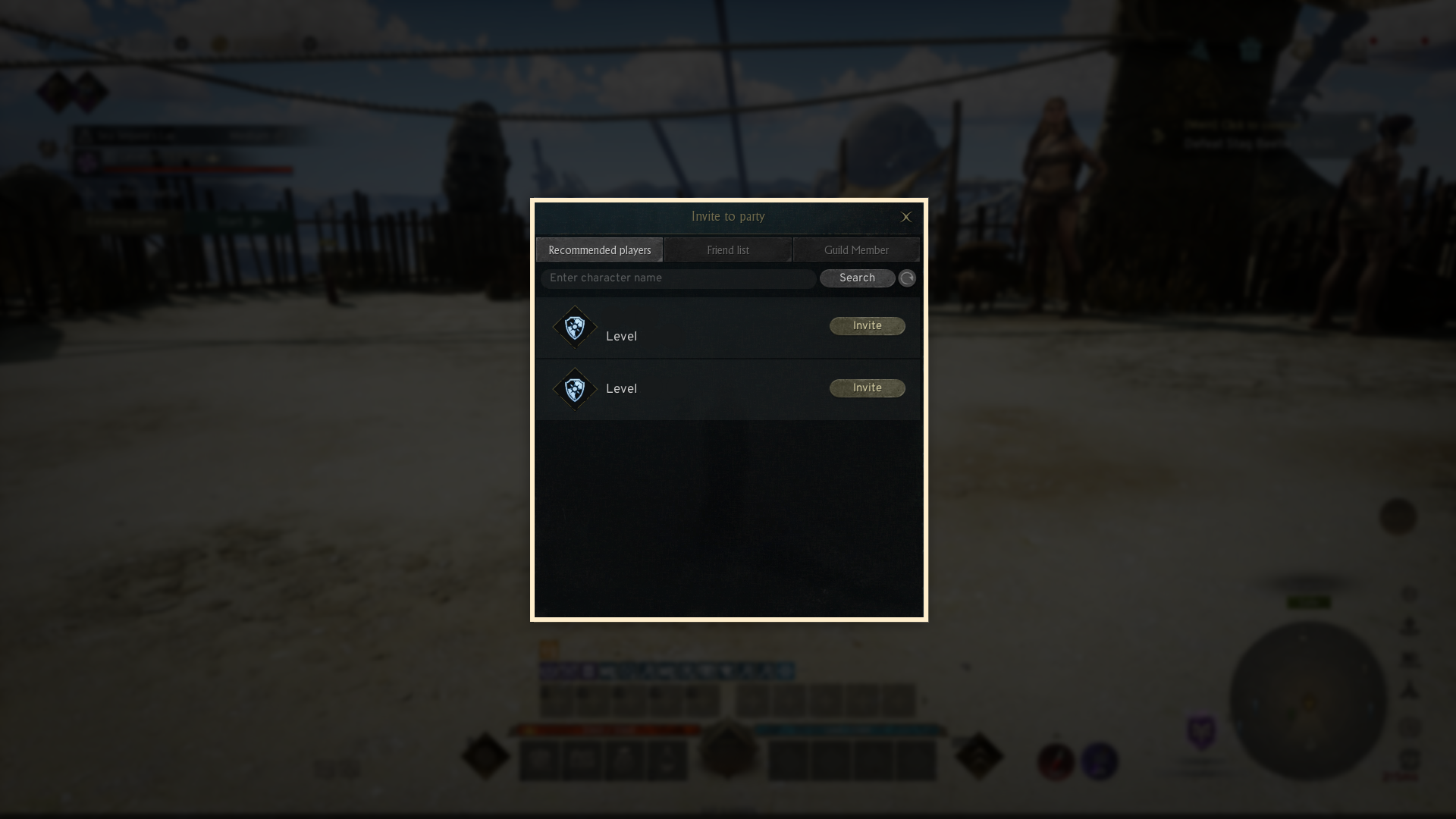
① Dungeon objective : Click the dungeon objective to automatically continue.
② AUTO : The AUTO button will enable AUTO battle. (Settings allow you to configure attack target priorities during AUTO battle.)
- Party dungeon AUTO options are categorized into three types:
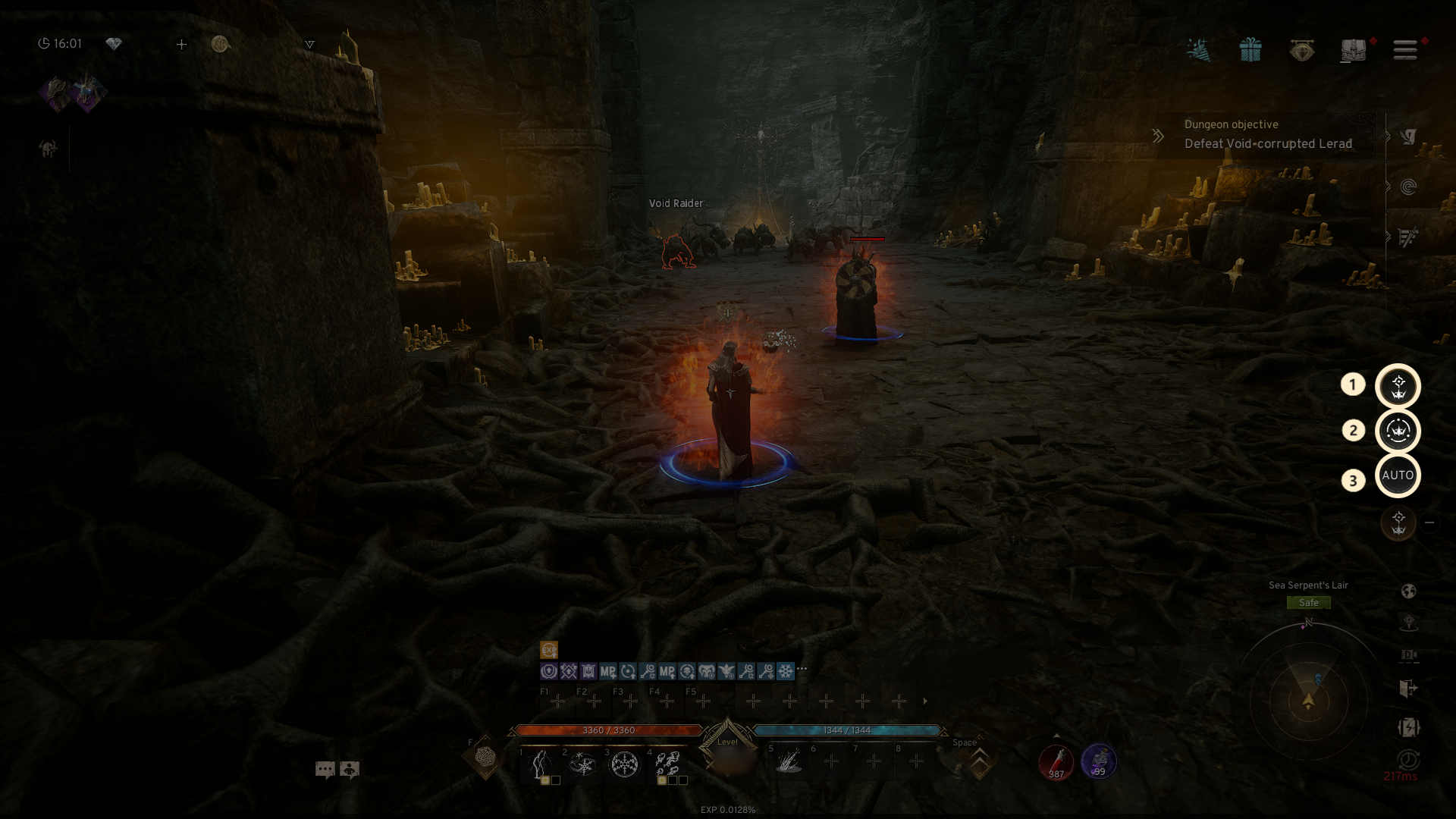
① Attack party leader's target : Automatically follows and attacks the party leader's selected target.
② Follow party leader: Follows the party leader and fights automatically in the nearby area.
③ General AUTO battle: Activates AUTO battle.
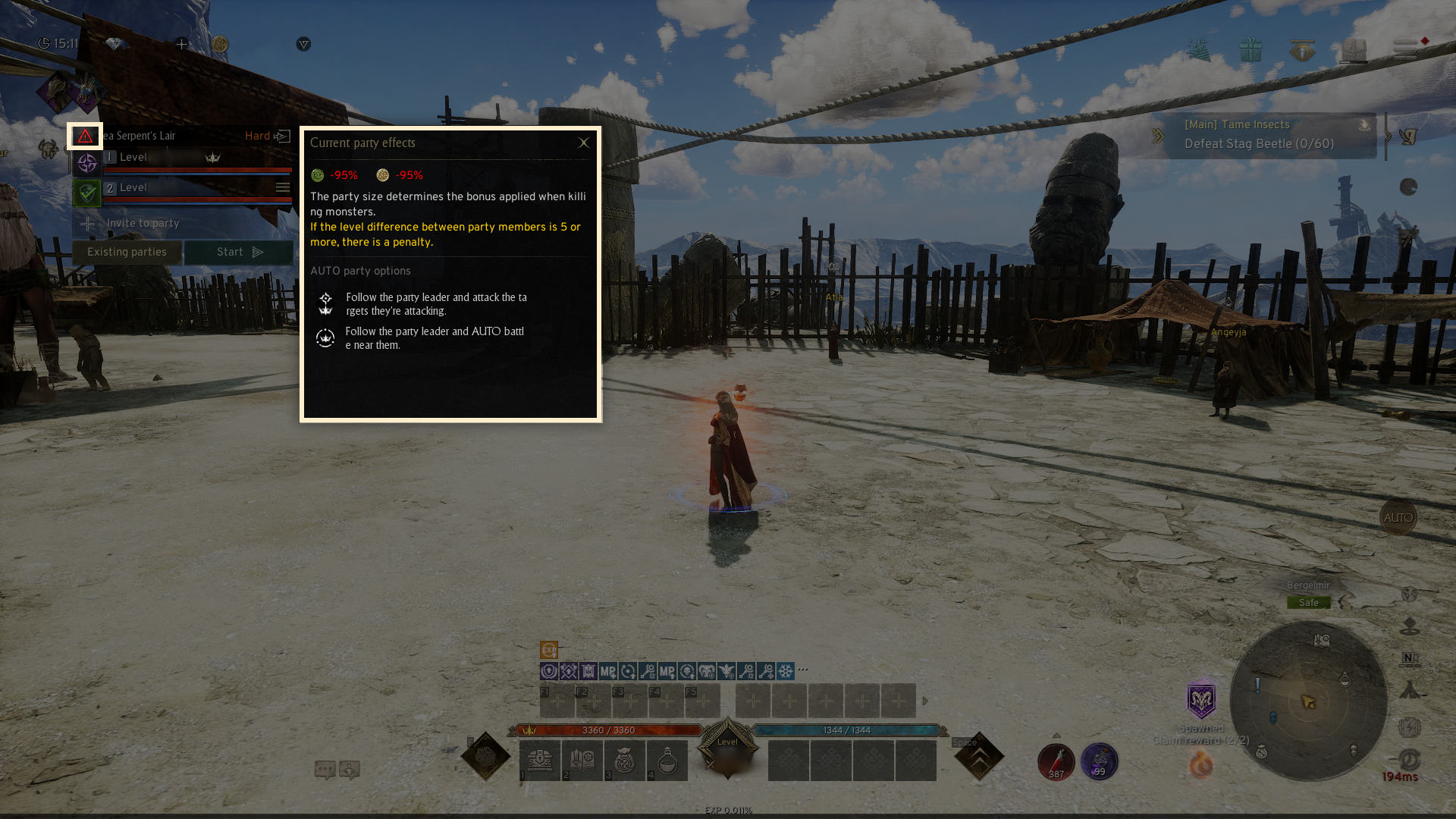
- A bonus is given for monster hunting based on the number of party members. If the level difference between party members is 5 or more, penalty will be applied.
- If you exit during the dungeon, you will be kicked out of the party.
5. Completion & Rewards
◈ Details
- Once the final boss is defeated by a surviving party member, the dungeon will come to an end.
- Clear the party dungeon to receive both the basic and personal rewards.
- All party members who are in the dungeon will be granted the rewards, regardless of their death status.
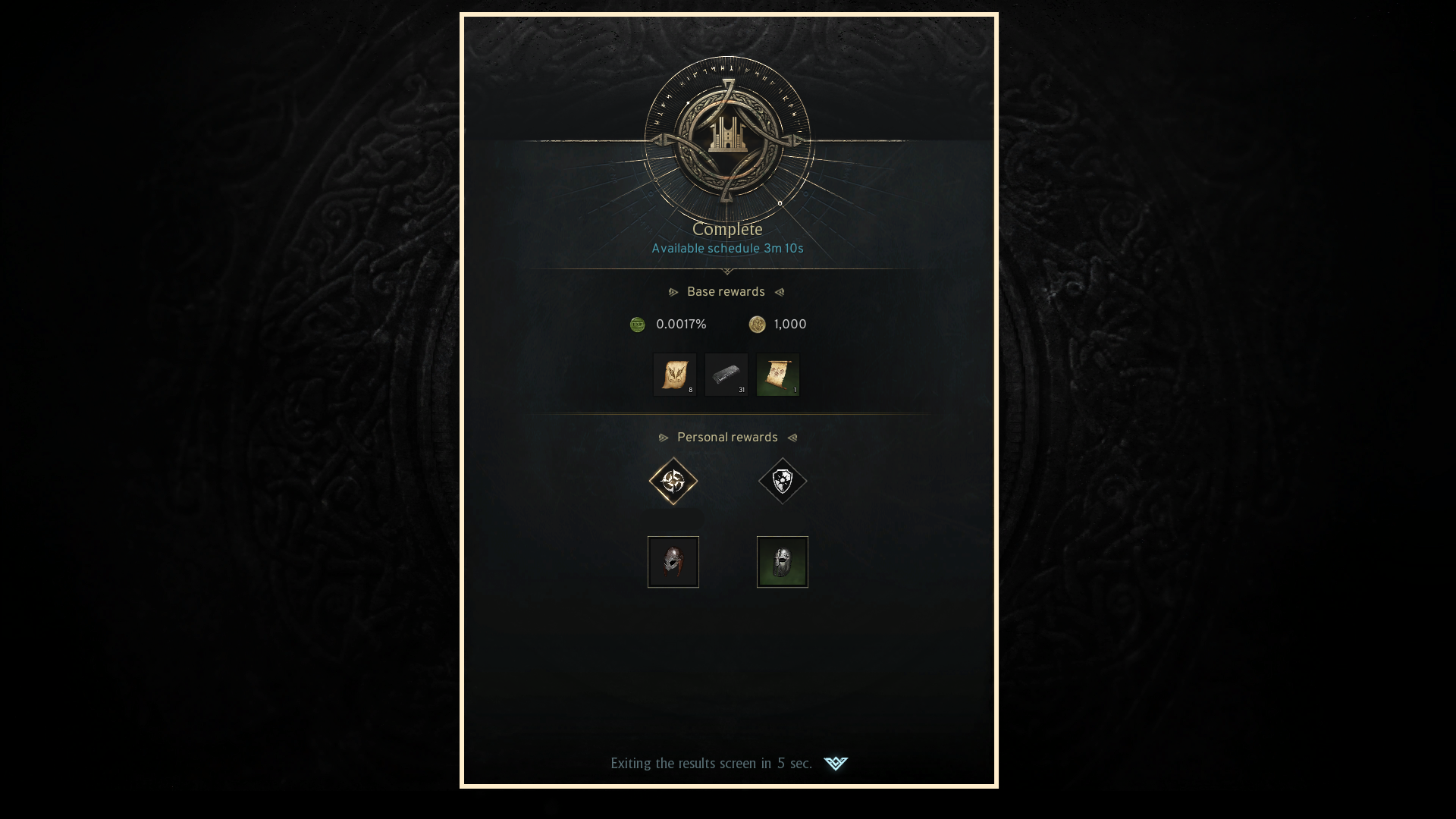
- Once the player receives their rewards, the free entry count or dungeon tickets will be deducted or consumed.
- If any free entries or dungeon tickets remain after the dungeon is over, they will stay with the party.
- If there are no free entries or tickets available, the player will be kicked out from the party.
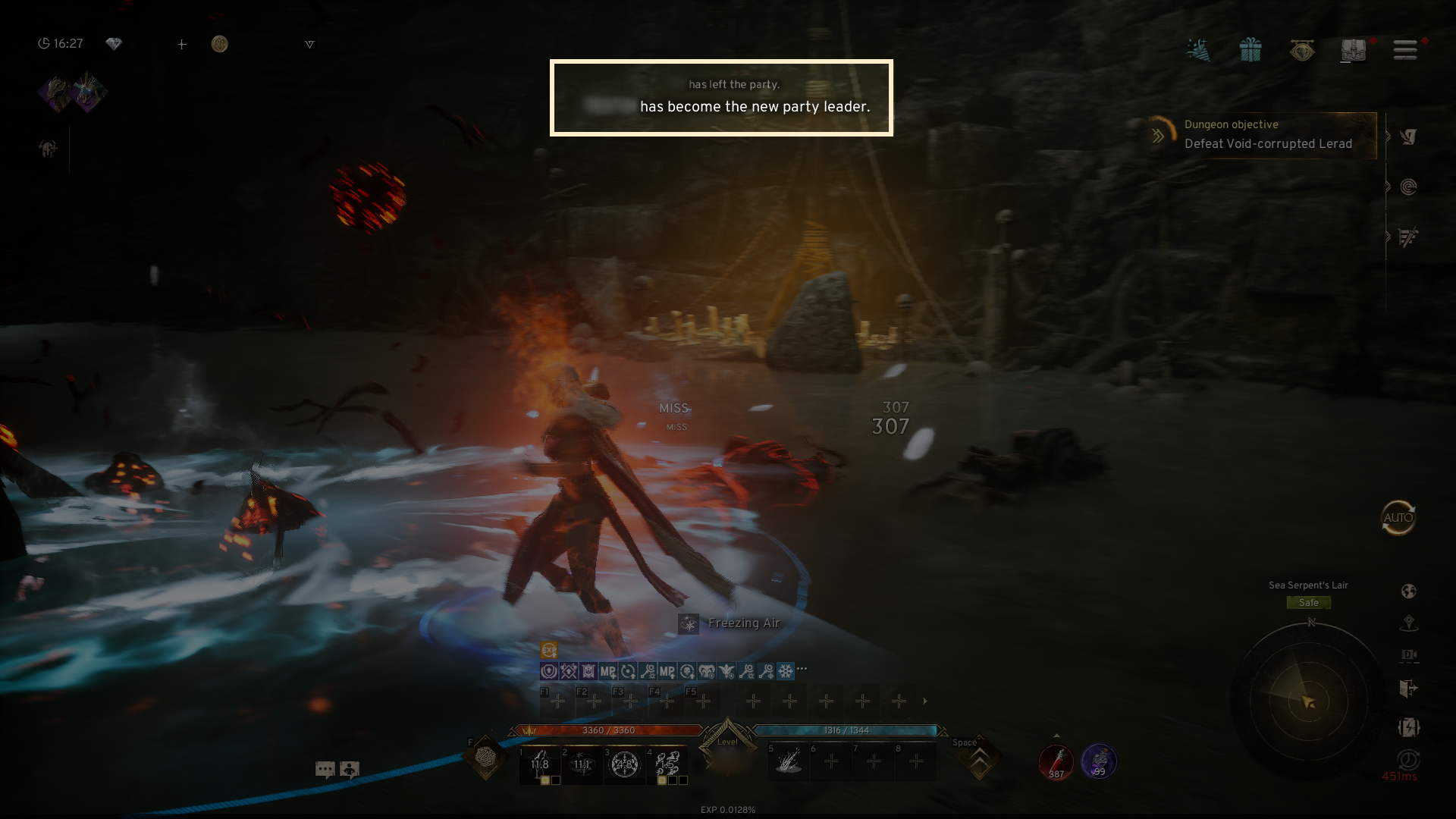
! If the party leader leaves, leadership will automatically be transferred to another member of the party.
6.Notes
- Camera mode changes are not available in party dungeons.
- The World Map feature is removed inside party dungeons.
- PK between party members is not allowed within the dungeon.
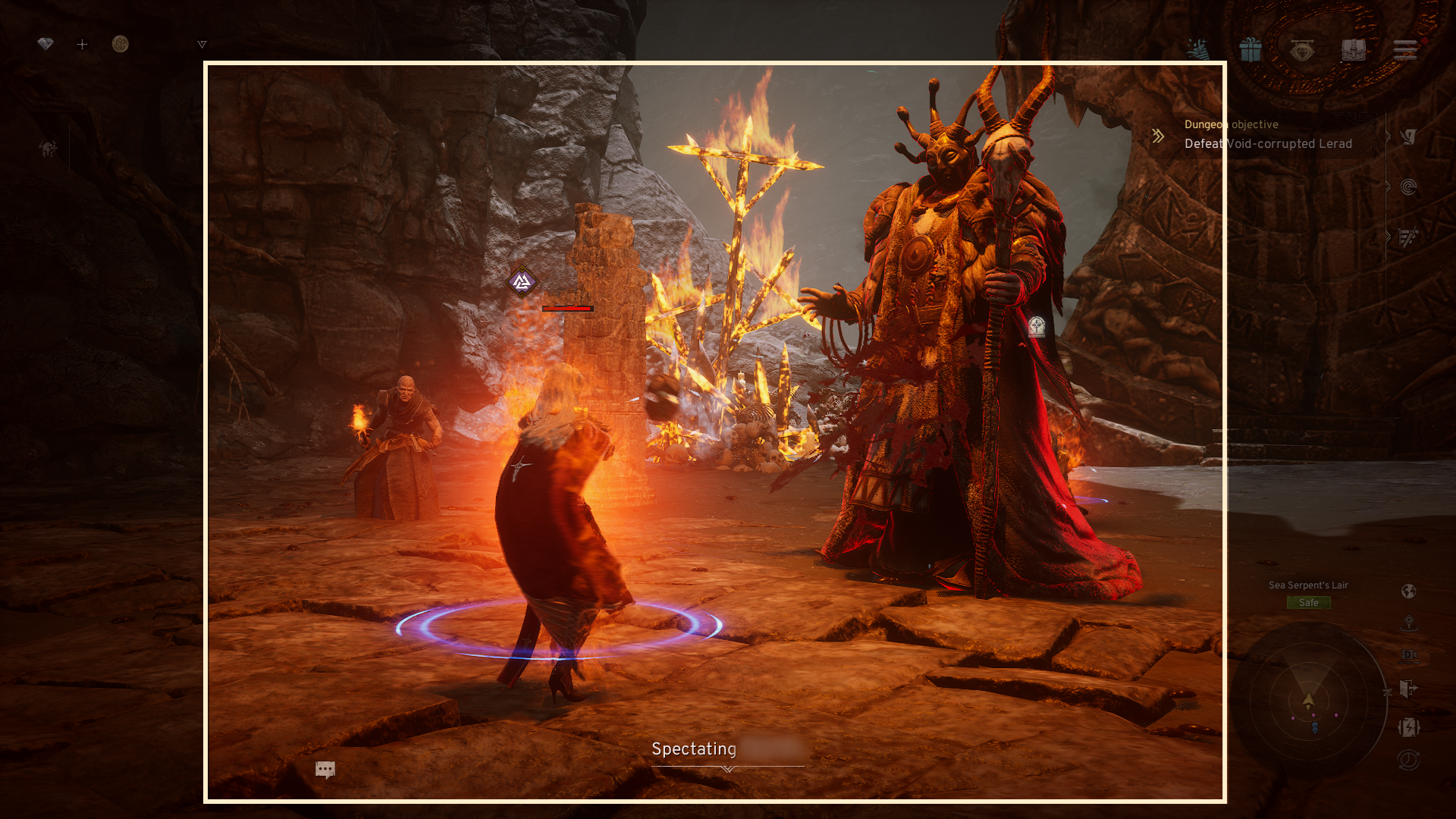
- If you die inside the party dungeon, you have the option to leave the party or use the [Spectate] feature.
- [Spectate]: This allows you to observe live party members in the dungeon in real-time.
If all party members die during Spectate, you can leave the dungeon.
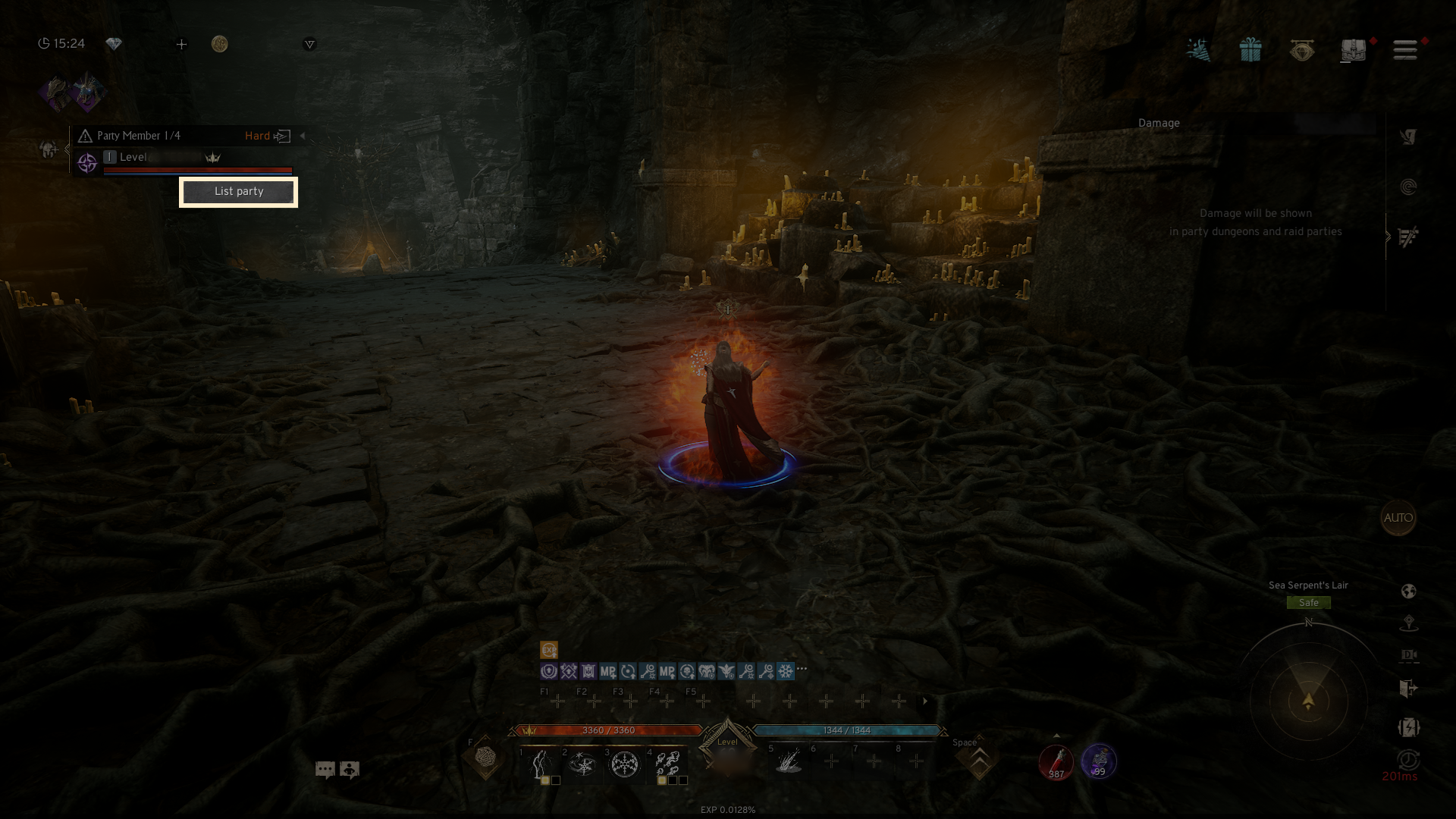
- If the party member count is not 4, the party leader can set the party to [Backfill] during the dungeon run.
- The number of backfill members cannot exceed 4 in total for the dungeon party.
- If the game is forced to close during the dungeon progress, you will be automatically removed from the party.
If you need additional assistance, don't hesitate to contact our customer center through the button below.