
Blessed Teleport lets you save a preferred location,
enabling you to teleport there instantly, no matter which world or area you're currently in.
It is not usable in Towns and can only be activated in areas outside of Towns.
■ Contents
1. How to Use
2. Save Current Location
3. Blessed Teleport
4. Blessed Teleport Notes
1. How to Use
◈ Details
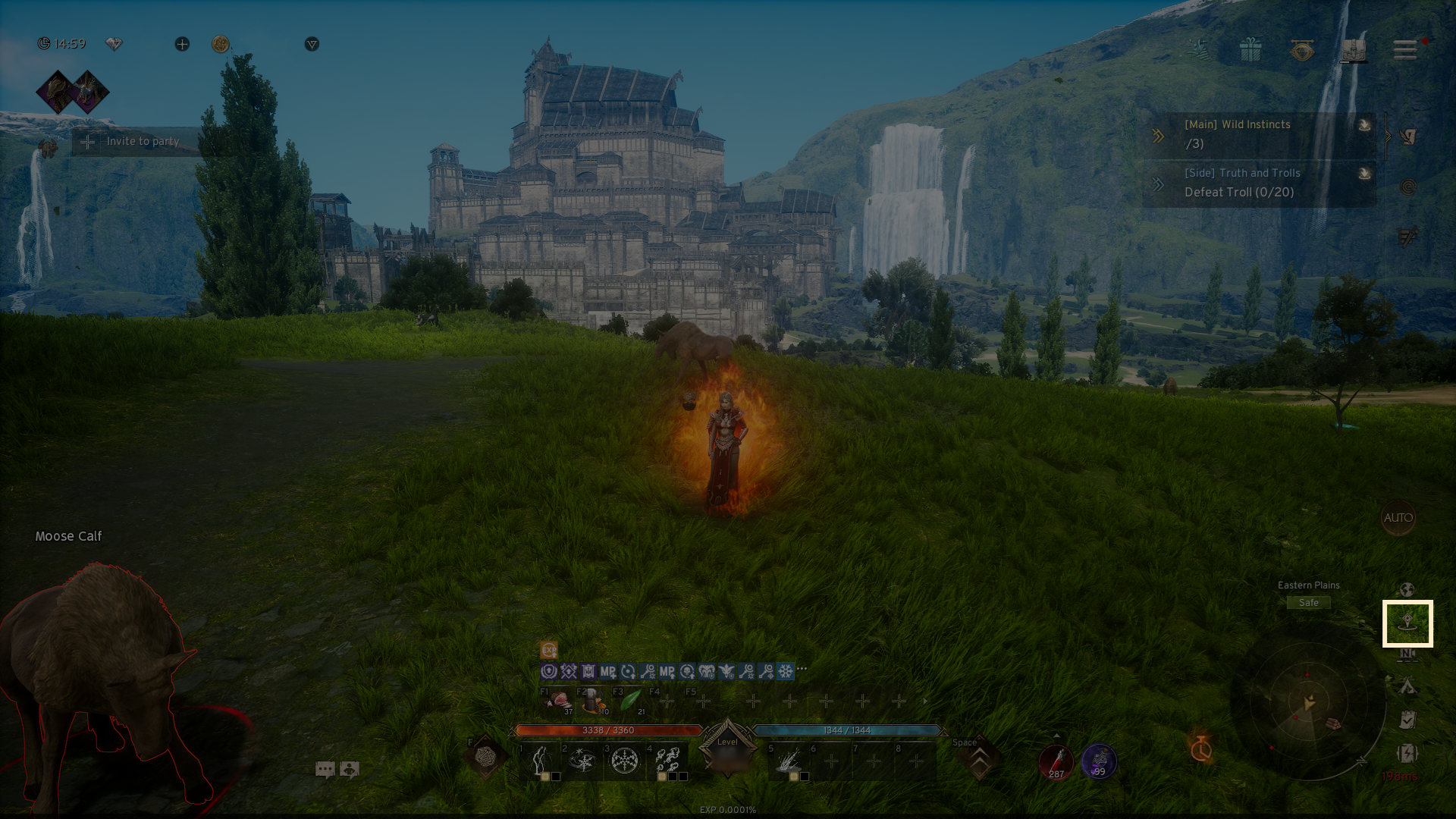
- By clicking on the 'Blessed Teleport' icon at the bottom of the main screen, you'll be able to see a popup that lists all the available Blessed Teleport locations.
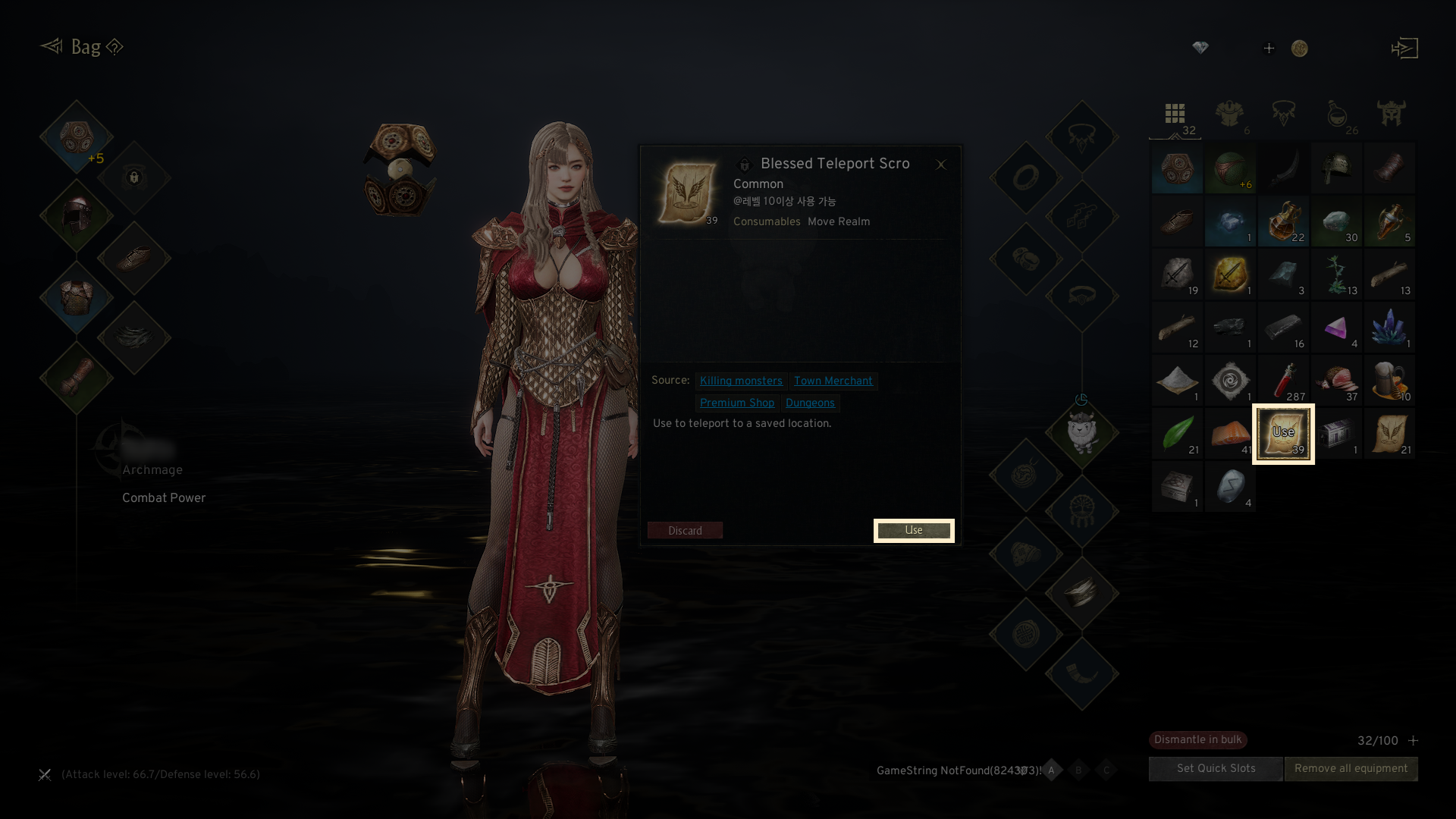
- When you use the 'Blessed Teleport Scroll,' a popup showing the Blessed Teleport list will appear.
- You can get Blessed Teleport Scrolls by defeating monsters, visiting Town Merchants, purchasing from the Premium Shop, or completing dungeons.
2. Save Current Location
◈ How to save
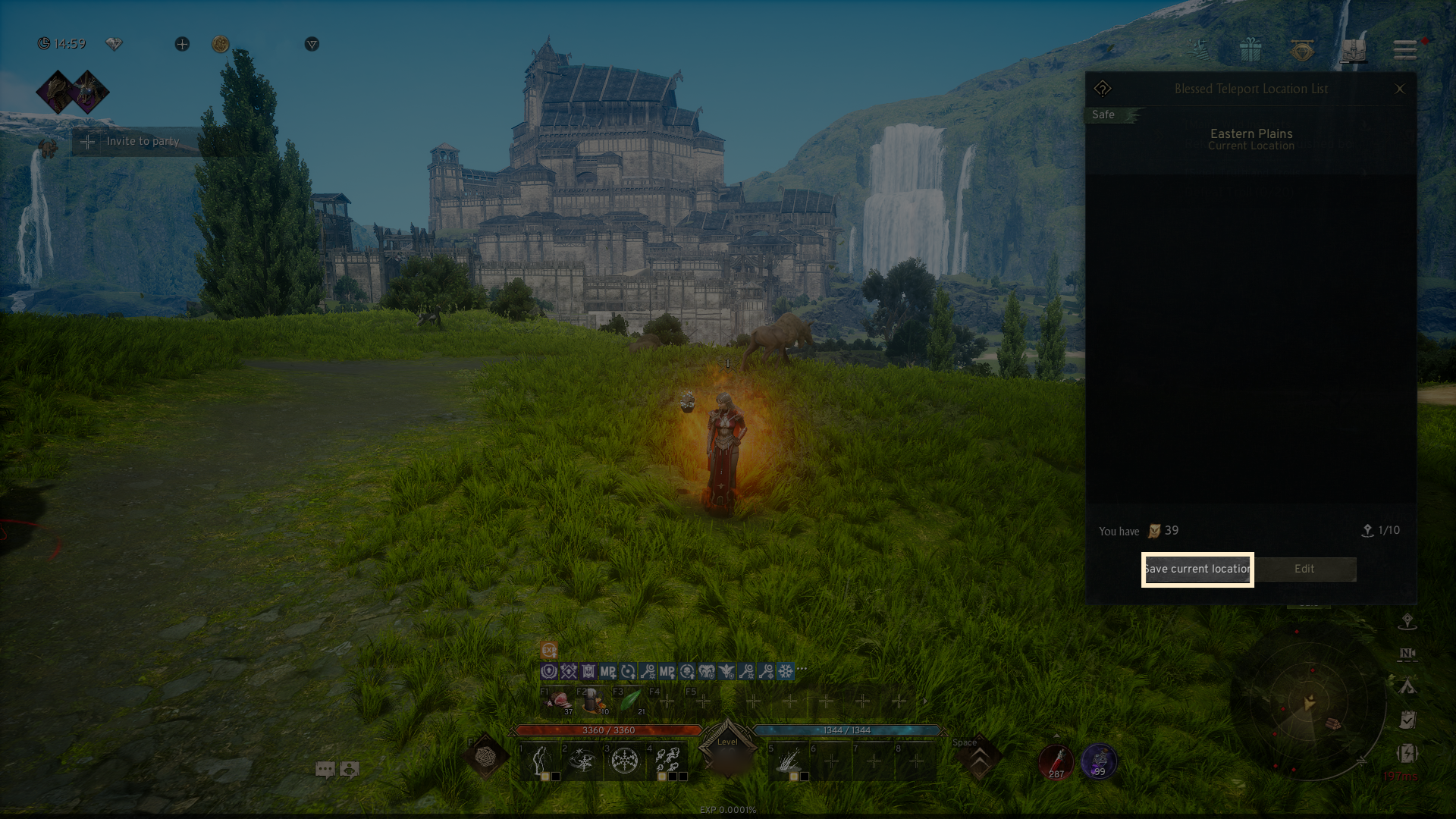
- In the Blessed Teleport menu popup, you can view your current location, previously saved locations, and options for saving or editing.
- To save your location, click the 'Save current location' button.
- Your saved locations will appear in slots, and by clicking the 三 icon, you can edit the name or delete them.
3. Blessed Teleport
◈ Details
- By clicking the arrow button in the Blessed Teleport list, you can instantly teleport to a saved location.
- Using this feature will consume a [Blessed Teleport Scroll].
4. Blessed Teleport Notes
- Location saving becomes available with a Flying Mount of Uncommon rarity or above. The number of slots for saving locations will vary based on the grade of your Flying Mount.
If you need additional assistance, don't hesitate to contact our customer center through the button below.