
The World allows you to explore the entire World and each World Map.
The World Map displays the locations of different areas
along with the monster levels that appear there.
You can select a location on the map and teleport to it.
■ Contents
1. World
2. View World & Go to Town
1. World
◈ Details
- There are four worlds in total.
- When you click the 'View World' button on the world map, a list of all worlds will appear, showing both discovered areas and unexplored areas.
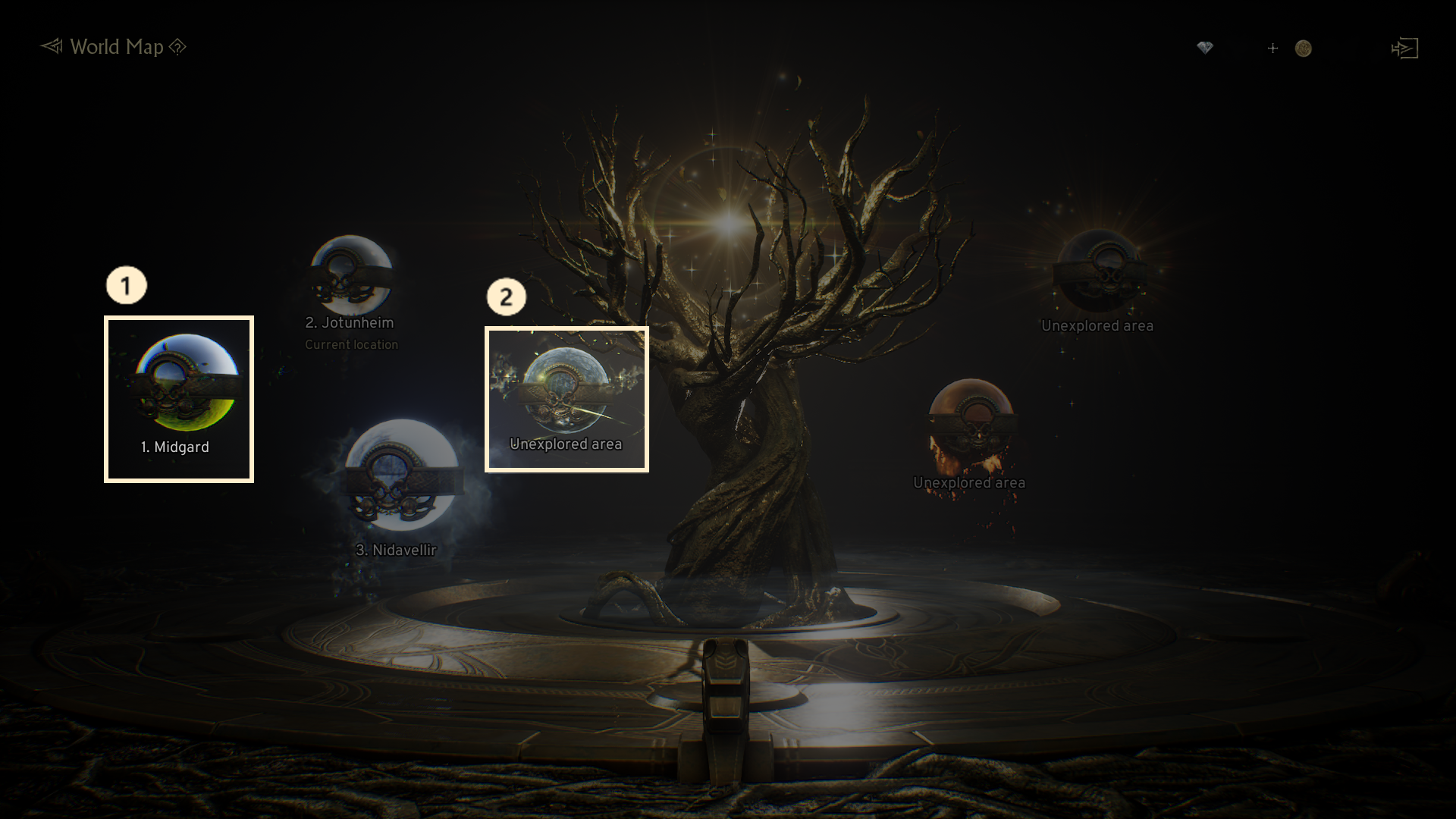
① Discovered areas : Areas you have unlocked through quests will be displayed with a bright icon alongside the world name.
② Unexplored area : If the necessary quest to unlock the world is not completed, it will be shown as an Unexplored area.
2. View World & Go to Town
◈ Details
- Clicking on the 'View World' button allows you view the entire list of worlds.
- You can also move to different worlds, along with their Town and specific areas.
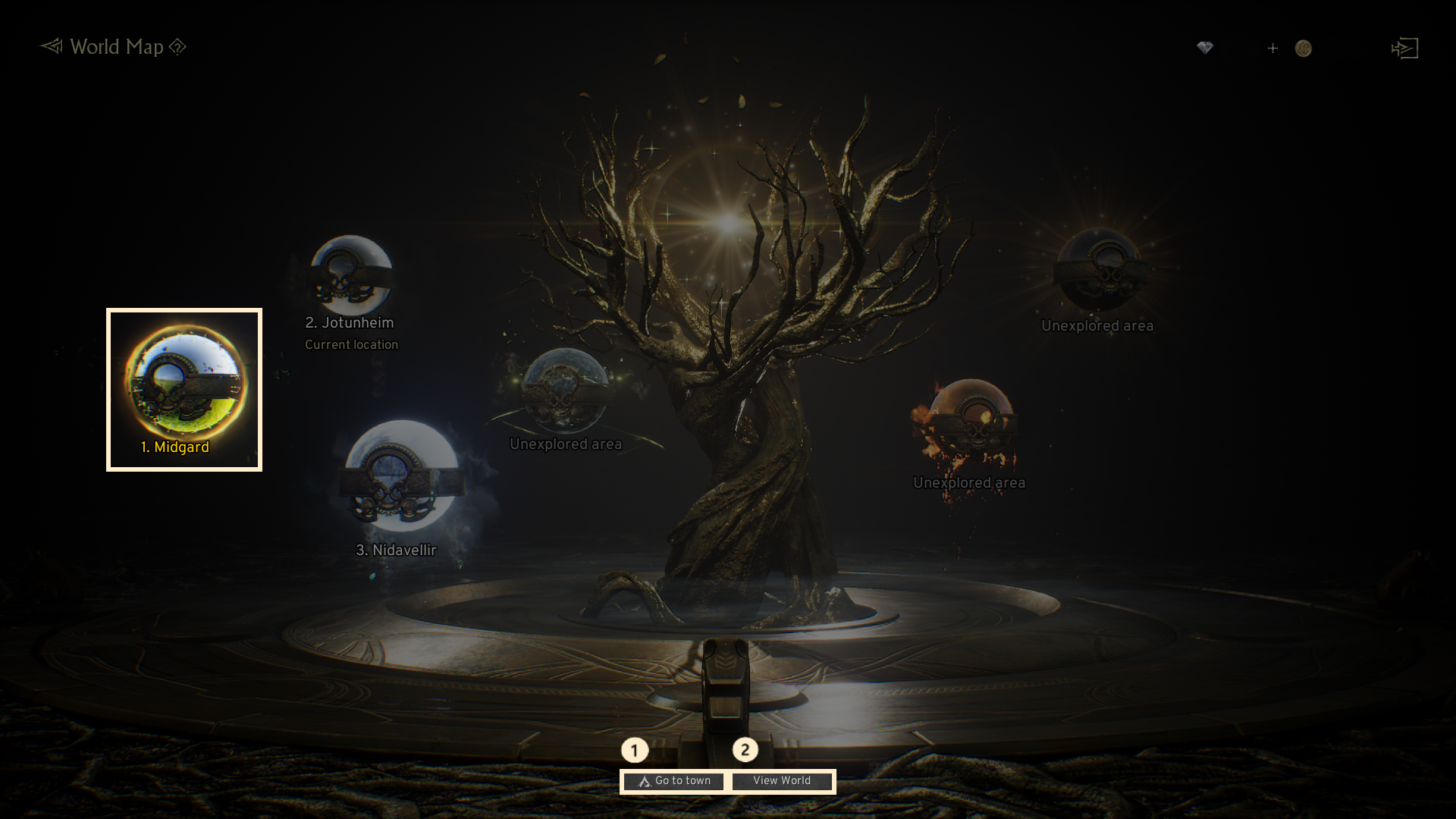
① Go to Town: Allows you to move to the Town of the selected world.
② View World : Displays the World Map of the selected world.
If you need additional assistance, don't hesitate to contact our customer center through the button below.