
Inbox allows you to view various rewards and mails.
and also enables you to compose and receive mails with fellow or guildmates.
■ Contents
1. Inbox
2. Types of Inbox
3. Personal Mail
1. Inbox
◈ Details
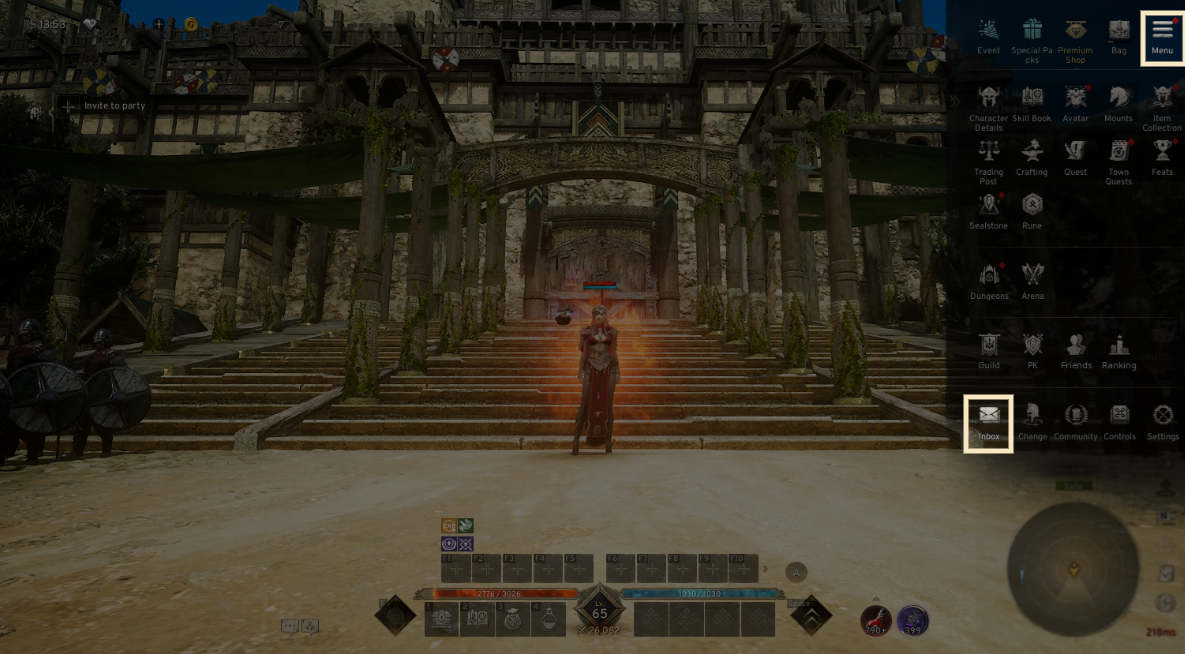
- Tap the menu (☰) in the top-right and select 'Inbox' to access the tab.
2. Types of Inbox
◈ Details
- The Inbox is categorized into General Mail, Account Mail, and Personal Mail.
- Once the storage period for mail ends, it will be automatically deleted.
- Click the [Delete] button to delete specific mails, or use [Delete All] to clear your entire inbox.
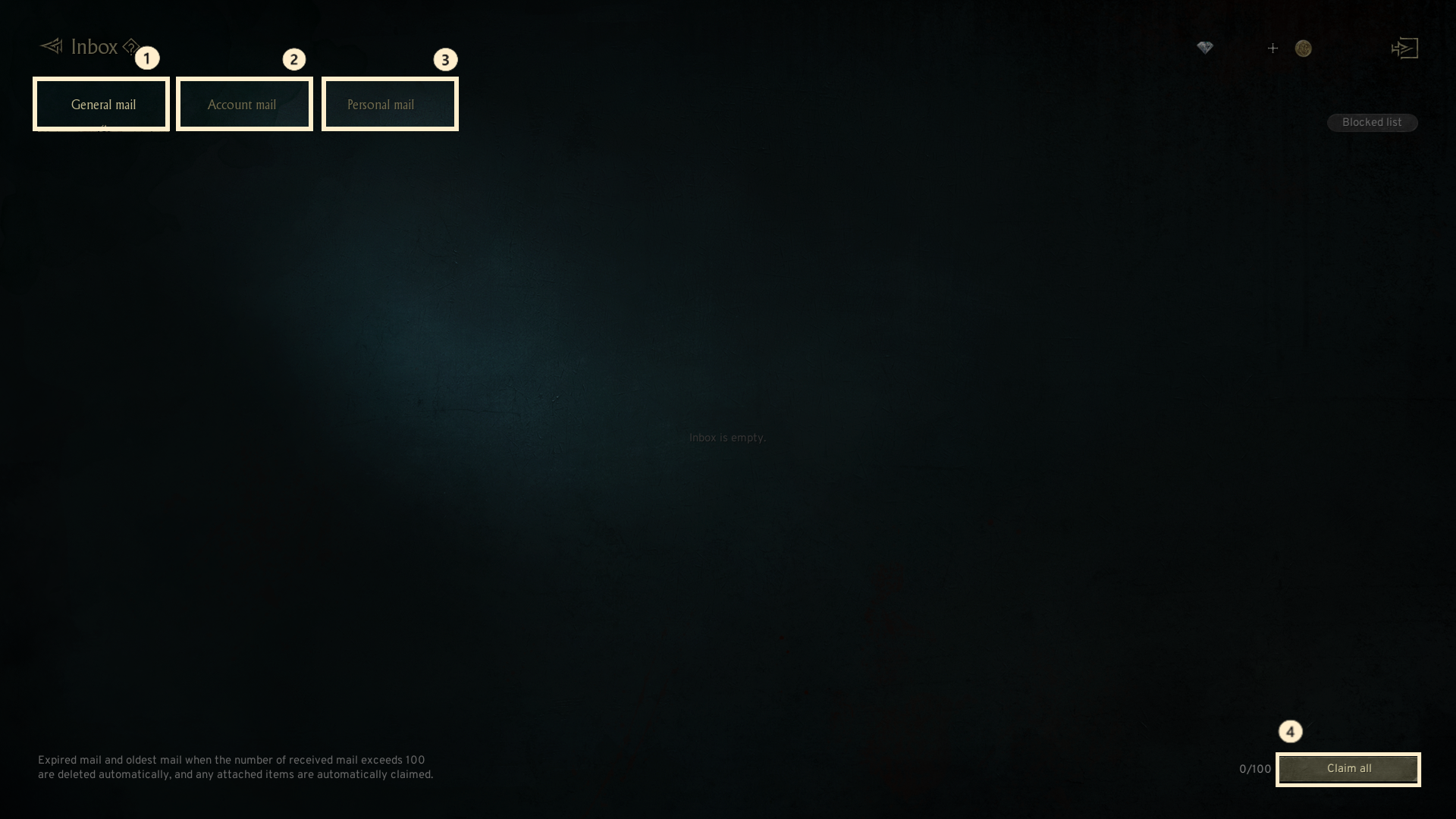
① General mail: Mail sent to all characters within your account. Click [Claim] to collect specific items or the [Claim all] button to collect all mail at once when there are multiple mails.
② Account mail : This is for mail granted once per account, such as rewards. New mails are highlighted with a red dot (notification).
③ Personal mail : This tab allows you to exchange mails with other players or guild members.
If unwanted mails are received, you can block or report the sender.
3. Personal Mail
◈ Details
- The Personal Mail section allows you to compose, save, delete mails, and block unwanted senders.
! The GMs never ask for your account information or password. Please exercise caution to prevent disclosing any personal information.
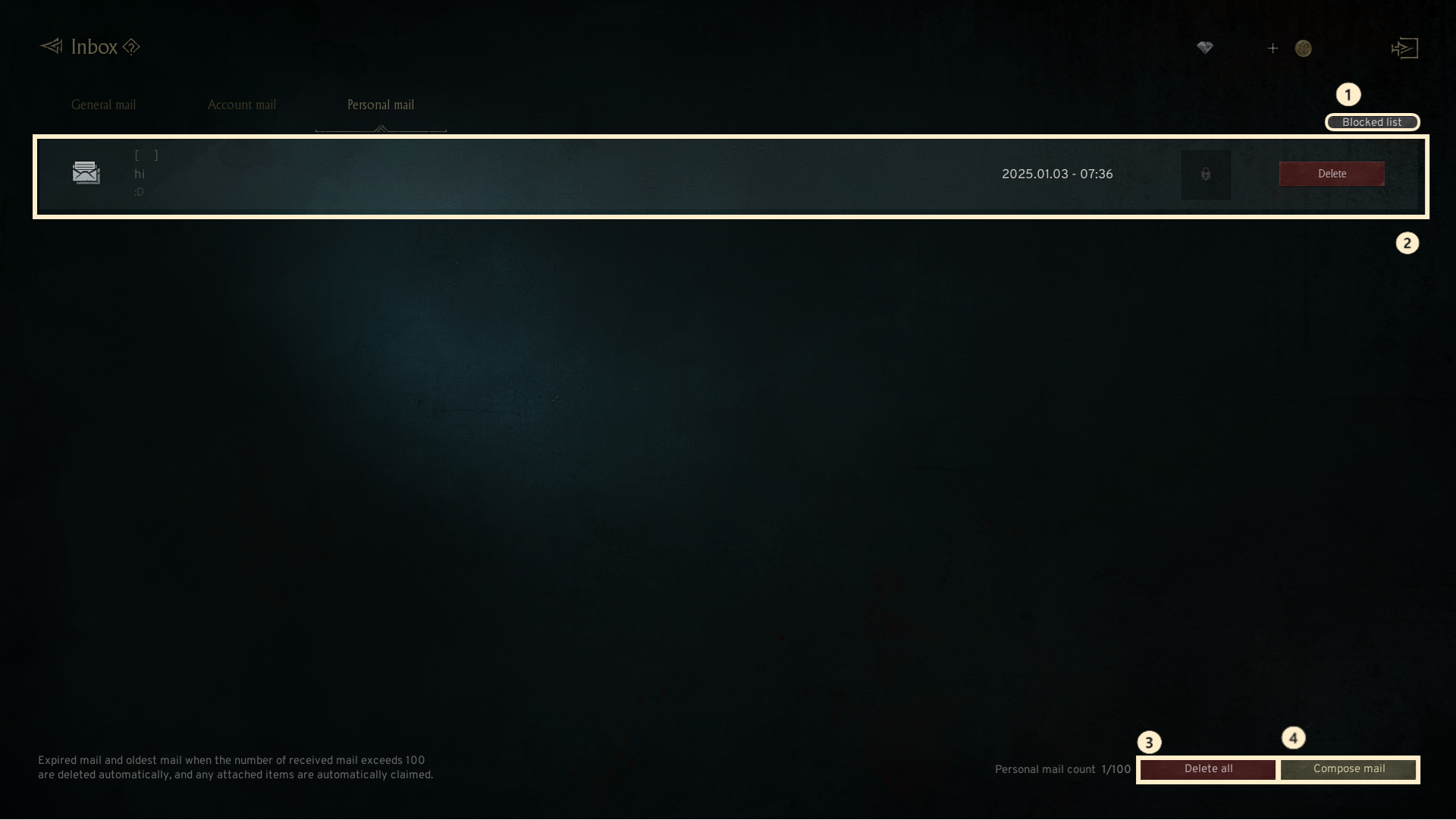
① Blocked list : Block unwanted players to stop receiving their mails. You can block up to 50 players. Removing a player from the blocked list will allow their mail again.
② Inbox : Check mails sent by other players. Mails can be stored up to 100. Mails beyond this limit are automatically deleted in the oldest beings.
③ Deleted all : Delete all received mail at once.
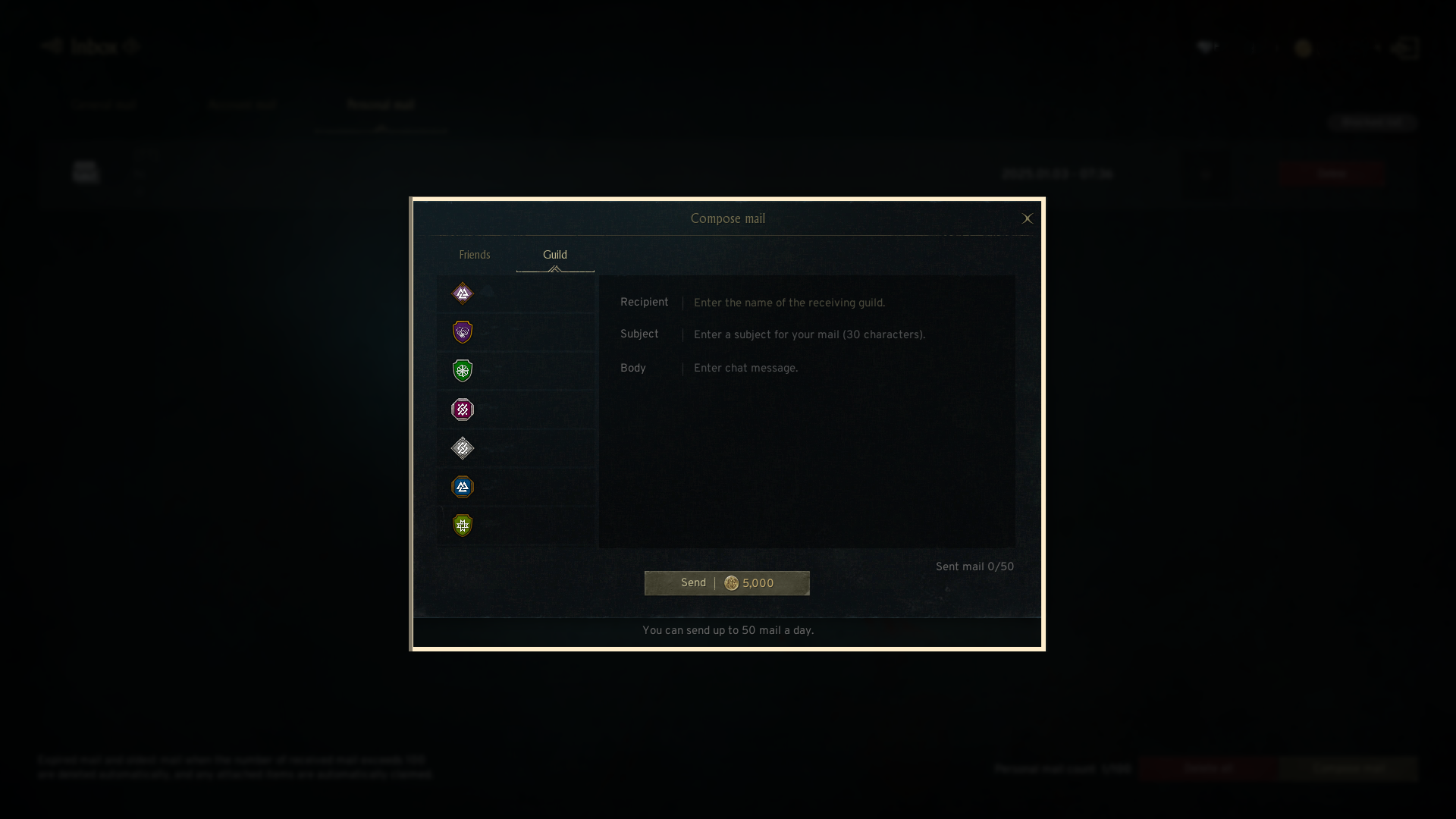
④ Compose mail : Compose mails to friends or guild members.
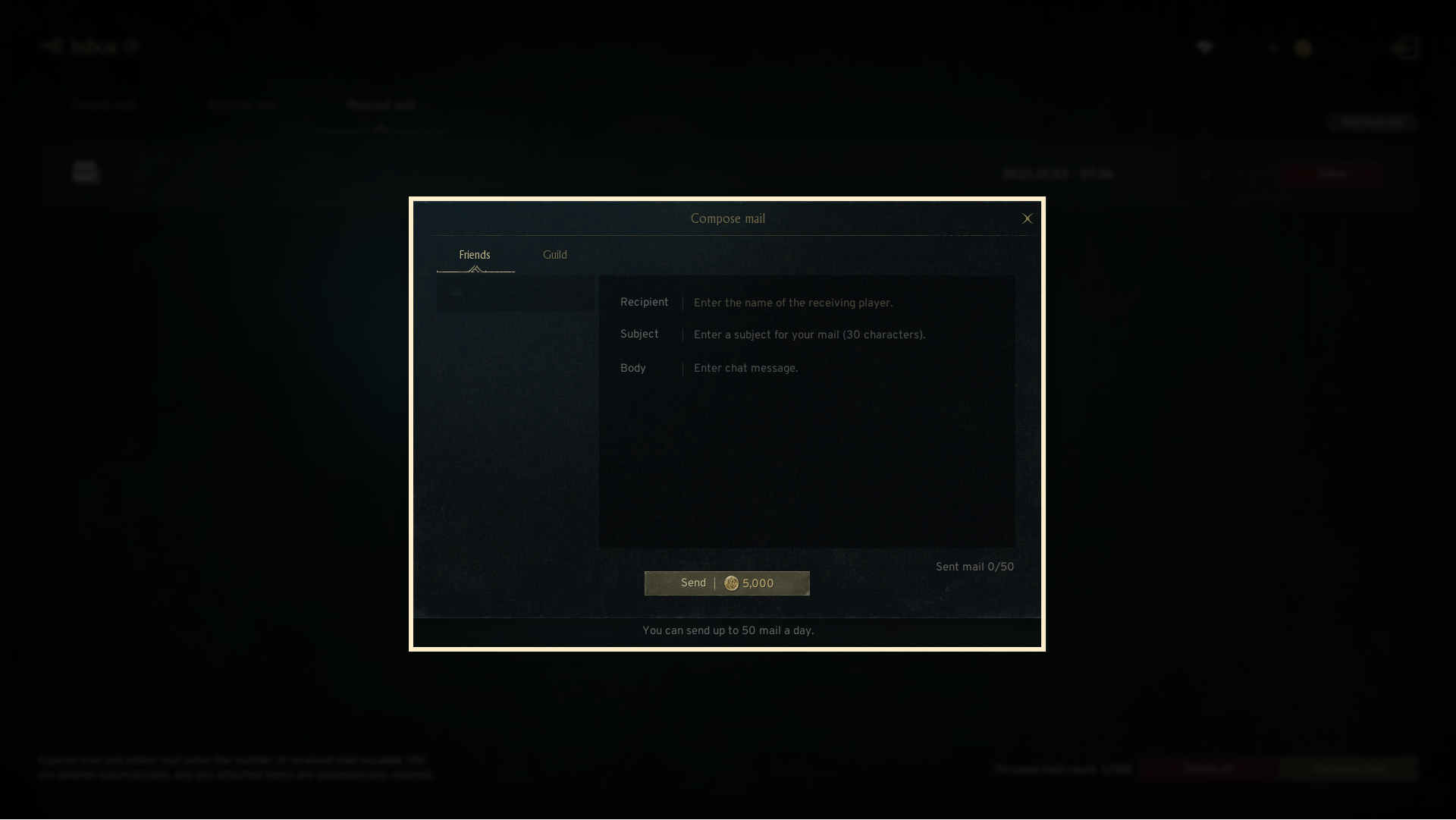
- Sending mail consumes gold. You can compose a maximum of 50 mails per day.
- The subject contains up to 30 characters, while the body of the mail contains up to 100 characters.
- Writing a mail to guild members sends it to everyone in the guild.
- Expired mail and oldest mail when the number of received mail exceeds 100 are deleted automatically, and any attached items are automatically claimed.
- You can lock up to 20 pieces of mail, preventing them from being automatically deleted.
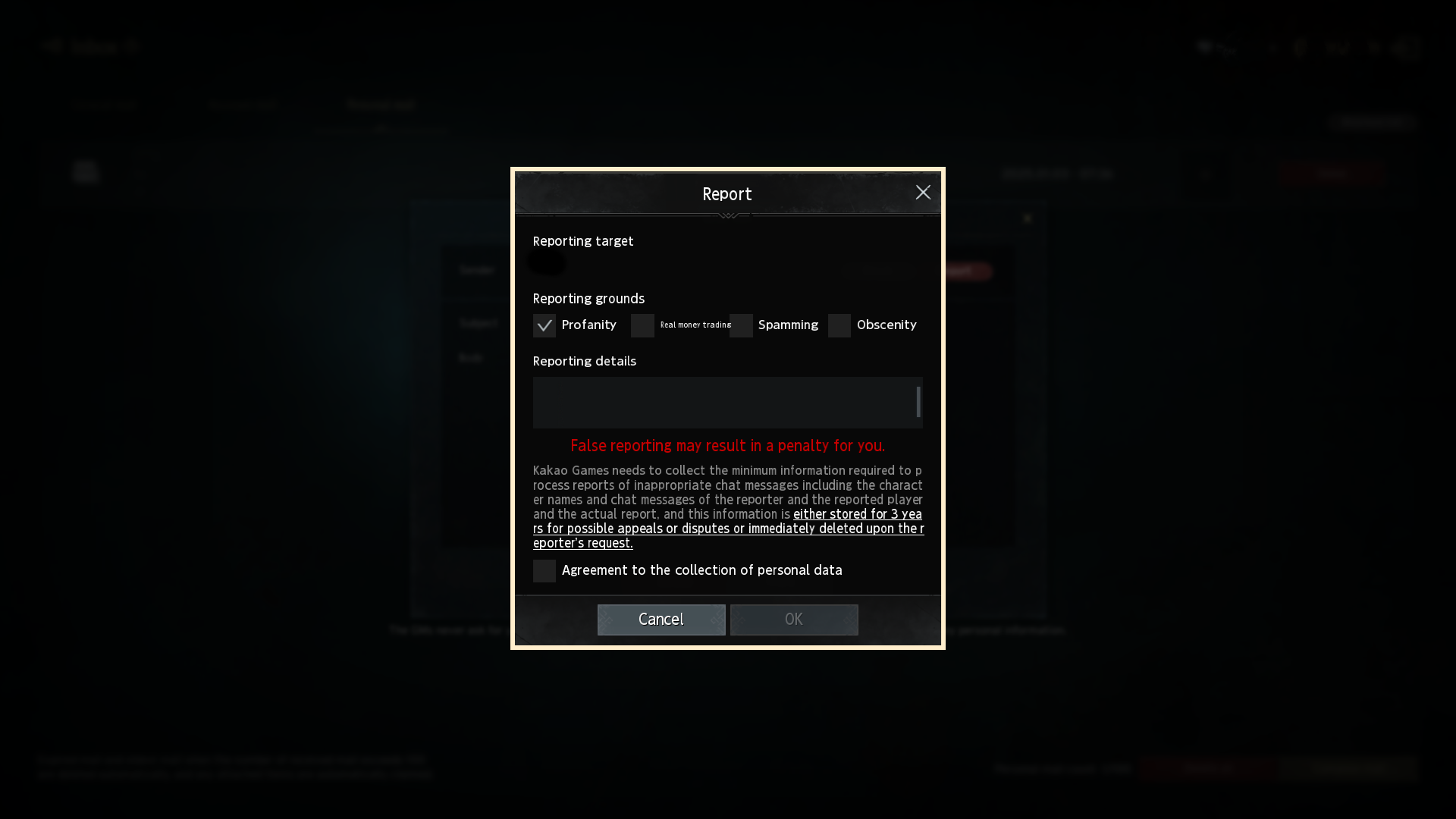
- If you receive mail with inappropriate content or offensive language, you can report them.
- You can select the report reason. False reporting may result in a penalty.
If you need additional assistance, don't hesitate to contact our customer center through the button below.