
The main screen provides crucial information and practical features to assist your gameplay.
It serves as a key interface for your adventures ahead.
■ Contents
1. Main Screen (Town)
2. Main Screen (Battle)
1. Main Screen (Town)
◈ Details
- Certain features are removed in Towns including normal attacks since combat is restricted.
- The skill slot interface is replaced with shortcut buttons to access merchants.
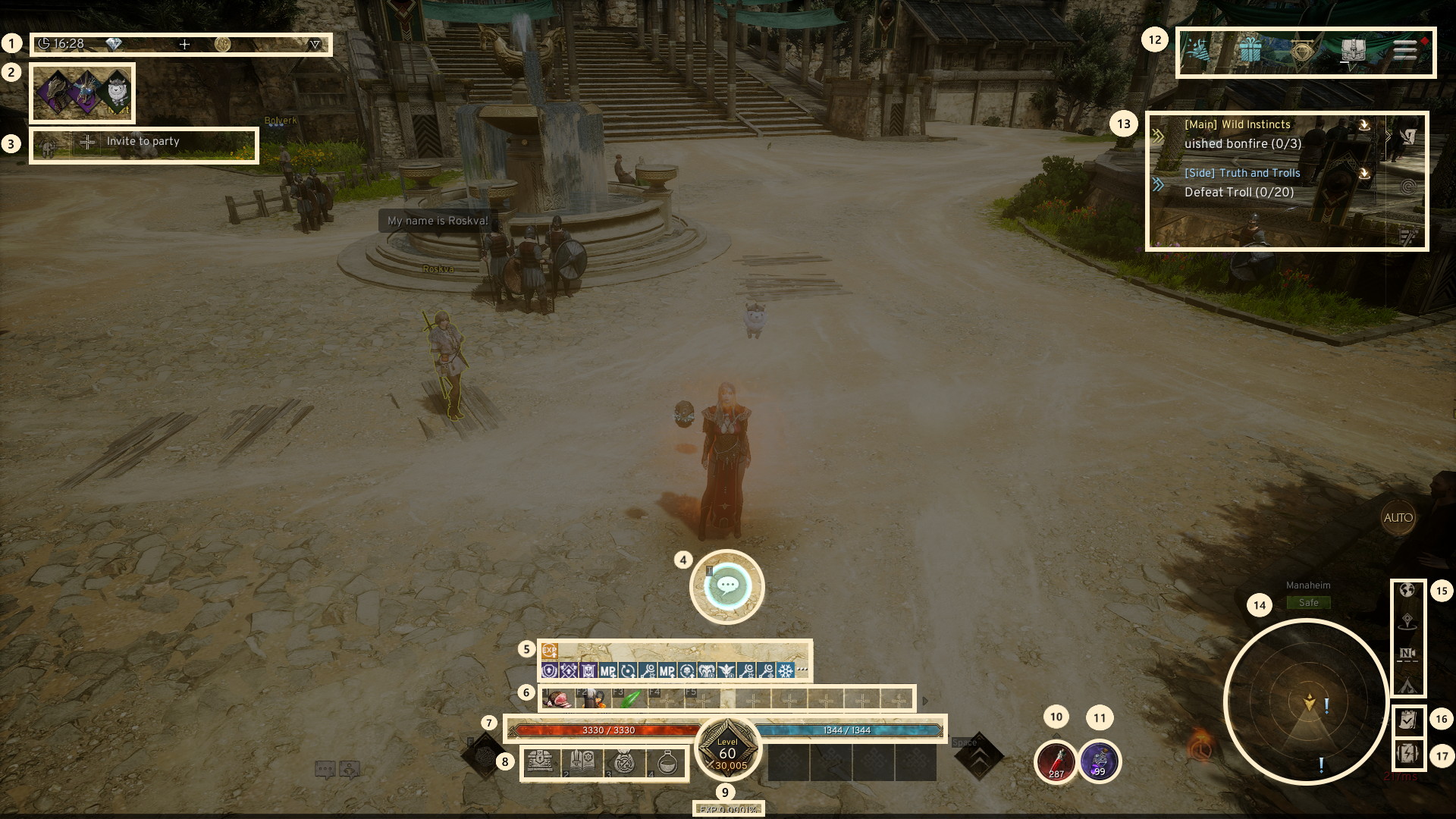
1. Time & Currency Display: Easily track the current time and all owned currencies with their respective counts.
2. Equipped Mounts: Display your equipped Flying/Ground Mounts.
3. Party Invite: Invite other players to join your party.
4. NPC Interaction: Interact with nearby NPCs via this button.
5. Buff/Debuff Overview: Display buffs and debuffs affecting your character.
6. Quick Slots: Display equipped items.
7. Character Stats: Display HP and MP of your character.
8. Shortcut to Merchants.: Quick access to Consumables Merchant, Skill Book Merchant, Exchange Merchant, and Storage.
9. Character Info.: Display current level, combat power, and XP.
10. Potion Settings: Assign and customize HP potion use settings.
11. Seal Essence: Display Seal Essence quantity with AUTO use setting.
12. Game Menu: Display ongoing events, special packages, shop, inventory, and settings.
13. Quest List: Display available quests.
14. Minimap: Display a compact map of your surroundings.
15. Location Settings: Display minimap toggles, teleport history, camera view, and town return.
16. Timetable of the Norns: Display the schedule for Domain Ruler, Realm Invader, Battle of Valhalla.
17. Power saving mode: Switches to power-saving mode.
2. Main Screen (Battle)
◈ Details
- Exiting the town and transitioning to the field or battle mode activates buttons needed for combat and quest activities.
- Previously removed town-specific buttons will now be enabled.
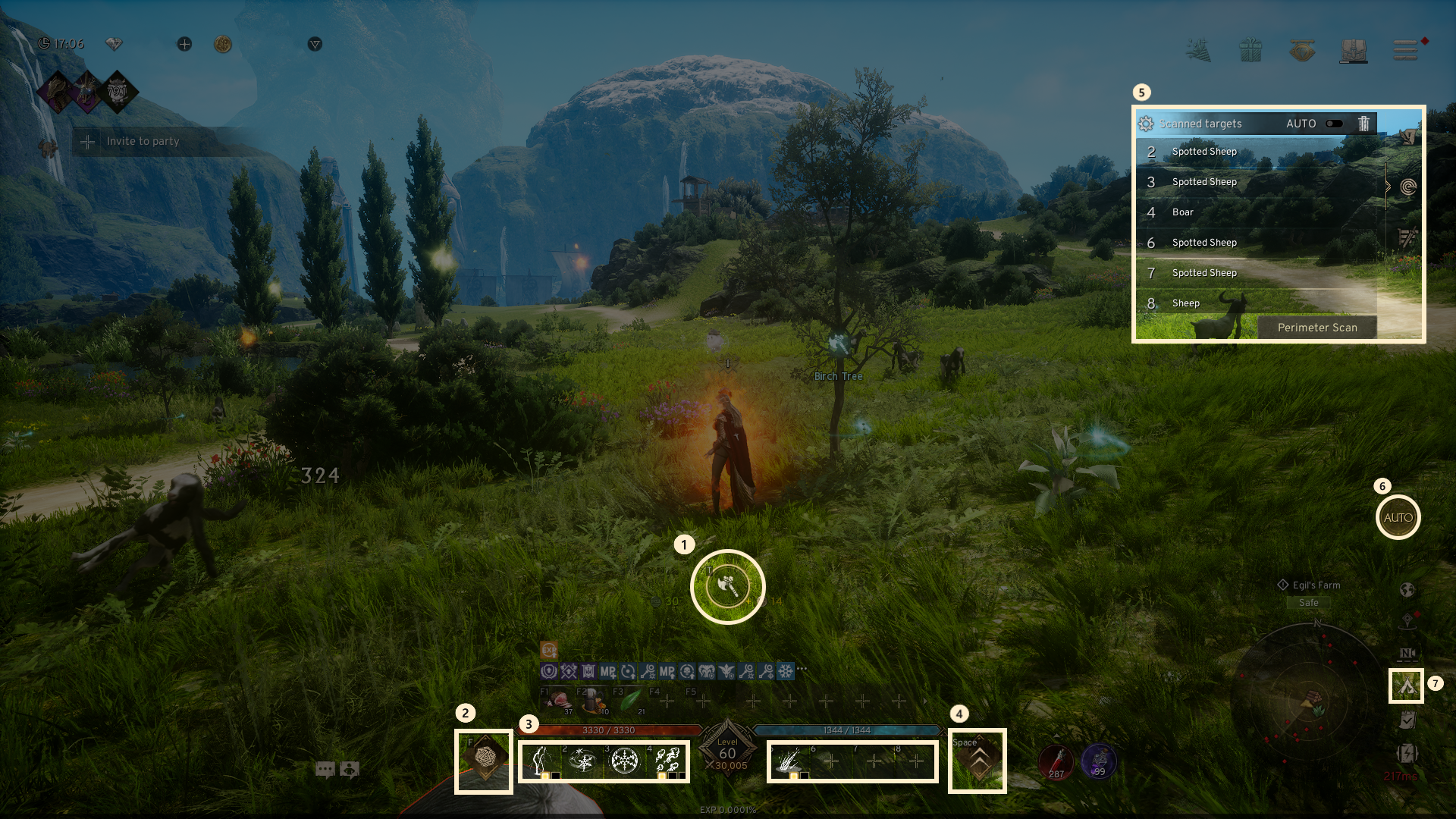
1. Item Gather: Engage in activities such as gathering, mining, or lumbering at nearby locations. This feature is only enabled when AUTO battle is removed.
2. (Normal) Attack: Initiate a normal attack on monsters or other targets.
3. Skill Slot: Display the skills currently equipped.
4. Jump: Allow your character to jump.
5. Additional Features: Manage quest list toggle, scanning the area, damage output.
6. AUTO Battle: Enable AUTO battle when switched on.
7. Return To Town: Immediately teleport to Town.
If you need additional assistance, don't hesitate to contact our customer center through the button below.