
Connect with other players and build friendships to explore Odin's many features.
Teaming up with friends makes tackling dungeons and faction fights both more exciting and easier to conquer.
■ Contents
1. View Friend
2. Add Friend
3. Favorite Friend
4. Additional Features
1. View Friends
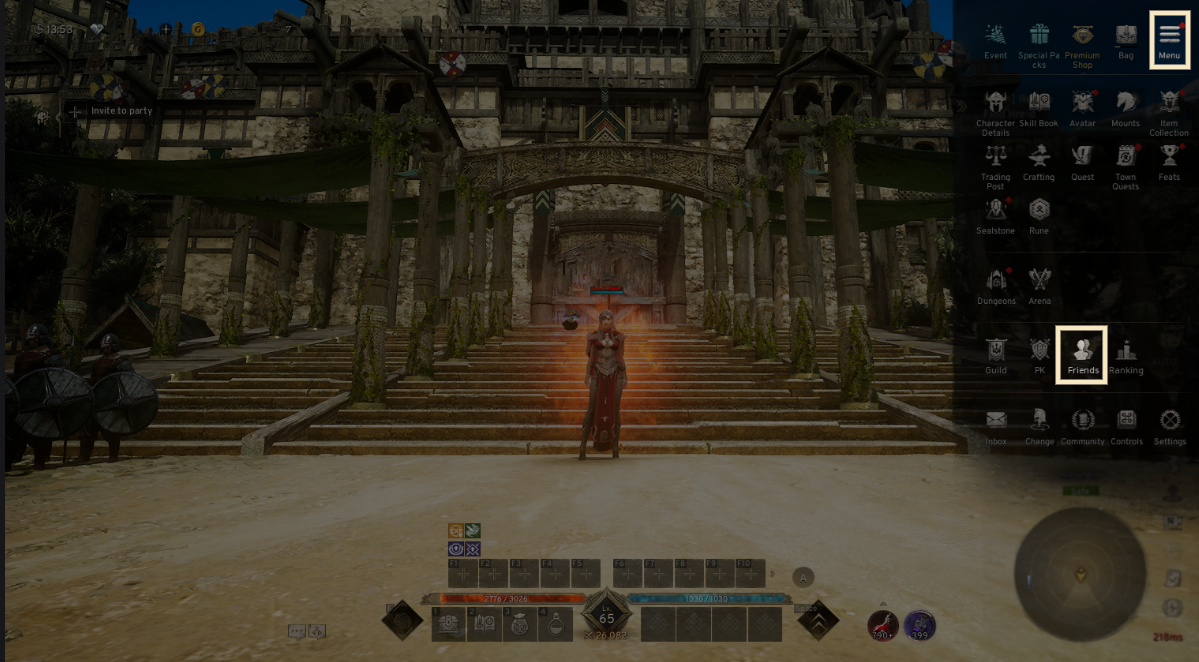
◈ How to check
- Tap the menu (☰) in the top-right and select 'Friend' to access the tab.
2. Add Friends
◈ How to add
- You can view 'Friend list' and 'Pending requests' in the Friends section.
- Friend list : You can hold up to 50 friends and add them to your list.
- Pending requests: Check friend requests that are waiting for approval. You can receive up to 50 friend requests.
· The more friends you add to your list, the fewer requests you can accept.
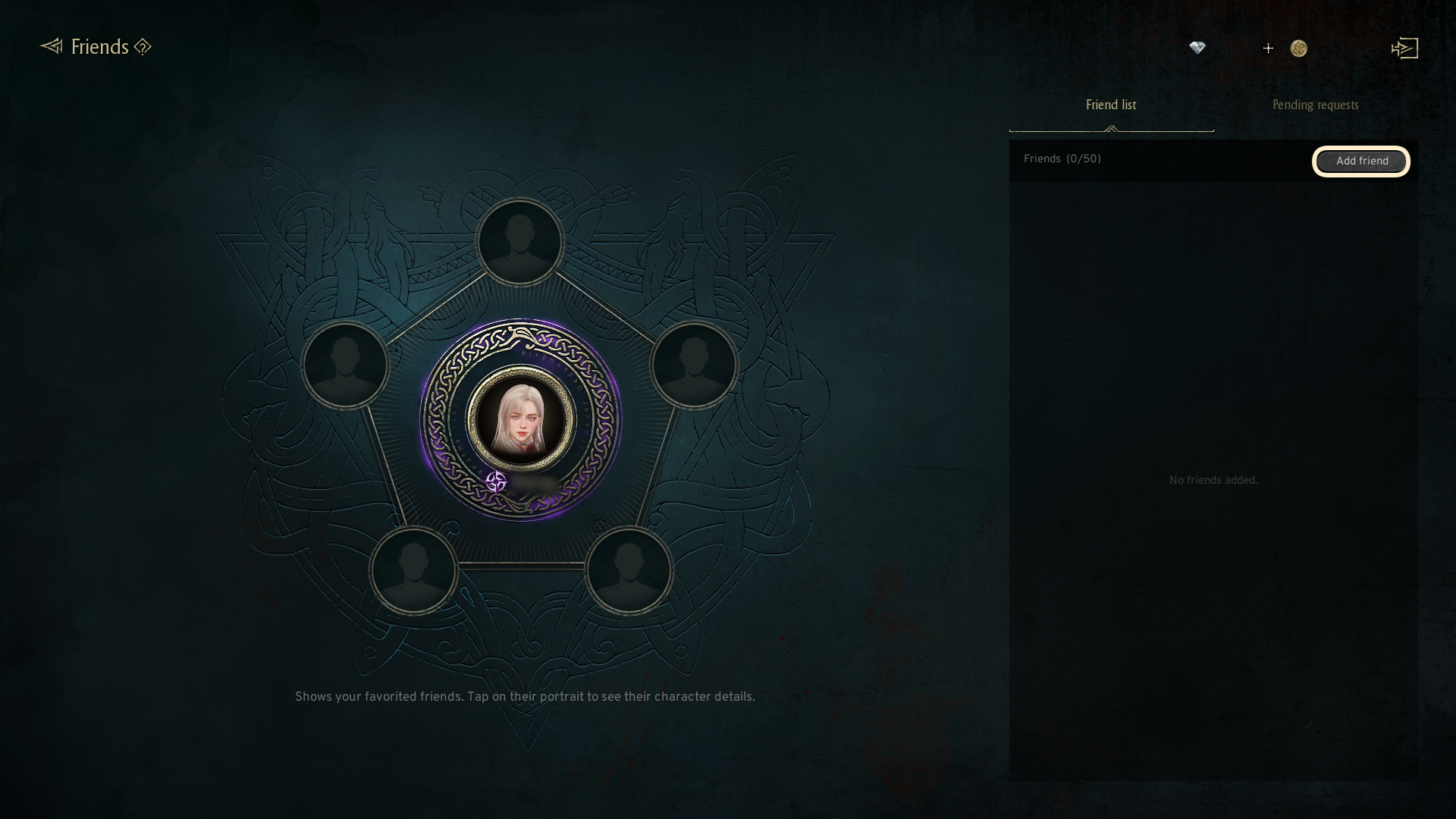
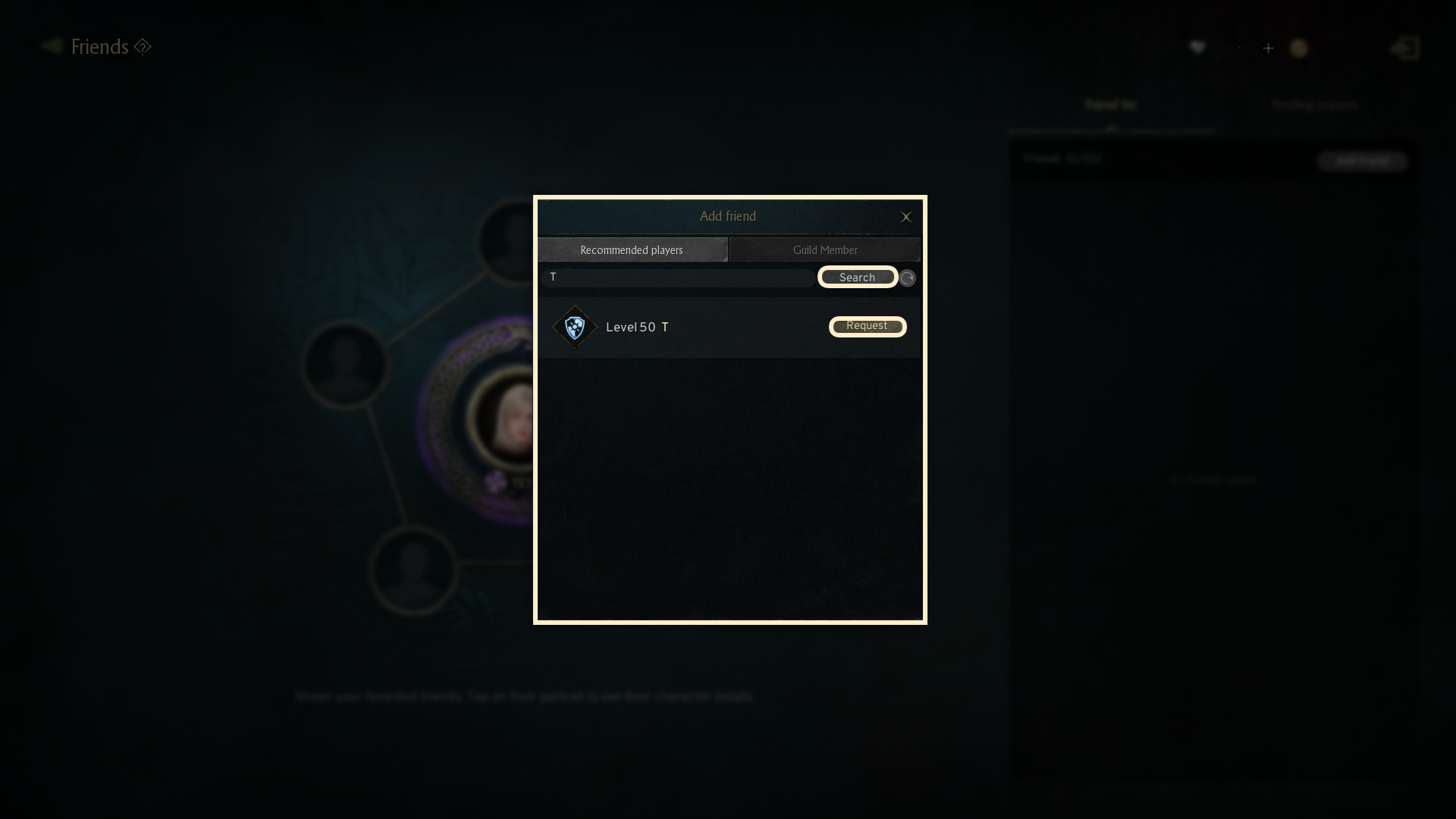
-Clicking the 'Add friend' button will show the 'Recommended players' and 'Guild members' tabs.
- You can directly search for other players by entering their character name and send them a friend request.
- Only guild members who are not yet friends will be displayed. If there are no nearby players to invite, no guild members will be shown for friend addition.
- If you are not part of any guild, the 'Guild members' tab will be unavailable.
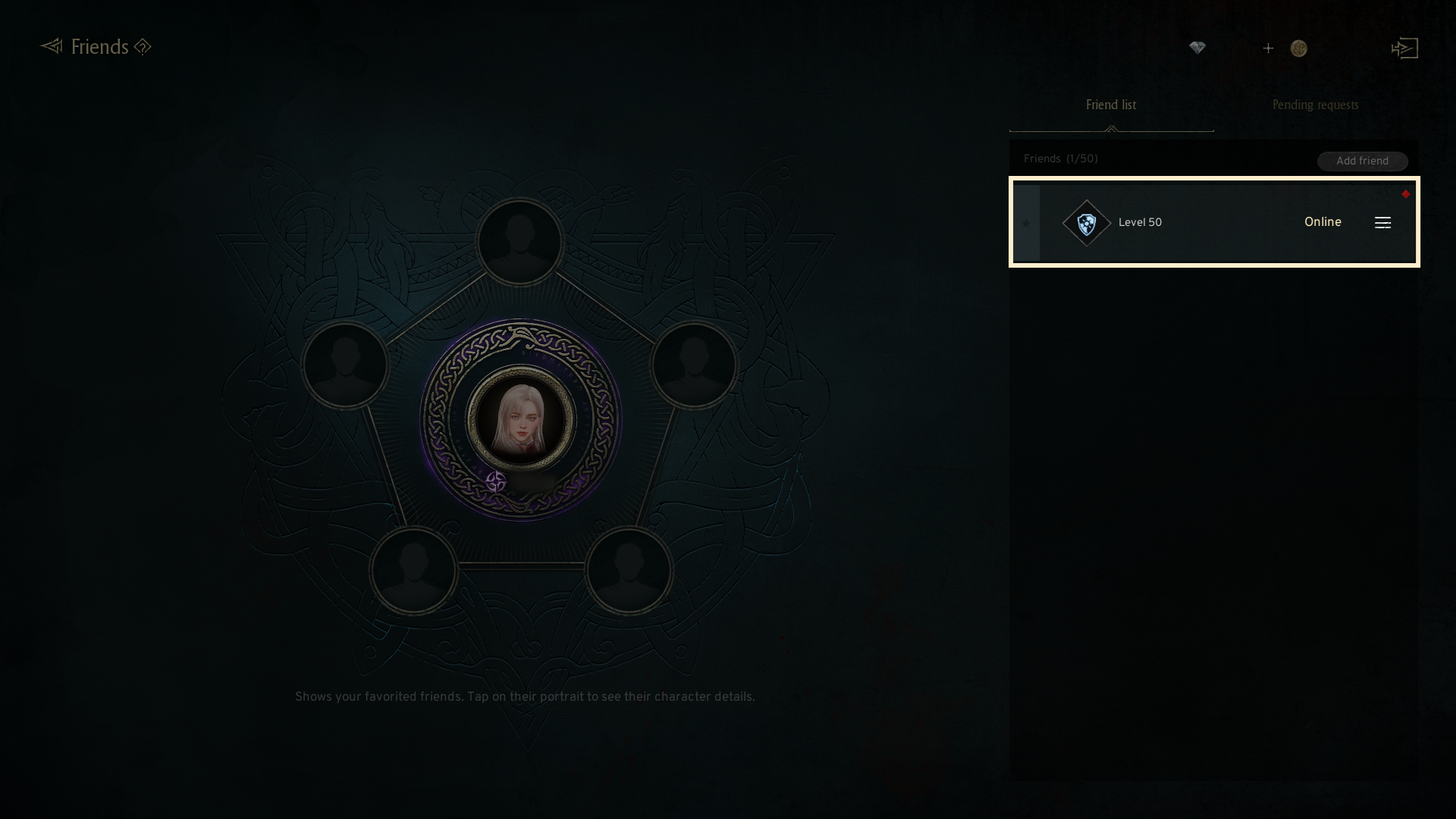
- After the friend request is accepted, the player will be added in your Friend List.
- You can check the online status of friends in your Friend List.
3. Favorite Friends
◈ How to set
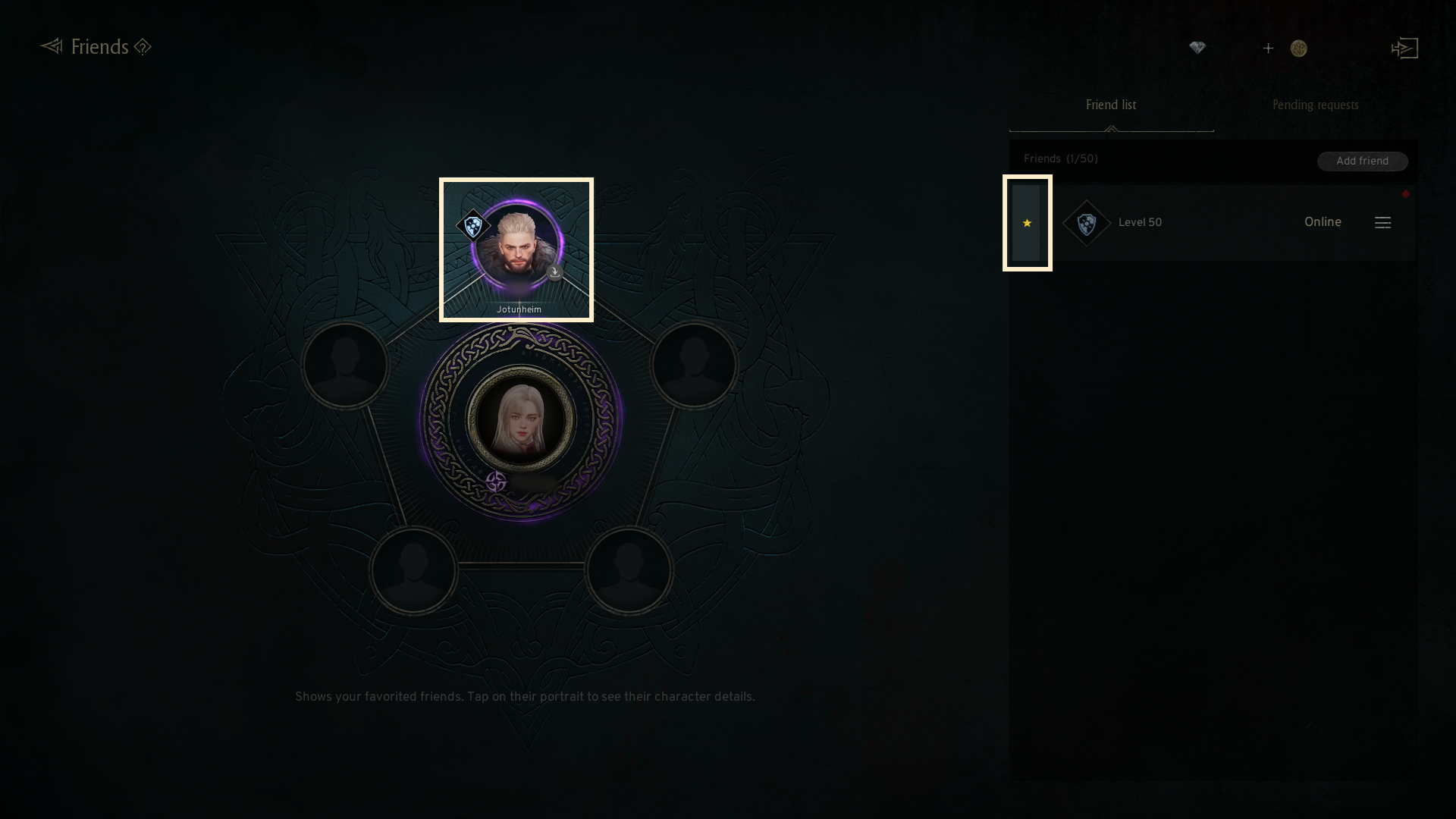
- When you click the star icon (☆) next to a friend in your friend list,
they will be added to your Favorites. (Up to 5)
- Press the 'GO' button to teleport to the location of a friend in your favorites.
- To view the character information of a friend in your Favorites, simply click on their portrait.
4. Additional Features
◈ Details
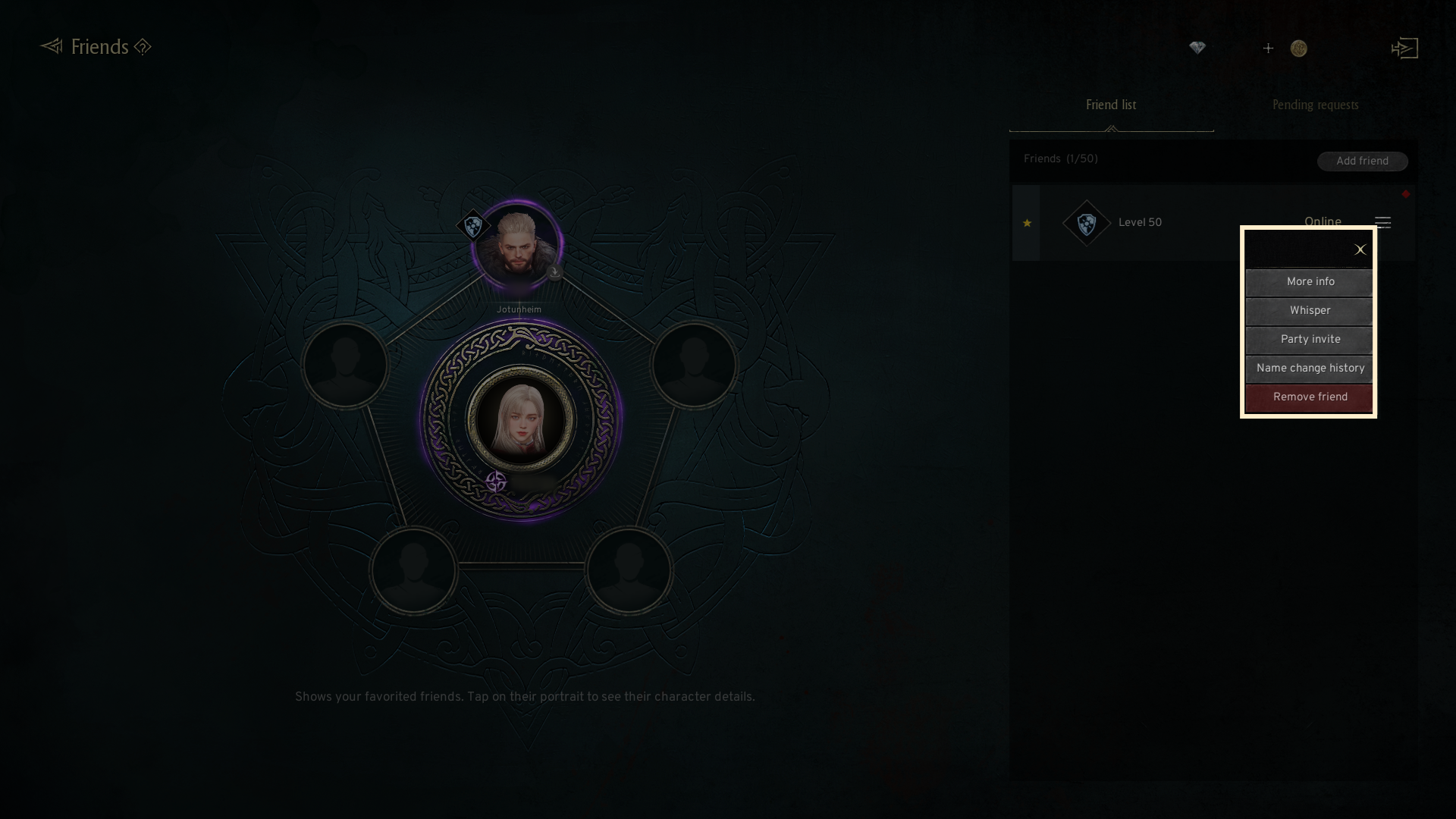
- By clicking the (☰) icon on the right side of the friend list,
you can check options such as More info, Whisper, Party Invite, Name Change History and Remove Friend.
If you need additional assistance, don't hesitate to contact our customer center through the button below.