
Items such as equipment, accessories, and consumables in your bag can be stored in the Storage.
By keeping important items in the Storage, you can preserve them safely without the worry of losing them.
■ Contents
1. Storage System
2. Store & Retrieve
3. Storage System Notes
1. Storage System
◈ How to use
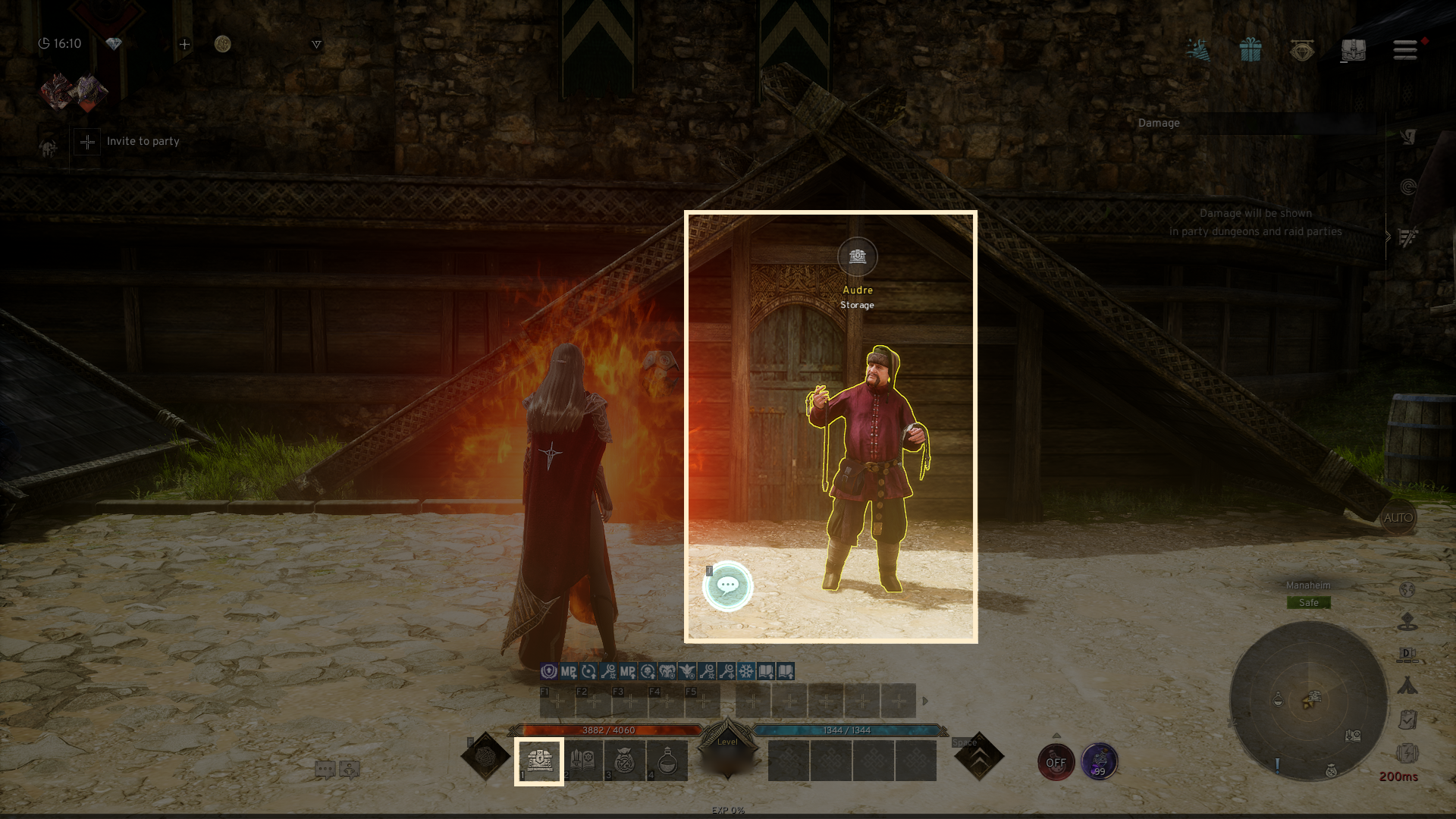
- By clicking the 'Storage' button in the bottom right corner of the town, you can access the storage.
2. Store & Retrieve
◈ Details
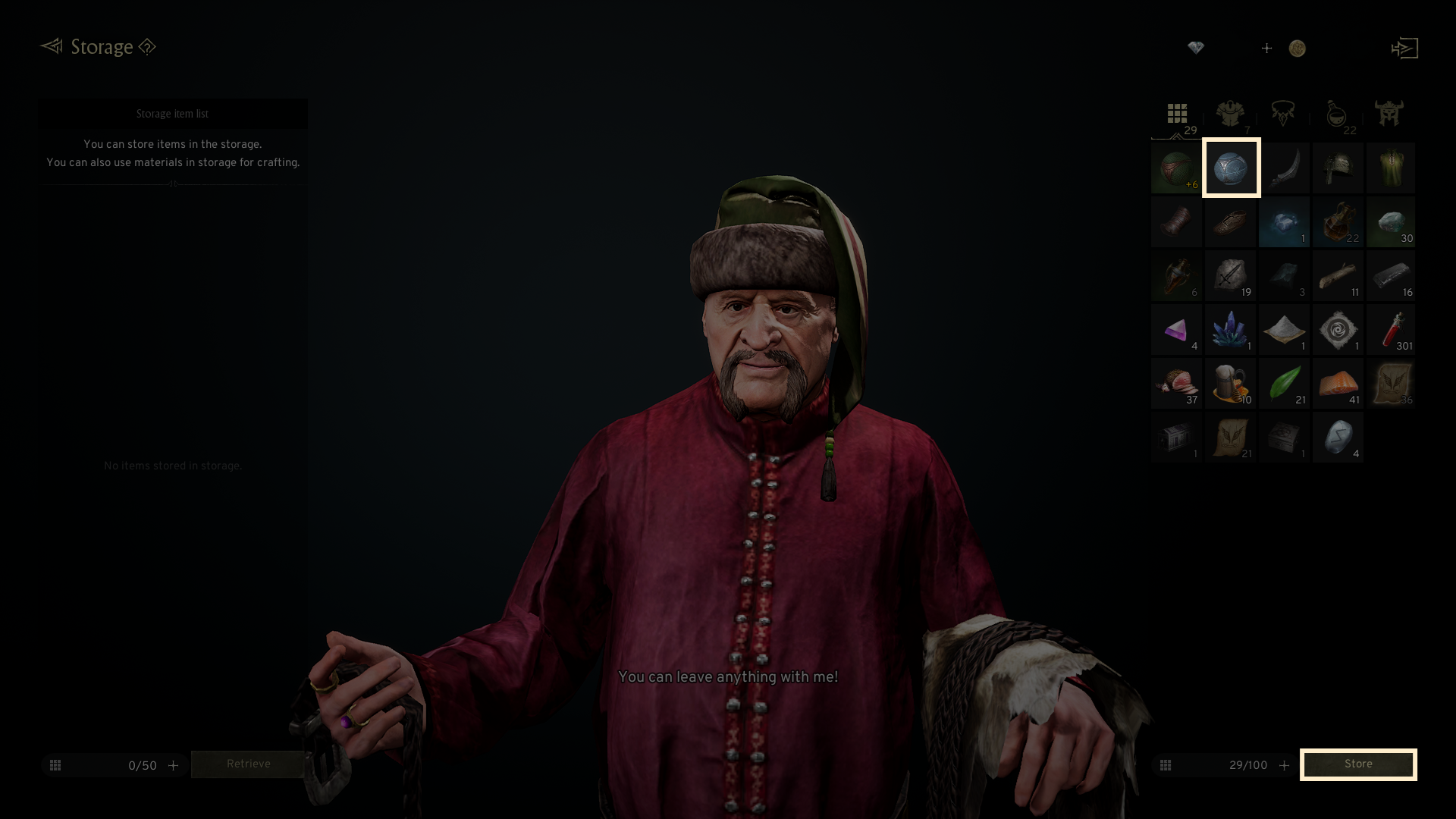
- After selecting the item you wish to store, click 'Store' to place it in the Storage.
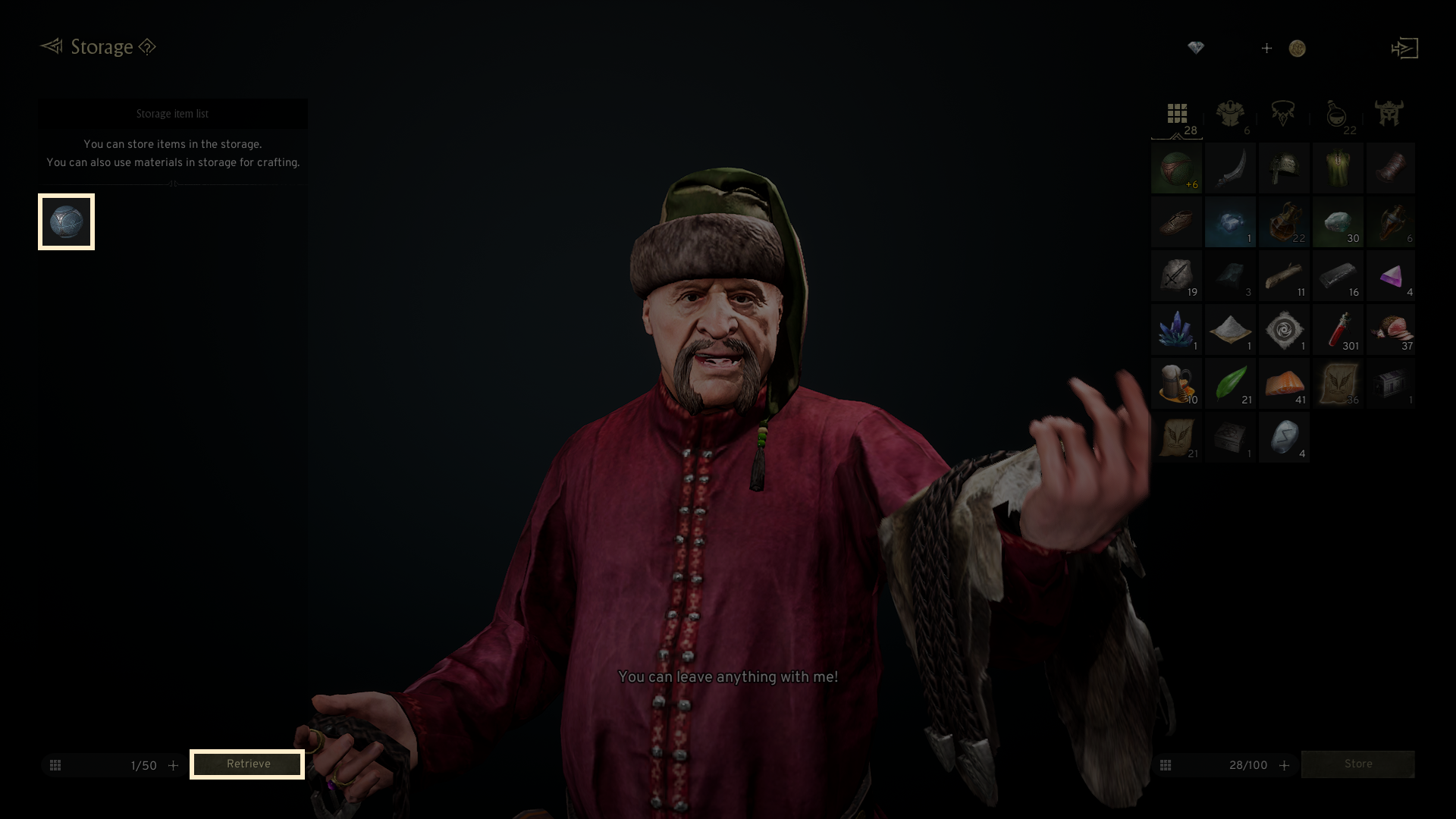
- After selecting the item from the Storage list, click 'Retrieve' to transfer it back to your Bag.
3. Storage System Notes
- You can store a maximum of 50 items in the Storage.
- By using the Storage slot expansion feature, you can expand the Storage capacity up to 150 slots.
- Character-bound items cannot be stored in the Storage.