
Enhance your weapons, armor, and accessories to unlock additional abilities.
As enhancement levels increase, items gain powerful stats; however, failure can lead to item destruction.
■ Contents
1. Types of Boonstone
2. Enhancement System
3. Enhancement Process
4. Quick Enhancement
5. Bulk Enhancement
6. Enhancement Results
1. Types of Boonstone
◈ Details
- Boonstones vary by item type, with some lowering enhancement levels on failure.
2. Enhancement System
◈ Details
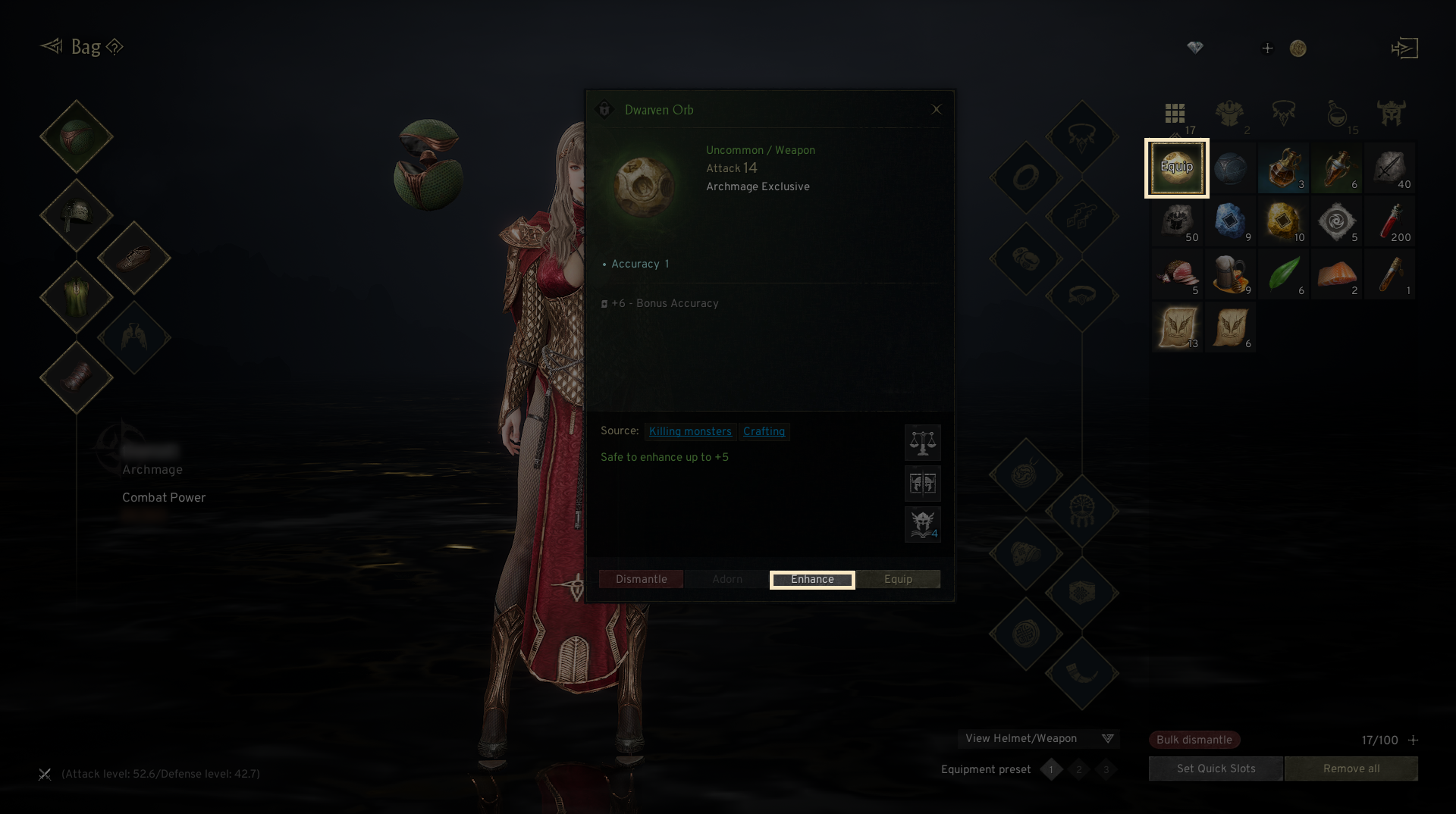
- Tap the menu (☰) in the top-right and select 'Bag' and click [Enhance].
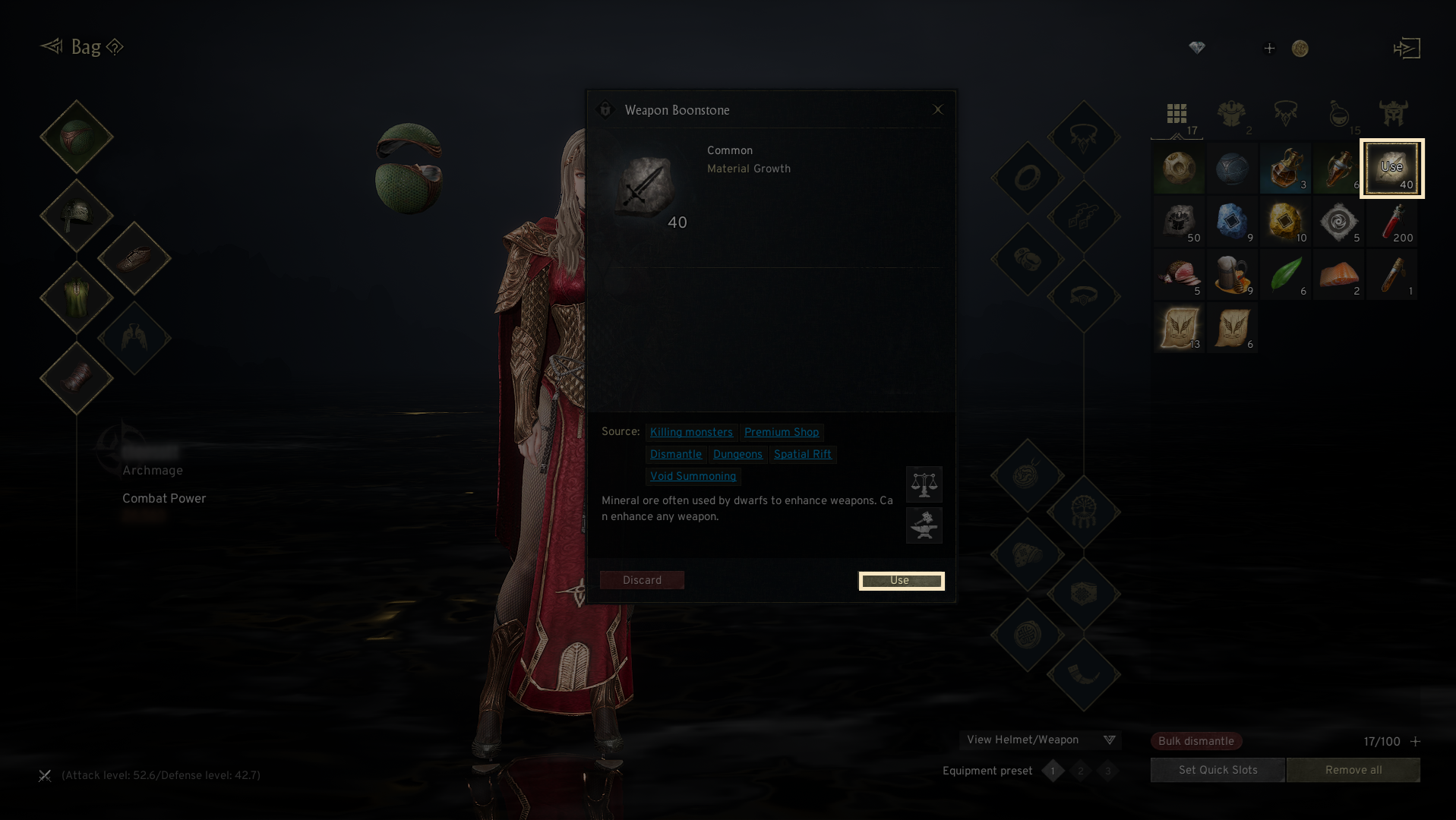
- Once you select the Boonstone, you can access the enhancement system by clicking the 'Use' button.
3. Enhancement Process
◈ How to proceed
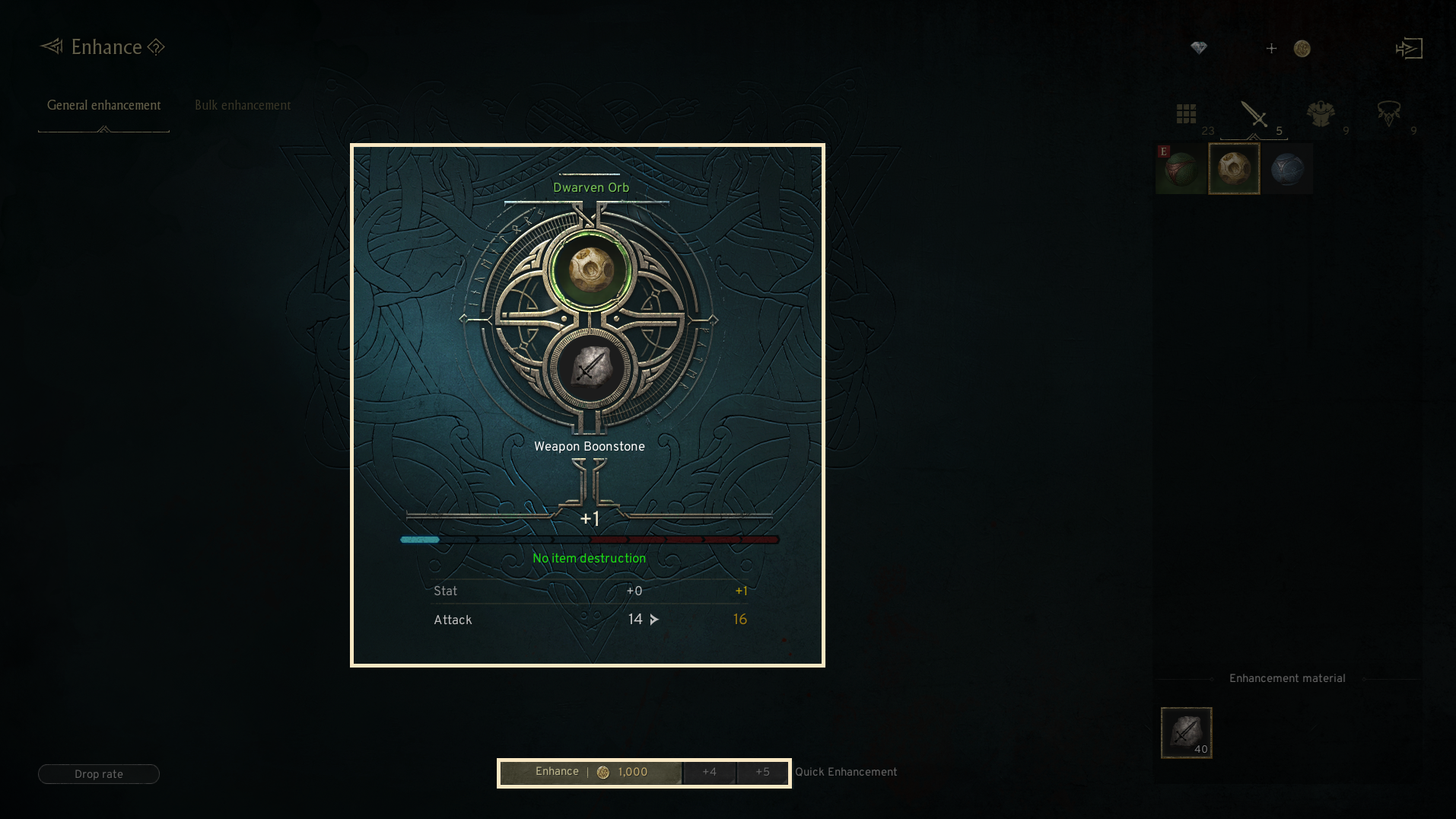
- To enhance an item, you need the corresponding 'Boonstone' for the item type. (For enhancing weapons, a weapon Boonstone is needed.)
- Each item has a 'Safe enhancement level,' and up to this level, the enhancement will succeed 100% of the time.
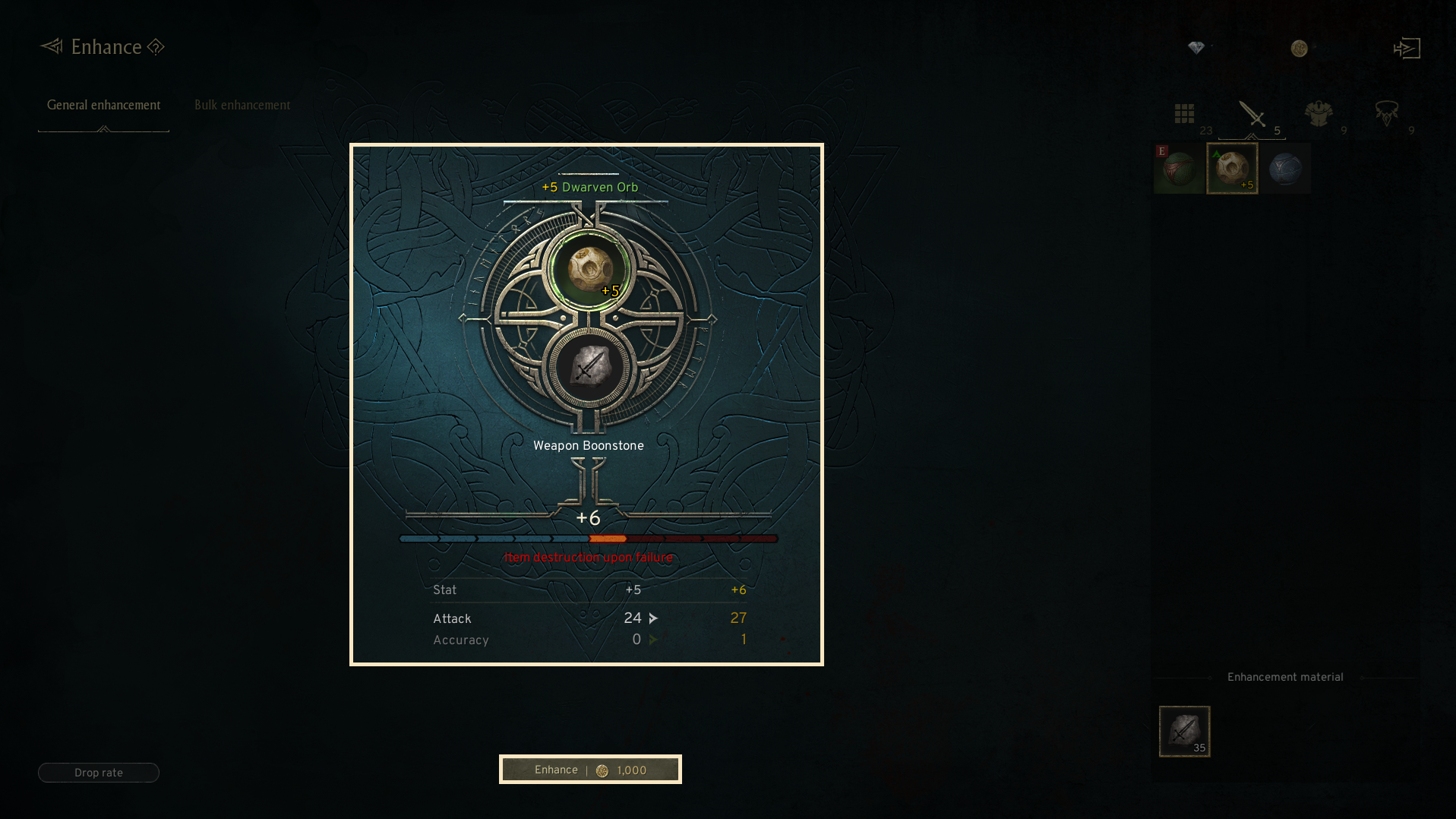
- If an enhancement trial is attempted beyond the Safe enhancement level and fails, the item could be destroyed.
4. Quick Enhancement
◈ The required materials are displayed after you select your target safe enhancement level, and you can Quick-enhance to the selected safe enhancement level.
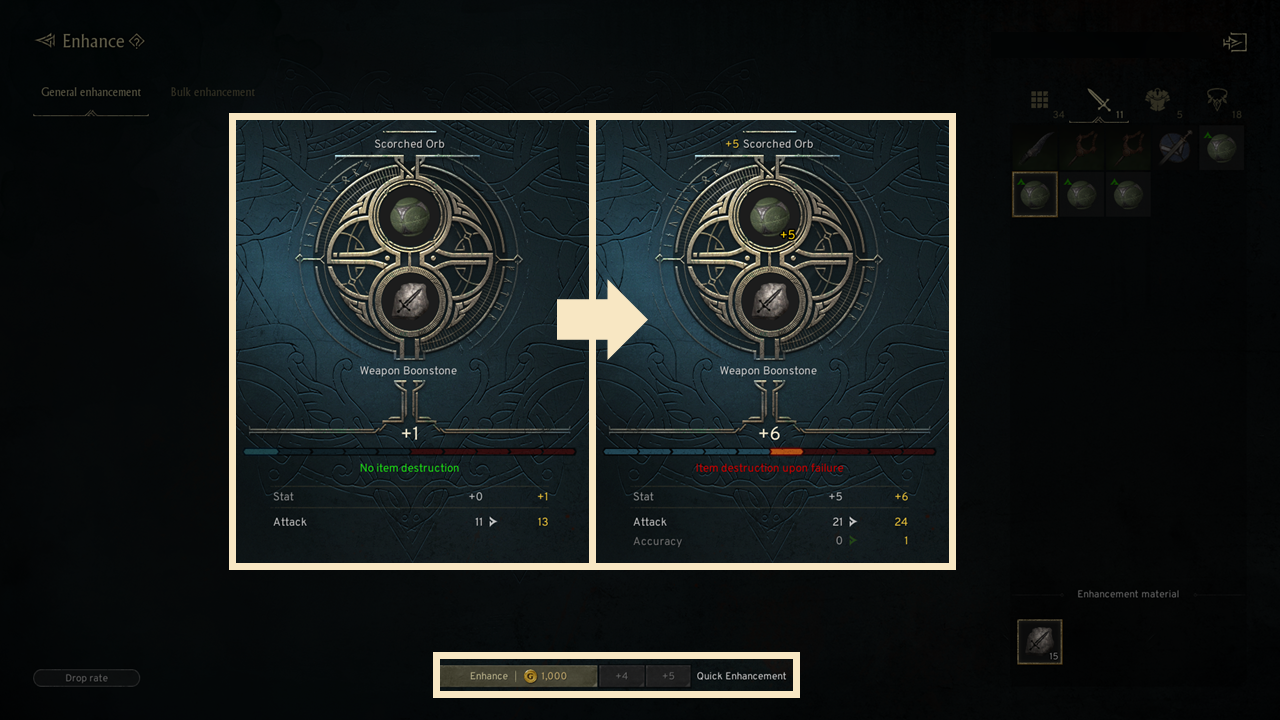
- You can set and quick-enhance the Quick Enhancement feature to safe enhancement level +4 or +5.
- The Quick Enhancement feature will not appear for equipment that does not have a safe enhancement level of +5 or higher.(ex. Cloaks, Accessories, Legguards)
5. Bulk Enhancement
◈ With the Bulk Enhancement feature, you can enhance multiple items of the same type at once.
- You can enhance multiple Weapons, Armor, Accessories, and Relics each.
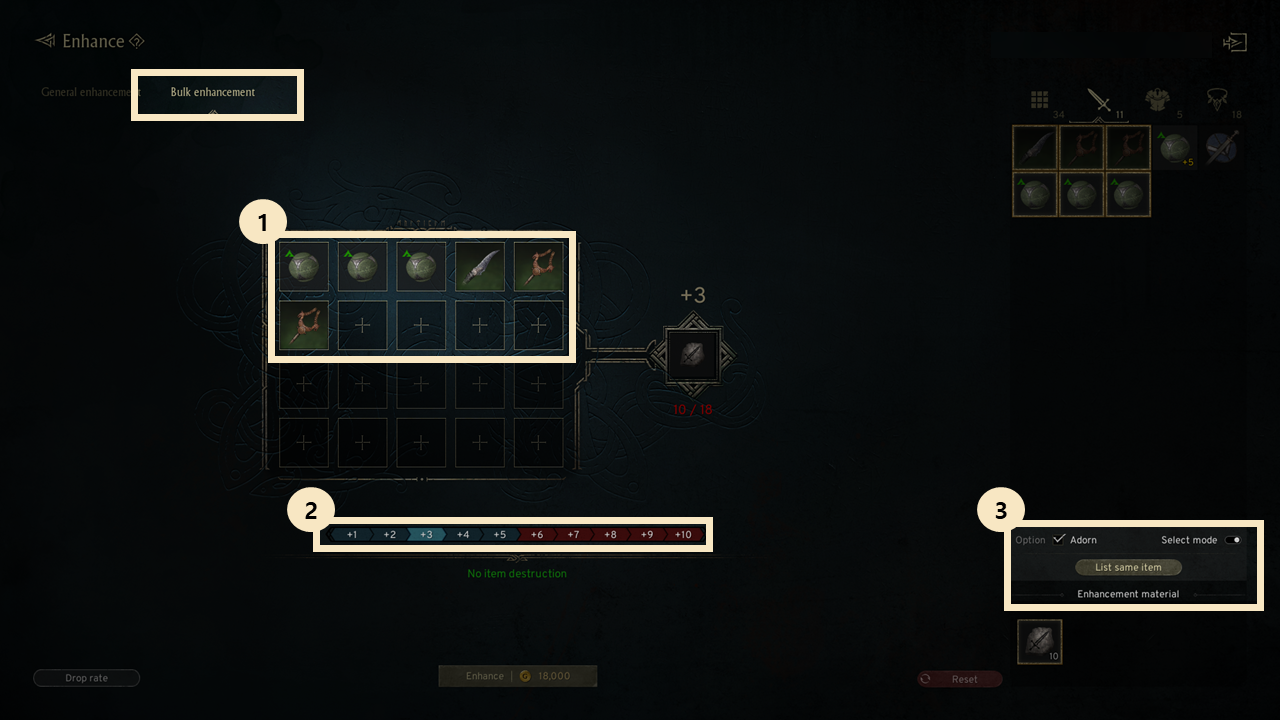
① Add item: You can add both currently equipped equipment and unequipped equipment.
② Set target level: You can perform Quick Enhancement on registered items to the same grade.
: The Set target level must be higher than the Max enhancement Value of the registered items.
③ Option: You must activate 'Select mode' to add equipment to Bulk enhancement.
If you check Adorn, you can also enhance adorned Equipment together.
: Pressing 'List same item' allows you to add items identical to the registered equipment all at once.
Cautions
· Equipment at +10 enhancement or higher cannot be processed with Bulk enhancement.
· Equipment of different Types cannot be added together for Bulk enhancement.
- Weapons can only be enhanced with Weapons, Armor with Armor, Accessories with Accessories, and Relics with Relics using Bulk enhancement.
· Even if the Equipment is of the same Type, it cannot be added to Bulk enhancement if the Safe enhancement levels are different.
- Although both Helmets and Cloaks are Armor, they cannot be added to Bulk enhancement together because their Safe enhancement levels are different.
6. Enhancement Results
◈ Details
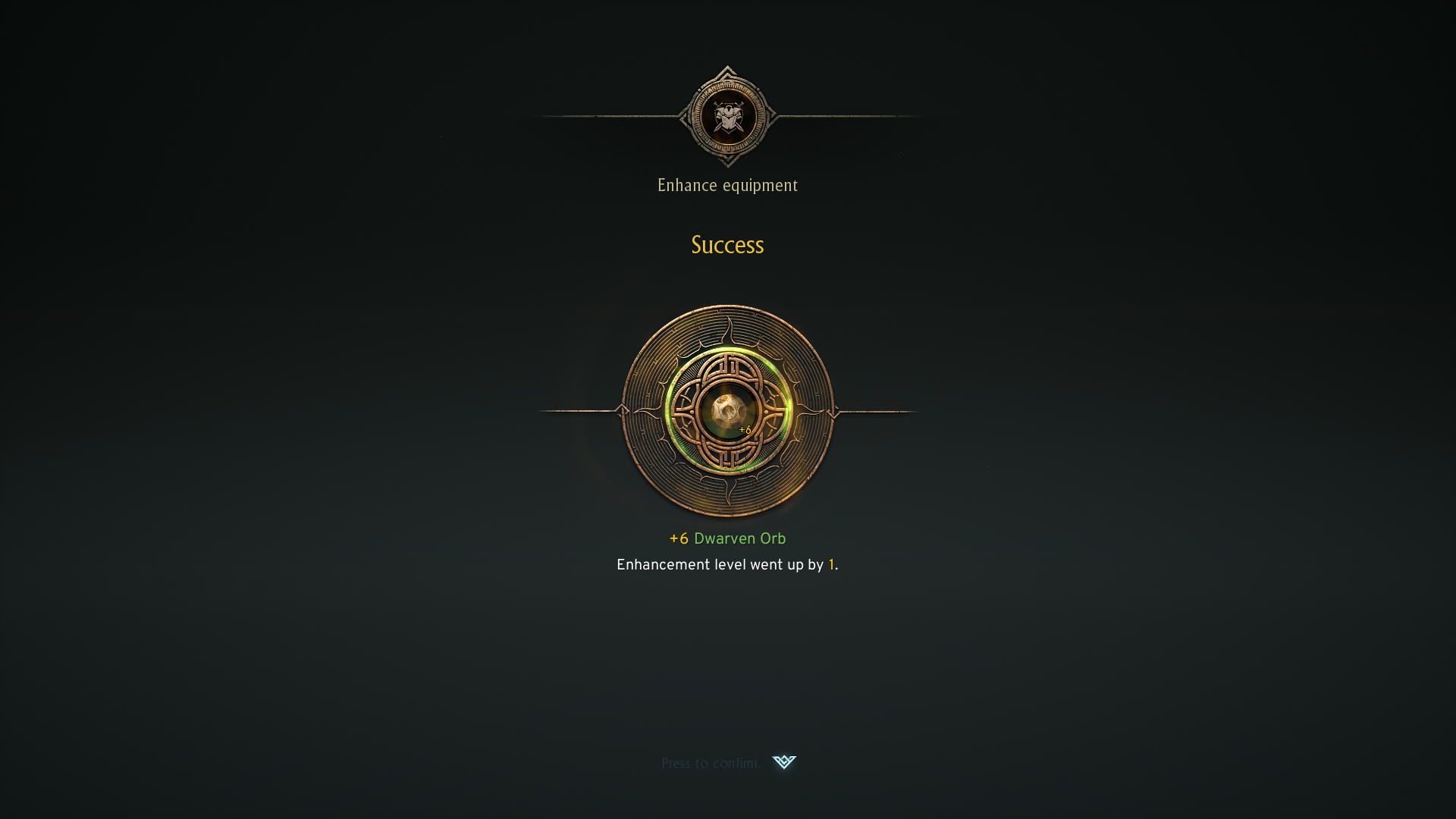
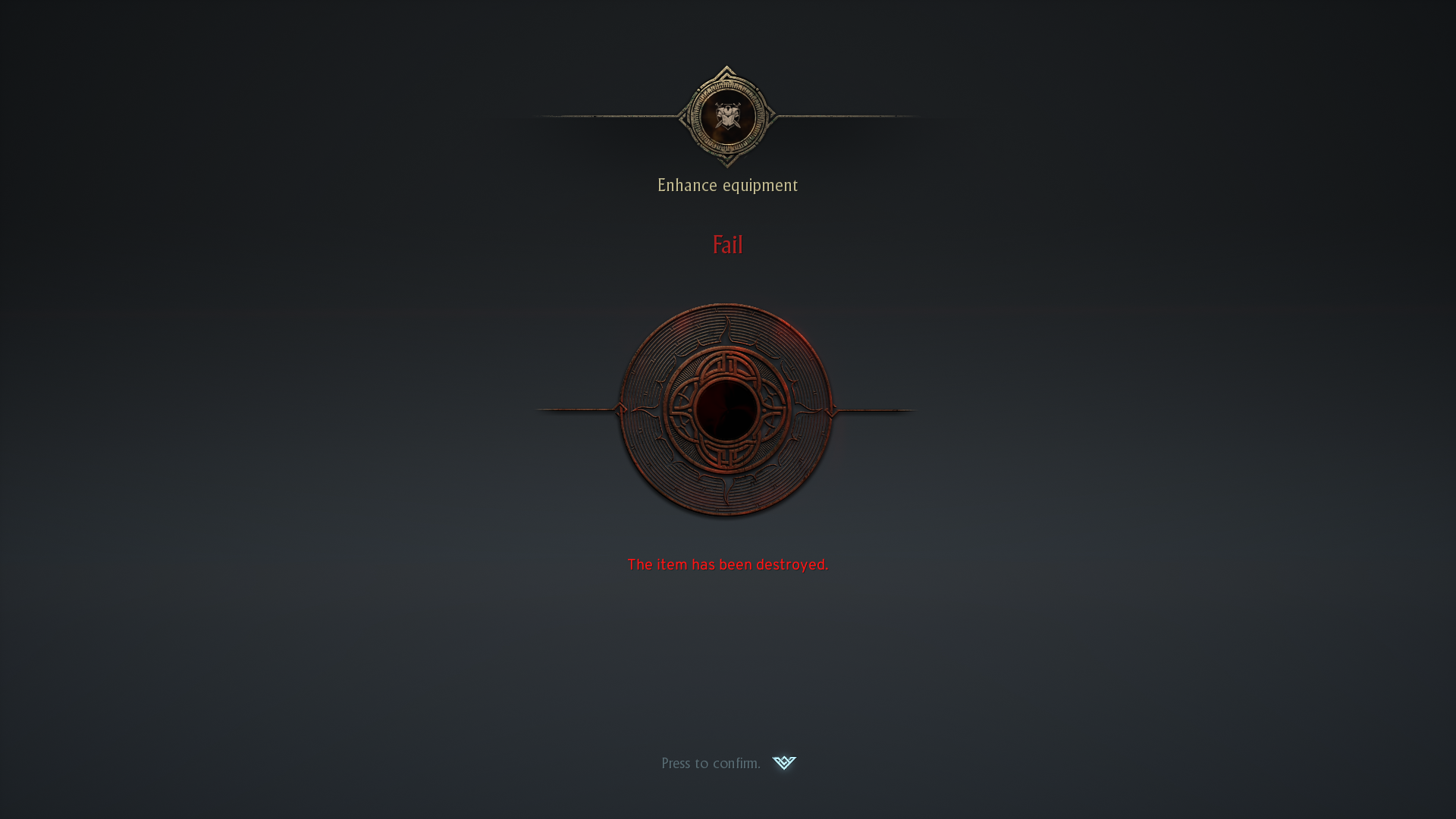
- Enhancement results are either [Success] or [Fail]. In case of failure, the item will be destroyed.
- Success: The enhancement level increases and the item’s stats improve. After the Safe enhancement level, the success message will appear for subsequent enhancements.
- Fail: The equipment that was enhanced will be destroyed, and enhancement failure materials (Boonstone, Grindstone, Agate) will be acquired.
If you need additional assistance, don't hesitate to contact our customer center through the button below.


