
Bag system serves as storage for items like equipment, consumables, and materials.
Once the bag slots are full, you won't be able to collect any more items,
so it’s important to either expand the bag slots or keep some free space.
■ Contents
1. Bag
2. Quick Slot Settings
1. Bag
◈ Details
- Tap the menu (☰) in the top-right and select 'Bag' to access the tab.
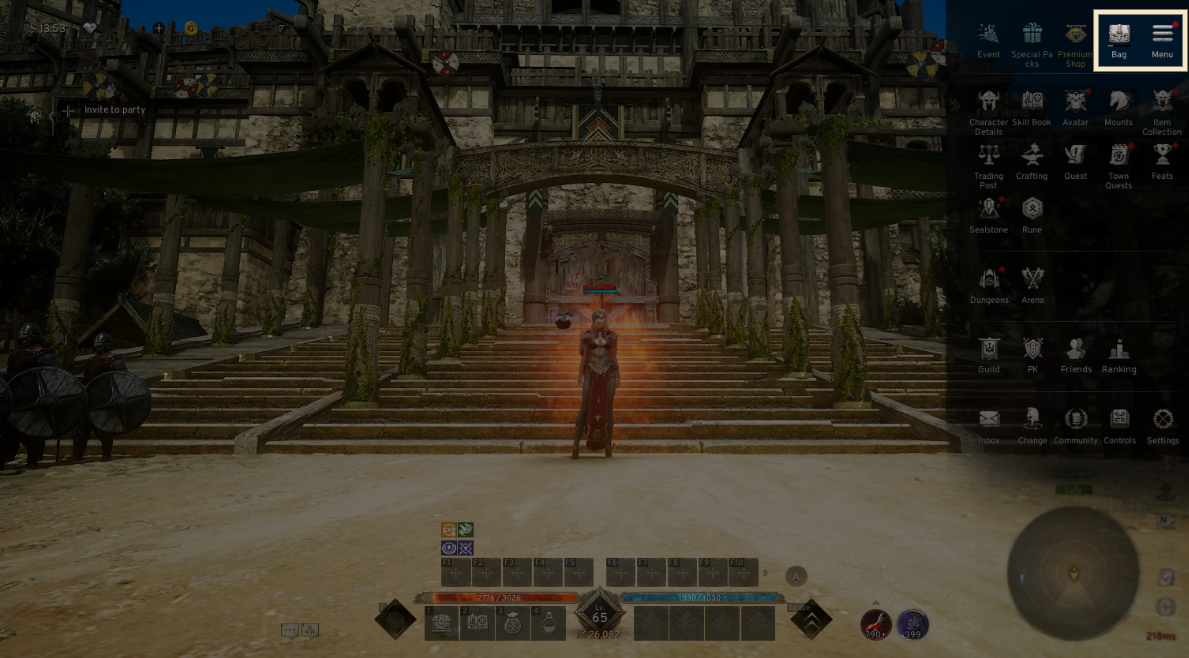
- Bag is where you store equipment, materials, and consumable items.
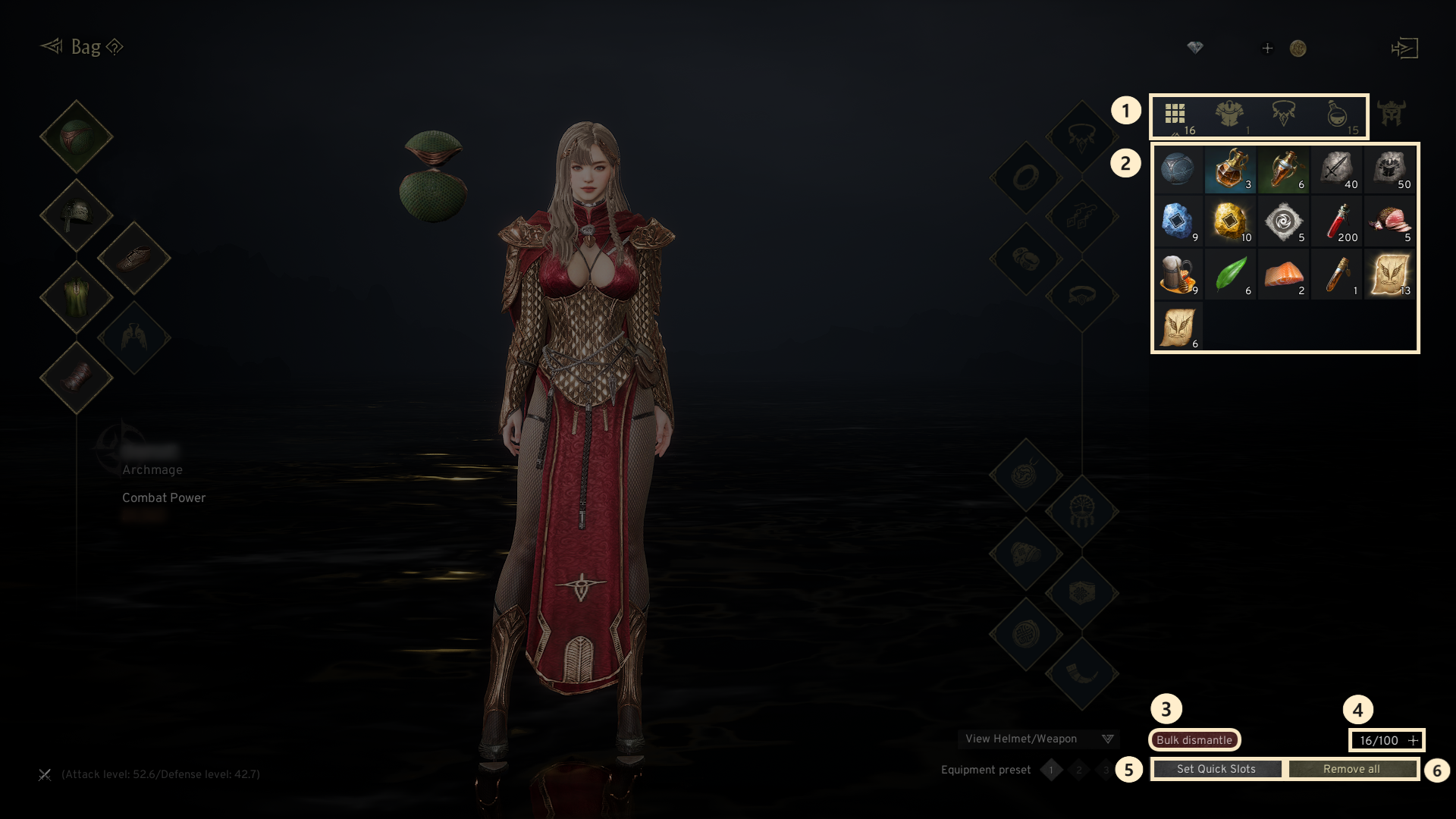
① Top Tab: Allows you to filter and view the categories of items you currently possess.
② Item List: Displays all the items in your Bag.
③ Dismantle in bulk: Provides the option to dismantle multiple items at once. (Refer to the Guide for more information.)
④ Item Quantity Indicator: Shows how many items you currently hold and the maximum capacity you can carry.
⑤ Set Quick Slots: Lets you choose which items to add to your Quick slots for quick access.
⑥ AUTO equip: If there are equipment items that can be automatically equipped, they will be equipped with one click. If no items can be auto-equipped, the "AUTO Equip" button will be grayed out. Clicking 'Remove all equipment' button will unequip all your currently worn gear.
2. Quick Slot Settings
◈ How to set
- Only consumable items can be assigned to Quick slots for quick access during gameplay.
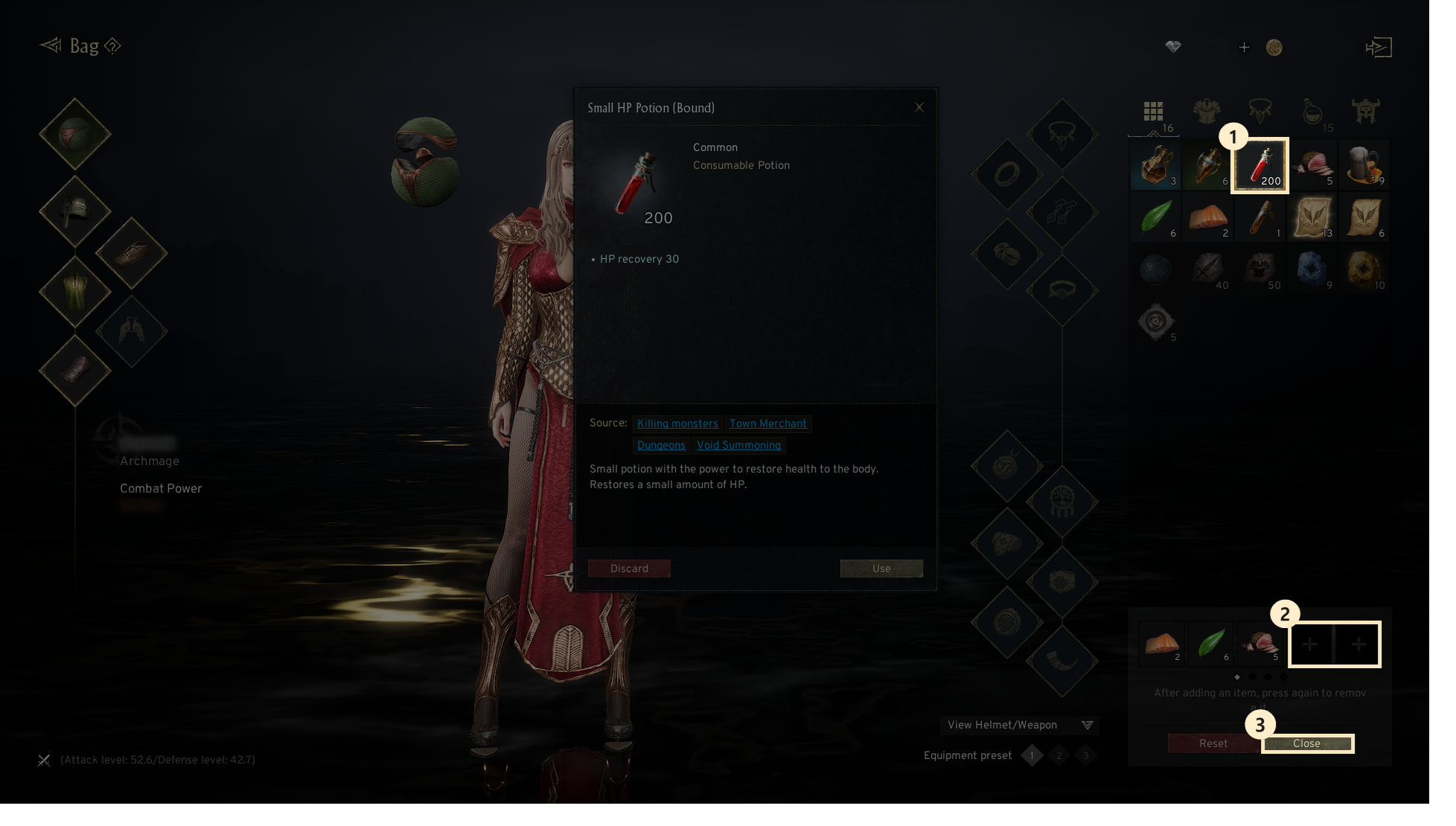
① Select the consumable item you wish to set.
② Choose an empty quick slot to add the item.
! If you select a quick slot again after adding the item, it will be removed. To clear all added items, click the 'Reset' button.
If you need additional assistance, don't hesitate to contact our customer center through the button below.