
Adornstones grant special powers that
can be used to randomly apply options and stats to your equipment,
boosting your character's stats even further.
The number of options that can be applied differs based on the equipment's grade,
and you can check the adornment options in the item crafting screen.
■ Contents
1. Types of Adorn Items
2. Adorn Options
3. Adorn Process
1. Types of Adorn Items
◈ Details
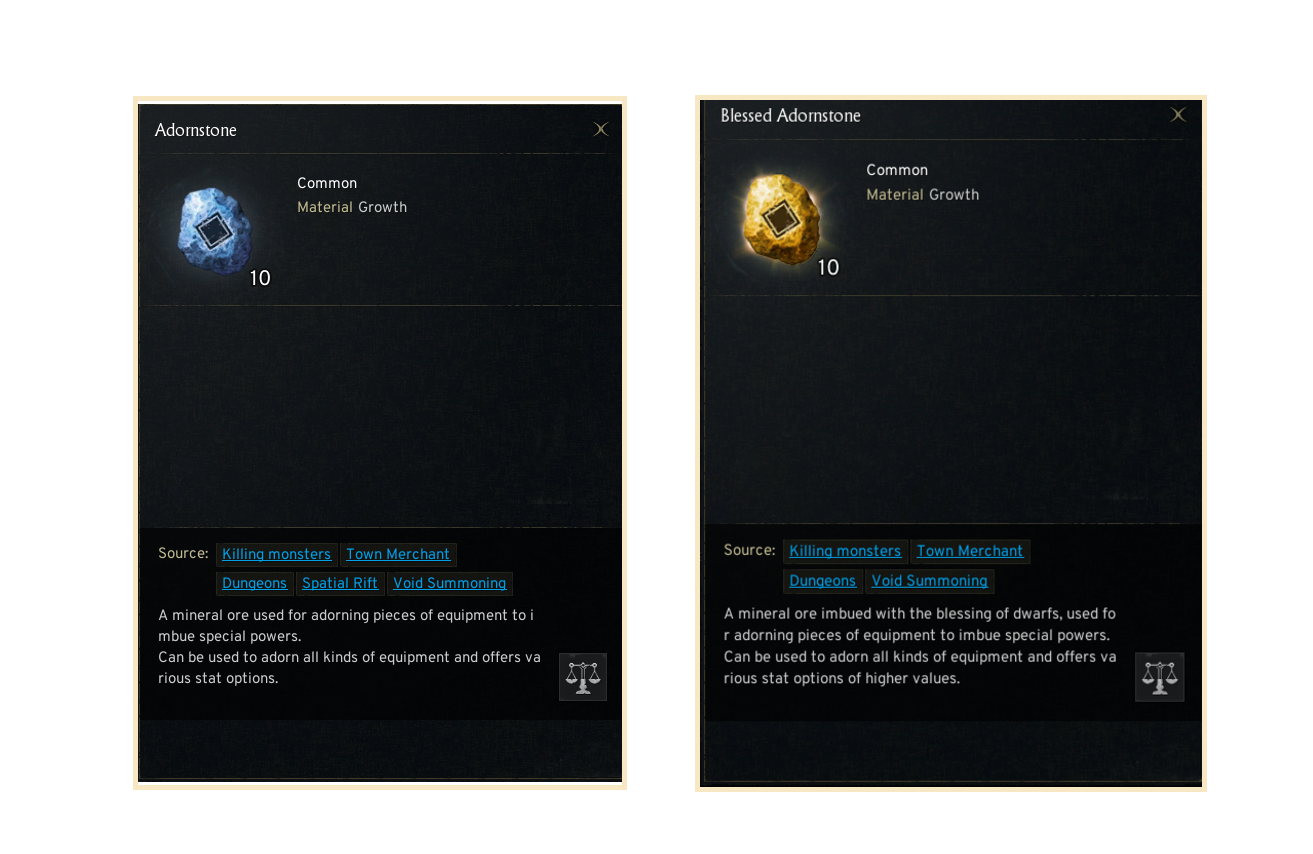
- The adornstones include '(Common) Adornstone' and 'Blessed Adornstone',
with Blessed Adornstone providing higher crafting effects compared to (Common) Adornstone.
- Crafting equipment will randomly apply options and stats.
2. Adorn Options
◈ Details
- Equipment grade determines how many options can be gained through adorning.
- Through adorning, you can add diverse options to your equipment items.
3. Adorn Process
◈ How to proceed
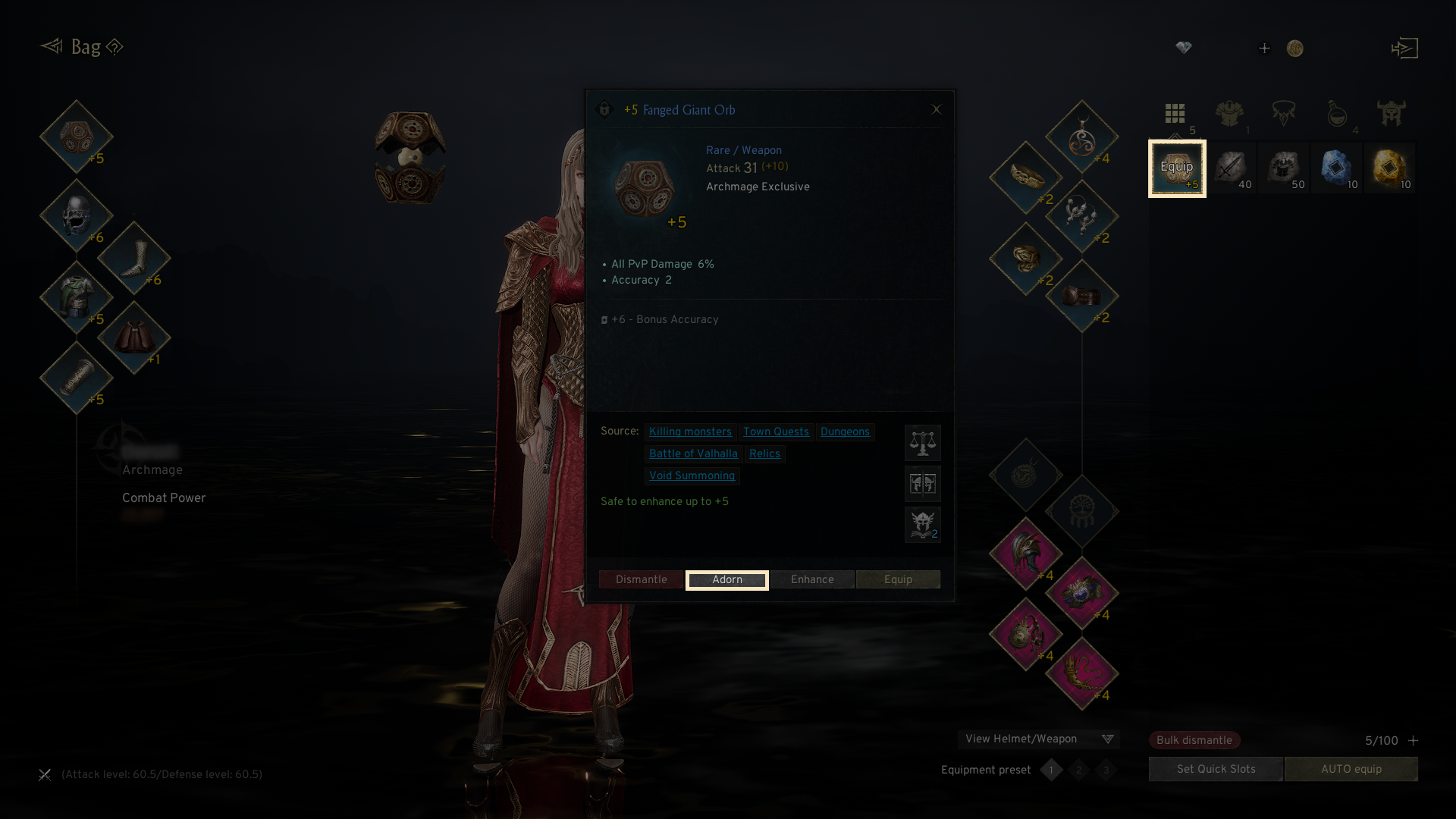
- Open the adorning system by selecting an item in your bag and pressing the 'Adorn' button.
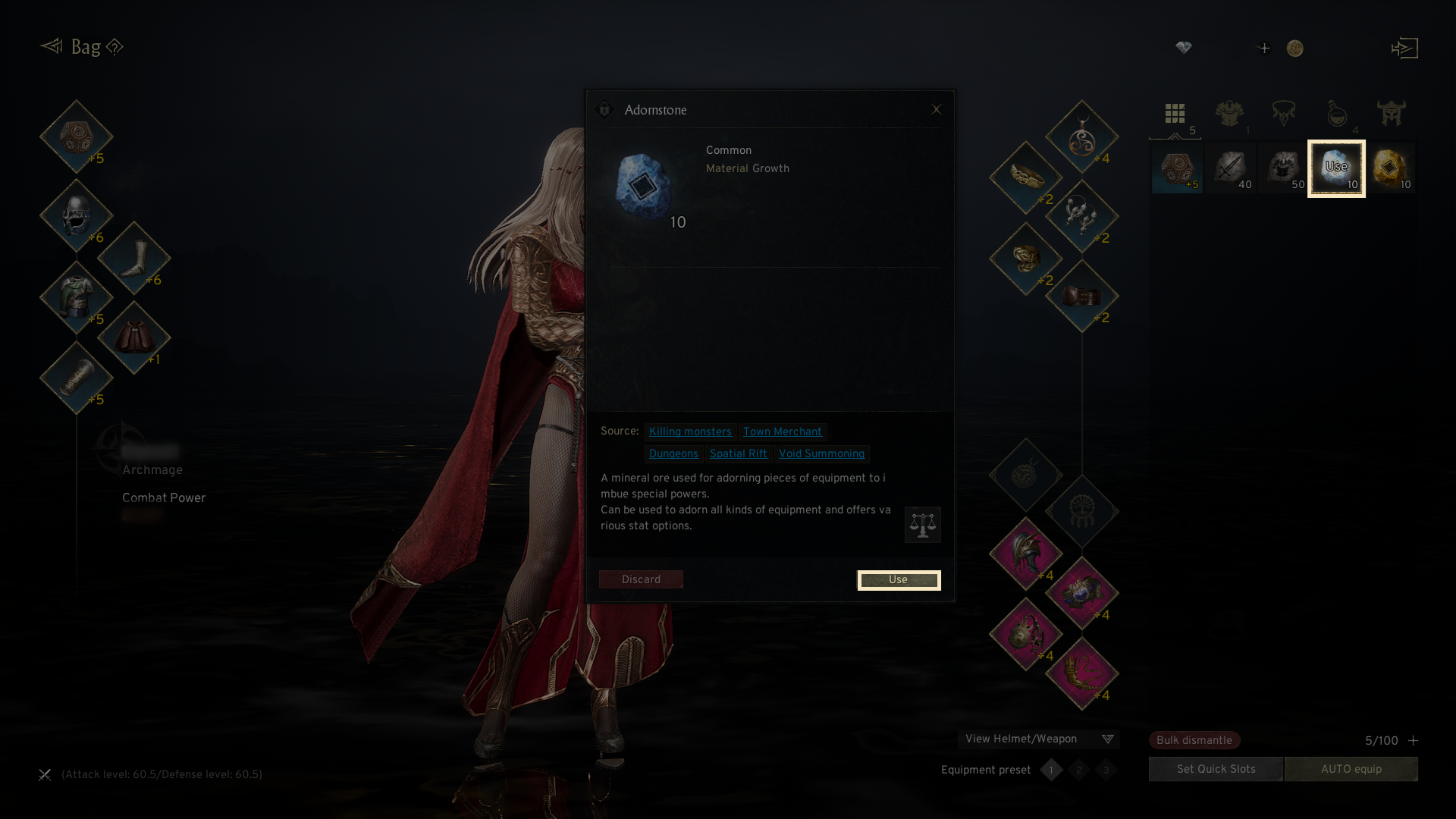
- Access the adorning system by selecting an Adornstone item and tapping the 'Use' button.
- Adorning is guaranteed to succeed, though the adorning options depend on the item type and the grade.
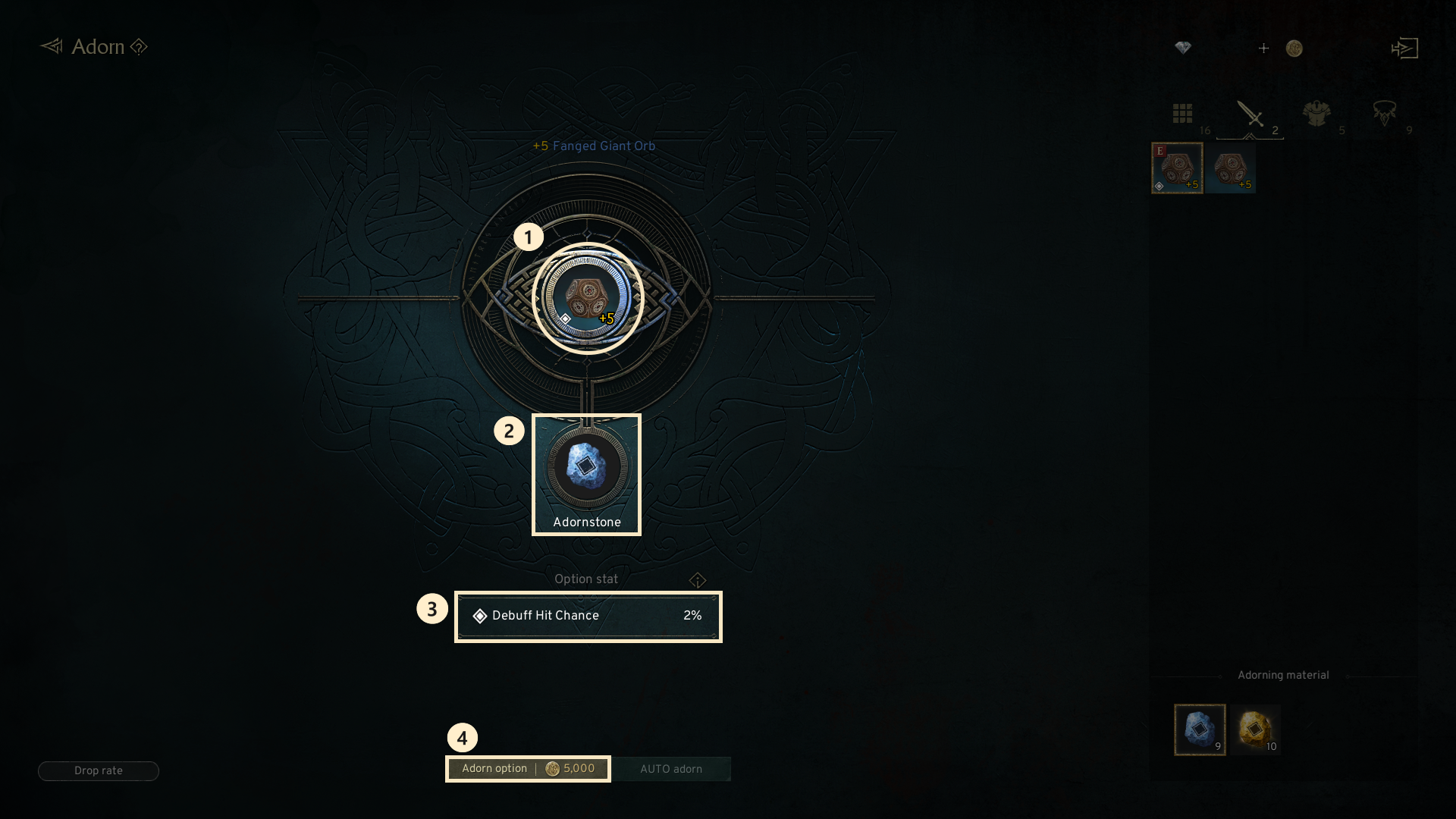
① Adorning Item: The item you want to adorn is displayed.
② Adornstone: Shows the number and type of adornstones you have for.
③ Stats Display: Click the ⓘ icon to see the options you’ll receive from adorning.
④ Adorn option: The consumables used for adorning will be shown, and adorning will proceed once the button is clicked.
If you need additional assistance, don't hesitate to contact our customer center through the button below.