
If obtaining crafting materials is challenging,
you can dismantle unused equipment
to gather the necessary materials.
Keep in mind that equipped items cannot be dismantled.
To dismantle an equipped item, you must unequip it first.
■ Contents
1. Dismantle items
2. Dismantle in bulk
1. How to
◈ How to dismantle
- Tap the menu (☰) in the top-right and select 'Bag'.
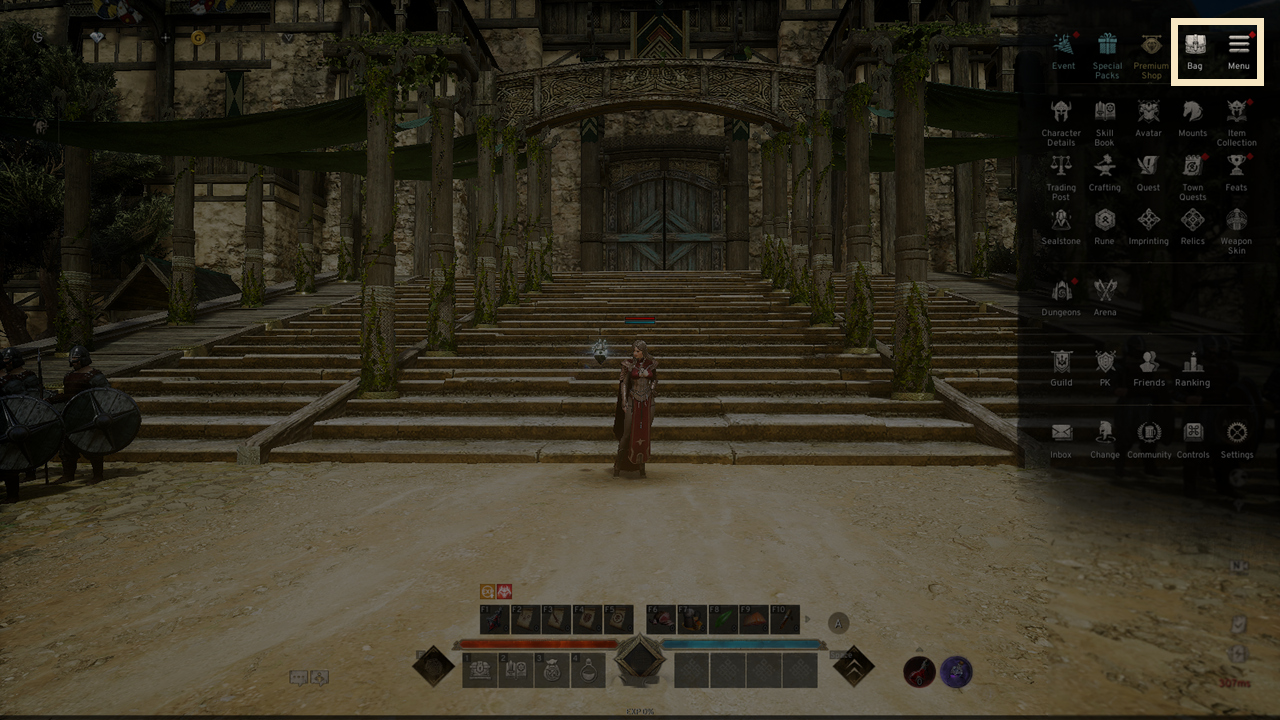
- Select an item in the Bag to dismantle and click 'Dismantle'.
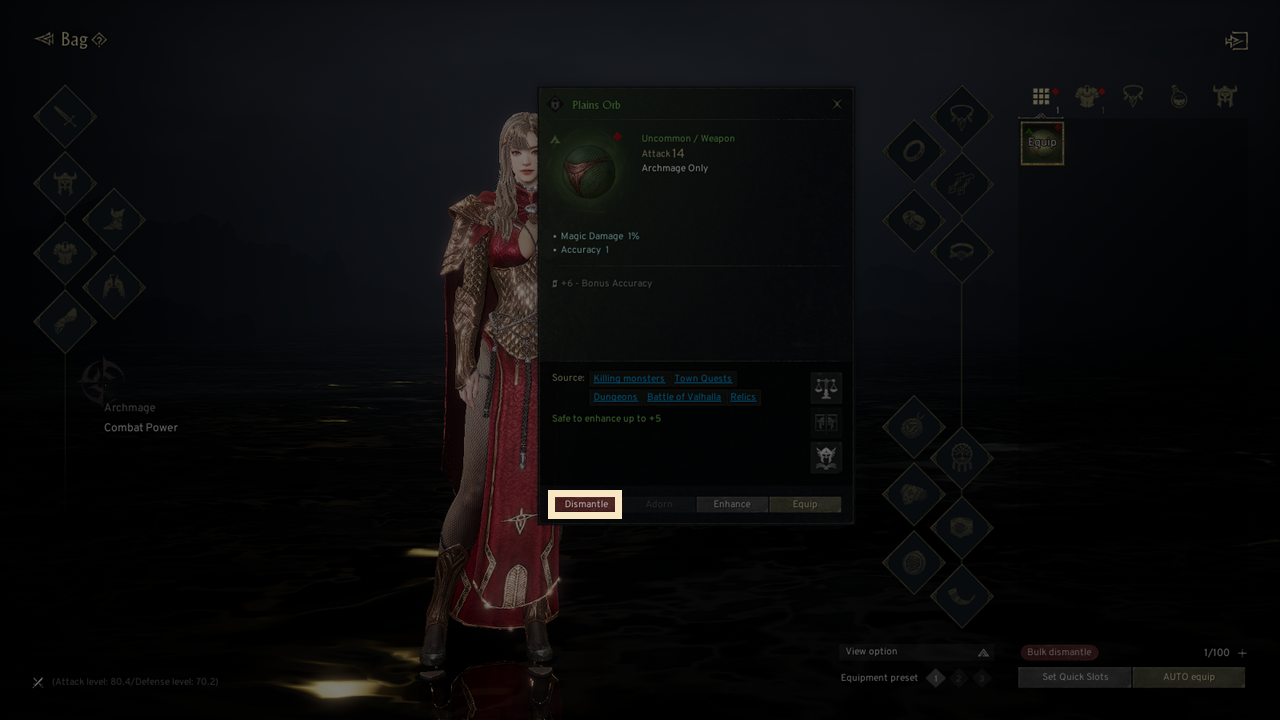
- Popup will appear asking if you want to dismantle, showing the expected results.
- Some dismantling results are obtained based on probability.
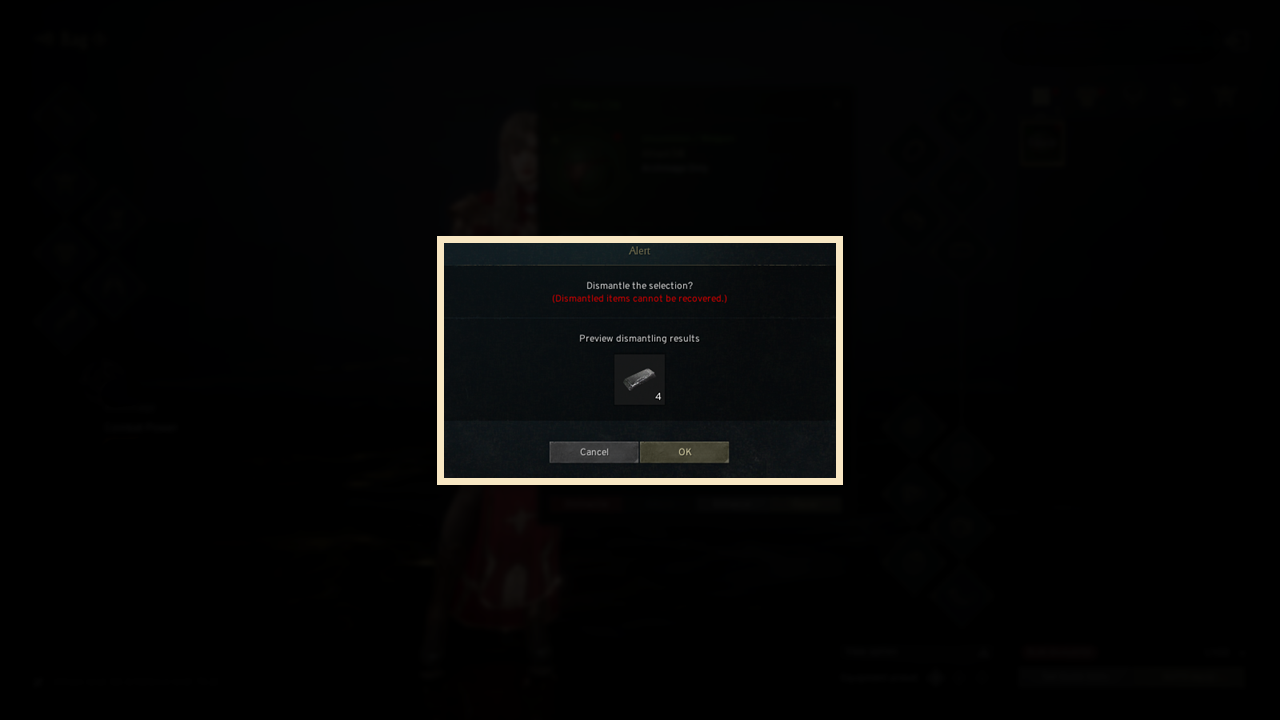
- Press 'OK' to finish dismantling and receive crafting materials.
Dismantle unused equipment to acquire the materials needed for crafting.
2. Dismantle in bulk
◈ How to dismantle in bulk
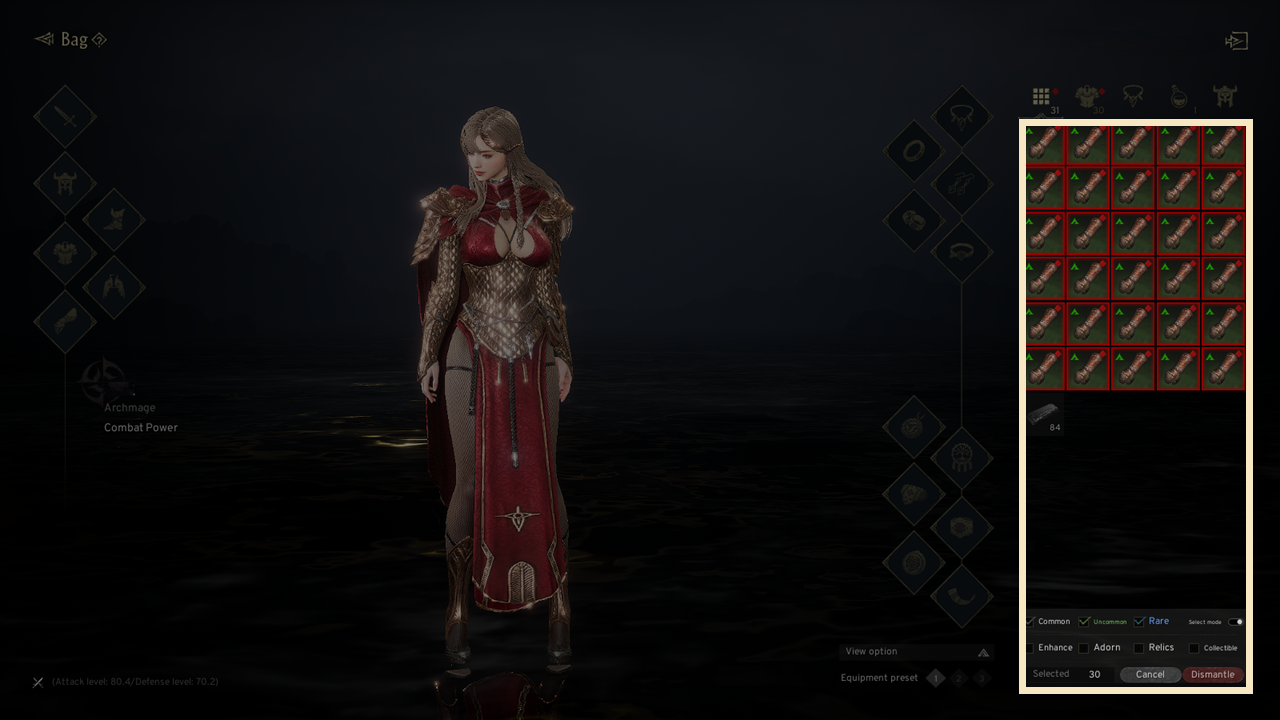
- You can dismantle multiple items at once using 'Dismantle in bulk' at the bottom.
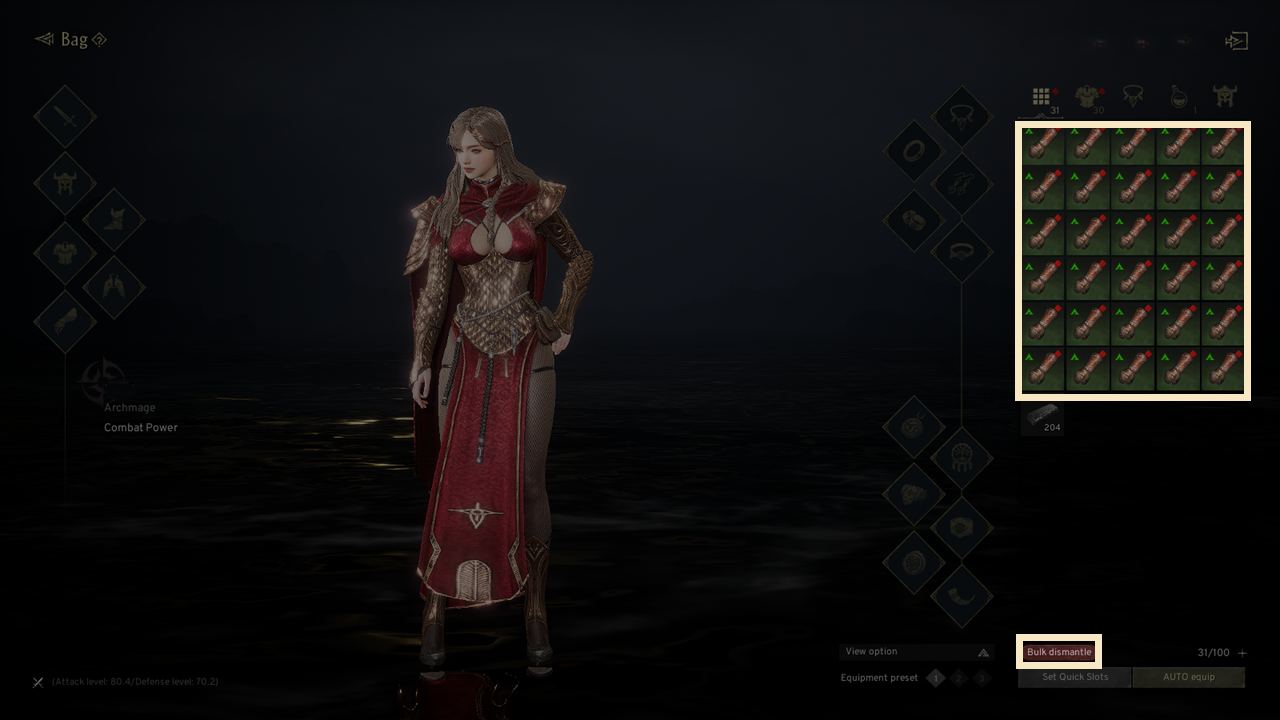
- Select 'Dismantle in Bulk,' choose the equipment, and click 'Dismantle' to dismantle them all at once.
- The selection mode lets you conveniently choose equipment for bulk dismantling.
- Items without selected grade, enhancement, adorning, relic, or collection options will be excluded from bulk dismantling.
! Dismantled items cannot be recovered for any reason.
If you need additional assistance, don't hesitate to contact our customer center through the button below.